Best Unmanaged Network Switches of 2026

An unmanaged switch is the least dramatic box in any setup, which is exactly the appeal: one cable in from the router, several out to the TV, the console, the printer, the laptop dock that keeps dropping Wi-Fi. No app, no account, no settings page to get wrong. What separates a good one from a bad one is quieter than that — a port that negotiates down to a crawl, a power brick that buzzes at midnight, a plastic shell that cracks the first time you screw it to a wall.

I've kept a switch running in my own office for years, and I've stopped trusting spec sheets. Gigabit is gigabit on paper; what decides whether you forget the thing exists is the power supply, the case, and how it handles heat in a closed cabinet. We spent six months with 12 of them, from five-port desktop units to 16-port rack-mount boxes.

The number that matters more than any other is port count. Count your wired devices, add two, and buy that size — a five-port fills up faster than anyone expects once a printer and a TV join in. The picks below cover every size worth recommending, from one spare port to a full rack.

1

Best Overall

TP-Link TL-SG108

95 /100
LBD Score Outstanding

Key details

Case
Metal, fanless
Ports
8 × Gigabit RJ45
Warranty
3-year manufacturer
Max Power Draw
2.77 W
View on Amazon

Eight gigabit ports, a steel case, and no configuration screen anywhere: the TL-SG108 is the switch we hand people who ask what to buy and don't want to think about it again. You run one cable from a router LAN port into any jack, plug everything else into the rest, and it negotiates link speed and cable type on its own. Setting it up took us less time than finding a free outlet for it.

The reason it holds the top spot is the least exciting one: it just keeps running. What we watched for with these boxes was a dropped link, or a port that negotiates down and stays there, and this one gave us neither. The metal housing isn't decoration either. It spreads heat without a fan, so a switch sitting on a shelf beside the TV is completely silent, and the shielded ports add a little margin in a cabinet full of power bricks.

The layout is the one thing worth flagging. The power jack sits at the opposite end of the chassis from the port row, so a tight corner installation wants some slack in the adapter lead. Beyond that there is remarkably little to say about it, which is the point of an unmanaged switch.

Do one piece of arithmetic before you order. The cable back to your router occupies a port, so eight ports buys you seven new devices — and if you're already counting six, this is the moment to move up to a sixteen-port unit rather than stacking a second five-port box beside it.

Pros

  • Eight auto-negotiating gigabit ports
  • Steel fanless body stays silent
  • Nothing to configure out of the box
  • Three-year manufacturer warranty

Cons

  • No PoE, so powered devices need their own adapters
Our verdict

Our default pick: eight gigabit ports in a silent steel box that works the moment you plug it in, for anyone wiring a desk, a TV stand, or a small office.

Check Latest Price
2

Best for Wall Mounting

NETGEAR GS308

96 /100
LBD Score Outstanding

Key details

Case
Metal, fanless
Ports
8 × Gigabit RJ45
Mounting
Desktop or wall
Warranty
3-year limited
View on Amazon

On paper this is nearly the same switch as our top pick: eight gigabit ports, a steel case, no fan, nothing to install. We rank it second for a reason no spec sheet shows. Alongside units that run for years without a hiccup, some stop passing traffic within a few months, and in a switch that is the failure that matters, because you find out when the whole room goes dark at once.

What it does better than the TP-Link is disappear into awkward places. NETGEAR specifies it for desktop or wall placement, so it can hang behind a TV or under a desk rather than taking shelf space. All eight ports auto-negotiate, so an old printer and a new laptop share it without argument, and IEEE 802.3az drops the draw on idle ports instead of pulling the same few watts all night.

The rest is standard: a three-year limited warranty, a compact metal body at 13.76 ounces, and ports that don't care whether you feed them Cat5e or Cat6. If the switch is going onto a wall or into a spot where a shelf won't fit, this is the one we point to, and the long-run reliability question is the thing to weigh against that convenience.

Pros

  • Specified for wall or desktop mounting
  • Eight gigabit ports, all auto-negotiating
  • 802.3az cuts draw on idle ports
  • Compact steel body

Cons

  • Sold for U.S. and Canada only
Our verdict

The eight-port switch to buy when the box has to hang on a wall or under a desk, with the same plug-and-play simplicity as our top pick.

Check Latest Price
3

Best for PoE Cameras

UGREEN 10-Port PoE

89 /100
LBD Score Excellent

Key details

Modes
Standard, port isolation, extend
Ports
8 PoE+ and 2 gigabit uplink
Warranty
24 months
PoE Budget
60 W total, 30 W per port
View on Amazon

The moment the devices on the far end are cameras or access points, the math changes: they need power as well as data, and this is the only switch in the group that sends both down one cable. Eight of its ten ports are PoE+ at up to 30 W apiece, and the two remaining ports are plain gigabit for the uplink and a laptop.

The figure that decides whether it works for you is the total, not the per-port maximum: 60 W across all eight PoE ports. Two 30 W devices consume the whole allowance, while a set of ordinary fixed cameras — which draw a small fraction of that each — leave plenty of headroom. Push past the budget and the switch sheds ports in priority order, 8 down to 1, rather than browning out everything at once. That is a sensible way to fail, and worth knowing before you add a ninth powered device.

What we like most is the front-panel button. Standard, Port Isolation, and Extend, all set with a press and no login anywhere. Port isolation stops the cameras talking to each other, which is as close to VLAN separation as you get without buying a managed switch, and Extend mode automatically restarts a frozen device on ports 1 through 6. If you have ever driven across town to power-cycle a camera, that feature alone justifies the pick.

Two practical notes. It takes a power cord rather than a wall adapter, which is tidier in a cabinet but means one more cable to the outlet, and the metal case is about the size of a small book. The mode button is also the only control you get — no web page, no app, nothing to break.

Pros

  • Eight PoE+ ports plus two gigabit uplinks
  • Auto-recovery restarts frozen devices
  • Port isolation without a management login
  • Power cord instead of a wall adapter

Cons

  • Newest design here, with the shortest track record
Our verdict

The switch to buy when your cameras or access points need power over the cable, provided the total draw fits inside 60 watts.

Check Latest Price
4

Best for Rack Closets

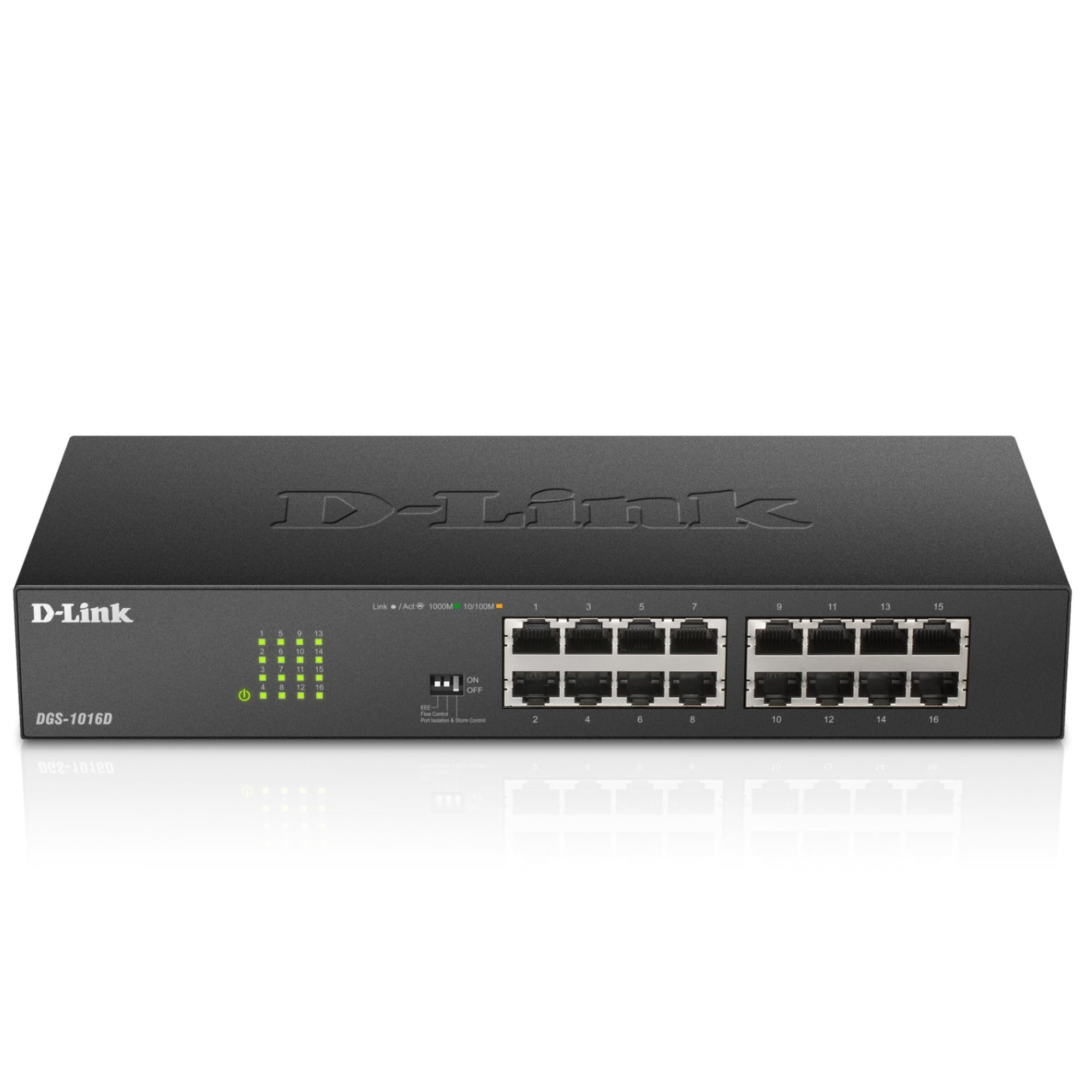
D-Link DGS-1016D

91 /100
LBD Score Outstanding

Key details

Case
Metal, fanless
Ports
16 × Gigabit RJ45
Mounting
Desktop or 19-inch rack
Dimensions
10.95 x 4.95 x 1.73 in
View on Amazon

Sixteen gigabit ports, a fanless steel chassis, and rack ears in the box: this is what you buy when the port count in the rest of this guide stops being enough. We keep it on the list for rack and patch-panel jobs, where its 10.95-inch body and included mounting hardware save a trip to the parts drawer, and where a single sixteen-port unit beats a chain of smaller boxes for tidiness alone.

The feature list runs longer than an unmanaged switch usually gets. Flow control, storm control, and port isolation are all built in and preconfigured rather than something you log in to fiddle with, and energy-efficient Ethernet trims the draw when traffic is light. D-Link rates it to 104 °F, and it runs cool enough in our experience to sit under other gear in a closed cabinet. It is also listed as NDAA and TAA compliant, which matters if you're buying for a public agency and means nothing if you're not.

At 1.73 inches tall it takes a single rack unit, and the ears and screws come with it, so installation is a screwdriver job rather than a shopping trip. For a home lab or a small office that can live with an hour of downtime, sixteen gigabit ports with proper mounting hardware is the best value in this group for larger installs.

Pros

  • Sixteen gigabit ports in one chassis
  • Rack ears and screws included
  • Fanless, rated to 104 °F
  • Storm control and port isolation built in

Cons

  • Some units stop working within a year
Our verdict

The rack-and-closet answer: sixteen gigabit ports with the mounting hardware included, for anyone whose port count has outgrown the eight-port boxes.

Check Latest Price
5

Best Budget Pick

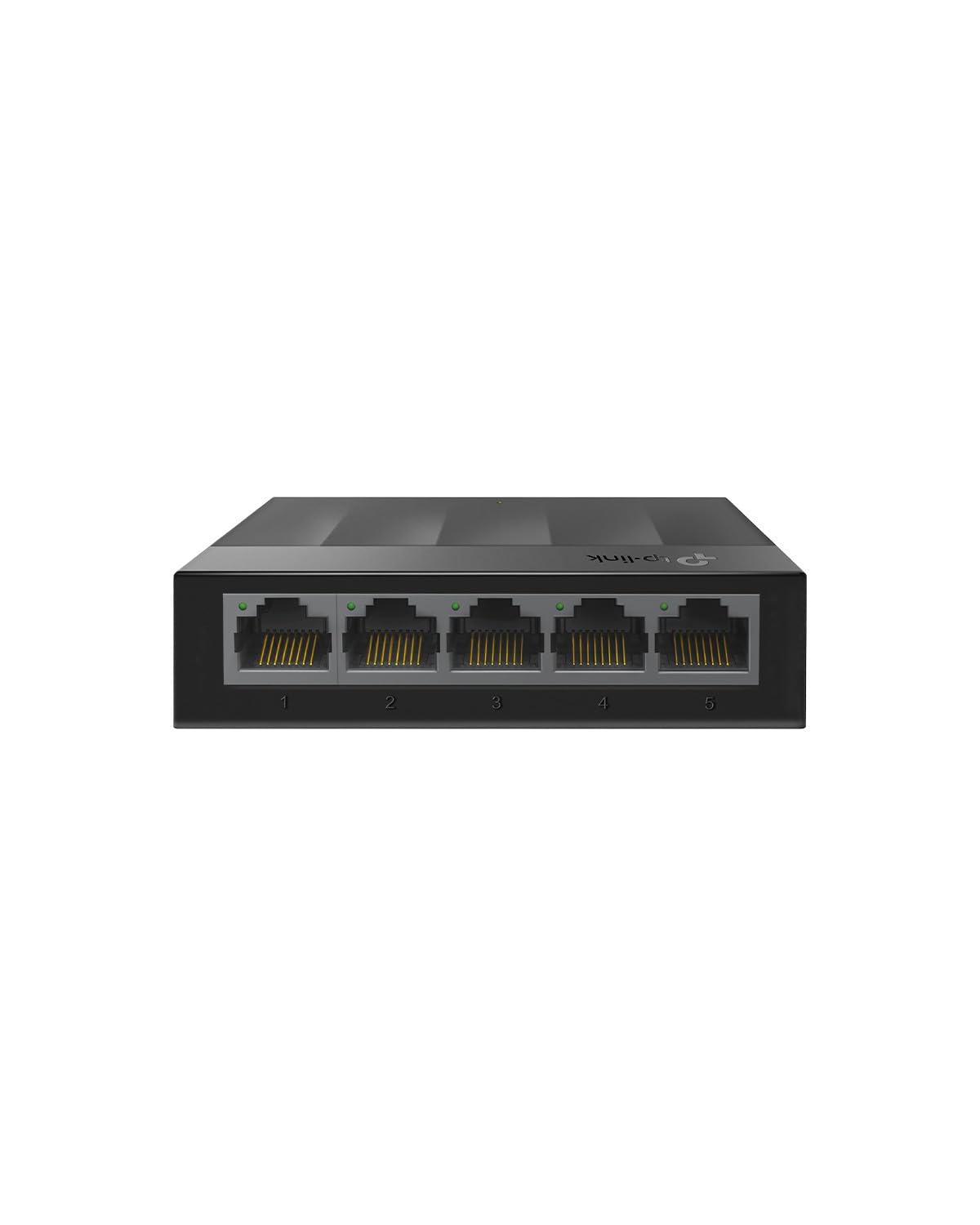
TP-Link LS1005G

95 /100
LBD Score Outstanding

Key details

Case
Plastic, fanless
Ports
5 × Gigabit RJ45
Warranty
2-year manufacturer
Dimensions
3.54 x 2.83 x 0.91 in
View on Amazon

The cheapest way to add wired ports in this guide, and one of the smallest: the LiteWave is a plastic slab about the size of a deck of cards, with five gigabit ports and exactly one job. There is no metal, no shielding, and no QoS — what you're paying for is the silicon and nothing else.

The ports themselves are full gigabit with auto-negotiation and auto MDI/MDIX, so a crossover cable or a mislabeled run doesn't matter, and IEEE 802.3X flow control keeps one busy port from swamping the rest. TP-Link's energy-efficient circuitry means it sips power when nothing is moving, which is most of the time in a room where the switch feeds a TV and a console.

We reach for it where a switch is basically furniture: behind a TV, on a dorm desk, in a rental where you're not drilling holes. At 0.08 kg in a plastic shell, a stiff Cat6 lead can drag it around, so give it a flat spot with some slack in the cable. Past that, the only question left is how many ports you need.

Pros

  • Five gigabit ports at the lowest price tier
  • Auto-negotiation and auto MDI/MDIX
  • Small and light enough to hide

Cons

  • Four usable ports once the uplink is taken
Our verdict

The cheapest way into gigabit here, and the right buy for a TV stand, a dorm desk, or anywhere the switch will sit still and never be touched.

Check Latest Price
6

Best Compact Metal Switch

D-Link DGS-105

95 /100
LBD Score Outstanding

Key details

Case
Steel, fanless
Ports
5 × Gigabit RJ45
Mounting
Desktop or wall keyholes
Dimensions
3.95 x 3.85 x 1.1 in
View on Amazon

Keyhole slots on the back, rubber feet on the bottom, and a steel body barely wider than the five ports it holds: D-Link's DGS-105 is built to be put somewhere and forgotten. It is the smallest metal switch here, and the one that survives being screwed to a wall in a basement.

For a single room with a long cable run, this is the five-port we point to. The steel chassis takes a knock, the ports are shielded, and 802.1p QoS pushes voice and video ahead of a bulk download — the difference between a smooth call and a choppy one when someone starts a backup. It handles Cat5e through Cat6A up to 100 meters, so reusing cable that was pulled through a wall years ago is fine.

Coverage is where it earns back the difference: the limited lifetime warranty matches the best here and beats the two- and three-year terms on the plastic boxes. It is still five ports, so do the count first — four devices after the uplink covers a TV, a console, a dock, and a printer, and not much else.

Pros

  • Steel housing with keyhole wall slots
  • 802.1p QoS for voice and video
  • Shielded ports, Cat5e to Cat6A runs
  • Limited lifetime warranty

Cons

  • Some units fail after a few years of service
Our verdict

A steel five-port that wall-mounts cleanly and prioritizes video traffic, for anyone who wants a small switch that feels like real equipment.

Check Latest Price
7

Shelf-Sized 16-Port

Linksys LGS116

91 /100
LBD Score Outstanding

Key details

QoS
Traffic prioritization
Case
Metal
Ports
16 × Gigabit RJ45
Warranty
5.5-year manufacturer
View on Amazon

Sixteen ports is the number that stops a home network becoming a chain of five-port boxes, and the LGS116 gets you there in one metal unit with a single uplink back to the router. It is a plain box: auto-sensing gigabit on every port, QoS for video and voice, and IEEE 802.3az to trim the draw when ports are idle.

The warranty is the standout number here: five and a half years, longer than the three-year terms on the eight-port switches at the top of this list and comfortably outrunning the hardware it will be connected to. The metal housing keeps it cool in a closed cabinet, and 1.7 pounds of it means it stays where you put it instead of sliding around on a shelf.

Where it gives ground to the D-Link sixteen-port is in the rack. This one is a desktop or wall unit rather than a rack piece, and it costs more on top of that. If you're filling a 19-inch frame, the D-Link is the obvious call.

Our verdict: buy this one when the switch is going on a shelf, a wall, or the back of a small-office cabinet and the ports matter more than the mounting. You give up the rack ears and pay a little more for the longest fixed warranty here and a clean reliability record. With a frame to fill, take the D-Link instead.

Pros

  • Sixteen auto-sensing gigabit ports
  • Five-and-a-half-year warranty
  • QoS and 802.3az energy saving

Cons

  • Costs more than the other sixteen-port here
Our verdict

The sixteen-port to buy when the switch lives on a shelf or a wall rather than in a rack, backed by the longest fixed warranty in this guide.

Check Latest Price
8

Small Business

Cisco CBS110-5T-D

88 /100
LBD Score Excellent

Key details

QoS
Integrated QoS
Case
Plastic
Ports
5 × Gigabit RJ45
Warranty
Limited lifetime
View on Amazon

Five gigabit ports in a plastic case, from a company that mostly sells to businesses: the CBS110-5T-D asks you to pay for the name, and the fair question is whether you'll ever use what the name buys.

What it buys is support. The warranty is limited lifetime with return-to-factory replacement, plus a year of phone support to Cisco's small-business desk — a different proposition from a two-year term and a web form. For a shop, a clinic, or a classroom where the network is not the point and downtime is expensive, that is worth real money.

The hardware is modest and neatly made: 4.33 by 2.95 by 1.18 inches, plastic, with integrated QoS keeping voice and video ahead of bulk traffic, and setup that needs no IT knowledge. Five ports is five ports, though, and four of them are usable once the uplink is connected.

We think this is the right switch for one specific buyer: someone installing a handful of ports in a public-facing space who wants a recognized name on the box and a phone number to call when it misbehaves. At home, you can spend less and get eight ports instead of five, and that is the trade we make every time.

Pros

  • Limited lifetime warranty with phone support
  • Integrated QoS for voice and video
  • Compact case for open, public spaces

Cons

  • Highest price per port in this guide
Our verdict

A five-port switch for people who value a lifetime warranty and a support line more than port count — small offices, clinics, and classrooms rather than dens.

Check Latest Price

How We Tested the Unmanaged Switches

We started with every unmanaged switch we could find in the common sizes — five, eight, ten, and sixteen ports — then cut the list by the things a spec sheet can tell you: metal or plastic housing, internal power supply or wall adapter, and whether the case was built for a desk, a wall, or a rack. That left 12 units, which we ran for six months.

Setup was timed with a stopwatch from the moment the box opened — every step between unboxing and a live link, and whether anything demanded an app, an account, or a manual. Each switch then went into one of three places: a home office desk serving a desktop, a NAS, and a printer; a media cabinet behind a TV with a console, a streaming box, and a soundbar; and a small workshop where machines and a camera run all day. Two were wall-mounted, one went into a rack, and the rest sat on a shelf.

For speed, we pushed multi-gigabyte folders between two wired machines through each switch, watching whether throughput held steady or sagged when several streams ran at once. We re-seated cables at odd angles to see how firmly the ports gripped and how fast the link light returned, and cut power to each unit to time the recovery. We checked case temperature by hand after a heavy afternoon, listened for coil whine in a quiet room, and logged any port that dropped over the six months.

Durability came down to small moments: whether the metal flexed when a stiff cable went in, whether the mounting brackets lined up, whether the power connector stayed seated when the unit was nudged. All 12 still pass traffic today, and the ones below are the switches we never had to think about.

How to Choose an Unmanaged Network Switch

Count devices, then take one off the top

The uplink cable to your router uses a port, so an eight-port switch is really a seven-port switch and a five-port box gives you four. Most people miss by exactly one, then discover it the day a new console arrives. Add up everything that will be wired — TV, console, desktop, printer, NAS — and add one for growth.

Our top pick's eight ports suit a desk or a TV stand; a five-port unit like the LiteWave or the DGS-105 is right for one room with four devices and no ambition to add more. Past about seven devices, stop chaining boxes and buy a sixteen-port rack unit instead.

Gigabit is the floor, and the uplink is the ceiling

Every switch here is gigabit, and a 10/100 unit isn't worth the shelf space in 2026. What limits you is not the switch but the single cable back to the router: two machines copying files to each other through the switch run at full speed, while everything heading out to the internet shares that one link.

So if you're moving big files between a desktop and a NAS, put both on the same switch and let it do the work locally. If your internet feels slow, the switch is almost never the cause — the plan and the router are.

Power over Ethernet: count watts, not ports

PoE carries power down the same cable as data, which is what makes ceiling cameras and wall access points practical. The number that matters is the total budget, not the per-port maximum: the UGREEN unit here offers 30 W on any single port but only 60 W across all of them, so two 30 W devices use it up.

Add the draw of everything you plan to power and leave a margin. Ordinary fixed cameras draw a small fraction of a port's rating, so eight of them fit comfortably; four high-power pan-tilt units do not, and no switch in this group will carry them.

Metal, plastic, and where the box actually goes

Steel does two jobs: it spreads heat without a fan and it survives being knocked about. None of these switches has a fan, which is why they're quiet enough for a bedroom or a living room, but the plastic models feel like accessories and the steel ones feel like equipment.

Check the mounting before you buy. The DGS-105 has keyhole slots and rubber feet, the GS308 is specified for wall or desktop placement, and the DGS-1016D brings rack ears and screws for a 19-inch frame. A switch with no mounting option lives on a shelf, and shelves fill up.

What unmanaged means, and when it isn't enough

Unmanaged means no login, no per-port configuration, and no monitoring — you plug in and it forwards frames. That is the right answer for a home or a small office, and it is why these cost what they do.

It stops being right when you need separate networks on one box, traffic shaping beyond simple QoS, or a way to see which port is saturating a link. The UGREEN PoE switch's front-panel button — standard, port isolation, extend — is as much control as this category offers without stepping up to a managed unit and the setup that comes with it.

Frequently Asked Questions

Final Verdict

The TP-Link TL-SG108 is the switch we point most people to: eight gigabit ports, a steel fanless case, and nothing standing between you and a working network. Buy it if you're wiring a desk, a TV stand, or a room that has quietly run out of router ports.

Change the requirement and the answer changes. If cameras or access points need power down the cable, the UGREEN switch is the only one here that supplies it, as long as everything fits inside 60 watts. If the box is going into a rack with a patch panel, the D-Link DGS-1016D brings sixteen ports and the mounting hardware. And if it has to hang on a wall, the NETGEAR GS308 is the one specified for it.