Best 2-In-1 Chromebooks of 2026

A 2-in-1 Chromebook is two machines for one price: a keyboard laptop for class or work, and a tablet for reading, sketching, and streaming in bed. The catch is that budget convertibles trim costs in the parts you touch most — a touchscreen that only wakes up for a firm jab, a hinge that loosens by spring, a battery that quits before the afternoon does.

I've lived with enough of these to know the difference shows up in week two, not minute two. My team spent six months using 12 of them as daily drivers, and the ones worth buying all get the basics right: a hinge that holds a tent and a flat pose without sagging, a touchscreen that takes a light tap, a charger that refills before your coffee is gone.

Size is the tradeoff nobody warns you about: a 14-inch convertible gets heavy the moment you hold it like a tablet. Several picks here are refurbished, so battery health and screen condition count as much as the processor — the right one depends on which tradeoff you can live with.

1

Best Overall

HP 14 2-in-1 Chromebook

88 /100
LBD Score Excellent

Key details

Screen
14-inch FHD IPS touch
Warranty
90 days (renewed)
Processor
Intel N100, four cores
Memory And Storage
4GB DDR5 / 64GB eMMC
View on Amazon

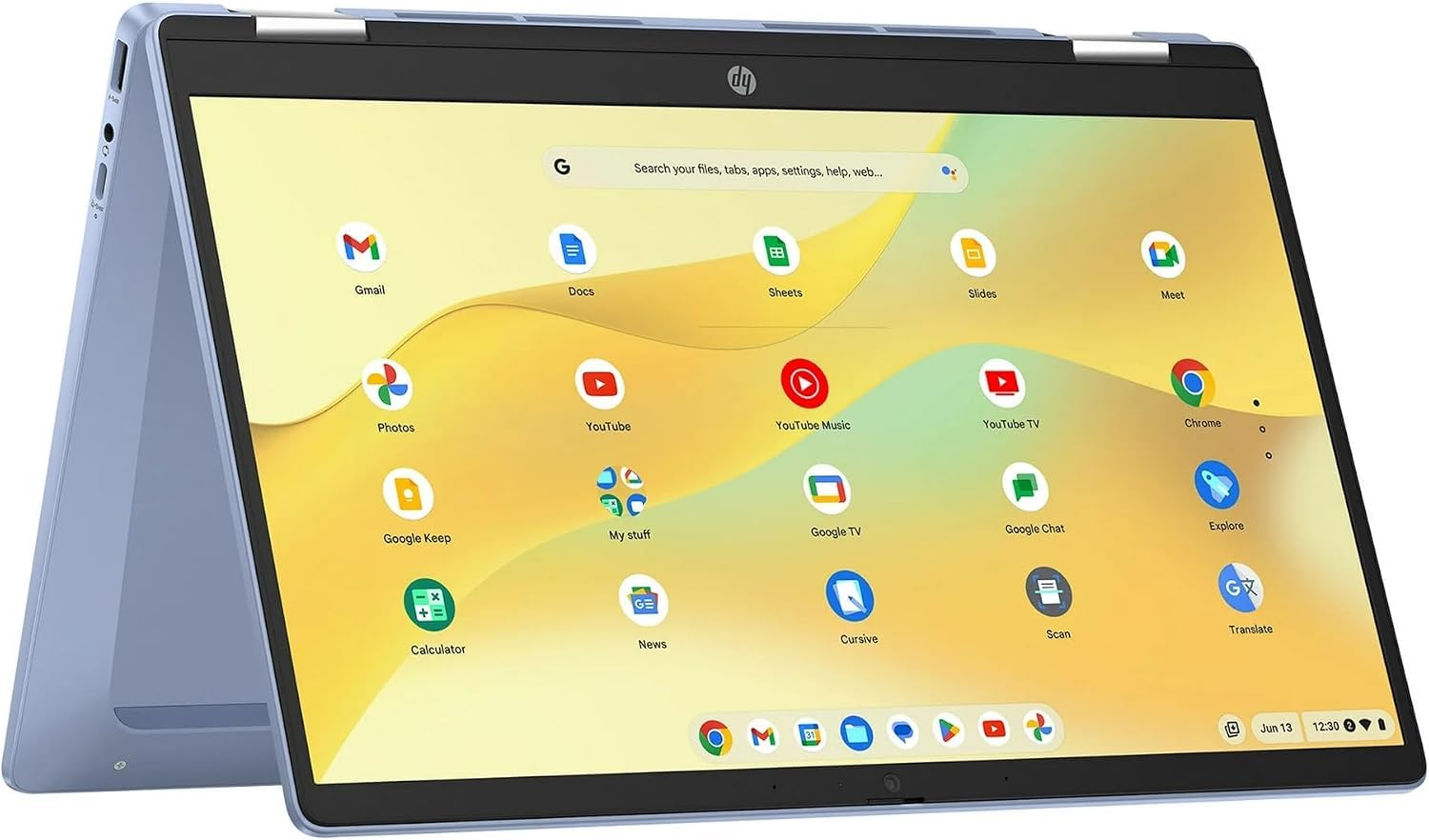
Two numbers explain why this is our top pick: 14 inches and four cores. HP wraps a 1920 x 1080 IPS touchscreen in a 360-degree hinge and pairs it with Intel's N100, a quad-core chip that reaches 3.4GHz — the same processor as the more expensive IdeaPad Flex 3i. A big screen and current silicon at a price below that 12.2-inch machine is a combination nothing else here matches.

Living with it is the pleasant part. The 14-inch panel is the right size for two windows side by side and good enough to be the TV in a hotel room, and flipping it into stand mode is a one-second move on the hinge. The N100 has headroom for a dozen tabs and a call at once; the 4GB of DDR5 is what you hit first, and it is soldered, so treat this as a twelve-tab machine, not a thirty-tab one.

Storage is the tighter constraint. It is 64GB of eMMC rather than an SSD, and ChromeOS plus a handful of Android apps claims a chunk of that, so this is a laptop that lives in the cloud. Ours came as renewed stock with a 90-day warranty, which explains the price: put it through a full charge, a video, and every key in the first week, while the return window is still open. What you give up beside the ASUS is memory; what you get instead is a processor that does not flinch.

Pros

  • 14-inch FHD touchscreen on a 360-degree hinge
  • Quad-core N100 keeps everyday ChromeOS work smooth
  • Costs less than the 12.2-inch IdeaPad Flex 3i

Cons

  • 4GB of soldered memory with no upgrade path
  • 64GB of eMMC storage fills quickly
Our verdict

The one we tell most people to buy: a 14-inch FHD touchscreen, a quad-core N100, and a lower price than the compact convertibles here.

Check Latest Price
2

Best for Multitasking

ASUS Chromebook Flip CX1 14

84 /100
LBD Score Excellent

Key details

Screen
14-inch FHD NanoEdge touch
Weight
3.59 lb
Battery
Rated 11 hours
Memory And Storage
8GB / 128GB eMMC
View on Amazon

Memory is the argument for the CX1. Eight gigabytes of LPDDR4X is double what most of this group carries, and 128GB of eMMC is double the usual 64GB, so this is the Chromebook for the person who leaves twenty tabs, a document, and three Android apps open and never thinks about it. The 14-inch 1920 x 1080 NanoEdge panel sits on a four-mode hinge, and ASUS rates the chassis to MIL-STD 810H.

The Celeron N4500 is where the compromise sits. It is a dual-core part, and memory keeps pages loaded while the processor decides how quickly they answer; simple browsing feels fine, and dense web apps or a big spreadsheet are where the CX1 runs out of patience. Set beside the N100 machines here, the difference is easy to notice — we expected the extra memory to hide it, and it does not.

Weight is the other cost. At 3.59 pounds this is the heaviest laptop in the group, a bag you plan around rather than the 2.8-pound IdeaPad. In exchange you get the most memory and storage on the page, a durability rating the others do not carry, and three months of Google One AI Premium with 2TB, which softens the price if you were paying for cloud space anyway.

Pros

  • 8GB of memory holds a large set of tabs
  • 128GB of eMMC, twice the usual capacity
  • Rated to MIL-STD 810H durability
  • Three months of Google One AI Premium with 2TB

Cons

  • Dual-core Celeron N4500 is the weak link
  • At 3.59 pounds, the heaviest pick here
Our verdict

Eight gigabytes of memory is the reason to pick this one, and we think it is worth the heavier body and the dual-core chip for anyone who lives in twenty tabs.

Check Latest Price
3

Best for Students

Lenovo IdeaPad Flex 3i 12.2

82 /100
LBD Score Excellent

Key details

Screen
12.2-inch 1920 x 1200 touch
Weight
2.8 lb
Processor
Intel N100
Update Support
Through June 2031
View on Amazon

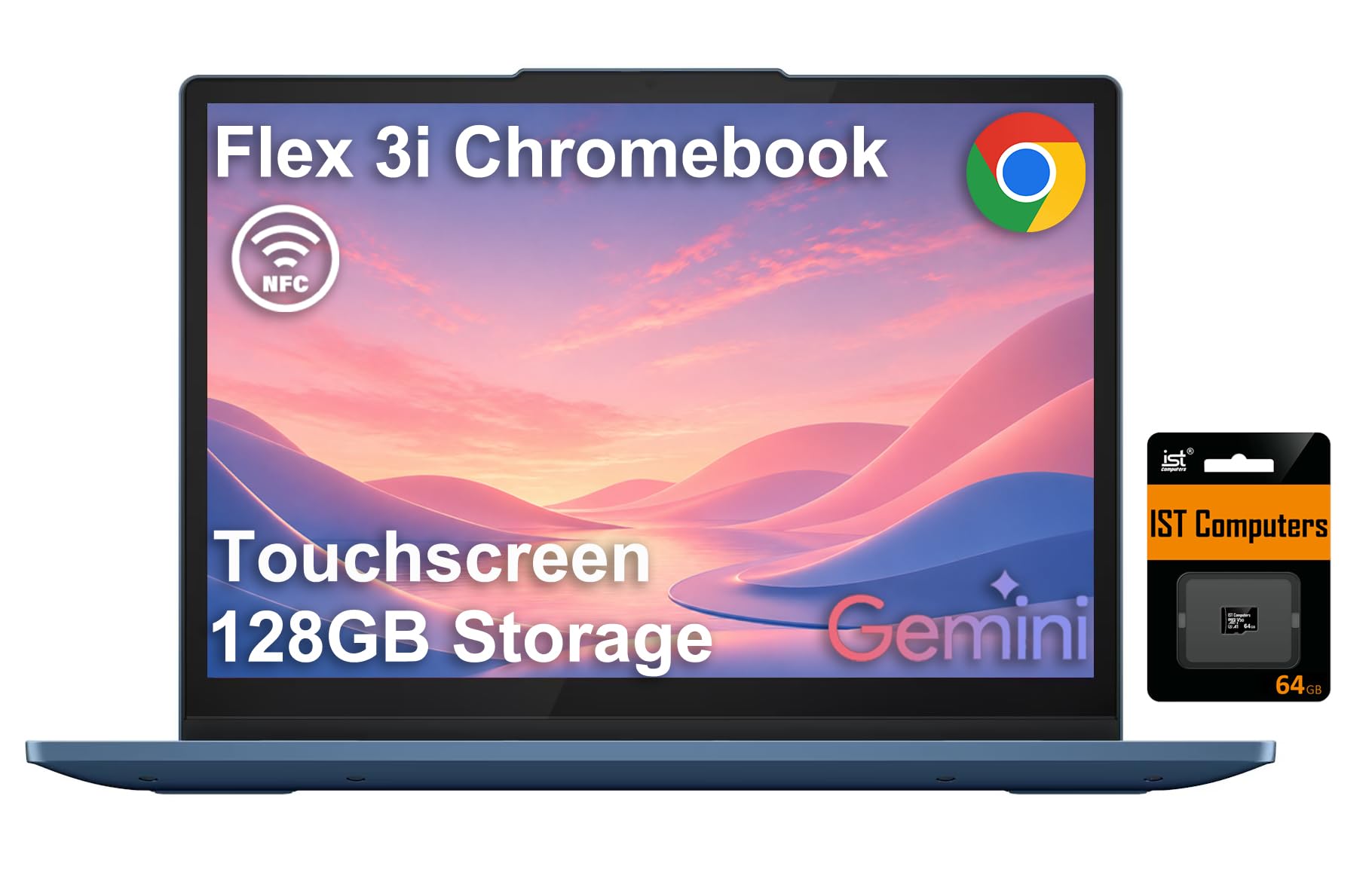
Twelve inches sounds cramped until you look at the shape of the panel. The Flex 3i is 1920 x 1200, a 16:10 screen, so a document or a web page gets vertical room that a 16:9 display of the same width does not offer; 300 nits and a low-blue-light certification make it easy to read on for a long stretch. Underneath is the same Intel N100 quad-core as our top pick, which is why the small size never makes it feel like the slow option.

The measurements are what sold us. At 2.8 pounds and 0.72 inches thick it disappears into a tote beside a notebook, and it is the one we hand to someone who walks to class rather than drives. Lenovo lists ChromeOS updates through June 2031 — the longest support window here — and the one-year warranty is a real difference from the 90-day cover on the renewed machines.

Two things to know before ordering. Four gigabytes of LPDDR5 is the ceiling and it is soldered, so the memory you buy is the memory you keep. And the 128GB in the listing is 64GB of eMMC plus a 64GB microSD card from the seller: useful, but the card is removable and worth backing up separately. It is also the priciest machine here, which the screen, the weight, and the warranty go a long way toward justifying.

Pros

  • 12.2-inch 1920 x 1200 screen in a 2.8-pound body
  • One-year warranty instead of ninety days
  • ChromeOS updates through June 2031
  • USB-C, two USB-A, HDMI, and a microSD slot

Cons

  • The 128GB figure includes a 64GB SD card
  • 4GB of memory, soldered and not upgradable
Our verdict

For carrying to class, this is our pick: a 12.2-inch 1200p screen and a 2.8-pound body, with a one-year warranty instead of ninety days.

Check Latest Price
4

Best Detachable

Lenovo Chromebook Duet

87 /100
LBD Score Excellent

Key details

Design
Detachable keyboard, kickstand folio
Screen
10.1-inch 1920 x 1200 touch
Battery
Rated 10 hours
Tablet Weight
15.8 oz
View on Amazon

The kickstand is the tell. Open the fabric folio and the Duet stands on a table like a small monitor; unclip the pogo-pin keyboard and you are holding a 10.1-inch tablet that weighs under a pound. That is a different object from the convertibles here, and for reading, streaming, and handwriting with a USI pen it is the nicer one — the 1920 x 1200 panel is sharp, and the two-tone finish with the fabric-backed stand looks better than the price suggests.

Type on it for an hour and the compromise arrives. The keyboard cover is small-keyed and shallow, fine for a paragraph and tiring for a paper, and there is one USB-C port for charging and everything else, so a hub is not optional if you want a mouse and a monitor at the same time.

The other thing to plan around is reliability: freezing and random restarts are this model's known weak spot, so buy where returns are easy and give it a hard week before you rely on it for school. Treat it as a tablet that can type when it has to, and it is the most enjoyable device here.

Pros

  • Detachable keyboard and kickstand folio
  • Sharp 1920 x 1200 tablet display
  • Tablet half weighs 15.84 ounces

Cons

  • Small, shallow keyboard cover
  • One USB-C port for everything
Our verdict

We hand this to the reader whose ChromeOS day is mostly reading — the only detachable here, and the lightest thing in the group once the keyboard comes off.

Check Latest Price
5

Best Budget

Dell Chromebook 11 3100

85 /100
LBD Score Excellent

Key details

Screen
11.6-inch 1366 x 768 touch
Battery
Rated 14 hours
Processor
Intel Celeron N4020
Memory And Storage
4GB / 32GB
View on Amazon

The resolution is the first thing to make peace with: 1366 x 768 on an 11.6-inch touch panel, the same figure budget Chromebooks have carried for years. Text is not as clean as on the 1200p Lenovo, and you will see it the moment two windows share the screen. For one browser window, a school portal, and a video it is fine, and it is a large part of why the machine costs what it does.

What you get for that compromise is the most predictable budget machine in the group: an Intel N4020, 4GB of memory, 32GB of storage, a 360-degree hinge, and a rated 14 hours. At 3.1 pounds it moves between a kitchen counter and a backpack without complaint, and setup is a Google sign-in rather than an afternoon of drivers and antivirus pop-ups.

We like it as a first laptop for exactly that reason: there is nothing to configure and nothing to maintain. The 14-hour rating assumes light use, so a day of video will have you looking for a charger, and the 32GB goes faster than you expect once a few Android apps land. It is renewed with a 90-day warranty, so run it hard in the first week and use the return window if anything feels loose.

Pros

  • Rated 14 hours of battery
  • 360-degree hinge and touchscreen at a budget price
  • 3.1 pounds, easy to move around the house

Cons

  • 1366 x 768 touchscreen looks coarse
  • 32GB of storage fills quickly
Our verdict

Our budget pick buys a 360-degree touchscreen, a simple setup, and a rated 14 hours, as long as a 1366 x 768 screen does not put you off.

Check Latest Price
6

Second Machines

HP Chromebook x360 11 G3 EE

79 /100
LBD Score Very Good

Key details

Design
360-degree hinge, renewed
Screen
11.6-inch 1366 x 768 touch
Processor
Intel Celeron N4020
Memory And Storage
4GB / 32GB
View on Amazon

Thirty-two gigabytes is the whole story. ChromeOS itself is small, but Android apps, offline video, and a few downloads eat that quickly, and there is no way to add internal storage — so this is a machine that streams rather than stores. If school and work live in Google Drive, that is a workable trade at this price; if you need a tablet full of downloaded movies for a flight, it is not.

Everything else is what the model name promises: an 11.6-inch touchscreen on a 360-degree hinge, the Celeron N4020 and 4GB that the budget tier runs on, and an education-edition chassis built for school handling rather than a boardroom. Ours arrived clean and booted straight into setup, which is not guaranteed with renewed stock, and it carries the same 90-day cover as the other refurbished picks.

The hinge is the part to watch on any convertible, and this one holds a tent position without slumping, which is the small proof that the folding mechanism was built for daily use. One more check belongs before you buy: look up the model's ChromeOS auto update expiration date, because it is an older machine and refurbishing does not extend the years of security updates.

Pros

  • The cheapest way into a 360-degree touchscreen
  • 11.6-inch body with a full-size keyboard
  • Backed by the Amazon Renewed guarantee and 90 days

Cons

  • 32GB of storage with no internal expansion
  • 1366 x 768 touchscreen is low resolution
Our verdict

We point parents and second-machine shoppers here: the cheapest 360-degree touchscreen in this group, as long as schoolwork and streaming cover what it needs to do.

Check Latest Price

How We Chose and Tested These Convertibles

We started by pulling every convertible Chromebook we could find from the major manufacturers and cutting the list down to models with a true 360-degree hinge and a touchscreen, at prices that made sense for a second computer or a first one on a tight budget. That left 12 machines, which went home with staffers and got used for six months — on the couch, at the kitchen counter, in a backpack on the commute, and propped in tent mode on a hotel nightstand.

Speed got measured with the same load every time: fifteen browser tabs, a document, a video, and a video call running at once, with notes on which ones stalled when we switched tabs. We timed battery life the unglamorous way, unplugging at 8 a.m. and watching for the low-power warning, then clocked a full recharge to see whether a short run time was offset by a fast top-up. Chargers got weighed and tested on a power bank, since a brick that lives in a bag all day is not really portable.

Touch sensitivity was judged by tapping small links, scrolling long pages, sketching in a notes app, and folding the screen flat to see how often a palm registered as input. Every hinge was opened and closed more than a hundred times, and each unit rode loose in a backpack for a week so we could look for lid flex, creaks, and scuffed corners. We weighed the machines and held each one in tablet mode with one hand to see how long that stayed comfortable.

Because several units arrive refurbished, we pulled battery health reports, checked for dead pixels and pressure marks, and confirmed every port and charger worked before scoring value. Setup got timed too, since a machine that fights you during sign-in is a bad first day.

How to Choose a 2-In-1 Chromebook

Convertible Hinge or Detachable Keyboard?

Both designs fold, but they are built for different halves of the day. A 360-degree hinge keeps a full keyboard under your hands in laptop mode and props the screen as a tent or a stand for video. A detachable like the Lenovo Duet sheds the keyboard altogether, which makes it the better tablet and the weaker typewriter.

If most of your day is typing, buy the hinge. If you read for hours and take notes by hand, buy the detachable and accept a cramped keyboard for the occasional email.

Screen Size, Resolution, and the HD Label

HD is the trap in this category. On an 11.6-inch Chromebook it usually means 1366 x 768 rather than 1080p, and that is the biggest visual step down available to you. Look for the actual numbers, not the word.

A 12.2-inch 1920 x 1200 panel in a 16:10 shape gives more vertical room for documents than a 16:9 screen of the same width, while a 14-inch FHD is the most comfortable for two windows side by side. Our rule: if the machine doubles as a TV, pay for the panel; if it is a browser for a nine-year-old, save the money.

Memory, Storage, and the Chip That Feeds Them

Four gigabytes runs ChromeOS and stops being enough somewhere around the tenth tab plus a video call. Memory is soldered on nearly every 2-in-1 at this price, so 8GB, as on the ASUS, is a decision you make at checkout rather than later.

Storage is eMMC rather than SSD: 32GB is tight the moment Android apps arrive, 64GB is comfortable for cloud-first use, and a listing advertising 128GB may be counting an SD card in the box. On the chip, Intel's N100 is the strongest here; the Celeron N4500 is dual-core, and the N4020 is older still.

Weight, Rated Battery Hours, and a Day Away From an Outlet

Rated battery figures are measured under conditions you will not reproduce, so treat the number as a ceiling and subtract for brightness, video, and a call. Weight is the spec that changes how often you carry the thing at all: 2.8 pounds disappears into a tote, 3.6 pounds is a decision, and a detachable under a pound is a different sort of object.

New, Renewed, or a Seller Bundle?

Three of the machines here are renewed stock, which is why they cost what they do. Renewed means a 90-day warranty rather than a year, so the return window is doing most of the work: open the box, run a full charge, test every key and the hinge, and send it back inside the window if anything is off.

Before you buy anything a few years old, look up its ChromeOS auto update expiration date. Refurbishing a laptop does not extend that date, and a 2019 model can stop receiving security updates while it still runs perfectly.

Frequently Asked Questions

Final Verdict

The HP 14 2-in-1 is our recommendation for most buyers: it is the only machine here that puts a current quad-core chip behind a 14-inch FHD touchscreen, and it does it for less than the compact convertibles.

Step up to the IdeaPad Flex 3i if the laptop goes into a backpack every day, since 2.8 pounds, a 1200p screen, and a one-year warranty earn the difference. And if the tablet half is the part you will actually use, the Duet is the one.