Best PCs for Video Editing of 2026

The moment an editing PC earns its keep isn't on the spec sheet. It's the first time you drag a 4K clip across the timeline and the playhead moves without stuttering — no proxies, no waiting. I've edited on machines that could do that and machines that very much couldn't, and the gap rarely came down to the CPU badge on the case; it came down to the GPU handling the encode and enough fast memory to hold the timeline. Get those right and editing feels effortless.

Over the past eight months my team and I have cut the same 4K project on eight desktops and mini PCs, from full towers to boxes small enough to tuck behind a monitor. The quickest ones had fast storage and memory to spare, and the ones that made us wait weren't always the cheapest. Most people shopping here also game on the thing, so I noted which builds are genuine 1440p rigs and which are workstations that merely look the part — the picks below are the ones I'd keep on my own desk.

1

Best Overall

YAWYORE RTX 5060 Tower

85 /100
LBD Score Excellent

Key details

Memory
32GB DDR4 3200MHz
Storage
1TB M.2 NVMe SSD
Graphics
GeForce RTX 5060, 8GB GDDR7
Processor
Ryzen 7 5700X, 8 cores
View on Amazon

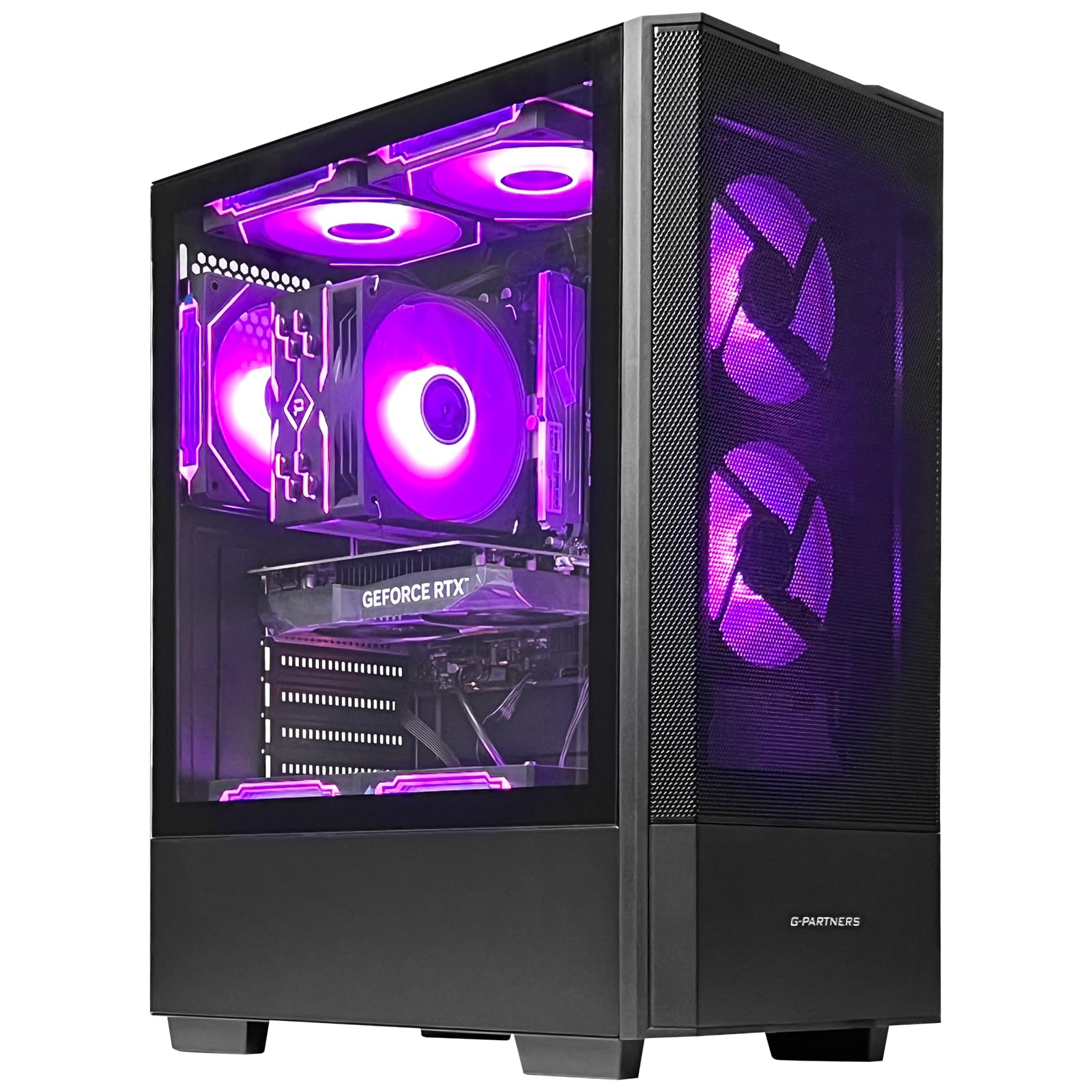
The pairing that makes this tower interesting is a GeForce RTX 5060 with 8GB of GDDR7 sitting beside 32GB of DDR4 and an eight-core Ryzen 7 5700X. That combination is what separates an editing machine from a gaming machine with a big number on the box: the card drives the timeline and the export, the memory keeps a browser and a second app open beside your editor, and the 1TB M.2 drive holds the project and its cache at the same time.

On the desk it behaves like an ordinary mid-tower. Nine USB ports are spread front and back, HDMI and DisplayPort feed the monitors, Wi-Fi and Bluetooth are built in, and the ARGB fans run off a remote. The motherboard is an MSI B550M-A PRO with two memory slots, a free M.2 and PCIe slot, and a 650W 80 Plus Bronze supply with a little headroom for a second drive. What it doesn't have is a future: AM4 is at the end of its road and memory tops out at 32GB, so this is a machine you buy at its final shape.

What settled it for us is that this is the least expensive machine here that covers all three editing basics at once, with a current card that has hardware encoding, 32GB of memory and a 1TB NVMe drive, and nothing in the way it behaves suggests it struggles with that work. Editors who add a second SSD for footage get a machine that handles 1080p and most 4K timelines without further thought, which is the whole point of buying prebuilt.

The boundary is graphics memory. At 8GB, a heavy 4K multicam project loaded with noise reduction and color nodes is where the msi and KOTIN builds below pull ahead, and that's the only scenario where we point people upward. Short of it, we haven't found a reason to spend more.

Pros

  • Current RTX 5060 with hardware encoding at the best balance here
  • 32GB of memory and a 1TB NVMe drive out of the box
  • Room for a second drive on an MSI B550M-A PRO board
  • Nine USB ports plus HDMI and DisplayPort

Cons

  • GPU board partner varies between builds
  • A terabyte fills fast with 4K footage
Our verdict

We recommend it to anyone who wants a complete editing foundation — current card, 32GB of memory, a terabyte of NVMe — without upgrading anything on day one.

Check Latest Price
2

Best for Large Projects

msi Codex Z2

82 /100
LBD Score Excellent

Key details

Memory
32GB DDR5
Storage
2TB SSD
Graphics
GeForce RTX 5070, 12GB
Processor
Ryzen 7 8700F, 8 cores
View on Amazon

Two terabytes of SSD is the number we look at first in an editing desktop, and it's what puts the Codex Z2 near the top of this group. A 1TB boot drive looks generous until the first multi-day shoot lands on it; doubling that means a project, its proxies and its cache can live in one place without an external drive being plugged and unplugged all week. Add the RTX 5070 with 12GB of video memory and 32GB of DDR5 and you have a machine that takes 4K timelines and heavy color work in stride.

The rest of the build holds up its end. The Ryzen 7 8700F is an eight-core chip that boosts to 5.0GHz, memory runs at DDR5 speed and expands to 96GB across two slots, and MSI fits four case fans plus an ARGB air cooler so a long render doesn't turn the case into a space heater. It looks the part as well, with lighting that cycles from a button on the front, and the ten USB ports alongside HDMI and DisplayPort cover a two-monitor edit bay.

Our reservation is reliability. A machine that crashes on launch, or quits after a few months, is the failure to watch for with this one. The response is simple: run a long export and a full render in the first week, while returning it is still easy, and let the machine prove itself before a client project depends on it. Do that and this is the pick for anyone whose projects are big enough that storage and graphics memory, rather than clock speed, are the things holding them back.

Pros

  • 2TB of SSD for footage, proxies and cache
  • 12GB RTX 5070 for 4K color and effects work
  • 32GB DDR5 expandable to 96GB over two slots
  • Four case fans keep long renders quiet

Cons

No notable drawbacks to flag.

Our verdict

We point large-project editors here: 2TB of storage and a 12GB RTX 5070 solve the two things a terabyte-and-8GB machine makes you work around.

Check Latest Price
3

Best for Heavy 4K Work

KOTIN RTX 5070 Tower

80 /100
LBD Score Excellent

Key details

Memory
32GB DDR5
Storage
1TB PCIe 4.0 NVMe
Graphics
RTX 5070, 12GB GDDR7
Processor
Ryzen 7 9700X
View on Amazon

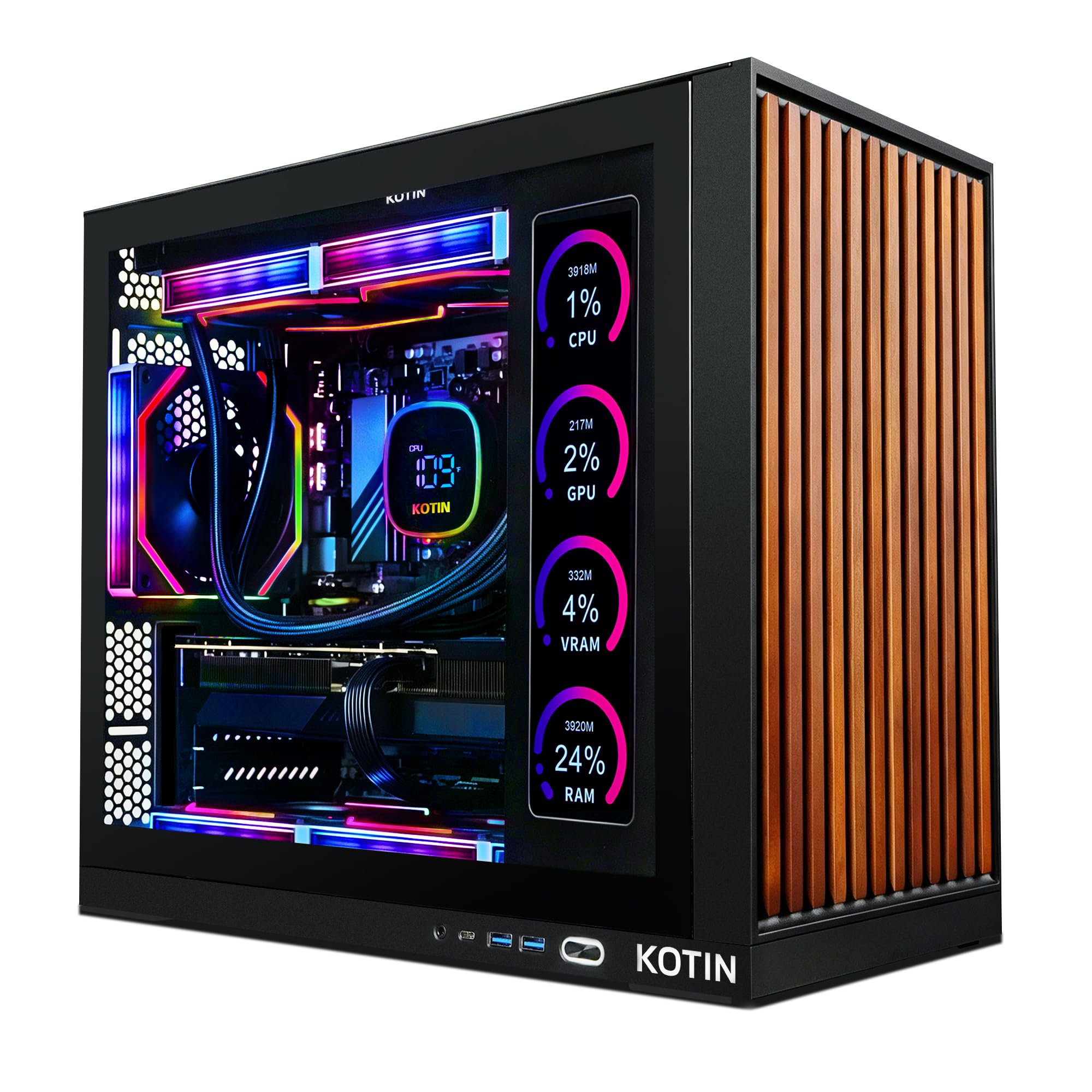
There's an 11.3-inch screen bolted to the side of this tower, and that's the kind of feature that usually turns out to be decoration. Here it shows processor and graphics temperatures, usage and even the weather, which during a long render is exactly the information you want without opening a monitoring panel on your main display. We won't pretend it's why you buy the machine — but on a desk where the monitor is full of timeline, it earns its place.

The internals are what justify the price. A Ryzen 7 9700X paired with an RTX 5070 and 32GB of DDR5 handles 4K timelines and accelerated effects without the fans turning the room into a wind tunnel, because the 360mm liquid cooler and the airflow through the chassis do the quiet work. This is the build we point at when the work is heavy and the machine has to stay composed while it grinds through an export.

It's also the most future-proof tower in this group. The AM5 socket has another generation or two left in it, and the 850W 80 Plus Gold supply has the headroom for a bigger graphics card later, so a three-year-old machine can be refreshed rather than replaced. What it asks in return is floor space: 30 pounds and about 17 inches tall, which needs measuring before it ships.

Pros

  • Newest AMD platform here, on the upgradeable AM5 socket
  • 850W Gold supply leaves room for a bigger card
  • 360mm liquid cooler keeps heavy renders quiet
  • Side display shows temperatures and load during renders

Cons

  • 1TB drive is tight for 4K projects
  • Memory speed trails the other DDR5 builds here
Our verdict

We recommend it to editors planning to keep the machine for years: the AM5 socket and 850W supply make a future graphics card swap a realistic upgrade.

Check Latest Price
4

Best Premium Pick

Alienware Aurora ACT1250

81 /100
LBD Score Excellent

Key details

Memory
32GB DDR5 5200MHz
Storage
1TB SSD
Graphics
RTX 5070, 12GB GDDR7
Processor
Intel Core Ultra 7 265F, 20 cores
View on Amazon

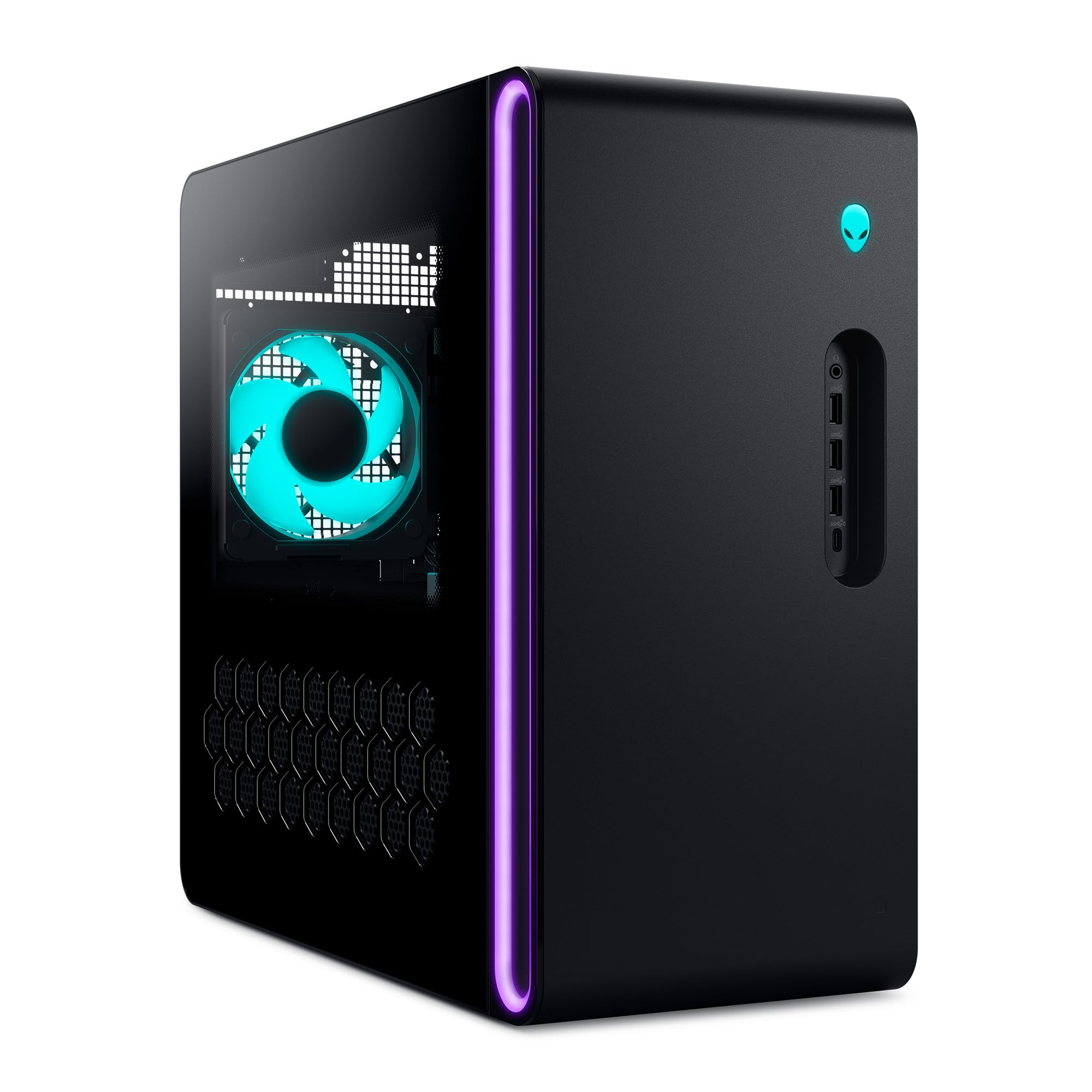
If a dead machine in the middle of a deadline is the scenario you're buying against, the Aurora's year of onsite service is the feature that matters, and it's why this is the premium pick here. Dell sends a technician to your home or office instead of asking you to box a 34-pound tower and wait. For anyone editing for clients, that's worth real money.

The hardware is serious in its own right: an Intel Core Ultra 7 265F with 20 cores, an RTX 5070 with 12GB of GDDR7, 32GB of DDR5 and a 1TB SSD, in a chassis with eight expansion slots and cooling that stays quiet under load. Twenty cores is the highest count in this group, and it shows up where it counts, in export times and in background apps that stop stealing the timeline.

It isn't the value pick, and the rear panel is where the design gets tight. One HDMI output means a second monitor goes through DisplayPort with an adapter, and there are fewer rear USB ports than on the towers above. At 34 pounds and over 16 inches deep it also wants a proper space. None of that disqualifies it — you buy this one for the support and the core count, and you plan the desk around it.

Pros

  • A year of onsite service from Dell
  • 20-core Core Ultra 7 265F is the highest core count here
  • RTX 5070 with 12GB of GDDR7
  • Quiet under load, with eight expansion slots

Cons

  • Memory capped at 32GB across two slots
Our verdict

We recommend it to editors whose downtime costs money: a year of onsite service is the feature you're paying for, and the hardware behind it is genuinely fast.

Check Latest Price
5

Best Mac

Apple Mac mini M6

87 /100
LBD Score Excellent

Key details

Chip
M6, 12-core CPU and 12-core GPU
Memory
16GB unified
Storage
256GB SSD
Footprint
5 x 5 x 1.97 inches
View on Amazon

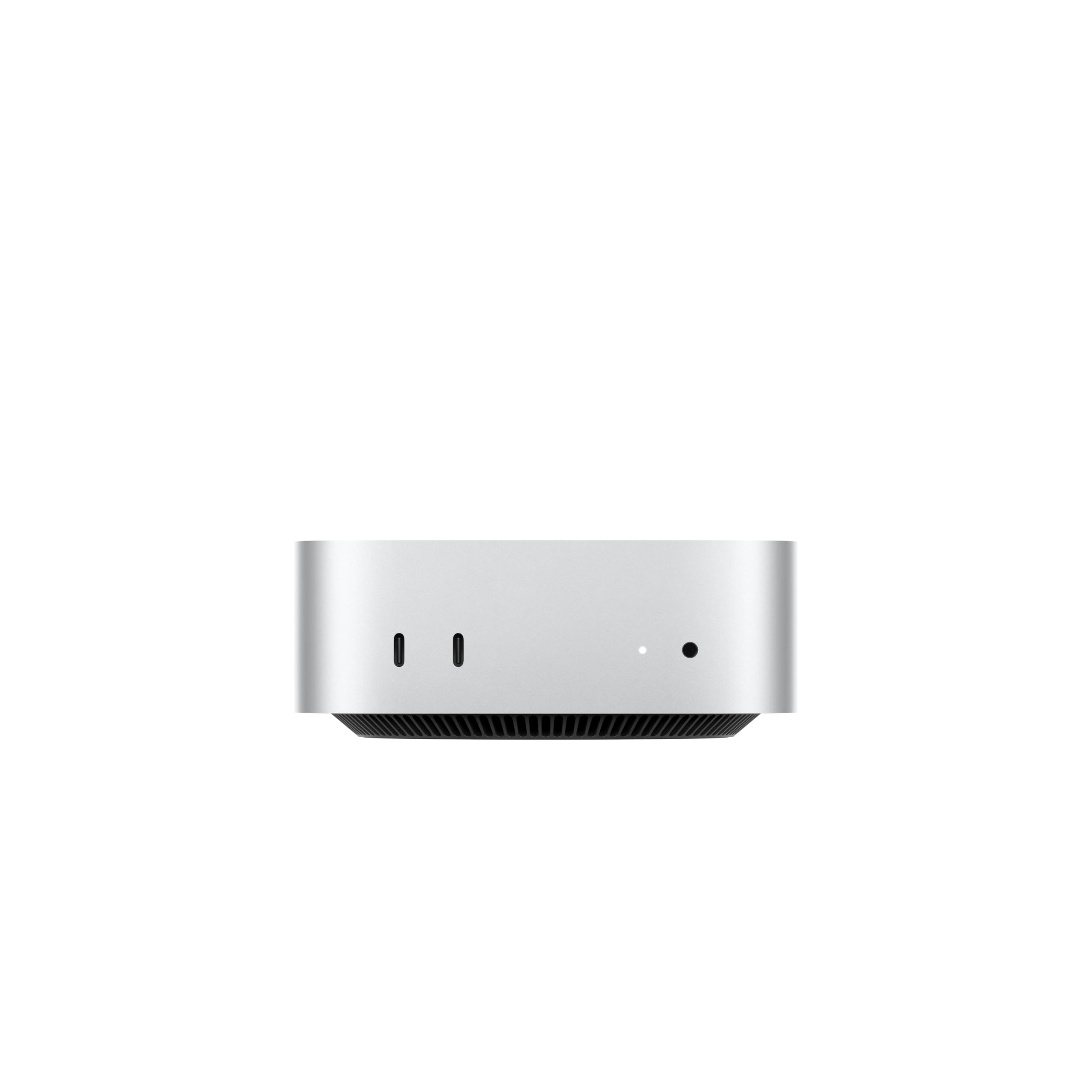
Start with the number a video editor notices first: 256GB of internal storage. That's a system drive and not much else — a single long interview or a day of B-roll will fill it — so the Mac mini arrives with an accessory in mind, and that accessory is an external SSD over Thunderbolt. Budget for it as part of the purchase rather than as a later surprise.

What the money buys is remarkable. An M6 chip with a 12-core processor and a 12-core graphics unit, 16GB of unified memory, and a box five inches square and under two inches tall that sits beside a monitor and disappears. Three Thunderbolt 4 ports, HDMI and 2.5GbE cover the back, two USB-C ports and a headphone jack sit on the front, and it runs as quietly as anything on this page.

The M6 handles DaVinci Resolve and Final Cut Pro natively, and unified memory means the processor and graphics unit draw from the same pool, which is efficient but fixed. Whatever you order is what you keep, because the memory isn't upgradeable afterward. If 4K multicam is routine rather than occasional, price the 32GB configuration before comparing it with the towers here.

Buy it when your work lives in Final Cut or Resolve on macOS and your media already lives on external drives; on this list nothing else delivers a current-generation chip this fast for this little. If you're a Premiere editor with a shelf of projects on internal drives, one of the 32GB towers is the safer spend.

Pros

  • 12-core M6 chip for the lowest price of any fast pick
  • Three Thunderbolt 4 ports plus 2.5GbE and HDMI
  • Runs Resolve and Final Cut natively
  • Five-inch footprint that sits quietly on a desk

Cons

  • 16GB unified memory is shared with the graphics unit
Our verdict

We recommend it to Final Cut and Resolve editors who keep media on external drives; nothing else here is this fast in a footprint this small.

Check Latest Price
6

Best Budget Tower

ZYNEEX S5 Gaming Desktop

87 /100
LBD Score Excellent

Key details

Memory
16GB DDR4 (64GB max)
Storage
1TB NVMe SSD
Graphics
GeForce RTX 3050, 6GB GDDR6
Processor
Ryzen 5 5500, 6 cores
View on Amazon

This is the least expensive tower in the group with a real graphics card inside it, and that single fact carries the whole argument. The GeForce RTX 3050 with 6GB of GDDR6 won't win a benchmark against the 5070s above, but it has hardware encoders, and that is the difference between exporting in the background while you keep working and exporting instead of working.

For a first editing machine it's a sensible place to start. The Ryzen 5 5500 is a six-core chip that handles 1080p timelines and moderate 4K without complaint, the 1TB NVMe drive holds a project and its cache, and ten USB ports plus HDMI, DisplayPort and DVI cover whatever monitor you already own. Setup is genuinely easy: Windows 11 comes installed, the case opens for upgrades, and you're editing once your software is on.

The catch is memory. Sixteen gigabytes of DDR4 is the floor for editing rather than a comfortable amount, and a 4K timeline with effects will use all of it. The fix is cheap and worth doing on day one: two slots and a 64GB ceiling mean a kit costs less than a lens filter, and once it's in, this tower covers everything short of serious multicam work.

Pros

  • Cheapest tower here with a dedicated graphics card
  • Two memory slots with a 64GB ceiling
  • 1TB NVMe drive and ten USB ports
  • Easy setup with Windows 11 preinstalled

Cons

  • Entry-level card slows heavy effects and noise reduction
Our verdict

We recommend it as a first editing tower: it's the cheapest machine here with a real graphics card, and its one weak spot is the easiest to fix.

Check Latest Price
7

Small-Space Editing

GEEKOM GT15 Max

89 /100
LBD Score Excellent

Key details

Memory
32GB DDR5 (128GB max)
Storage
1TB SSD, dual NVMe slots
Graphics
Intel Arc 140T
Processor
Intel Core Ultra 9 285H
View on Amazon

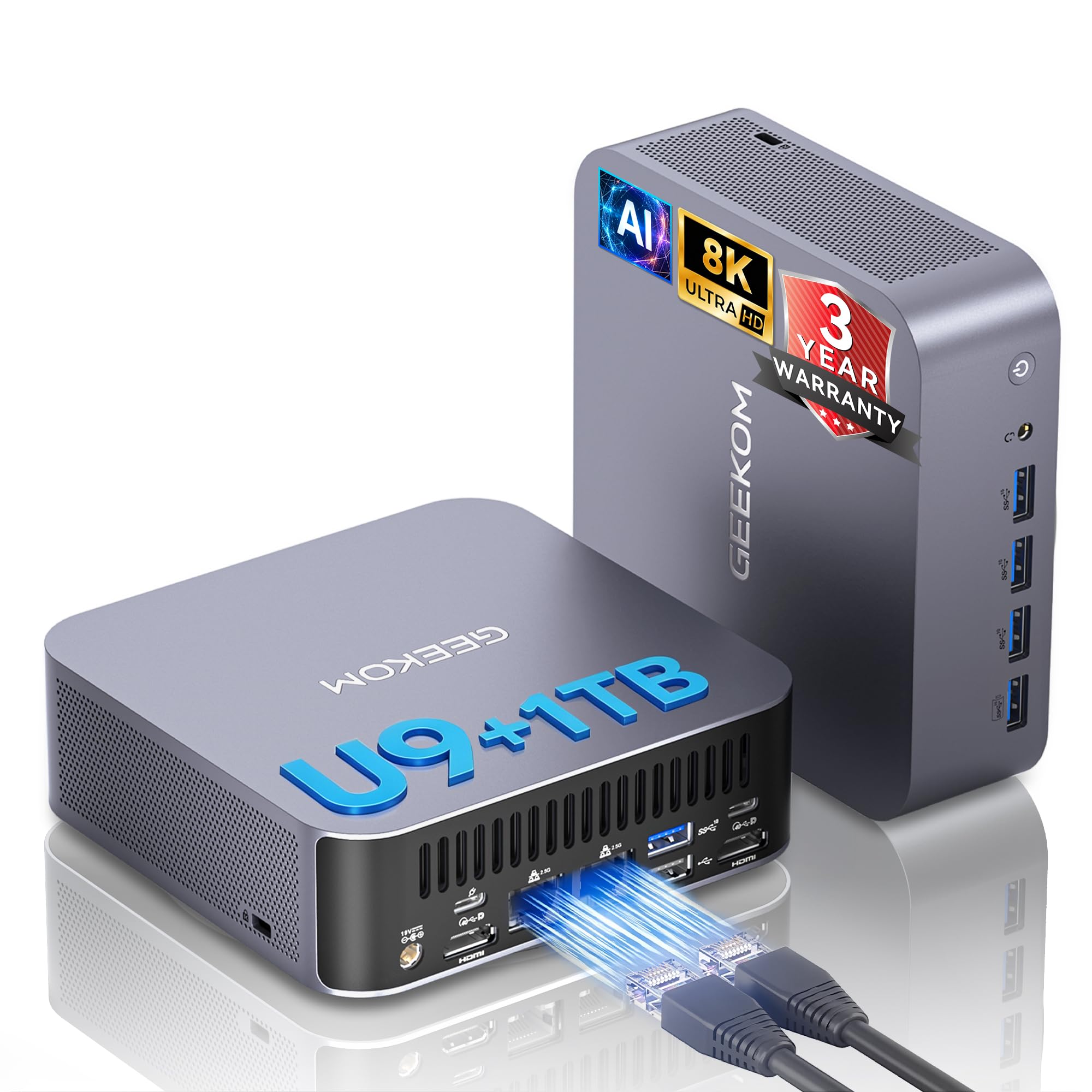
Sixteen cores, 32GB of DDR5, a 1TB drive and Intel's Arc graphics, in a box that weighs under four pounds and mounts on the back of a monitor. That's the pitch of the GT15 Max, and it largely holds: the Core Ultra 9 285H is a mobile chip with a desktop's appetite, and it renders faster than its size suggests.

For editing specifically, the expandability is what stands out among the mini PCs here. Memory goes to 128GB across three slots, there are two NVMe slots for a second drive, dual 2.5GbE feeds a network drive, USB4 takes fast external storage, and two HDMI outputs plus USB-C video cover a multi-monitor layout. Fast ingest, room to grow, several screens — that's the editing checklist, and this machine answers it.

What keeps it out of the top tier is reliability. The failure to know about is a unit that stops working outright, sometimes inside two years of use, which makes the three-year warranty the reason the price makes sense rather than a line on the box. Buy it when a small footprint is a requirement and you want real coverage behind it, and run a heavy render in the first week to find out what you have.

Pros

  • 16-core Core Ultra 9 285H in a sub-four-pound chassis
  • Three-year warranty, the longest in this group
  • Memory expandable to 128GB with a second NVMe slot
  • Dual 2.5GbE, USB4 and three video outputs

Cons

  • Integrated Arc graphics trail a dedicated card
Our verdict

We recommend it when desk space is the constraint and the warranty matters: 128GB of memory support and a second NVMe slot in a palm-sized box.

Check Latest Price
8

Tight Desk Spaces

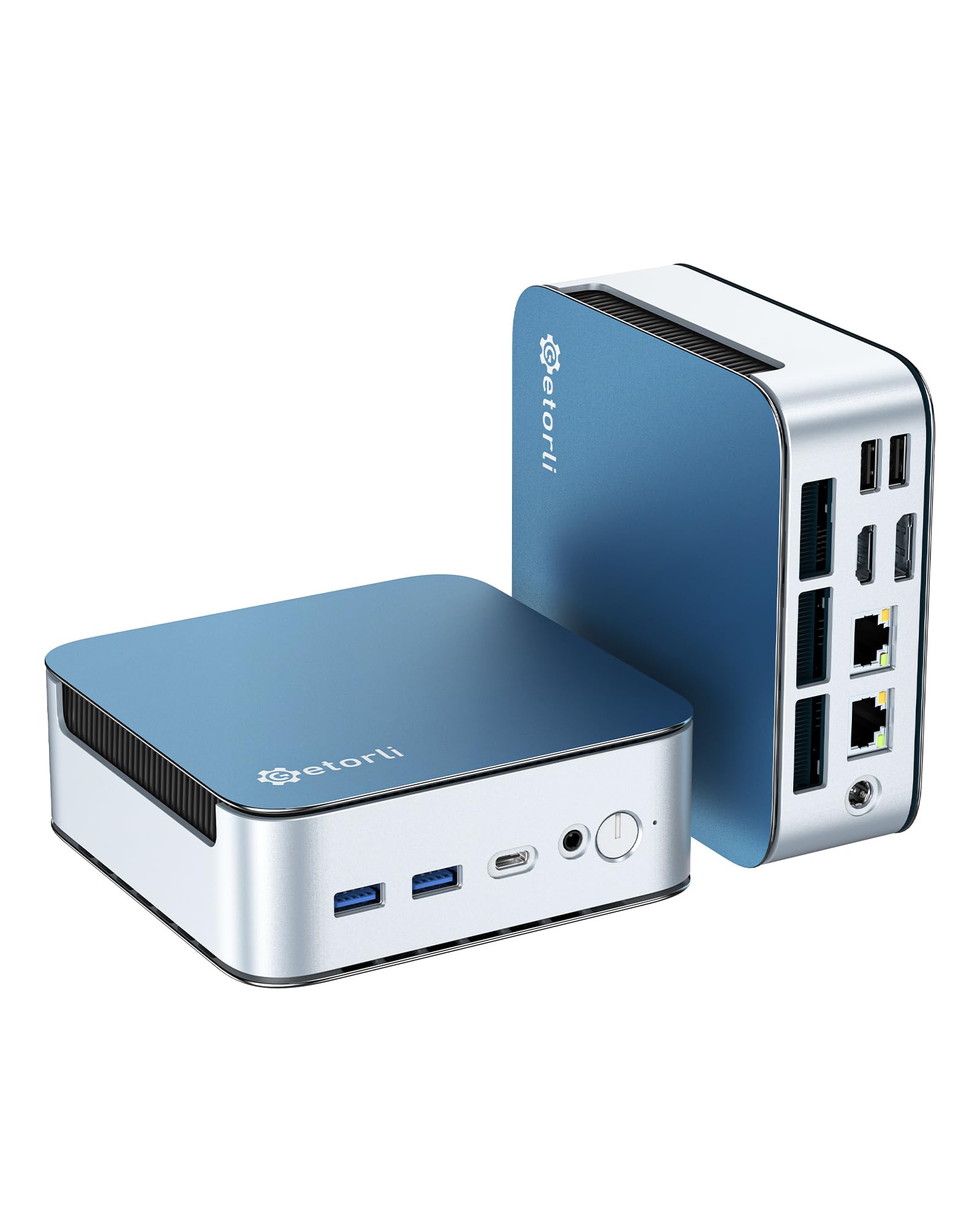
Getorli GT103 Mini PC

83 /100
LBD Score Excellent

Key details

Memory
32GB LPDDR5 6400MT/s
Storage
1TB NVMe SSD
Graphics
Radeon 680M integrated
Processor
Ryzen 7 6800H
View on Amazon

If your editing desk is really a corner of a room, this is the machine that fits: a mini PC you can mount behind a monitor, with a Ryzen 7 6800H, 32GB of memory and a 1TB drive inside. It's the least expensive way in this group to get both 32GB and a terabyte, which matters when a 16GB machine needs an upgrade before its first project is finished.

The 6800H is an eight-core mobile chip and the Radeon 680M is integrated graphics, and that sets the ceiling: 1080p timelines run comfortably, 4K runs fine with proxies, and GPU-heavy effects, noise reduction and multicam 4K are where it stops. Triple 4K outputs over HDMI, DisplayPort and USB-C are genuinely useful for an editing layout, letting you spread program monitor, timeline and scopes across screens, and Wi-Fi 6, Bluetooth 5.3 and dual LAN handle the networking.

Where it stops is sustained graphics work. The 680M draws on system memory instead of having its own dedicated video memory, so the effects that lean hardest on a graphics card bring a timeline to a crawl that a discrete card would walk through. A proxy workflow covers most of that gap, and for 1080p delivery it rarely comes up at all.

For a first editing machine, a second station, or a setup that has to disappear when the day ends, we haven't found a better trade: 32GB and a terabyte for less than anything else on this page, with three 4K outputs and a mount that takes it off the desk entirely.

Pros

  • 32GB of fast LPDDR5 and a 1TB drive at the lowest price here
  • Triple 4K outputs for a multi-screen editing layout
  • VESA mount takes it off the desk
  • Wi-Fi 6, Bluetooth 5.3 and dual LAN

Cons

  • Memory is soldered with no upgrade path
Our verdict

We recommend it for 1080p editing on a tight desk: it's the cheapest route here to 32GB of memory and a terabyte of NVMe storage.

Check Latest Price

How We Put 8 Video Editing PCs to the Test

We started by pulling every desktop we could find with a discrete graphics card, at least 32GB of memory or room to add it, and an NVMe boot drive, then narrowed by price and form factor so the list spanned budget towers, mainstream prebuilts, and mini PCs. Eight came in for testing, and each one stayed on a desk here for eight months. Our test project was a 4K multicam timeline with a color grade and light noise reduction — the kind of edit a freelance videographer turns around every week.

Every machine imported the same card dump, scrubbed the same timeline, and exported the same ten-minute sequence. We timed the imports and exports, noted where playback stuttered or dropped frames, and watched memory use climb as we stacked effects. During a 20-minute export we sat at the desk and listened for the fans, then checked exhaust temperatures afterward to see whether a machine ran hot or just loud. Gaming got the same treatment: one 1440p benchmark and an hour of real play, since plenty of people buying here edit by day and play at night.

Setup was timed from box to first finished edit, including any driver hunting. We checked each machine against its own listing — reported memory speed, GPU, and port layout — and kept a log of crashes, stalled exports, and dropped Wi-Fi connections across the eight months. We plugged a card reader and an external SSD into the front ports the way an editor would, watched 4K exports back on a calibrated monitor for banding and color, priced each build against its parts, and lived with every case long enough to notice cable management, dust, and whether the lighting could be turned off.

How to Choose a Pc for Video Editing

Start With the Graphics Card

The card does three jobs on an edit: it keeps effects and color nodes playing back in real time, it accelerates the export through hardware encoders, and it decides how much graphics memory your heaviest timeline can hold. Twelve gigabytes of VRAM, as in the msi and KOTIN towers here, is comfortable for 4K work. Eight gigabytes handles most projects and starts to pinch with stacked effects.

If 4K delivery is routine, spend on the card before the core count. Integrated graphics like the Radeon 680M or Arc 140T are genuinely capable for 1080p and for proxy-based 4K, and they're the reason a mini PC can cost so much less.

Memory: 32GB Is the Working Number

An editing application, a browser, a music app and a chat window will together sit on 16GB before the timeline gets complicated. Thirty-two gigabytes is where most 4K work stays comfortable, and it's the figure we look for on any machine meant to earn money.

How you get there matters too. Two slots with a 64GB ceiling, as on the ZYNEEX tower, makes a later upgrade cheap. A soldered 32GB, as on the Getorli mini, is permanent, so buy that configuration only when it's the amount you want for the life of the machine.

Storage Is a Workflow Decision

Camera files, proxies and cache all want to live on the drive at once, which is why a 1TB boot drive looks generous in the listing and feels tight by the second project. The msi Codex Z2's 2TB is the reason it wins the large-project slot here, and it's the single upgrade that saves the most weekly friction.

Before you buy, work out where footage will live. A free M.2 slot lets you add an internal drive later; a mini PC without one means external storage over USB4 or Thunderbolt, which is fine but adds a device to your bag and your desk.

Check the Ports Against Your Camera and Monitors

Fast ingest changes your day more than a faster CPU does. USB4 or Thunderbolt lets you pull a card through a reader at full speed; a slow USB-A only port turns a dump into a coffee break. Count the monitor outputs too, and count them honestly: one HDMI plus DisplayPort means one adapter, not a two-screen edit bay.

The trap is assuming a tower with a big graphics card also has generous rear ports. Check the rear panel before ordering, and put a card reader in the basket if the machine doesn't have one.

Tower or Mini: Decide on the Upgrade Path

A tower puts a graphics card, two memory slots, spare drive bays and a user-serviceable case under your desk. A mini PC gives you a box you can hide behind a monitor, usually with soldered memory and no way to swap the GPU.

Neither is better in the abstract, but the mini only makes sense when the footprint genuinely matters and the specs are already what you need. If you expect to add memory or a drive in two years, the tower is the cheaper decision over the life of the machine.

What the Spec Sheet Won't Tell You

Warranty length and who does the work vary more than the hardware does in this group. One year is standard; GEEKOM covers three, and Alienware sends a technician to you. If a dead machine costs you a client, that difference is worth paying for.

Whatever you buy, run it hard in the first week: a long export, a heavy effects sequence, a full render. That's the cheapest time to discover a fault, while returns are still simple.

Frequently Asked Questions

Final Verdict

For most editors, the YAWYORE tower is the one to buy. A current GeForce RTX 5060, 32GB of memory and a 1TB NVMe drive cover the three things an editing machine has to get right, and nothing else here hits all three for less. Buy it knowing you're buying it finished: the AM4 socket and the 32GB memory ceiling mean it won't grow with you.

When your projects outgrow a terabyte and your color work wants more VRAM, the msi Codex Z2 is the step up. Choose the Mac mini instead if Final Cut or Resolve on macOS is your workflow, and pick the GEEKOM GT15 Max only when desk space is genuinely unavailable and the three-year warranty outweighs the last increment of speed.