Best 4K Monitors for a Home Office of 2026

Nobody buys a monitor for fun. You buy one because the laptop screen you've been squinting at for nine hours a day was never meant to be a desk display. A good 4K panel fixes that: text stops shimmering, two windows fit side by side without shrinking, and video calls stop looking like they were shot through cheesecloth. We've spent eight months with 10 of these screens at our desks.

The spec sheet only gets you so far. Pixel density matters more than diagonal inches — 4K at 27 inches is razor sharp, while the same resolution stretched across 43 inches buys desk real estate more than crispness. What actually decides whether you like a monitor is duller stuff: a stand that adjusts, ports that match your laptop, a panel that holds up when afternoon sun hits the window, and speakers good enough that you stop hunting for earbuds. We weighed picture and color quality first, then value, connectivity, and how each held up over months of daily use. The picks below earned their space.

1

Best Overall

Dell S2725QS

87 /100
LBD Score Excellent

Key details

Resolution
3840 x 2160
Screen Size
27 inches
Refresh Rate
120 Hz
Stand Adjustment
Height, tilt, swivel, pivot
View on Amazon

What earns the S2725QS our top spot is the combination: 4K at 120Hz, a stand that adjusts in every direction, and speakers built in. Drag a window across this screen or scroll a long document and the difference from 60Hz is obvious; after a week it stops being a novelty and becomes the reason every other monitor on the floor feels sticky.

At 27 inches the panel lands at 163 pixels per inch, the density that makes 12-point text look like print rather than pixels. Colors are honest, with 99% sRGB coverage and a 1500:1 contrast ratio, and we paid close attention to ComfortView Plus because low blue light modes usually turn a white page yellow. This one doesn't, so you can leave it on instead of switching it off when the afternoon gets long.

The stand does more than the spec list suggests: height, tilt, swivel, and pivot, so the top bezel can sit at eye level and the whole screen can swing toward a colleague without moving the base. Two HDMI inputs plus DisplayPort mean a desktop and a console can both stay connected. The speakers handle calls and podcasts without complaint; music is another matter.

Reliability is the soft spot. There are units that quit inside six months, which is why the one-year Advanced Exchange and Premium Panel Exchange coverage is worth more here than it looks on paper. Otherwise there's little to argue with, down to the ash-white finish that turns out to matter in a room you sit in every day.

Pros

  • 120Hz 4K smooths scrolling and window drags
  • Height, swivel, pivot, and tilt built in
  • 99% sRGB and 1500:1 contrast
  • Two HDMI inputs plus DisplayPort and speakers

Cons

  • No USB-C, so laptops need a dock or adapter
Our verdict

This is the one we recommend to most home offices: 120Hz 4K, a stand that adjusts every way, and speakers, for a midrange price.

Check Latest Price
2

Best for Photo and Video

LG 27UP650K-W

89 /100
LBD Score Excellent

Key details

Resolution
3840 x 2160
Color Gamut
95% DCI-P3
Screen Size
27 inches
Stand Adjustment
Height, tilt, pivot
View on Amazon

Ninety-five percent of DCI-P3 is the number that matters here. It's a wider color space than the sRGB-only panels on this page, and with DisplayHDR 400 and a 400-nit panel behind it, this LG has the headroom to show a bright highlight without turning it into a white blob. If you edit photographs or grade video, that combination is the difference between trusting a color and guessing at it.

For color work, this is our pick. Text is crisp at 163 pixels per inch, the matte coating swallows window glare, and the stand tilts, raises, and pivots into portrait without a shimmy when you type hard. It's also the brightest monitor on this list, which is what lets you keep working with a window behind you instead of rearranging the room.

The on-screen menu is fussier than it should be — a few settings take two passes to find, and the picture rewards some fiddling before it looks right. That's the only real friction. For a photo desk the priorities sit in the right place: an accurate panel, no RGB lighting, and nothing between you and the file.

Pros

  • 95% DCI-P3 with DisplayHDR 400
  • 400 nits, brightest of these picks
  • Height, tilt, and pivot stand
  • Crisp 163-ppi text at 27 inches

Cons

  • No built-in speakers or USB-C input
  • 60Hz panel, so no high-refresh smoothness
Our verdict

We point photo and video editors here: 95% DCI-P3, DisplayHDR 400, and a stand that holds still, as long as 60Hz is enough.

Check Latest Price
3

Best 32-Inch for Everyday Work

LG 32UR500K-B

86 /100
LBD Score Excellent

Key details

Resolution
3840 x 2160
Screen Size
31.5 inches
Refresh Rate
60 Hz
Built-in Speakers
Stereo with MaxxAudio
View on Amazon

Thirty-two inches changes what 4K is for. At 31.5 inches this panel runs about 140 pixels per inch, so text stays clean, but the real gain is area: two full-page documents side by side with a chat window in the corner, and enough width that you stop alt-tabbing between them.

The built-in MaxxAudio speakers are the practical win, because they're good enough for calls and video without a soundbar eating desk depth, and two HDMI inputs plus DisplayPort cover a work laptop and a desktop at the same time. We also like that the panel is matte and the frame is thin on three sides, so a second screen beside it doesn't leave a fat black stripe down the middle.

The stand is the compromise: tilt only, no height adjustment, so getting the top bezel to eye level means a VESA arm or a riser. The listed 250 nits is modest too — beside a bright window this screen will look gray by mid-afternoon. Both are fixable, with an arm and a curtain, and neither is a problem if the desk sits against a wall.

Pros

  • Built-in MaxxAudio speakers clear the desk
  • Two HDMI inputs plus DisplayPort
  • 31.5 inches fits two documents side by side
  • Matte screen, thin three-sided bezels

Cons

  • No USB-C input
Our verdict

We like this one for a one-screen desk: 32 inches, speakers built in, and two HDMI ports, with no height adjustment to be found.

Check Latest Price
4

Best Big-Screen Option

Samsung M70F

82 /100
LBD Score Excellent

Key details

Resolution
3840 x 2160
Screen Size
43 inches
Connectivity
HDMI, USB-C, Wi-Fi, Bluetooth
Refresh Rate
60 Hz
View on Amazon

Forty-three inches of 4K is a specific taste, and the M70F is built for people who have it. Pixel density lands around 102 per inch, so the point isn't laser-sharp text; it's that you can sit back, keep four windows open at once, and never lean in.

What you get for the size: a 5000:1 contrast ratio and HDR10 on a glossy panel that makes video look punchy, plus the smart side — streaming apps built in, a remote in the box, and Wi-Fi on board, so it works as a television with no computer attached. USB-C and two HDMI ports cover a laptop and a console.

The trade-offs are physical. It's 38 inches wide and 18.7 pounds, which wants a deep desk or a wall mount, and the glossy coating turns every lamp in the room into a reflection. Picture quality is the variable part: at 4K it can look crisp and colorful or washed out depending on the source and the picture mode, so budget an evening with the settings before you judge it.

We came back to it for exactly this: one screen for spreadsheets at 10 a.m. and a film at 9 p.m., with the remote doing the work. Sit about three feet back and it feels like a small cinema; sit two feet back and you'll be turning your head to read a spreadsheet.

Pros

  • Streaming apps and a remote built in
  • 5000:1 contrast with HDR10
  • USB-C plus two HDMI inputs
  • Four windows at once on a 43-inch panel

Cons

  • Glossy panel reflects room light
Our verdict

We recommend this Samsung when the office doubles as a den: 43 inches, streaming apps, a remote, and USB-C in one panel.

Check Latest Price
5

Best Warranty

ASUS VP327Q

79 /100
LBD Score Very Good

Key details

Warranty
3 years, advance replacement
Resolution
3840 x 2160
Screen Size
32 inches
Refresh Rate
60 Hz
View on Amazon

The reason we included this ASUS is coverage: three years with advance replacement, where every other pick here stops at one. A monitor that dies in year two is an expensive lesson, and on a 32-inch 4K panel that undercuts most of this group, that protection counts for more than a nicer stand would.

The panel is a sensible 32-inch 4K IPS with 99% sRGB, HDR-10, Adaptive-Sync, and the flicker-free, low-blue-light treatment you want for eight-hour days, and there are two HDMI inputs plus DisplayPort. Built-in speakers are there, though they're the weakest of any monitor here — dialogue is intelligible, music is not — so plan on a separate pair if audio matters.

Two caveats. The stand tilts and nothing else, so getting the screen to eye level means an arm or a stack of books. And there are units that dim or flicker on their own, or lose an input, which is exactly the scenario a three-year advance-replacement warranty exists for. If it happens in month four, you're covered, and that's the trade this monitor is asking you to make.

Pros

  • Three-year warranty with advance replacement
  • 32-inch 4K IPS with 99% sRGB
  • Flicker-free and low blue light
  • Two HDMI ports plus DisplayPort

Cons

  • Tilt-only stand, no height or pivot
Our verdict

We keep this ASUS on the list for its three-year advance-replacement warranty on a 32-inch 4K panel.

Check Latest Price
6

Budget 32-Inch 4K

LXZ LX32ZF

86 /100
LBD Score Excellent

Key details

Ports
Two HDMI 2.0, two DisplayPort 1.4
Resolution
3840 x 2160
Screen Size
32 inches
Contrast Ratio
4000:1
View on Amazon

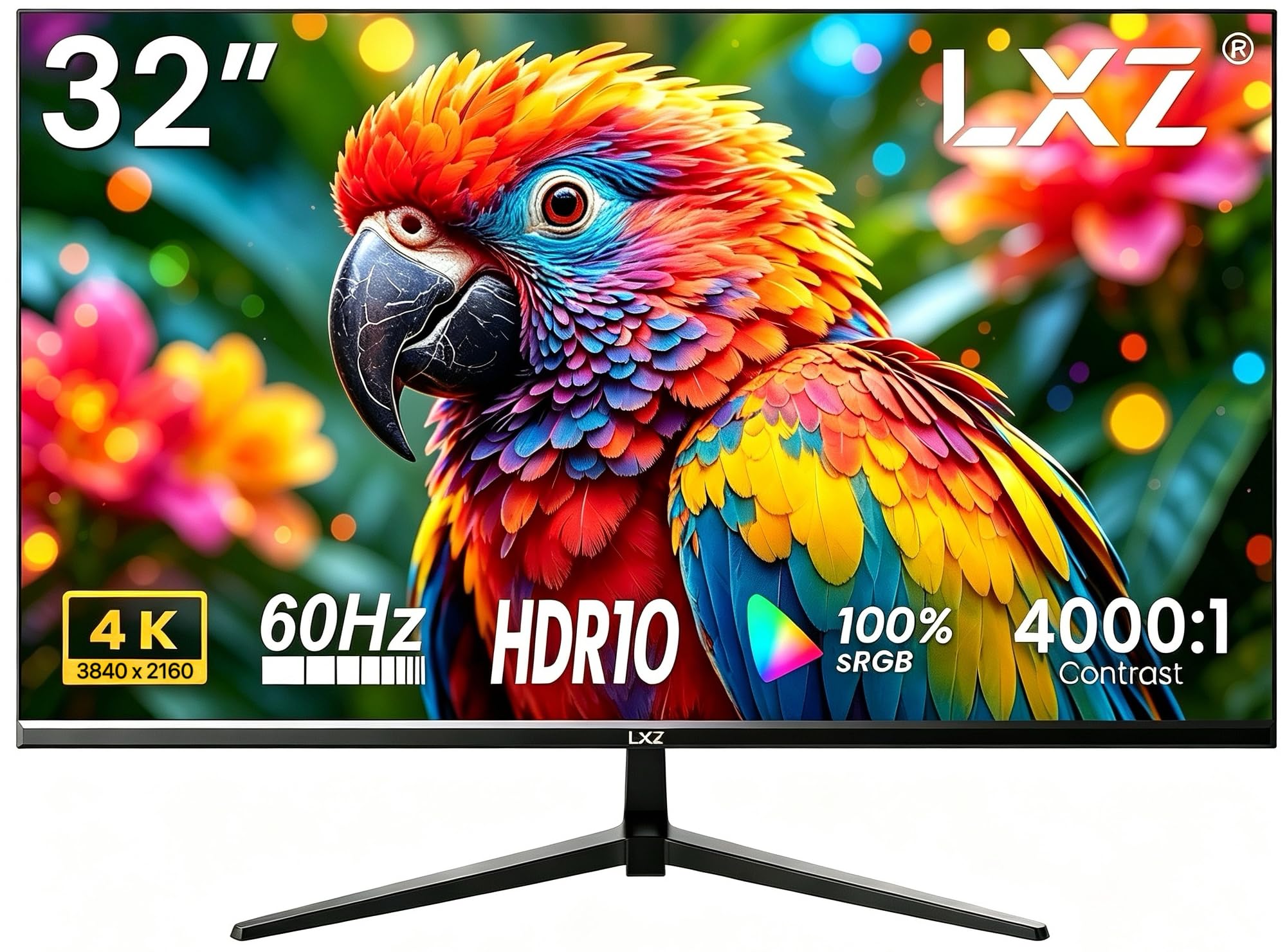
The LXZ is the cheapest way onto a 32-inch 4K panel here, and the spec sheet doesn't act like it: a VA panel rated at 4000:1 contrast, 100% sRGB, HDR10, two HDMI 2.0 inputs and two DisplayPort 1.4 inputs, and a 100 x 100 mm VESA pattern. That's a port count you usually pay more for, and it means a work laptop, a desktop, and a console can all stay plugged in.

What you're accepting is uncertainty. The reliability picture is the weakest of anything on this page, with screens that quit after two months, and there's no brand history to fall back on. We treat it as the value play for a second screen, a spare room, or a tight budget — not the monitor to hang an eight-hour workday on.

The panel is VA, so the deep blacks come with a little color shift if you look at it from the side; square in front of you, it's fine. The 60Hz refresh is the other thing keeping the price down. Put it straight ahead showing documents and browser tabs and the compromises stop mattering much.

Pros

  • Cheapest 32-inch 4K in this group
  • 4000:1 contrast and 100% sRGB claim
  • Two HDMI and two DisplayPort inputs
  • 100 x 100 mm VESA mounting

Cons

  • No built-in speakers, audio-out only
  • One-year warranty only
Our verdict

Our budget pick: the least you can spend here for 32 inches of 4K, with the shortest reliability record of the group.

Check Latest Price
7

High-Contrast Work

Samsung S70H

80 /100
LBD Score Excellent

Key details

Resolution
3840 x 2160
Screen Size
32 inches
Refresh Rate
60 Hz
Contrast Ratio
3000:1
View on Amazon

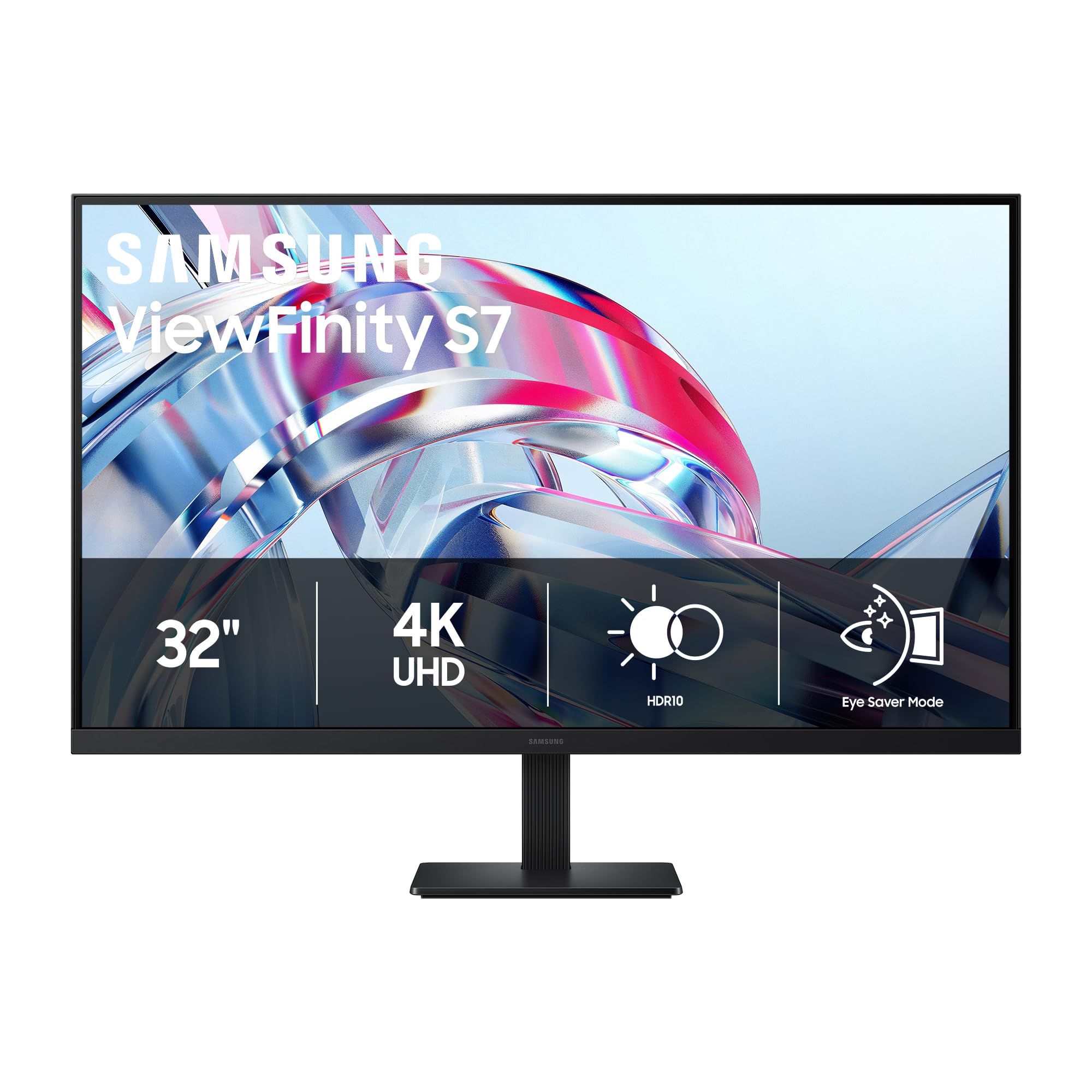
Next to the LG 32UR500K-B, this Samsung's argument is contrast: 3000:1 from a VA panel against the LG's listed 1000:1, with HDR10 on top. That's the difference you notice in a lit room — letterboxed video and dark-mode interfaces read as black rather than charcoal, and 300 nits on a matte screen is comfortable for text.

Connectivity is one HDMI and one DisplayPort, enough for a desktop and a laptop if you're willing to swap a cable, and the 32-inch panel gives you the same two-documents-wide workspace as the LG. The stand is the open question: Samsung's specifications don't spell out height or pivot, so if you need the screen at eye level, check before you order or plan on a VESA arm.

This is the 32-inch we point to when contrast matters more than ports or speakers, and it costs less than the LG while doing the same desk-space job. The panel is the variable part, so buy it where returns are easy and look it over for uniformity in the first week.

Pros

  • 3000:1 contrast for deep blacks
  • HDR10 on a matte 32-inch screen
  • Costs less than the LG 32-inch
  • Same two-document workspace as the LG

Cons

  • No USB-C input
  • VA panel shifts color off-angle
Our verdict

We choose this 32-inch Samsung when deep blacks matter more than ports, and it costs less than the LG beside it.

Check Latest Price

How We Tested 4K Monitors in a Working Home Office

We started with a wide net: every 4K monitor we could find that was priced like a home office purchase rather than a studio one, then read the listings closely for resolution, panel type, port layout, and whether the stand adjusts at all. Anything without height adjustment or with a single stale HDMI input came off the list. We cross-checked owner reviews for patterns — panels that quit early, menus that fight you, ports that stop waking a sleeping laptop — and narrowed the field to 10.

Each of those 10 spent at least a full workweek as somebody's primary display. Mornings meant email and spreadsheets with sun coming through the window behind the desk; afternoons meant photo editing and long PDFs; evenings meant video calls and, honestly, streaming. We pulled up the same test images on every panel and compared skin tones and whether reds drifted orange, then dimmed each one to its lowest setting in a dark room to see how quickly the backlight started to flicker.

We plugged a work laptop into USB-C, a desktop into DisplayPort, and a tablet into HDMI, noting which inputs woke in two seconds and which needed the cable reseated. For sound, we played the same podcast clip at half volume and at full and wrote down when voices turned thin enough that we reached for headphones. We raised, tilted, and pivoted every stand and measured how much desk depth each base ate. Then we simply left them running, sometimes overnight, logging dead pixels, flicker, and anything that didn't come back on.

How to Choose a 4K Monitor for a Home Office

Match Screen Size to Your Sitting Distance

Pixel density is what makes 4K worth paying for. A 27-inch 4K panel runs about 163 pixels per inch, a 32-inch about 138, and a 43-inch about 102, so at arm's length the 27 is the sharpest and the 43 is the softest. The bigger panels buy area, not crispness.

The trap is assuming bigger means clearer. A 43-inch 4K screen is only slightly denser than a 24-inch 1080p monitor, which is fine at three feet and muddy at two. Sit about 24 inches back and buy 27 inches; sit 30 to 36 inches back and a 32 gives you more room at the same comfort.

Look at the Stand Before the Panel

Height adjustment is what puts the top bezel at eye level, and it's the first thing budget monitors drop. A tilt-only stand means books, a riser, or a VESA arm, and an arm means checking the mounting pattern and the weight rating.

Pivot matters if you read long documents in portrait; swivel matters if you share the screen. Among these picks, the Dell S2725QS and the LG 27UP650K-W adjust the way an eight-hour desk wants, while the 32-inch LG and the ASUS tilt only.

Choose IPS for Consistency, VA for Contrast

IPS panels hold their color across the screen and off to the side, which is why they dominate office monitors; contrast usually lands between 1000:1 and 1500:1. VA panels push contrast to 3000:1 or 4000:1 and give you genuinely dark blacks, at the cost of some color shift when you move off-center.

For spreadsheets, email, and design work you look at head-on, either is fine. For photo editing, take the IPS — the LG 27UP650K-W is here for exactly that reason. For films after hours and dark-mode interfaces in a lit room, the VA panels make more sense.

Decide Whether 60Hz Is Enough

Sixty hertz is fine for documents. Above that, scrolling stops juddering, the cursor stops smearing when you fling it across three windows, and the screen is simply less tiring over a long day.

The catch is the source. 4K at 120Hz wants DisplayPort 1.4 or HDMI 2.1 from the computer, not the older HDMI port on a five-year-old laptop. The Dell S2725QS is the only 120Hz panel among these picks, and it's the reason we point most people to it.

Count Your Cables and Your Desk Clutter

Each computer you keep connected needs its own input, and a monitor with two HDMI plus DisplayPort is the difference between a tidy desk and a switcher. USB-C with power delivery is the bigger convenience: one cable charges a laptop and carries the picture, retiring the dock. Only the 43-inch Samsung M70F lists USB-C in this group; the rest assume a desktop or a dock.

Built-in speakers are worth having for calls even if you keep real speakers for music. The Dell S2725QS and the LG 32UR500K-B have them; the LG 27UP650K-W and the LXZ don't.

Frequently Asked Questions

Final Verdict

For most home offices, the Dell S2725QS is the monitor to buy. It gives you 4K at 120Hz, a stand that puts the screen exactly where your neck wants it, and speakers that clear a pair of boxes off the desk, and no other pick here matches that combination at a midrange price.

If color accuracy is the job, the LG 27UP650K-W is the alternative, trading refresh rate and speakers for a wider gamut and a brighter panel. And if the desk has to double as a television, the 43-inch Samsung M70F is the only pick here with a remote in the box.