Best Action Cameras for Vlogging of 2026

An action camera is the one camera you can hand to a friend on a bike ride without flinching — right up until you play the footage back and the horizon is tilting while the audio sits buried under wind. The spec sheet makes every model look the same. What separates a camera you keep using from one that ends up in a drawer is duller stuff: whether the stabilization holds on a washboard descent, whether there's a real microphone input, and how long it runs before the battery quits mid-clip.

After seven months with 12 of them, my team and I have a much clearer sense of which ones earn their keep. The thing I'd tell any first-time buyer: ignore the megapixel number and look at the sensor. A larger sensor is what keeps low-light footage clean rather than noisy, and it's the difference between usable clips at dusk and a muddy mess.

Accessories carry more weight than the marketing suggests, too. A camera that ships with a spare battery, a mount you can actually attach to something, and a remote for framing yourself is worth more than one with better numbers and a single battery in the box. Everything below reflects that.

1

Best Overall

DJI Osmo Action 4

92 /100
LBD Score Outstanding

Key details

Video
4K/120fps
Battery
160 minutes
Screens
Dual touchscreens
Stabilization
RockSteady, HorizonBalancing
View on Amazon

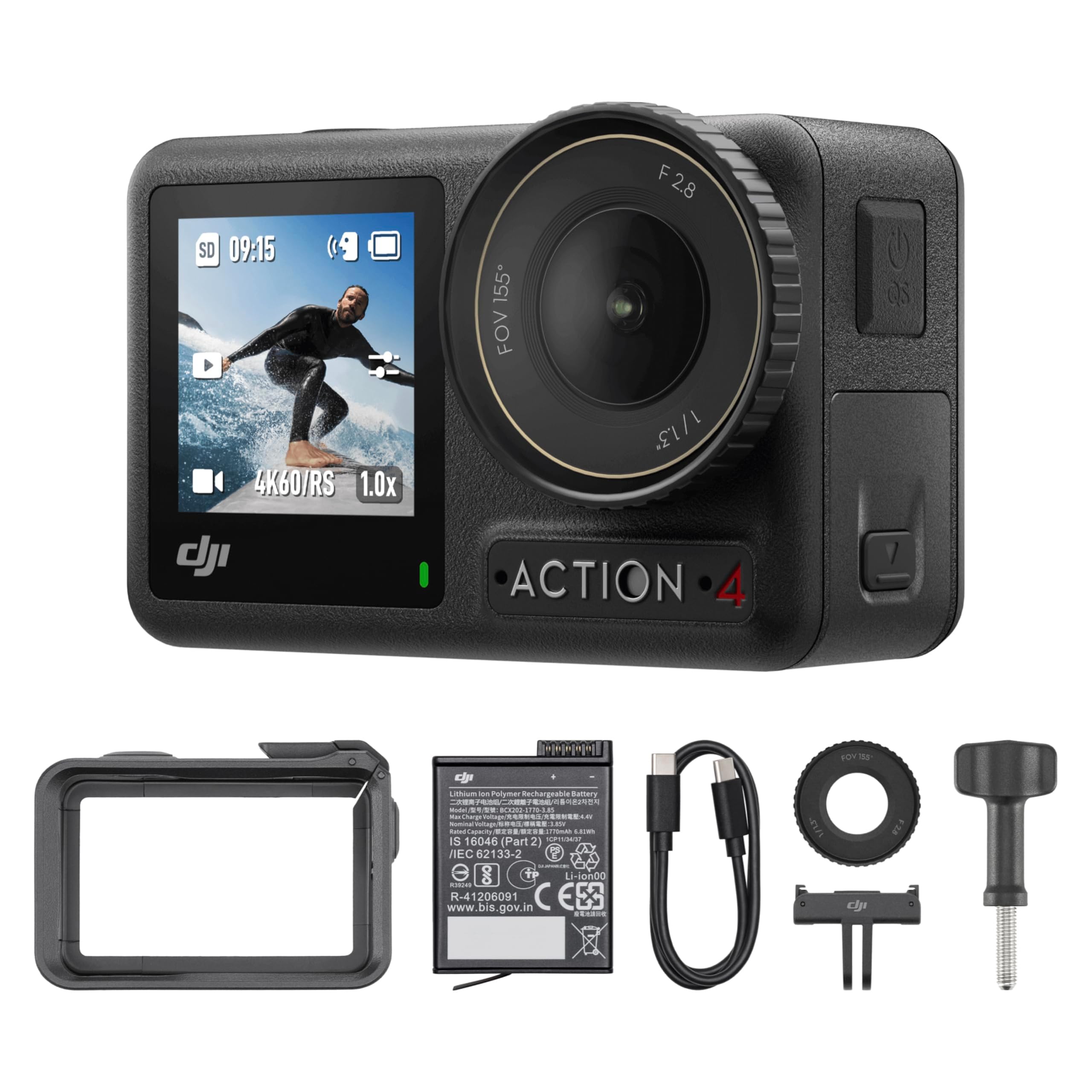
The Action 4 is the camera we recommend first because it gets the vlogging basics right without flagship pricing. The 1/1.3-inch sensor and 155-degree lens give you a wide, arm's-length frame with more room to crop than a small-sensor budget cam, while the front and rear touchscreens let you check that frame without guessing. We also like the magnetic quick-release mount: it turns a swap from tripod to chest rig into a seconds-long job.

Stabilization is the other reason it earns the top spot. RockSteady and HorizonBalancing are built for walking-and-talking, and the 4K/120 option leaves room for slow motion when the scene calls for it. The 160-minute battery rating is a best-case number; high frame rates and cold weather shorten it, so carry a spare. In our testing, the dual screens mattered more than the resolution bragging rights—being able to see your own framing is the difference between a usable vlog and a re-shoot.

The body is waterproof, so rain and splashes do not require a housing, and the compact 145-gram build is light enough for a small selfie stick. Between the magnetic mount and the front screen, this is a camera that stays in use rather than in the bag. For a vlogger who wants a big-sensor look without moving up to the Action 5 Pro, that combination is the whole argument.

Pros

  • Large 1/1.3-inch sensor for cleaner low light
  • Front and rear touchscreens simplify framing
  • RockSteady stabilization suits walking shots
  • Magnetic mount swaps angles quickly

Cons

  • Only one battery included
  • App pairing can be inconsistent with iPhones
Our verdict

For most vloggers, we think the Action 4 is the sweet spot: a big sensor, smooth stabilization, dual screens, and a compact body for less than the Action 5 Pro.

Check Latest Price
2

Best Battery Life

DJI Osmo Action 5 Pro

92 /100
LBD Score Outstanding

Key details

Video
4K/120fps
Battery
240 minutes
Screens
Dual OLED touchscreens
Stabilization
RockSteady, HorizonSteady
View on Amazon

The Action 5 Pro starts with the number that matters most for a vlogging camera: 240 minutes of claimed recording from a 1,950mAh battery, plus cold-weather operation down to -20°C. That changes how you shoot. You can leave it running through a long walk or event instead of rationing clips, and the 47GB of built-in storage means you can start recording before you reach for a card.

The other upgrade is subject tracking. For a solo vlogger, the camera can keep a moving subject centered in 16:9, which is useful when you set it on a tripod and step back. Dual OLED touchscreens, 4K/120, and the same magnetic mount as the Action 4 round out a very complete package. We found the front screen easy to check at a glance, and the tracking gave us more freedom to move during a take.

The extra battery and tracking are aimed at long shoots and solo filming. For quick clips around the house, the Action 4 covers the essentials, but the Action 5 Pro is the one we take when the day is long and the shot is not repeatable. The built-in storage is a nice safety net, though it is not a substitute for a fast card.

Pros

  • 240-minute battery rating for long shoots
  • Subject tracking helps solo vloggers
  • Dual OLED touchscreens for easy framing
  • 47GB built-in storage is a useful safety net

Cons

  • Premium price over the Action 4
Our verdict

We recommend the Action 5 Pro when all-day recording and subject tracking matter more than budget; it is the most capable vlogging camera in this group.

Check Latest Price
3

Best Budget Vlogging Camera

AKASO Brave 7 LE

89 /100
LBD Score Excellent

Key details

Video
4K/30fps
Battery
2 hours
Screens
Dual color screens
Stabilization
6-axis EIS 2.0
View on Amazon

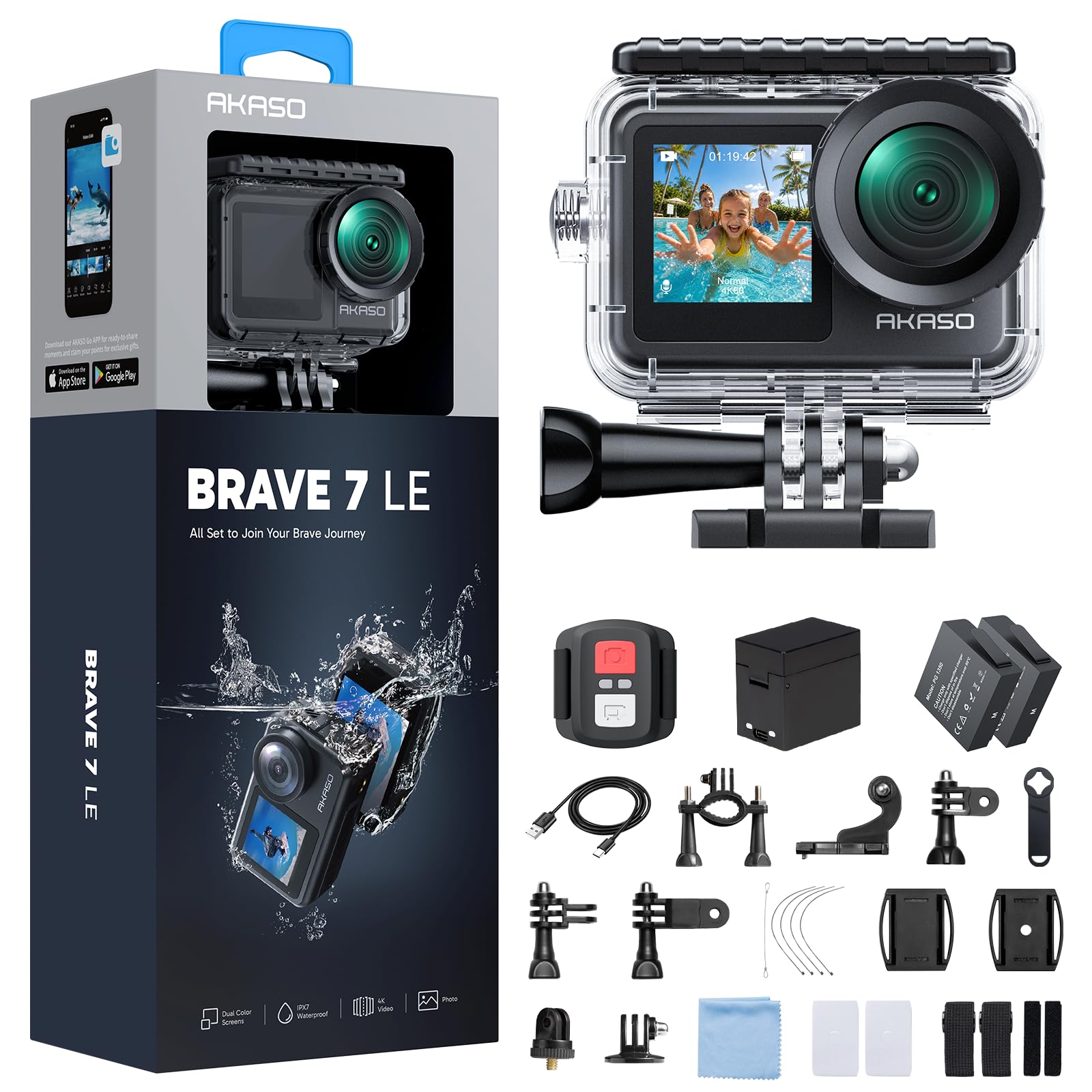
A front screen is the feature budget vlog cameras usually cut, so the Brave 7 LE's dual-display design is the reason it earns a place. A front color screen lets you check framing while the 2-inch rear touchscreen handles settings, and at 107 grams the camera is light enough to mount on a handlebar or a small tripod without drama.

Video records at 4K/30, with 6-axis EIS 2.0 smoothing out walking and riding. The two 1,350mAh batteries and external charger are a practical touch: you can keep one on the charger while the other runs. The body is IPX7 water-resistant, so rain and splashes are not a problem, but that is not the same as waterproof.

The external microphone support is the bigger deal for talking-head vlogs. Built-in mics on action cameras pick up wind and handling noise, and a lavalier or small shotgun will improve the result more than another frame-rate step. We treat the Brave 7 LE as a budget vlogging body that happens to be rugged, not a full replacement for a mirrorless camera.

Pros

  • Front screen for self-framing
  • 6-axis EIS 2.0 stabilization
  • Two batteries and an external charger
  • External microphone support

Cons

  • 4K recording capped at 30fps
  • Housing needed for underwater use
Our verdict

We see the Brave 7 LE as the budget vlogging pick to beat, thanks to its front screen, dual batteries, and external-mic support.

Check Latest Price
4

Best Large-Sensor Value

Xtra Edge 4K

82 /100
LBD Score Excellent

Key details

Video
4K/120fps
Sensor
1/1.3-inch
Battery
160 minutes
Waterproof
52 ft
View on Amazon

The Xtra Edge is the value play for anyone who wants the bigger-sensor look without moving up to DJI money. A 1/1.3-inch sensor, 4K/120 recording, and a 160-minute battery are the headline pieces, and the camera is rated waterproof to 52 feet. On paper, it covers the vlogging basics at a midrange price.

Stabilization is handled by three modes—360 Lock, TiltGuard, and MotionMaster—and the 2.25-inch screen is large enough for menu work. At 222 grams, it is the second-heaviest camera in this group, behind the 278-gram Insta360 X6. That is acceptable on a chest mount or tripod, where mass can help stability, but it changes the feel on a helmet.

What gives us pause is the support system around the camera. The DJI cameras are the safer choice for mounts, accessories, and a familiar workflow, and that matters if the camera has to earn money. If you want the large-sensor look and 4K/120 on a tighter budget, the Xtra Edge is worth a look; if you need a camera you can lean on for paid work, the Action 4 is the more conservative call.

Pros

  • Large 1/1.3-inch sensor
  • 4K/120 recording for slow motion
  • 160-minute battery rating
  • Waterproof to 52 feet

Cons

  • Heavier than the DJI picks
Our verdict

We like the Xtra Edge for its large sensor and 4K120 footage at a midrange price, though its weight and unfamiliar brand ask for a leap of faith.

Check Latest Price
5

Best 360 Vlogging Camera

Insta360 X6

86 /100
LBD Score Excellent

Key details

Video
8K/50fps 360
Battery
140 minutes
Sensors
Dual 1/1.1-inch
Tracking
InstaFrame 2.0
View on Amazon

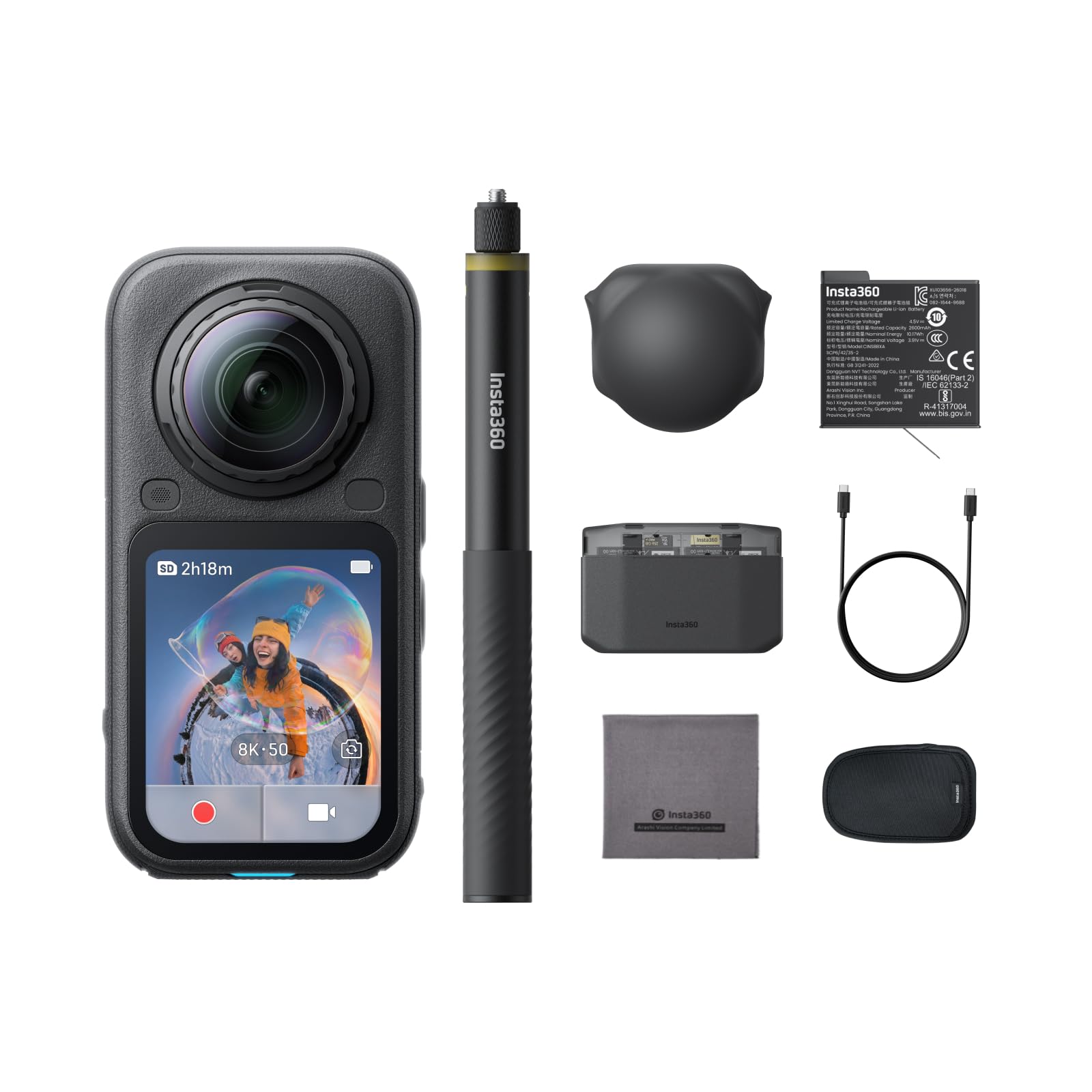
The X6 changes the vlogging question from where to point the camera to where to point the frame afterward. Dual 1/1.1-inch sensors capture 8K/50 360 footage, and InstaFrame 2.0 lets you export a flat 4K clip after the fact. For a solo vlogger who cannot monitor a screen while walking, that is a genuinely different way to work.

The image quality is the strongest argument. The larger sensors and 10-bit color give the footage more room in shadows and highlights than the small-sensor budget cams, and the 2.32-inch screen is bright enough for outdoor checks. The 140-minute battery is competitive with the Action 5 Pro on paper, though 8K recording will shorten it.

The cost is workflow. Every clip needs reframing, and the AI editing is helpful but not a substitute for deciding what the shot is about. The X6 makes sense only if 360 capture is central to your vlog—not as an occasional trick. We like it best for travel, action, and solo pieces where catching the moment matters more than a traditional framing.

Pros

  • 8K/50 360 capture
  • Dual 1/1.1-inch sensors
  • 10-bit color for more edit room
  • InstaFrame 2.0 reframing

Cons

  • Requires reframing and editing after capture
Our verdict

We recommend the X6 for vloggers who want to reframe first-person footage later; it is the most flexible camera here, but it adds an editing step.

Check Latest Price
6

First Action Cam

AKASO EK7000

89 /100
LBD Score Excellent

Key details

Video
4K/30fps
Battery
90 minutes
Waterproof
131 ft with case
Stabilization
Electronic image stabilization
View on Amazon

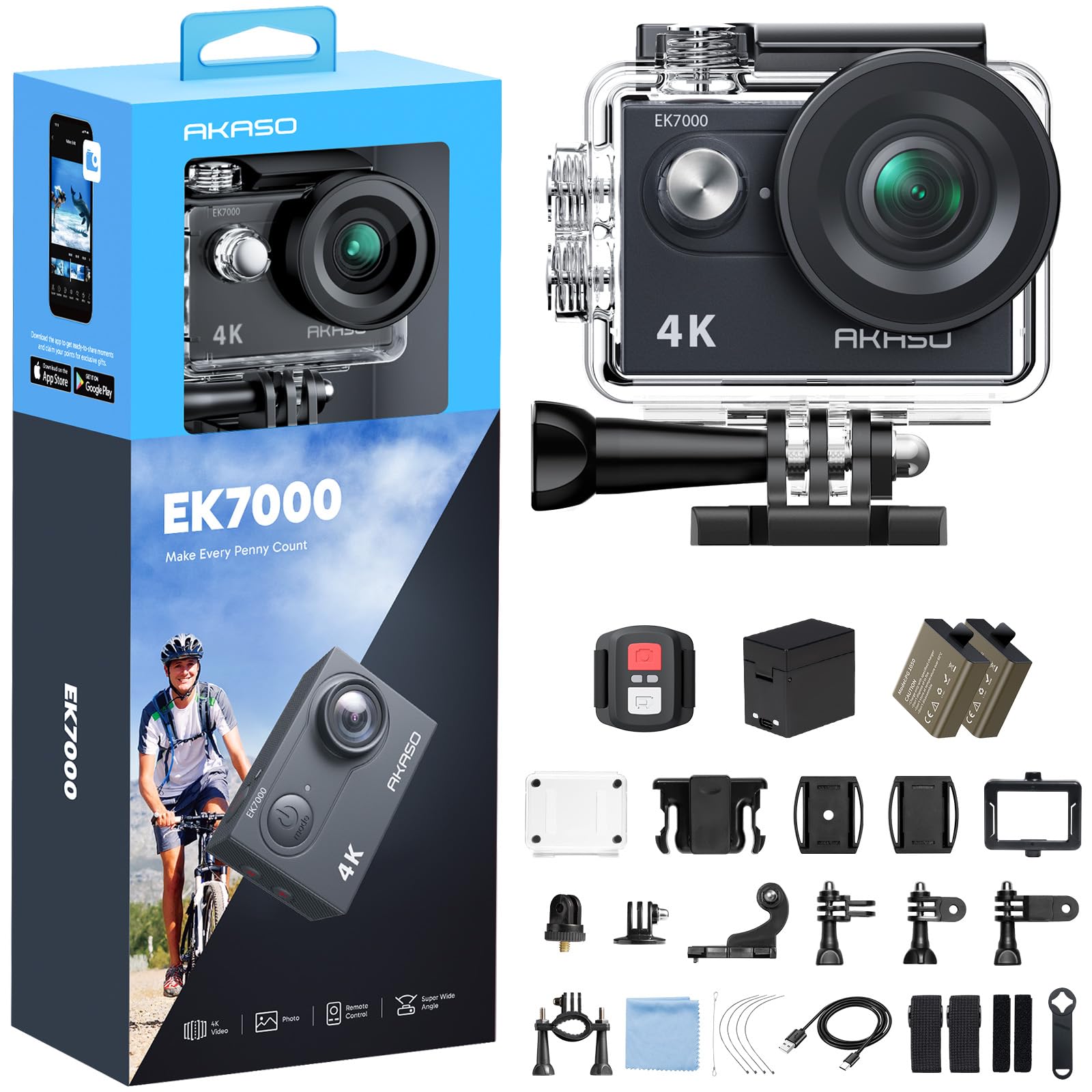
The EK7000 is the camera that makes the category accessible: a 2-ounce body, a 2-inch screen, and a waterproof case rated to 131 feet, all for the least money here. For a first action camera or a spare for a trip, that combination is hard to argue with.

It shoots 4K/30 and 2.7K/30 with electronic stabilization, and the kit includes two batteries, a remote, and a pile of mounts. The stabilization is the basic electronic kind—fine for a steady hand or a bike path, less convincing when you are running or walking hard. The included second battery is the practical bit: swap it at lunch and you can keep shooting.

The 2-inch screen is small for checking framing, and the camera leans on the phone app for setup and review. That is the budget compromise: you get the footage and the rugged housing, but not the polished dual-screen workflow of the Brave 7 LE or the DJI cameras. We still think it earns a place as the camera you keep in the glovebox for the shot you did not plan.

Pros

  • Least expensive way into action cams
  • 131-foot waterproof case included
  • Two batteries and a charger
  • Large accessory kit

Cons

  • 4K recording capped at 30fps
  • Continuous 4K drains the battery quickly
Our verdict

We think the EK7000 is the cheapest sensible way to try action-cam vlogging, as long as 4K30 and short battery runs fit your plans.

Check Latest Price
7

Hands-Free POV

Sixmou i3

84 /100
LBD Score Excellent

Key details

Video
4K
Weight
1.26 oz
Battery
150 minutes
Waterproof
131 ft with case
View on Amazon

At 35.7 grams, the i3 is the camera you forget is clipped to you, which is exactly the point. The magnetic lanyard and spring clip let it sit on a jacket or backpack strap, and the 150-degree lens captures a wide POV without a rig.

We like it best as a second camera. The 4K footage is crisp enough for cutaways and social clips, and the included 64GB card means you can start recording out of the box. The 150-minute battery and 131-foot waterproof case make it more than a novelty for travel or wet rides.

Setup and review run through the phone app, and the fixed wide lens is built for POV shooting. Most adjustments happen on your phone, which suits clip-and-go shooting. The camera is designed to be clipped on and forgotten, not fiddled with between takes.

We keep coming back to it for hands-free POV shots where a full-size camera would be intrusive. The clip and magnet are the whole appeal: no rig, no tripod, no fuss.

Pros

  • 35.7-gram body clips on easily
  • 64GB card included
  • 150-minute battery
  • 131-foot waterproof case

Cons

  • App pairing can be inconsistent
  • Fixed wide lens limits composed framing
Our verdict

We like the i3 as a second camera for hands-free POV shots; it is not the one we reach for when framing a talking-head vlog.

Check Latest Price
8

Budget Front Screen

Hiicam Speed 20

83 /100
LBD Score Excellent

Key details

Video
4K/30fps
Screens
2-inch rear, 1.4-inch front
Waterproof
131 ft with case
Stabilization
Electronic image stabilization
View on Amazon

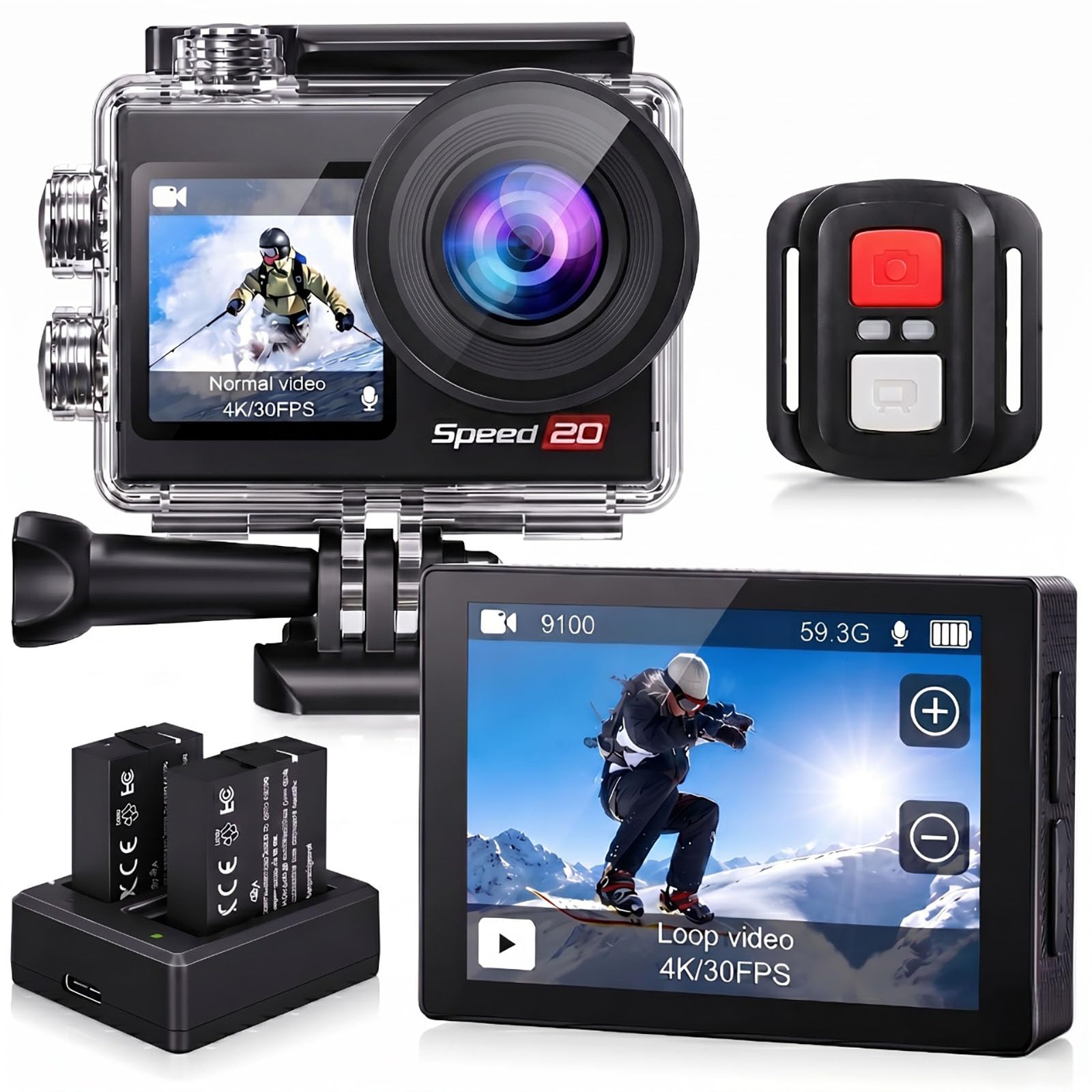
The Speed 20 is the budget answer to the front-screen problem. It pairs a 2-inch rear touchscreen with a 1.4-inch front display, so you can see yourself while framing a vlog, and it does that for less than the Brave 7 LE.

The rest of the package is familiar budget action-cam hardware: 4K/30 recording, electronic stabilization, a 131-foot waterproof case, and two batteries. The front screen is small, so treat it as a framing check rather than a monitor—you can confirm your head is in the shot, but you will not be judging focus on it. For talking-head clips at arm's length, that is enough.

The included case and two batteries are the practical bits: you can shoot in the rain and swap power without buying extras. The 170-degree lens is wide enough for arm's-length framing, and the touchscreen menus are straightforward enough for a first camera.

What makes the Speed 20 worth considering is the combination of a front screen, a waterproof case, and two batteries at the entry end. It is a learner camera that can still earn a place as a second angle once you upgrade.

Pros

  • Front screen for self-framing
  • Electronic stabilization
  • 131-foot waterproof case
  • Two batteries included

Cons

  • 4K recording capped at 30fps
  • Six-month warranty
Our verdict

We see the Speed 20 as a low-cost route to a front screen for vlogging, with a short warranty as the trade-off.

Check Latest Price

How We Tested These Action Cameras

We started with every action camera sold with a vlogging claim and filtered on the things that show up in the footage: sensor size, stabilization, microphone input, waterproofing, and what actually comes in the box. That winnowed the field to 12 cameras, which we used for seven months across handlebars, helmets, a car hood, and one very cold creek.

Ease of use came first. We handed each camera to someone who had never touched it and timed how long it took to go from box to first clip — a couple required the manual, most were recording in under a minute. We also ran the menus with cold hands and wet fingers to see which touchscreens responded and which ones needed three taps.

For footage, every camera rode the same handlebar mount down the same rutted trail, then the same helmet on a run. Back at a monitor we watched for horizon tilt, how fast the stabilization recovered after a hard bump, and whether highlights blew out on bright pavement. We repeated the ride after dark to see how each sensor handled low light, and recorded audio in wind to check whether the built-in mics were usable and which models accepted an external mic.

Battery testing meant running each camera at top resolution until it shut off, then again with the screen dimmed. For durability, we dropped each from waist height onto pavement, worked sand out of the seams, and left them submerged for half an hour to check for fog behind the lens. We paired every camera to a phone, timed a clip transfer, and noted which apps dropped the connection mid-download. Finally, we counted what came in the box, because a spare battery and a usable mount change the real cost.

How to Choose an Action Camera for Vlogging

Start with how you will frame yourself

A vlog camera has to show you what the lens sees. A front screen is the most direct solution: the DJI Osmo Action 4 and Action 5 Pro use dual touchscreens, while the AKASO Brave 7 LE and Hiicam Speed 20 bring a front display to the budget end. A phone preview can work instead, but it adds a connection step and drains both devices. If you often film alone, pay for the screen rather than another resolution mode.

The trap is assuming any front screen is equally useful. A small 1.4-inch panel is fine for checking head-and-shoulders framing, not focus; a larger dual-screen setup is easier for eye contact. Match the screen size to how precise your framing needs to be.

Treat stabilization as a vlogging requirement

Walking-and-talking footage exposes every bump. Electronic stabilization is standard, but the better systems add horizon lock or subject tracking: the Action 5 Pro's HorizonSteady and tracking are aimed at solo shooters, while the Action 4's RockSteady and HorizonBalancing cover the same ground for less. Budget EIS helps on a bike path but struggles when you run. If your vlog is mostly handheld, stabilization is worth more than a 4K/120 mode you rarely use. Stabilization crops the frame, so start with a wide lens; a 155-degree field of view leaves more room after the crop.

Match sensor size and frame rate to your light

A 1/1.3-inch sensor, as on the Action 4, Action 5 Pro, and Xtra Edge, gives you more room in low light and more control over depth than the small sensors in budget cams. Frame rate is a separate choice: 4K/30 is fine for talking-head vlogs, while 4K/120 buys slow motion and costs battery and card space. Do not pay for 8K or 120fps if you publish at 1080p; put the money into a second battery or a better mic. More pixels do not automatically mean better vlog footage—small-sensor 4K can look soft in dim rooms, and high frame rates need more light.

Plan for power, water, and sound

Battery claims are best-case numbers. High frame rates, cold weather, and screen brightness all shorten runtime, so a spare battery is part of the kit, not an accessory. Waterproofing is similarly conditional: the DJI cameras are sealed for wet use, while the AKASO and Hiicam models rely on a sealed housing for submersion. And sound is the most common vlogging disappointment—built-in mics pick up wind and handling noise, so choose a camera with external-mic support if you talk to the lens.

Decide whether 360 or thumb-sized POV belongs in your bag

360 cameras such as the Insta360 X6 let you shoot first and choose the frame later, which is liberating for solo travel but adds an editing step. Thumb cameras such as the Sixmou i3 are for hands-free cutaways, not for anchoring a talking-head vlog. Neither replaces a conventional action camera with a front screen; they are second-camera tools. Buy one only when the shot you want is impossible with a normal vlogging setup.

Frequently Asked Questions

Final Verdict

Start with the DJI Osmo Action 4. It is the best balance here of a large sensor, reliable stabilization, dual screens, and a compact body, and it leaves room in the budget for a spare battery and a decent mic. Step up to the Action 5 Pro if you record long sessions or want subject tracking, choose the Brave 7 LE if the front screen has to fit a budget, and go to the Insta360 X6 only if 360 reframing is the point of the vlog.