Best Capture Cards of 2026

A capture card is a translator: it takes the HDMI signal coming out of a console, camera, or second PC and hands it to your computer in a form OBS can record. The hard part isn't the translation — it's whether the passthrough leaves your TV picture unchanged, whether the audio lands in sync, and whether the card is still stable three hours into a stream. I've run one between my console and monitor for years, and the ones I forget about are never the cards with the biggest number on the box.

We spent the past six months putting 12 of them through the same routine, from thumb-sized dongles to powered passthrough boxes. Worth knowing first: almost nobody actually records at the top resolution a card advertises. Most of us stream at 1080p60, so what matters is how the card treats the signal heading to your screen, how much fiddling setup takes, and whether the recording is clean enough to publish without a second pass — and the picks below are sorted on exactly that.

1

Best Overall

Elgato 4K X

89 /100
LBD Score Excellent

Key details

HDR
HDR10
Capture
Up to 1080p240
Connections
HDMI 2.1 in/out, USB 3.2 Gen 2
Pass-through
4K144 with VRR
View on Amazon

HDMI 2.1 in and out, with variable refresh rate handed straight through to your monitor, is why this one sits at the top of our list. On a PS5 or an Xbox Series X feeding a 120Hz television, the 4K X passes the picture you paid for instead of flattening it to 60Hz, and it records at up to 1080p240 while you play. Most of the cheaper cards here treat pass-through as an afterthought; this one treats it as the product.

Setting it up is uneventful in the way we want. It's USB 3.2 Gen 2, bus-powered, and OBS, Streamlabs, Zoom and Teams all pick it up without a driver hunt. Latency is what we watched hardest, because a card that adds a beat to your aim is a card you stop using, and here the loop-out stayed responsive while the recording ran.

Two limits are worth knowing before you order. The minimum spec is real — a 6th-gen i5 or Ryzen 5 and a USB 3.2 Gen 2 port — and if you drop back to a Gen 1 port the capture resolution comes down with it. And on a Mac the output is capped at SDR, so the HDR10 capture is a Windows story. Neither stops a console streamer, but don't expect the Mac experience to match the PC one.

What the premium actually buys is ceiling: this is the card in the set that won't be the reason you upgrade again when the next console lands. It's small enough to forget about, too — 0.09 kg and a shade over four inches wide, which means it can live behind a monitor permanently without anyone noticing it's there.

Pros

  • Passes 4K144 with VRR untouched
  • Records up to 1080p240
  • Driver-free in OBS, Streamlabs, Zoom and Teams
  • USB 3.2 Gen 2 keeps latency low

Cons

  • Mac output capped at SDR
  • Priciest card in this set
Our verdict

Our pick for anyone streaming from a current console: HDMI 2.1 with VRR passed through untouched, high-frame capture, and the fewest software surprises in this set.
Check Latest Price
2

Best Value for 4K60

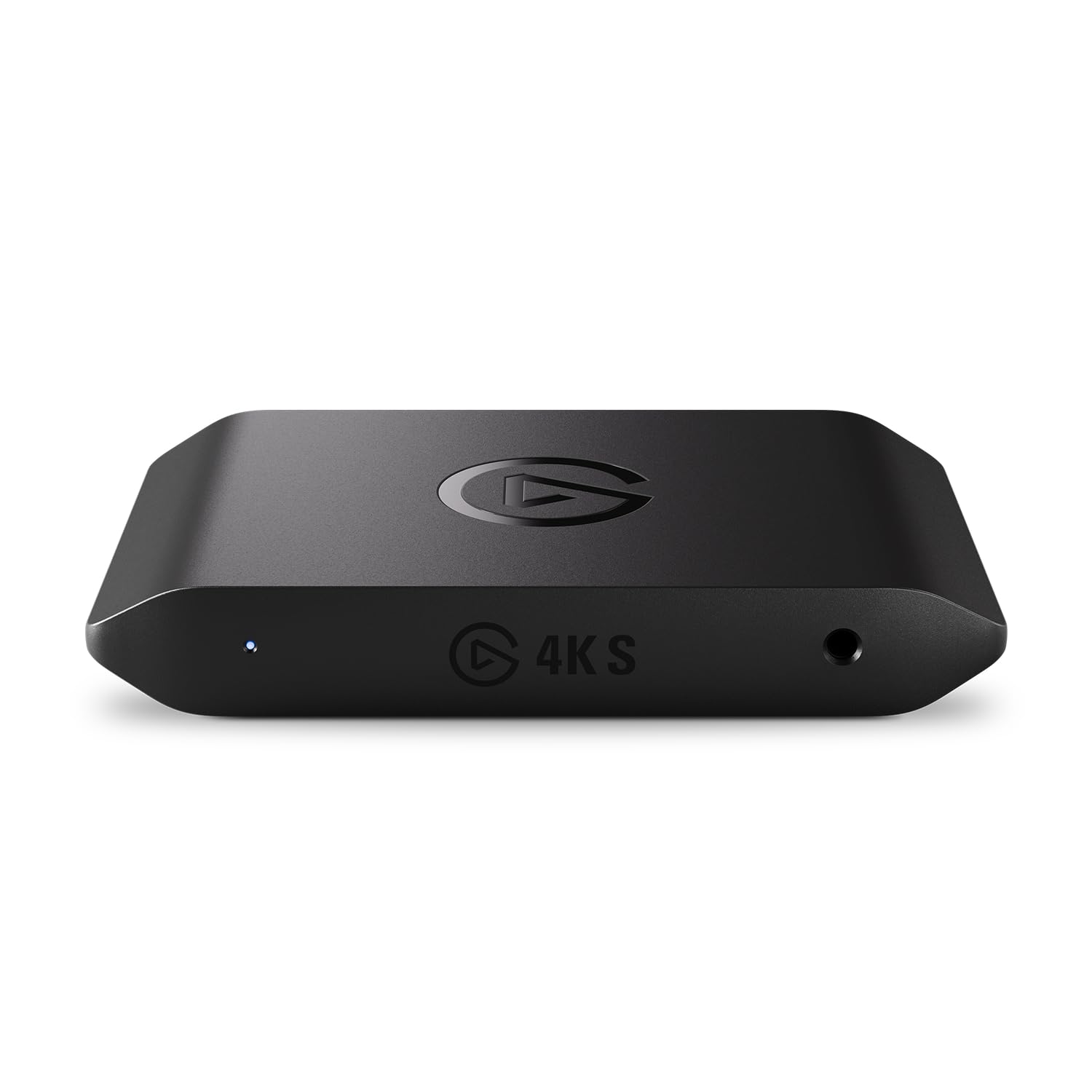
Elgato 4K S

89 /100
LBD Score Excellent

Key details

HDR
HDR10 with Windows tone mapping
Capture
4K60
Audio Input
3.5mm analog
Pass-through
1440p120 or 1080p240
View on Amazon

The 4K S and our top pick share a shell, a weight and a USB-C port, and the difference that matters is the ceiling: 4K60 capture here against a far higher frame-rate limit up the page. For a stream that leaves your machine at 1080p60, or a 4K upload to YouTube, that ceiling is the whole job — and this card does it for a good deal less money.

We put it second because it's the version of a 4K card most people should actually buy. The pass-through is the same near-zero-latency arrangement, at 1440p120 or 1080p240 out to your monitor, so the game still feels like the game. And it's the only card here with a 3.5mm analog input, the simplest way to get commentary into a recording without building a virtual-cable chain in OBS first.

One caveat matters more than the spec sheet suggests: a picture is not universally automatic. Plenty of setups see it in OBS and TikTok Live Studio immediately; some never see it at all, and that split is what keeps it off the top spot. Buy somewhere with a straightforward return window, run a test recording before you plan a stream night around it, and note that HDR10 tone mapping is Windows-only.

A detail that doesn't show up in the marketing: the minimum spec lists iPadOS over USB-C, so a recent iPad can stand in as the recorder when the laptop is tied up elsewhere. For something this size — the same 0.09 kg footprint as the 4K X — that's a genuinely useful second life.

Pros

  • Full 4K60 capture for far less money
  • 1440p120 or 1080p240 passthrough
  • Only 3.5mm analog audio input here
  • Works with PS5, Xbox, Switch 2 and USB-C iPad

Cons

  • No HDMI 2.1, so no 4K120 pass-through
  • HDR tone mapping is Windows-only
Our verdict

The 60Hz buyer's card: full 4K60 recording, smooth 1440p120 pass-through, and the only analog audio input in this group.

Check Latest Price
3

Best Budget

Acer USB 3.0 Capture Card

85 /100
LBD Score Excellent

Key details

Ports
USB-A and USB-C
Capture
1080p60
Audio Input
3.5mm mic in
Pass-through
4K HDMI loop-out
View on Amazon

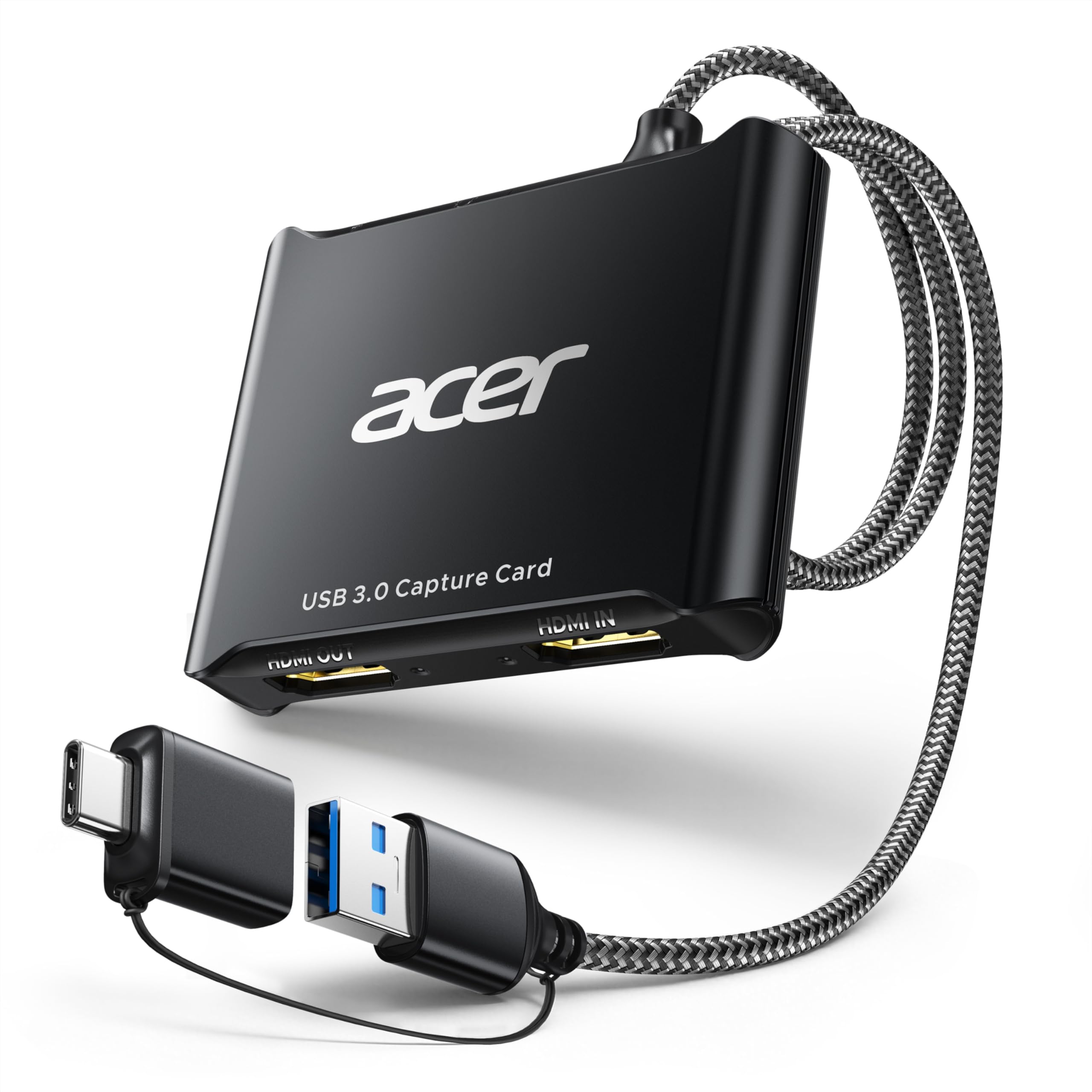
Budget capture cards are usually plastic, and they usually feel it. The Acer is the exception in this group: a small aluminum case, a braided cable, and a shell that has survived being thrown in a bag between shoots. We didn't expect much from a card in this bracket and it's the one we keep reaching for when something needs capturing in a hurry.

Under the shell it's a straightforward 4K-in, 1080p60-out USB 3.0 device, with both USB-A and USB-C on the card and a 3.5mm input for a headset mic. It appears in OBS without a driver on Windows, and the picture holds up in motion: this is the budget card where fast scenes stay clean instead of smearing.

The ceiling is honest and worth stating plainly. There's no 4K capture, no HDR and no high frame rate — 1080p60 is the deal. If your channel is built on 4K uploads, this isn't your card. If it's built on a Switch, a first stream, or a camera in a work call, it covers the whole job with the least risk of anything on this page.

Pros

  • Aluminum body and braided cable
  • Clean 1080p60 with 4K loop-out
  • 3.5mm mic input on the card
  • Driver-free in OBS

Cons

  • 1080p60 ceiling, no HDR
  • Mac needs extra steps for stereo audio in OBS
Our verdict

Our budget pick: clean 1080p60 capture, a metal shell that survives a bag, and mic input at a price that leaves money for a microphone.

Check Latest Price
4

Best for Beginners

Dcyfol 4K HDMI Capture Card

85 /100
LBD Score Excellent

Key details

Capture
1080p60
In The Box
HDMI extension, USB-C adapter, USB extension
Pass-through
4K60 HDMI
Requirements
USB 3.0, Windows or macOS
View on Amazon

Somewhere in this set there's a card for the person who has never opened OBS before, and the Dcyfol is it. The box includes an HDMI extension cable, a USB extension and a USB-C adapter — more cabling than most budget cards bother with — so a mismatch between the port on your laptop and the port on the card stops being a problem on day one.

The spec is the standard budget recipe: 4K60 HDMI in, 1080p60 capture out over USB 3.0, and a loop-out so the console keeps feeding the television. What separates it is how little happens between plugging in and seeing a picture. It behaves like a webcam, so OBS, Zoom and Teams all find it without configuration, and it takes a camera as readily as a console.

We recommend it to beginners for exactly that reason: it's the least fussy route from a console to a live stream in this bracket, and the included adapters mean it fits the hardware people already own. The 4K60 loop-out earns its keep too — your television keeps the full-resolution picture while the recording runs at 1080p60.

The trade-off is headroom. With a light scene it's steady, but push a busy game and a heavy OBS layout through the same laptop and this is where frames start going missing. Commentary audio is the other place to be careful: HDMI sound arrives without trouble, and the mic side is what needs testing before a live show rather than during one.

Pros

  • HDMI, USB extension cables and USB-C adapter included
  • Clean 1080p60 with a 4K60 loop-out
  • Plug and play in OBS, Zoom and Teams
  • Handles consoles and cameras alike

Cons

  • Commentary audio needs testing and fiddling
  • Drops frames when the PC is already loaded
Our verdict

The card we hand to first-time streamers: adapters in the box, no driver install, and a loop-out so the TV keeps its picture.

Check Latest Price
5

Calls and Cameras

Guermok USB 3.0 Capture Card

89 /100
LBD Score Excellent

Key details

Body
Aluminum alloy
Input
4K30 HDMI
Weight
1.06 oz
Capture
1080p60, 2K30
View on Amazon

The Guermok is the cheapest thing on this page, and it's built like a small piece of precision kit: a 30-gram aluminum stick barely longer than a USB plug, with the adapter for USB-C in the box. It disappears into a laptop bag, which is rather the point of it.

On a static or slow source it does real work. Point a camera at a desk for a call, or feed a slower console into OBS, and the 1080p60 picture is clean and the setup is genuinely plug-and-play. This is the card that has turned a webcam into something presentable for the least money of anything here.

Motion is where it thins out. Fast gameplay is the setting where the latency stops being invisible, and the frame rate arriving in OBS can fall well short of 60 when the scene is busy. Audio is the other soft spot: silent or crackling sound is the usual failure, and it's worth ten minutes of testing before a live show rather than discovering it mid-stream.

So our recommendation is narrow rather than enthusiastic. For calls, camera work and slower games it's the best value in this set; for a competitive gameplay channel it's the wrong tool at any money. If you're sitting between those two uses, spend a little more on the Acer, which holds together better once the scene starts moving.

Pros

  • 30 g aluminum body, genuinely pocketable
  • Plug and play with OBS and cameras
  • USB-C adapter included
  • Cheapest card in this set

Cons

  • Latency shows in fast-motion games
  • 4K is input only; capture tops out at 1080p60
Our verdict

The cheapest way to get a camera into a call or a clean 1080p feed into OBS — just don't build a fast-game channel on it.

Check Latest Price
6

Mic Commentary

XIIXMASK USB 3.0 Capture Card

86 /100
LBD Score Excellent

Key details

Cable
USB-A and USB-C ends
Capture
1080p60, 1440p30
Audio Input
3.5mm mic in
Pass-through
4K loop-out
View on Amazon

Most cards in this bracket hand you a USB-C cable and leave you to find an adapter. The XIIXMASK ships one cable with both USB-A and USB-C ends, so it moves between the desktop and the laptop without a dongle hunt — a small thing we appreciated more than any line on its spec sheet.

It earns its place on two features: that cable and the 3.5mm mic input. If your commentary goes through a headset rather than a separate interface, the mic port is the difference between talking to your viewers and recording silence. Add a 4K loop-out, 1080p60 or 1440p30 capture, and an aluminum shell that spreads heat, and it's a lot of card for the money.

The caveats are practical rather than fatal. The USB lead is short, so where the card can sit is decided by your tower, and the audio path is the part that fails when something does — silence rather than a bad-sounding recording. Test the mic input the day it arrives; if it works then, it tends to keep working.

Pros

  • One cable with USB-A and USB-C ends
  • 3.5mm mic input for commentary
  • 4K loop-out with 1080p60 or 1440p30 capture
  • Aluminum body spreads heat

Cons

  • Short USB lead limits placement
  • Audio input can arrive silent
Our verdict

The budget pick for talking over gameplay: a mic input, a 4K loop-out, and one cable that fits both USB-A and USB-C.

Check Latest Price
7

Streamer Desks

Fifine AmpliGame V3

78 /100
LBD Score Very Good

Key details

Cable
3.3 ft USB
Output
4K30 HDMI
Capture
1080p60
Lighting
9 RGB modes
View on Amazon

This is the only capture card here with a light bar, and the nine RGB modes are either the reason you want it or the reason you don't. Fifine has built it for the streamer whose setup is on camera, and the case does look good on a desk.

Underneath the lights it's a 1080p60 USB 3.0 card with a 4K30 HDMI output, and the streaming side is where it behaves: long sessions hold up, the picture stays in sync with the sound, and there's no driver to install before you start.

Our honest read is that it's a competent 1080p60 card at a price the lighting has to justify. It costs noticeably more than the 1080p60 dongles down this page and the picture doesn't improve to match — you're buying the look, not the capture. If the look is the point, that's a fair trade; if it isn't, the Acer does the same job for a lot less.

Two practical warnings. The light bar is bright in a dark room and there's no settling it down to a glow, which only matters at one in the morning and then matters a lot. And the console-to-PC handoff can land you on a black screen until the input settings are adjusted — a one-time setup job rather than a fault that repeats.

Pros

  • Nine RGB modes for an on-camera desk
  • 1080p60 capture with 4K30 HDMI out
  • Holds up through long streams
  • No driver install before you start

Cons

  • Costs more than other 1080p60 cards here
  • Light bar is bright in a dark room
Our verdict

A 1080p60 card for people who want the desk to look like a streamer's desk — pay for the lighting, and know that's what you're paying for.

Check Latest Price
8

Audio Monitoring

Generic 1080P60 Capture Card

84 /100
LBD Score Excellent

Key details

Audio
3.5mm mic in and headphone out
Capture
1080p60
Warranty
1 year
Pass-through
1080p60 HDMI
View on Amazon

A headphone output on a capture card is rarer than it should be. It lets you listen to what the card is actually receiving, which is the fastest way to work out why a stream has picture and no game audio. This no-name card has one sitting next to a 3.5mm mic input, and that's the reason it earns a place here at all.

The rest is the standard budget package: 1080p60 capture and a 1080p60 loop-out over USB 3.0, plug and play with no driver, a USB 3.0 cable and a printed manual in the box, and a one-year warranty. Nothing here is ambitious and nothing pretends to be.

What it lacks is consistency. A 1080p60 device with no headroom can drop frames once a scene moves quickly — fast driving games are the usual place — and the mic input, like most at this price, needs its levels set before it behaves. The one-year warranty is doing more of the reassurance work than on the branded cards.

We keep it as an also-consider for that monitoring jack. If your setup has ever left you guessing about audio, this is the cheapest card here that answers the question, and it handles undemanding 1080p60 work without complaint. Treat anything beyond that as a bonus rather than a plan.

Pros

  • 3.5mm headphone output for monitoring
  • Mic input without an extra adapter
  • Plug and play with no driver
  • One-year warranty included

Cons

  • Only 1080p60, with no headroom
  • Can drop frames in fast scenes
Our verdict

Buy it if you want to hear what you're capturing: it's the only budget card here with a headphone output as well as a mic input.

Check Latest Price

How We Tested Capture Cards

We started by collecting every card we could find that claimed 4K passthrough or native 4K capture, then cut the list to 12 that actually differed from one another: thumb-sized dongles, metal boxes with a loop-out port and their own cooling, and a few that record 4K rather than only passing it through. Price was a filter, not a ranking — the cheap end had to be represented, since that's where most first purchases land. Testing ran six months, with each card living on my desk or in the living room for at least two weeks.

Every card went through the same loop: unboxed and timed from plug-in to first successful recording without opening the manual, first on a Windows laptop and then on a Mac, plus an iPad for the ones claiming tablet support. I captured an hour of gameplay from a PS5 and a Switch each evening, then rewatched the files at full size looking for softness, dropped frames, and color drift. For latency, I pointed a camera at the passthrough TV and the preview window at once and counted the gap between the same on-screen moment; for passthrough, I played through each card for a full evening and noted whether HDR flattened, whether VRR held, and whether the picture looked any different than it had before the card was in the chain.

Audio got its own pass — game chat, a USB mic, and the headphone jack on the cards that have one — with an ear out for drift an hour into a session, not in the first minute. Reliability testing was mostly patience: long streams with the card running warm, a laptop sleeping and waking, and notes on which ones needed to be unplugged before they came back. At the end, I compared every recording at matching resolutions to see whether spending more bought anything visible in the file.

How to Choose a Capture Card

Capture resolution is not the 4K on the box

Nearly every card here advertises 4K, and on most of them that figure describes the input or the loop-out, not what gets recorded. A budget dongle will happily pass a 4K60 console picture to your television while capturing 1080p60, which is exactly what Twitch and YouTube want from you anyway.

Pay for genuine 4K capture when you plan to archive in 4K or crop into a 1080p edit. The step up from the Elgato 4K S to the 4K X buys frame rate and HDMI 2.1 headroom rather than a sharper stream, so match the card to what leaves your machine, not to what your console can output.

Pass-through, VRR and the refresh rate you actually see

The loop-out is the part that keeps the game playable: the console feeds your display directly and the card taps the signal, so latency stays near zero. Play from the software preview instead and you're gaming through an encoding buffer.

If your display does 120Hz, check that the card passes the picture with variable refresh intact. HDMI 2.1 is the marker, and only the 4K X has it in this set. A 60Hz television makes that specification an expensive irrelevance.

Audio is the part that goes wrong

Video faults are obvious and usually fixable; audio faults eat an evening. Decide up front how commentary reaches the recording. A card with a 3.5mm input — the 4K S, the Acer, the XIIXMASK — takes a headset directly and skips the routing work.

Without one, you're mixing a microphone against HDMI audio inside OBS, which works fine but is where first-time setups stall. A headphone output, as on the Generic pick, is the other useful convenience: it lets you hear what the card hears instead of guessing.

USB or internal, and which port you have

External USB cards travel, work with laptops, and ask for nothing more than a free USB 3.0 port — USB 3.2 Gen 2 if you want the highest frame rates. Internal PCIe cards cost roughly the same, keep the desk clear and suit a dedicated desktop build, but they need an open slot and a case you're willing to open.

Whichever you choose, read the cable in the box. Several budget cards ship short leads, and that single detail decides where the card can physically sit on your desk.

Software, platform and the machine doing the encoding

Every card here works with OBS on Windows; macOS is where support frays. The 4K X caps its output at SDR on a Mac, and some budget cards need extra steps before stereo audio appears in OBS.

Check the minimum processor spec as carefully as the video spec. A capture card moves data; your computer does the encoding. A recent i5 or Ryzen 5 with a free USB 3.0 port is plenty for 1080p60, and 4K capture wants more headroom than the card's own numbers suggest.

Frequently Asked Questions

Final Verdict

There's a clear default here. If you stream or archive from a current console and want the card to stop being the limiting factor, the Elgato 4K X is the one we recommend: HDMI 2.1 in and out, VRR passed through untouched, high-frame capture, and software support that needs no driver hunt.

Two requirements change that answer. Cap your display at 60Hz and the 4K S does the same capture work while adding the analog audio input the top pick lacks. Cap the budget instead and the Acer is the card we trust for clean 1080p60, as long as you accept that 4K capture isn't part of the deal.