Best Desk-Mounted Power Strips of 2026

There's a particular kind of frustration in crawling under a desk to find the one free outlet, then knocking the monitor plug loose on the way back up. A power strip that clamps to the desk edge fixes it in about ten minutes: ports at arm's reach, cables off the floor, and no more charging brick lost to the vacuum. What the clamp doesn't fix is the shopping. These strips look nearly identical in photos and differ wildly in how much power they actually push and how thick a desktop they'll genuinely grip.

I've had a dozen of them clamped to my desks over the past four months, from a slim four-outlet unit to a thirteen-outlet brick, and the keepers earned it on the clamp first. Two things worth checking before you buy: the stated tabletop-edge range, since a clamp that won't close on a thick slab is useless no matter the port count, and the USB-C wattage, because a 20W port tops up a phone but won't stop a laptop from draining while it runs. Every pick below cleared both.

1

Best Overall

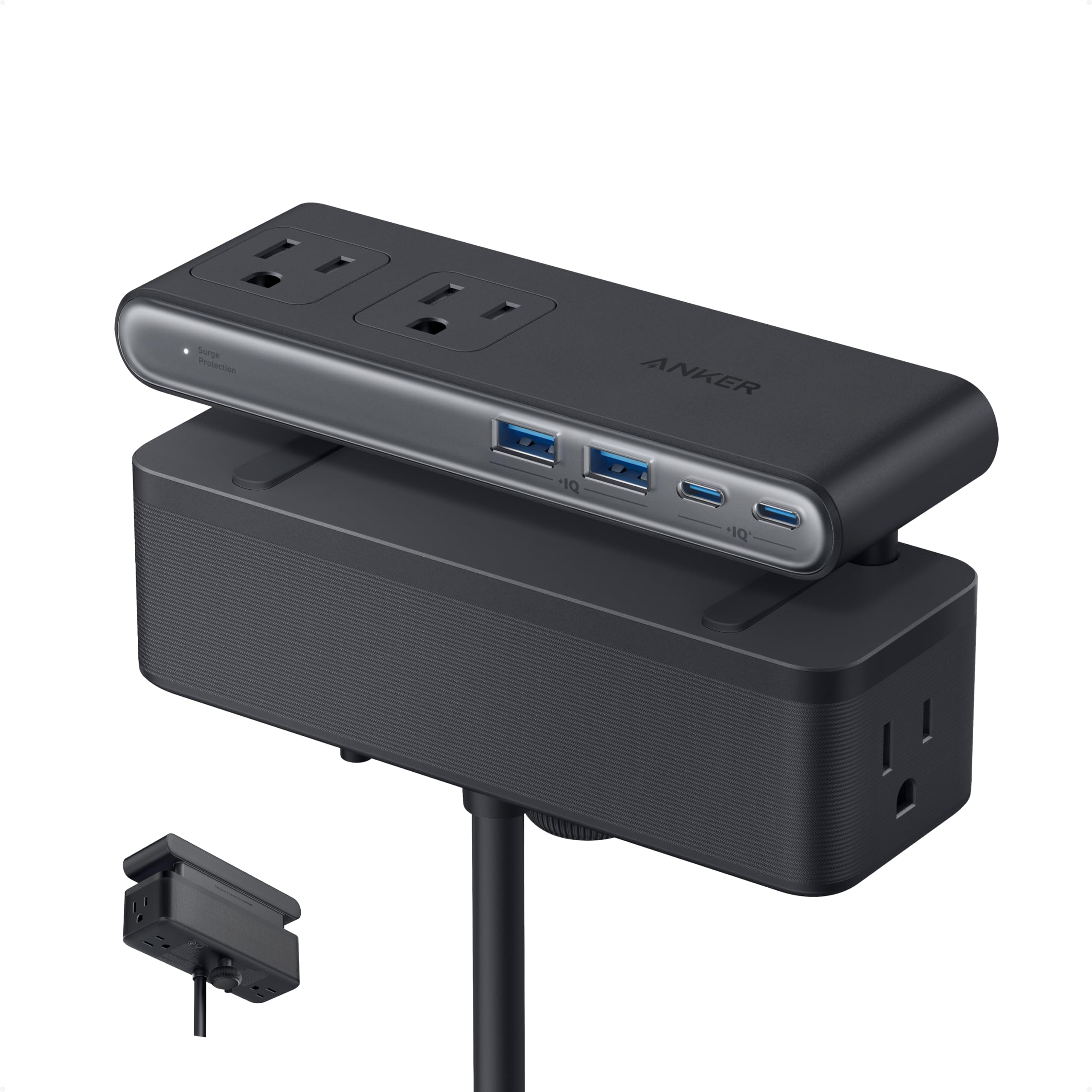
Anker Nano Power Strip

94 /100
LBD Score Outstanding

Key details

USB-C Output
Up to 70W
Fits Desk Edges
0.6–1.8 in
Surge Protection
1500 joules
Outlets And Ports
6 AC + 2 USB-C + 2 USB-A
View on Amazon

One USB-C port on this strip delivers up to 70W, and that single number is why it sits at the top of our list: it's the only pick here specified to charge a laptop on its own, with no brick in the middle of the desk. We ran a notebook from the top port and kept all six AC outlets free for a monitor, a dock, and a lamp. The clamp holds firmly enough that we plug and unplug one-handed without the strip skating along the edge, which is the thing that separates a good desk strip from an irritating one.

The ten ports are split into a top zone and a bottom zone, so AC plugs and USB cables don't compete for the same few inches of real estate. It's rated for 1500 joules, near the top of this group, and the warranty runs two years. Six inches by two is a small footprint for that much hardware.

Two limits come with it. The clamp wants a flat edge between 0.6 and 1.8 inches thick and won't hold on a curve or a steep bevel, so wedge-shaped and glass-topped desks are out. The cord is five feet, on the short side for a desk set well away from a wall. For a standard rectangular desk near an outlet, neither matters, and the extra money buys the one thing the cheaper strips can't do.

Pros

  • 70W USB-C port charges a laptop directly
  • Clamp holds through one-handed plugging
  • Ten ports split into two zones
  • 1500 joules and a two-year warranty

Cons

  • Clamp needs a flat edge 0.6 to 1.8 inches thick
  • Five-foot cord is short for a large room
Our verdict

For a desk that has to charge a laptop and power a monitor, we think the Anker earns its premium: 70W from one USB-C port and a clamp that doesn't shift.
Check Latest Price
2

Best for Lots of Devices

Acozvin Clamp Power Strip

93 /100
LBD Score Outstanding

Key details

USB Output
40W total, 20W PD max
Cord Length
10 ft
Fits Desk Edges
Up to 1.7 in
Outlets And Ports
9 AC + 8 USB (4 USB-C)
View on Amazon

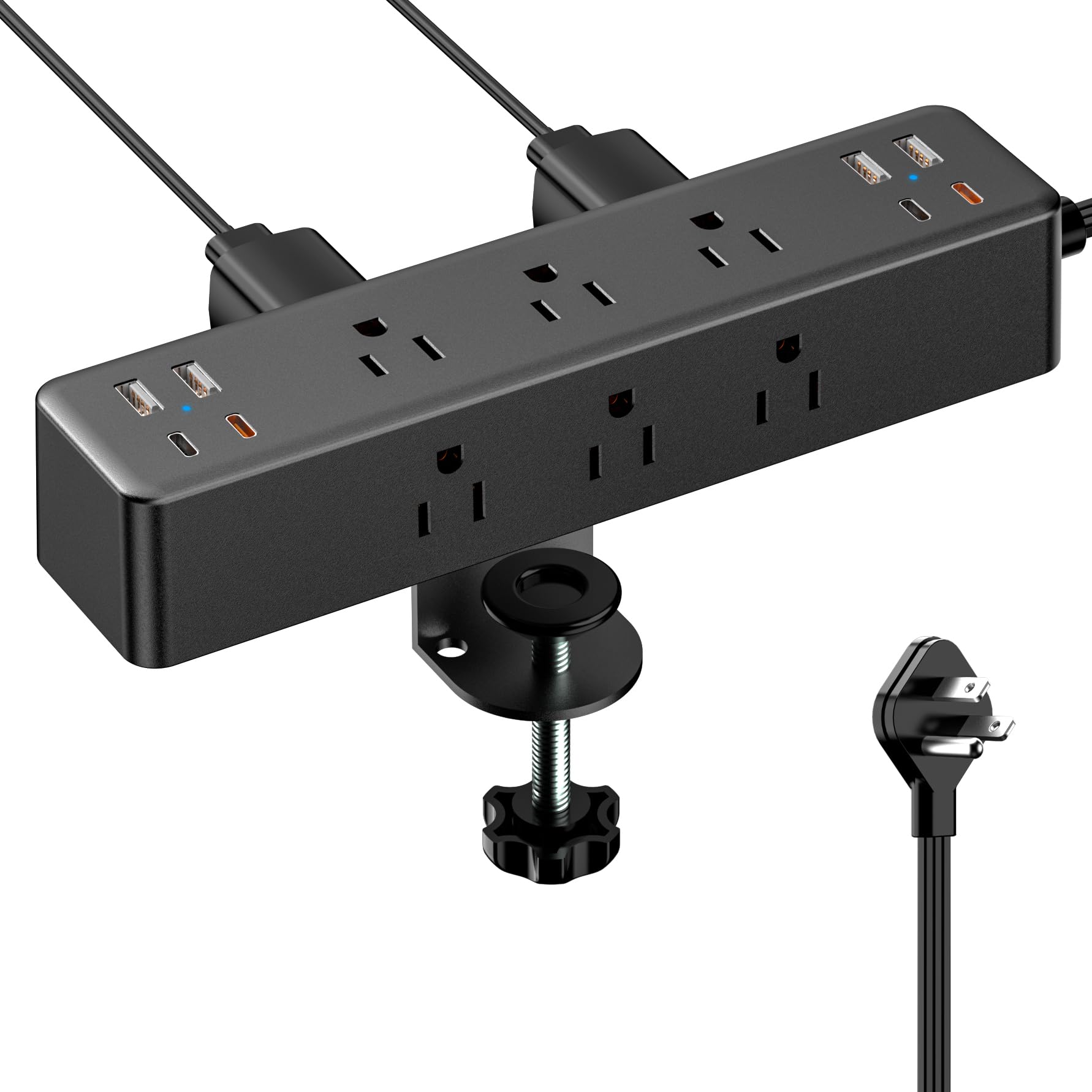
Seventeen places to plug something in is the headline: nine AC outlets, four USB-A, and four USB-C on a strip that clamps to edges up to 1.7 inches thick and reaches the wall with a ten-foot cord. The plug is 0.3 inches deep, so it disappears behind a bookcase instead of holding the furniture off the wall.

This is the pick for a desk that already runs a monitor, speakers, a dock, a printer, and three chargers at once. The colour coding on the USB side turned out to be more useful than we expected: the two orange USB-C ports are the 20W Power Delivery pair and the two black ones cap at 12W, so there's no guessing which one a tablet goes into.

Forty watts is the total across all eight USB ports rather than a per-port promise, so the ports share the output instead of each hitting its rating. The clamp also tops out at 1.7 inches of desk thickness, which rules out a thick butcher block, and Acozvin doesn't quote a surge rating for this model — if spike protection is part of the purchase, choose a strip that states its joules. For raw port count at a midrange price, nothing else here comes close.

Pros

  • Nine AC outlets and eight USB ports
  • Ten-foot cord reaches a distant outlet
  • Colour-coded USB-C separates 20W from 12W

Cons

  • 40W total shared across eight USB ports
  • Clamp tops out at 1.7-inch edges
Our verdict

If your desk has grown into a small data center, we'd point you to the Acozvin: seventeen ports, a ten-foot cord, and USB-C ports you can tell apart at a glance.

Check Latest Price
3

Best Budget

Mifaso PD30W Clamp Strip

92 /100
LBD Score Outstanding

Key details

USB-C Output
30W PD
Fits Desk Edges
Up to 1.96 in
Surge Protection
1080 joules
Outlets And Ports
4 AC + 4 USB (2 USB-C)
View on Amazon

This is the least expensive strip here with a real fast-charging port: 30W USB-C Power Delivery, three more USB ports, four AC outlets, 1080 joules, and a five-foot cord. For a student desk or a second workspace, that's a lot of the top pick's convenience for far less.

The outlet spacing is the detail we keep coming back to. At 1.9 inches between sockets, a monitor brick and a speaker plug sit side by side without blocking each other, and the 45-degree plug leaves the outlet below it usable. The clamp carries foam pads on the jaw, which we're glad to see on a budget piece, and it fits edges up to 1.96 inches.

One thing to do at installation: tighten the clamp until it stops turning. Set half-heartedly, the body pivots when you push a plug into the far end; cranked down properly it doesn't move at all, and the pads mean you can tighten it without worrying about the finish.

Pros

  • 30W USB-C PD at the lowest price here
  • 1.9-inch outlet spacing fits bulky adapters
  • Foam-padded clamp protects the desk

Cons

  • 30W USB-C won't fast-charge a laptop
  • Five-foot cord limits placement
Our verdict

The cheapest way into a genuinely fast USB-C port, and we think it's the smart buy for a student desk or a second workspace that needs convenience, not laptop power.

Check Latest Price
4

Best for Bulky Adapters

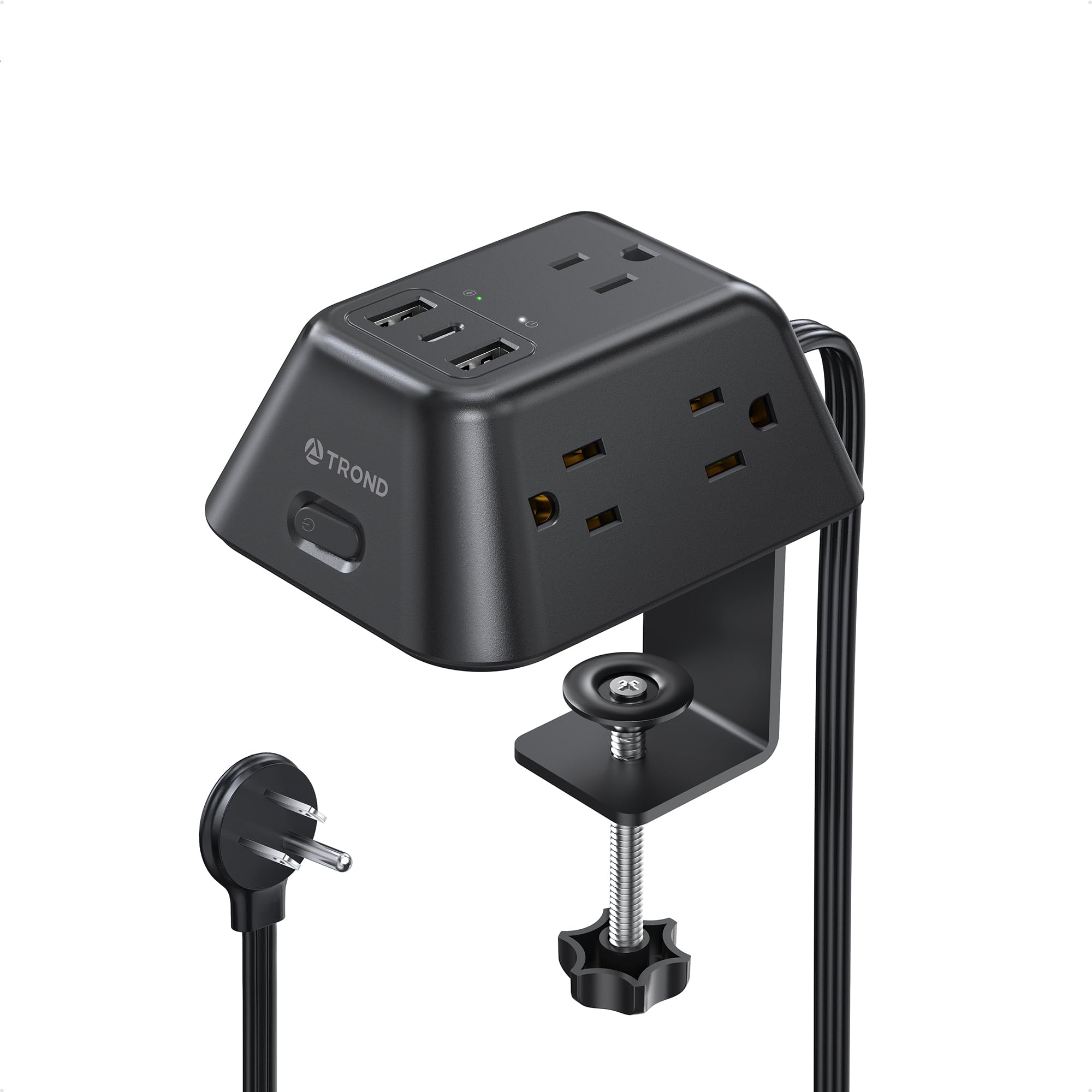
TROND Desk Clamp Strip

92 /100
LBD Score Outstanding

Key details

USB-C Output
15W
Fits Desk Edges
Up to 1.97 in
Surge Protection
1440 joules
Outlets And Ports
5 AC + 2 USB-A + 1 USB-C
View on Amazon

Single-row strips have a habit of wasting sockets: one chunky adapter and the next outlet is dead. TROND spreads five AC outlets across three faces of a 4.1-by-3.8-inch block, so a laptop brick on one side doesn't sit on top of the monitor plug on another.

That layout is the reason to buy it. It clamps to edges up to 1.97 inches, the widest range here, carries 1440 joules, and runs a six-foot flat cord with a 45-degree plug. The body is small enough to vanish at the back corner of a narrow desk, and the clamp held steady when we pushed a stiff plug home.

The electrical side gives ground. USB charging is one 15W USB-C port and two USB-A, fine for a phone overnight and not much more, and the strip is rated at 10 amps where the rest of this group runs 12 to 15. Desk electronics never come near that ceiling; a space heater would sail past it, so shop elsewhere if high-draw appliances are ever on the list.

Pros

  • Outlets on three sides clear bulky adapters
  • Widest desk-edge range here at 1.97 inches
  • Small 4.1-inch body

Cons

  • USB-C output tops out at 15W
  • 10-amp rating is the lowest here
Our verdict

The one we reach for when a monitor brick and a laptop brick have to share a small desk: three-sided outlet spacing solves a problem port counts don't.

Check Latest Price
5

Best for Under-Desk Mounting

vipwell 360° Mountable Strip

87 /100
LBD Score Excellent

Key details

Mounting
Bracket for under-desk, wall, or corner
Surge Protection
1800 joules
Electrical Rating
13A / 1625W
Outlets And Ports
6 AC + 4 USB (2 USB-C)
View on Amazon

Ours went under the desk rather than over the edge. The bracket and hardware in the box let it hang beneath the back rail, out of sight and clear of a keyboard tray, which is the whole point of this one: it mounts to a surface instead of gripping a tabletop edge, so a desk with an apron, a deep bevel, or no free edge still gets a strip within reach.

Six AC outlets and four USB ports, two of them USB-C, sit on a 12.8-inch body with 1800 joules of surge protection — the highest rating in this group — and a 13-amp, 1625W ceiling. The six-foot cord ends in a 45-degree flat plug. One behaviour worth knowing: the USB ports can stay dormant after a connected device powers itself off, and unplugging and reseating the cable wakes them.

It isn't the most polished strip here; the housing feels workmanlike and the layout is plain. What it has is mounting flexibility the clamp models can't match, plus more surge headroom than anything else on this page. If your obstacle is the desk edge rather than the outlet count, start here.

Pros

  • Mounts under a desk, on a wall, or in a corner
  • 1800 joules, the highest rating here
  • Six AC outlets plus four USB ports

Cons

  • Screws into the surface, so it isn't quick to move
Our verdict

When the desk edge is the problem, this is the pick we point people to: it screws under a desk or onto a wall and still brings 1800 joules.

Check Latest Price
6

Maximum Outlets

HOPOW Dual Layer Clamp Strip

88 /100
LBD Score Excellent

Key details

Cord Length
10 ft
Surge Protection
1700 joules
Electrical Rating
15A / 1875W
Outlets And Ports
13 AC + 4 USB (2 USB-C)
View on Amazon

HOPOW stacks two strips into a single frame: thirteen AC outlets and four USB ports, with a second row sitting below the first. The result is 17 places to plug in, wide-spaced sockets, 1700 joules, a 15-amp rating, and a ten-foot cord with a 0.33-inch flat plug.

For a bench or a gaming desk where everything stays plugged in — monitors, console, speakers, chargers, a work light — that density earns its keep, and the outlets face outward on several faces so wall warts don't shadow each other.

The hardware bag is the weak spot. The included screws are tiny and soft enough to strip before they seat, and some units arrive with the two layers still to be joined despite the no-assembly claim. Neither stops the strip working, but both add a fiddly twenty minutes. Durability is the other thing to weigh: a unit can die early, a couple of months in, so keep the receipt.

We rank it below the Acozvin for most desks, since nine outlets and eight USB ports cover a workstation without the hardware fuss. Where it wins is capacity and reach together: fifteen things that never move, one wall outlet at the far end of the room, and a cord long enough to get there.

Pros

  • Thirteen AC outlets and four USB ports
  • Ten-foot cord with a slim flat plug
  • 1700-joule surge protection

Cons

  • Tiny included screws strip before they seat
Our verdict

The capacity answer for a bench where fifteen things never move: thirteen outlets, 1700 joules, and a ten-foot cord, with a hardware bag to work around.

Check Latest Price
7

Workshop Benches

ANNQUAN Under-Desk Strip

87 /100
LBD Score Excellent

Key details

USB Output
40W total, 20W PD max
Cord Length
6 ft
Surge Protection
1200 joules
Outlets And Ports
12 AC + 4 USB (2 USB-C)
View on Amazon

Four faces of outlets is the idea here: twelve AC sockets wrapped around the body so plugs approach from every side, plus two 20W USB-C ports, two USB-A, 1200 joules, and a six-foot cord with a 0.35-inch flat plug.

The arrangement does what it promises. On a flat strip a chunky adapter costs you a neighbour; here a brick can take a whole face and leave the others clear. It also goes where a clamp can't — screwed under a bench, onto a leg, or along a back rail — and once it's up it's tidier than anything hanging off an edge.

The USB side is modest. Forty watts of output is shared across the four ports rather than delivered by each, so a tablet and a phone will charge at a decent clip and a third device slows everything down.

We see it as the value pick for a garage bench, a dorm desk, or a craft table where a dozen small things stay plugged in and nothing needs laptop charging. It's plain, it works, and it costs less than most of this group — just bring your own screws if you're mounting it.

Pros

  • Twelve AC outlets on four faces
  • 20W USB-C PD and 40W total USB
  • 1200 joules at a budget price

Cons

  • Small mounting screws in the box
  • 12-amp rating is below the 15-amp picks
Our verdict

A plain, effective twelve-outlet block for a bench or dorm desk where a lot of small things stay plugged in and nothing needs laptop charging.

Check Latest Price
8

Nightstand Charging

NYYTGE Nightlight Clamp Strip

90 /100
LBD Score Outstanding

Key details

Lighting
Touch dimmer, 3 levels
USB Output
40W total, 20W per USB-C
Fits Desk Edges
Up to 1.69 in
Outlets And Ports
5 AC + 6 USB (4 USB-C)
View on Amazon

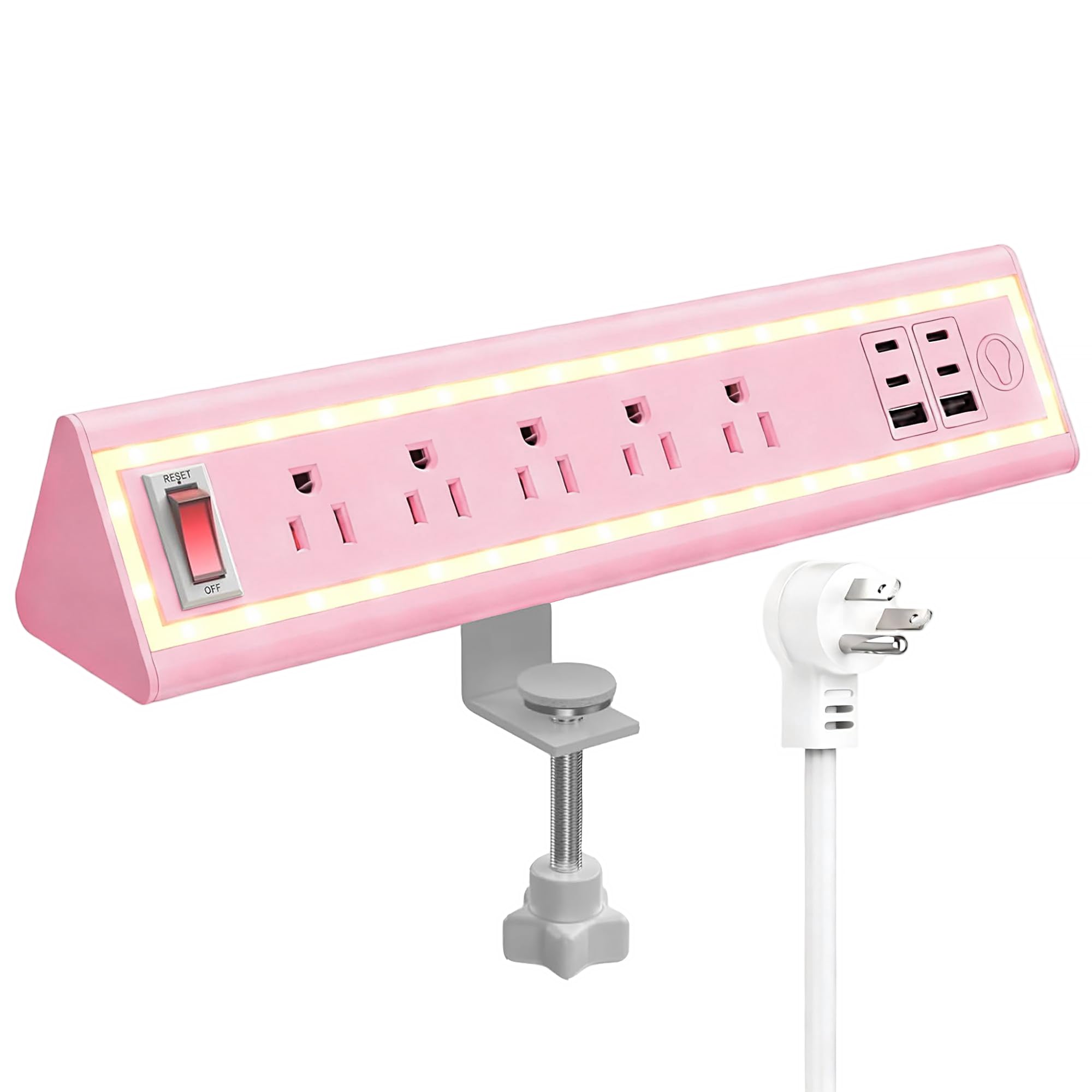
A touch panel on the front cycles through three brightness levels, which makes this the only strip here with a light built in. Behind that are five spaced AC outlets, four USB-C ports rated at 20W each, two USB-A, and 40W of total USB output, on a six-foot cord with a flat plug.

Forty watts is the number to watch. Four ports are rated at 20W, but the total is shared, so a phone and a tablet charge quickly and a third device slows everything down. We charged a phone and a tablet from the USB-C ports overnight and left the AC side for a lamp and a monitor arm; a laptop would have taken the whole allowance.

Where it earns a place is a nightstand or a bedroom desk, where a dimmable light and a pile of USB ports matter more than laptop power. The lowest of the three levels is genuinely low — enough to find a cable by, not enough to light the room. If a laptop is part of the load, the Anker is the better spend.

Pros

  • Touch nightlight with three brightness levels
  • Four 20W USB-C ports plus two USB-A
  • Clamps to thin edges up to 1.69 inches

Cons

  • 40W total is shared across six USB ports
  • Clamp sits mid-back, so end outlets need bracing
Our verdict

For a nightstand or a bedroom desk, we think the dimmable light and six USB ports are worth it — as long as no laptop is part of the overnight load.

Check Latest Price

How We Tested Desk-Clamp Power Strips

We started with every desk-clamp strip we could find that listed a real fit range for tabletop thickness, then cut the field by port mix, cord length, surge rating, and whether the USB-C ports carried enough wattage to matter. Twelve made the cut, from a slim four-outlet clamp to a thirteen-outlet dual-layer brick, and each one spent the full four months on an actual desk.

Testing happened where these things live: a home office desk with a monitor, lamp, and laptop dock; a standing desk that cycled up and down a dozen times a day; and a gaming setup where controllers and phones were plugged and unplugged constantly. We clamped each strip to three different desktops — a thin laminate top, a two-inch butcher block, and a glass-topped table — and recorded which clamps bit, which slid, and which scuffed the finish. Where screw-mount or under-desk hardware was included, we installed it that way too, then loaded the strip with a monitor, a lamp, and two chargers and left it running.

Stability got the hardest look. After tightening each clamp, we leaned on the desk edge, bumped the strip with a knee, and pulled cords sideways to see whether the body pivoted or the plug popped loose. Installation got a stopwatch, and we noted whether the clamp fouled a drawer or ate usable desk space. Over the four months we watched for the small failures — hairline cracks around the clamp, screws that worked loose, tension that faded — and felt each plug after a full day of charging to see if anything ran hot. Ports were counted honestly, meaning outlets you can actually reach with a chunky adapter, and value came down to how many of those you'd truly use against the price.

How to Choose a Desk-Mounted Power Strip

Clamp, bracket, or under-desk screw mount

Clamp models grip the tabletop edge and need a flat, accessible edge in the right thickness — ranges here run from 0.6 to 1.97 inches — and they won't hold on a curve or a steep bevel. Screw-and-bracket models like the vipwell and ANNQUAN fasten to a surface instead, which suits a desk with an apron, a deep bevel, or an edge already occupied by a monitor arm.

Measure the edge before you order. A clamp that won't open wide enough for a butcher block, or closes past a thin laminate top, is the most common reason a desk strip goes back.

Outlets, spacing, and what never gets unplugged

Count the plugs that stay put — monitor, dock, speakers, lamp, charger — and add two. Spacing matters as much as the count: the Mifaso's 1.9 inches between sockets lets a monitor brick and a speaker plug coexist, while a tight row turns a five-outlet strip into a three-outlet one.

Once you're past nine devices, a single bigger strip beats two small ones, and it keeps you from plugging one strip into another.

What the USB numbers actually mean

Per-port wattage and total wattage are different promises. A strip can list four 20W USB-C ports and still cap total USB output at 40W, which is exactly what the Acozvin, ANNQUAN, and NYYTGE do; two devices charge fast and a third slows down.

If phones and tablets are the load, 20W ports are plenty and the total figure rarely bites. If a laptop is, buy the highest single-port figure you can find — only the Anker, at 70W from one USB-C port, is specified to charge a laptop on its own.

Cord length and plug shape

Cords here run five to ten feet. Measure along the path the cord will actually take — around a leg, behind a drawer — and add a foot. A plug under 0.35 inches deep sits flush behind furniture and in a shallow gap, and a 45-degree angle keeps the cord from jutting into a walkway.

On a standing desk, fix the strip to the desktop and leave a loop of slack at the bottom of the travel, so the cord rises with the desk instead of tugging at the wall.

Surge rating and amperage ceiling

Joule ratings in this group run from 1080 to 1800. More joules means more surge energy the strip can absorb, which is worth paying for when a desktop and a monitor sit on the other end. Amperage is a separate number: the 15-amp strips here carry the most, the TROND's 10 amps the least.

Desk electronics never come near either ceiling. Heaters, kettles, and space heaters do, and they belong on their own circuit rather than on a strip under your desk.

Frequently Asked Questions

Final Verdict

Start with the Anker if a laptop is part of your desk. Seventy watts from a single USB-C port, six outlets, and a clamp that holds through one-handed plugging is a combination nothing else here offers, and 1500 joules is there for the gear on the other end.

If the desk is more phone-and-lamp than workstation, the Mifaso does most of the same job for the least money out of this group. And if nine or ten devices need power at once, the Acozvin is the one we point to: seventeen ports, a ten-foot cord, and no adapter juggling.