Best Drones for Kids of 2026

The pitch sounds perfect: hand a kid a drone and watch their face light up. The reality is usually a scuffed wall, a propeller in the curtains, and a controller that turns small hand movements into furniture collisions. What actually fixes that isn't a sharper camera — it's altitude hold that keeps the drone steady while the kid thinks, propeller guards that absorb a bad landing, and controls gentle enough for a seven-year-old.

We've spent the past three months flying 14 of them in living rooms, over driveways, and across a park field with the wind picking up. The pattern was consistent: the drones the kids kept asking for were the ones that took off with a single button press and hovered in place the moment they let go of the sticks.

Here's what first-time buyers usually get wrong: spare batteries matter more than camera specs. Most of these fly six to eight minutes per pack, so a second and third battery is the difference between a five-minute novelty and a whole afternoon. Foldability and a light frame help too, if only because a drone that fits in a jacket pocket is one that comes along.

The picks below are the ones that survived our crashes and, more importantly, the kids' attention spans.

1

Best Overall

Holy Stone HS210

86 /100
LBD Score Excellent

Key details

Weight
1.76 oz
Flight Time
Up to 21 min total
Control Range
160 ft
Batteries Included
3
View on Amazon

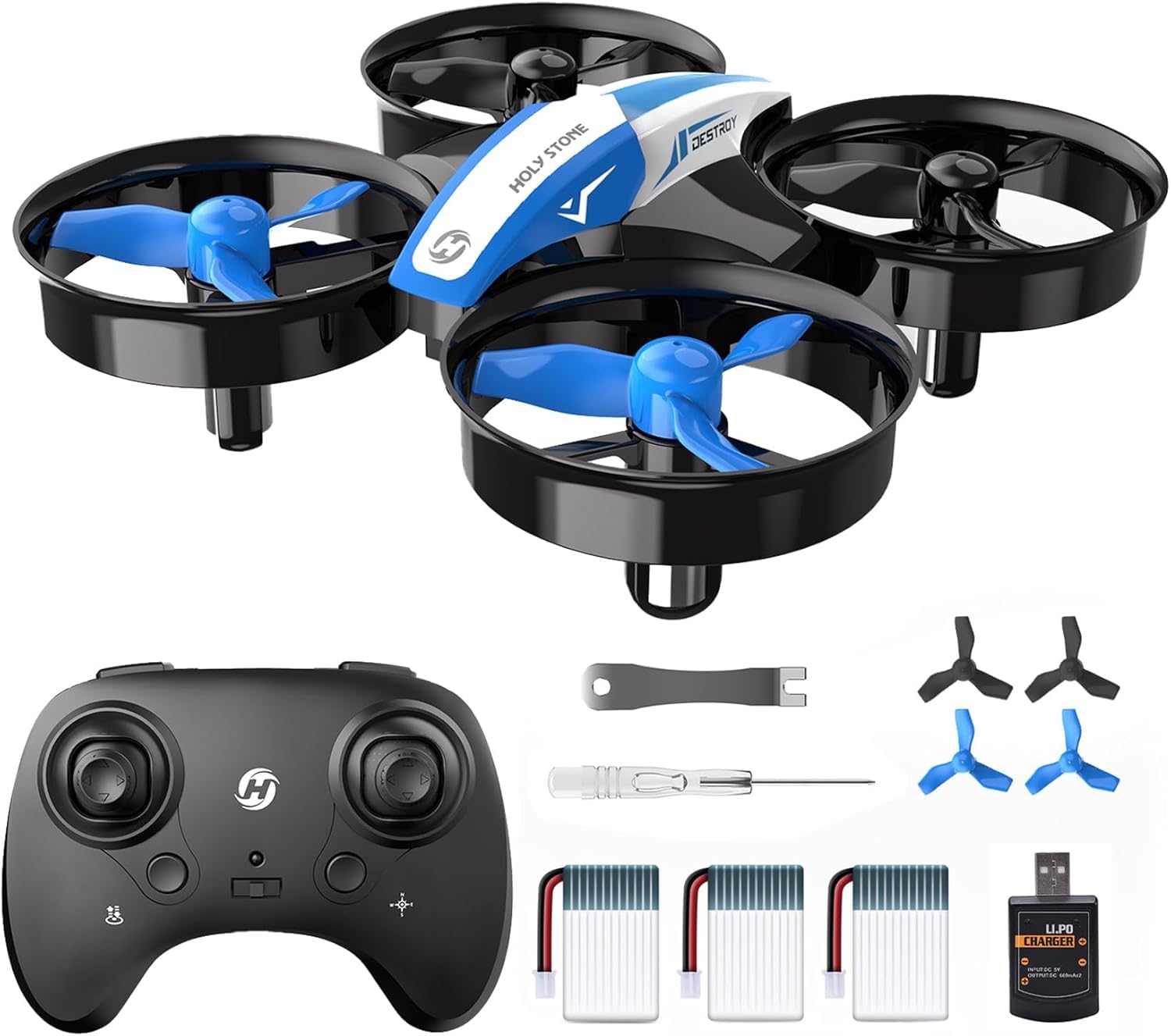
At 50 grams and just over three inches across, the Holy Stone HS210 is closer in size to a coaster than to the drones in the adverts, and that is the whole argument for it. A quad that light bounces off a doorframe instead of snapping a prop, and a child can pick it up and launch again without an adult rebuilding anything. Holy Stone guards all four rotors, so the blades are never the part that reaches the wall first.

What earns it the top spot is how much of the flying the drone handles for the child. Altitude hold keeps it at the height it launched from, headless mode makes the sticks relative to where the pilot is standing rather than where the nose is pointing, and one button does takeoff and landing. The three speed settings matter more than they sound: low is slow enough for a nervous seven-year-old, and high will hold a ten-year-old's interest past the first weekend.

Three 250 mAh packs are the other reason this is the one we hand to a family rather than to a single kid. Holy Stone quotes up to 21 minutes of flying across all three, which works out as a series of short hops rather than one long flight — and short hops suit children, because nobody's afternoon ends when a battery dies mid-turn. Swap the pack, charge the empty one, keep going.

Hard landings on concrete eventually cost a motor or a frame, which is why the spare props and screwdriver in the box are more than a formality. For a first drone, forgiving beats capable, and nothing else in this group is this forgiving.

Pros

  • Three batteries keep a session going
  • Altitude hold and headless mode simplify steering
  • Guards enclose all four propellers
  • 50 g means low-energy crashes

Cons

  • Drifts in any real breeze
  • Short hop on each pack
Our verdict

Our default pick for a first drone: 50 grams, guarded props and three batteries, so a bad landing costs a moment rather than the afternoon.

Check Latest Price
2

Best for Indoor Flying

SYMA X100

85 /100
LBD Score Excellent

Key details

Weight
2.05 oz
Flight Time
Up to 20 min total
Obstacle Sensing
4-way infrared, about 12 in
Batteries Included
2
View on Amazon

Four infrared sensors ring the SYMA X100's body, and when one of them picks up a wall inside about a foot, the drone stops going that way. Wrap that in a cage that encloses the whole rotor disc — not four clips over the props but a proper guard — and you have the one drone in this group that is genuinely hard to damage a room with.

It is small even by mini-drone standards at 5.16 inches across and 58 grams, and the two 700 mAh packs give up to 20 minutes between them. One-key takeoff and landing plus altitude hold mean a child can launch, hover and bring it back down without learning a trim control first.

We rate it the best of the set indoors because the safety features do the piloting instead of the child. Overcorrect into a bookshelf and you get a bump rather than a broken prop, and the one-key flips give a kid something to show for the practice. What it is not is an outdoor drone, and the calm that makes it tame in a hallway makes it dull in a field.

Yaw is the control most first-timers fight, and a couple of sessions in a corridor sorts it out. If the flying is going to happen in a basement, a garage or a long living room, this is the one to buy.

Pros

  • Infrared sensors stop it near walls
  • Full cage around the rotor disc
  • Twenty minutes across two packs
  • One-key takeoff, landing and flips

Cons

  • Strictly an indoor flier
Our verdict

We rate it the best indoor flier here: infrared sensors and a full rotor cage mean a bad lap costs the furniture nothing.

Check Latest Price
3

Best Camera Drone for Kids

RELIDOL PK01

87 /100
LBD Score Excellent

Key details

Camera
1080p
Control Range
30 m
Controller Screen
Built in
Batteries Included
2
View on Amazon

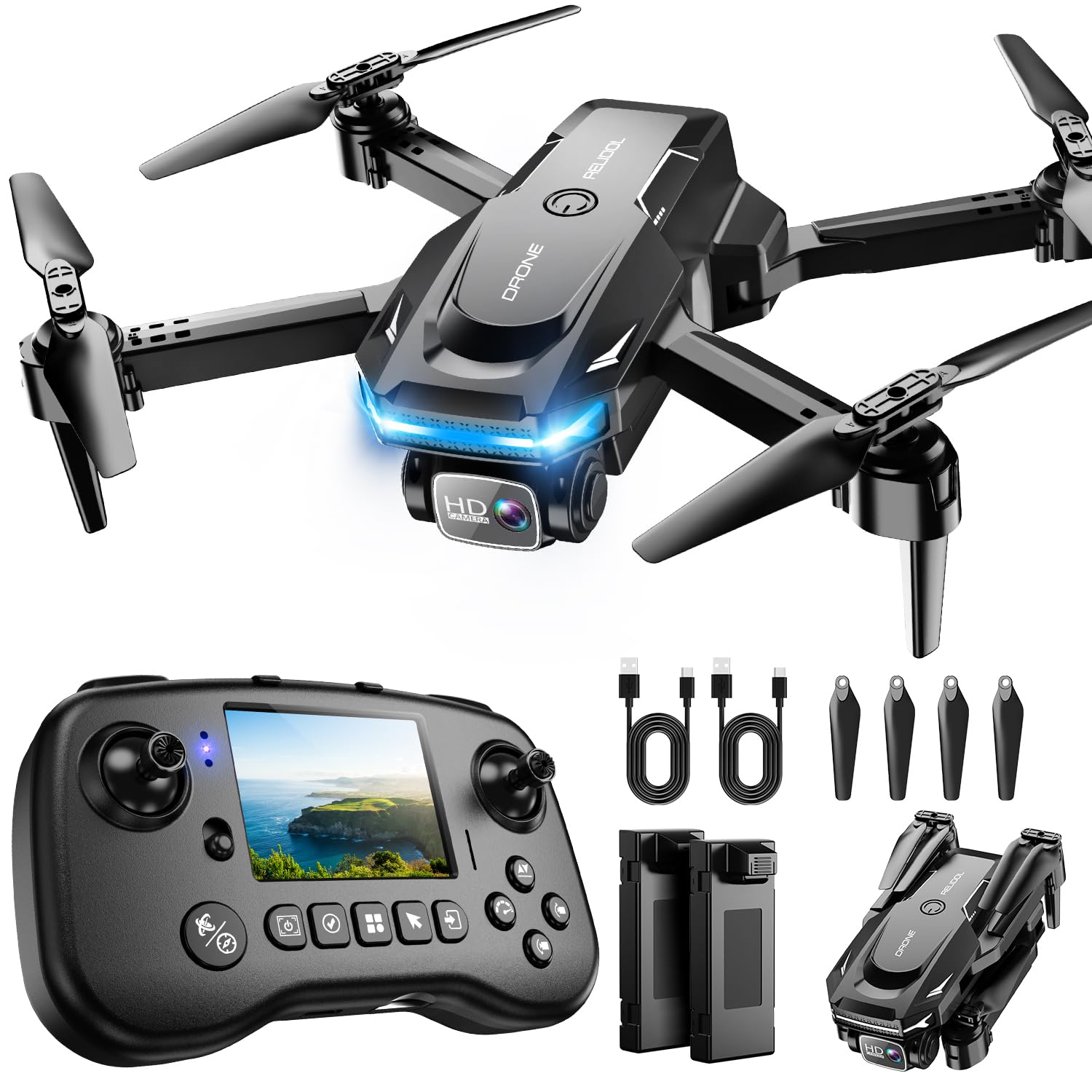
RELIDOL built the screen into the controller, and that single decision is what makes the PK01 the camera drone to beat for kids. No phone, no Wi-Fi pairing dance, no unlocked handset in the hands of an eight-year-old standing over a driveway. Live view and flight stats sit right there between the sticks.

We like it because it removes the fumble that usually ends a child's camera flight before it starts. The 1080p lens tilts through 80 degrees so a kid can aim it down at the garden, the folding body and two batteries cover up to 25 minutes, and the one-key start and emergency stop sit where a beginner expects them. It costs more than anything else in this group, and it is the only one that takes a second device out of the equation, which for a lot of parents is the entire point.

The footage itself is toy-grade: crisp enough in bright sun, soft indoors and hopeless at dusk. That is the ceiling on every camera here, and the screen still makes framing a shot far easier than squinting at a phone in sunlight. What the PK01 buys is the least friction between a kid and a first aerial photo.

Pros

  • Screen in the controller, no phone needed
  • 1080p camera with an 80-degree tilt
  • Up to 25 minutes from two batteries
  • Folds down for transport

Cons

  • Needs a microSD card you supply
  • Thirty-meter range keeps it close
Our verdict

The camera drone we point families toward: live view lives in the controller, so no child is flying with your phone.

Check Latest Price
4

Best Light-Up Drone

HASAKEE Q9s

88 /100
LBD Score Excellent

Key details

Size
6.9 x 6.9 x 2 in
Camera
720p
Battery Capacity
500 mAh
Batteries Included
2
View on Amazon

Green and blue LEDs run through the Q9s's whole frame, and at dusk it reads as a flying arcade cabinet. That is not decoration on a kids' drone. The lights make it findable against a dark ceiling, visible from the far end of a yard, and easy to tell apart from a friend's drone in the same airspace.

Underneath the glow it is a 6.9-inch quad with guards on all four rotors, altitude hold, headless mode, three speeds, 360-degree flips and two 500 mAh packs. The larger body is easier for young eyes to track than the three-inch minis, and the guards take the sting out of a ceiling hit.

The camera is 720p, which makes it a souvenir camera rather than a video camera, and flight time lands around six minutes a pack — short enough that the second battery is the reason the first one is bearable.

So it is a strong evening flier and a decent second drone, and the one to pick if what appeals about flying is the spectacle. Reliability is the thing we cannot promise: some units quit inside the first week while others take months of abuse. If the lights matter less than session length, the Holy Stone HS210 is the better buy.

Pros

  • Bright LEDs make it easy to track
  • Four propeller guards on a larger body
  • Three speeds plus headless mode
  • Two 500 mAh packs in the box

Cons

  • Around six minutes a pack
  • 720p camera only
Our verdict

We reach for this one after dark: the lights make it the easiest drone here to keep eyes on, and the guards make the mistakes cheap.

Check Latest Price
5

Best for Older Kids

Hiturbo S20

86 /100
LBD Score Excellent

Key details

Camera
1080p
Control
Remote, app, voice, gesture
Flight Time
About 12 min per battery
Batteries Included
2
View on Amazon

You can fly the S20 three ways — sticks, a phone app or a wave of the hand — and that choice is what separates it from the toys at the top of this list. Gesture and voice control sound like gimmicks, and some of it is; they are also the reason a kid who is bored of hovering has something new to try in week three.

The hardware is conventional in the right way: a 1080p camera on an adjustable mount, altitude hold, headless mode, one-key start, 3D flips and two batteries for up to 24 minutes between them. It folds to 5.5 inches, and the controller flies it without a phone — the app is only there for the camera.

For a tween or young teen with a phone and an interest in shooting, this is the pick. It feels like a camera drone rather than a toy, it rewards a kid who pokes around in menus, and it is the most grown-up option here that still does not call for real instruction.

Pros

  • Flies on sticks, app, voice or gesture
  • 1080p camera on an adjustable mount
  • Up to 24 minutes from two batteries
  • Folds to 5.5 inches

Cons

  • Photos and video require the app
  • Footage is soft and shaky in motion
Our verdict

We hand this one to tweens: three ways to control it, a 1080p camera, and enough range for a backyard.

Check Latest Price
6

Best Hand-Operated Toy

ETPlanet Flying Toy

85 /100
LBD Score Excellent

Key details

Control
Hand motion only
Diameter
3.54 in
Propeller Guard
Webbed shell
Recommended Age
6 years and up
View on Amazon

There is no controller. You hold the ETPlanet orb, give it a lift, and steer by putting your palm where you want it to go. Of everything in this guide, it is the one a six-year-old can run alone on the first attempt, and that is worth more than any flight mode on the box.

The webbed shell does the safety work — the props sit inside it, so a wall, a sibling or a face meets plastic instead of blades — and twelve LEDs cycle color while the thing hovers. It charges over USB, measures 3.5 inches, and is light enough that a bad catch is a nuisance rather than an injury.

The trade-off is endurance and scope. Flights are short and separated by a recharge, and the shell is flexible rather than tough: it survives drops, not stomps. More to the point, it is not a trainer — a child who masters this learns nothing about stick control, so it is the right buy for a toy that flies indoors and the wrong one for a kid who wants to graduate to a real drone. As a toy, it is excellent; as a stepping stone, it is a detour.

Pros

  • No controller or phone needed
  • Webbed shell covers the propellers
  • Twelve LEDs while it flies
  • Small enough for indoor play

Cons

  • Short flights with a recharge between
Our verdict

We hand it to the youngest flyers: no controller, no phone, and a webbed shell that keeps fingers out of the blades.

Check Latest Price
7

Travel and Pockets

Holy Stone HS190

86 /100
LBD Score Excellent

Key details

Camera
None
Weight
1.23 oz
Control Range
96 ft
Batteries Included
1
View on Amazon

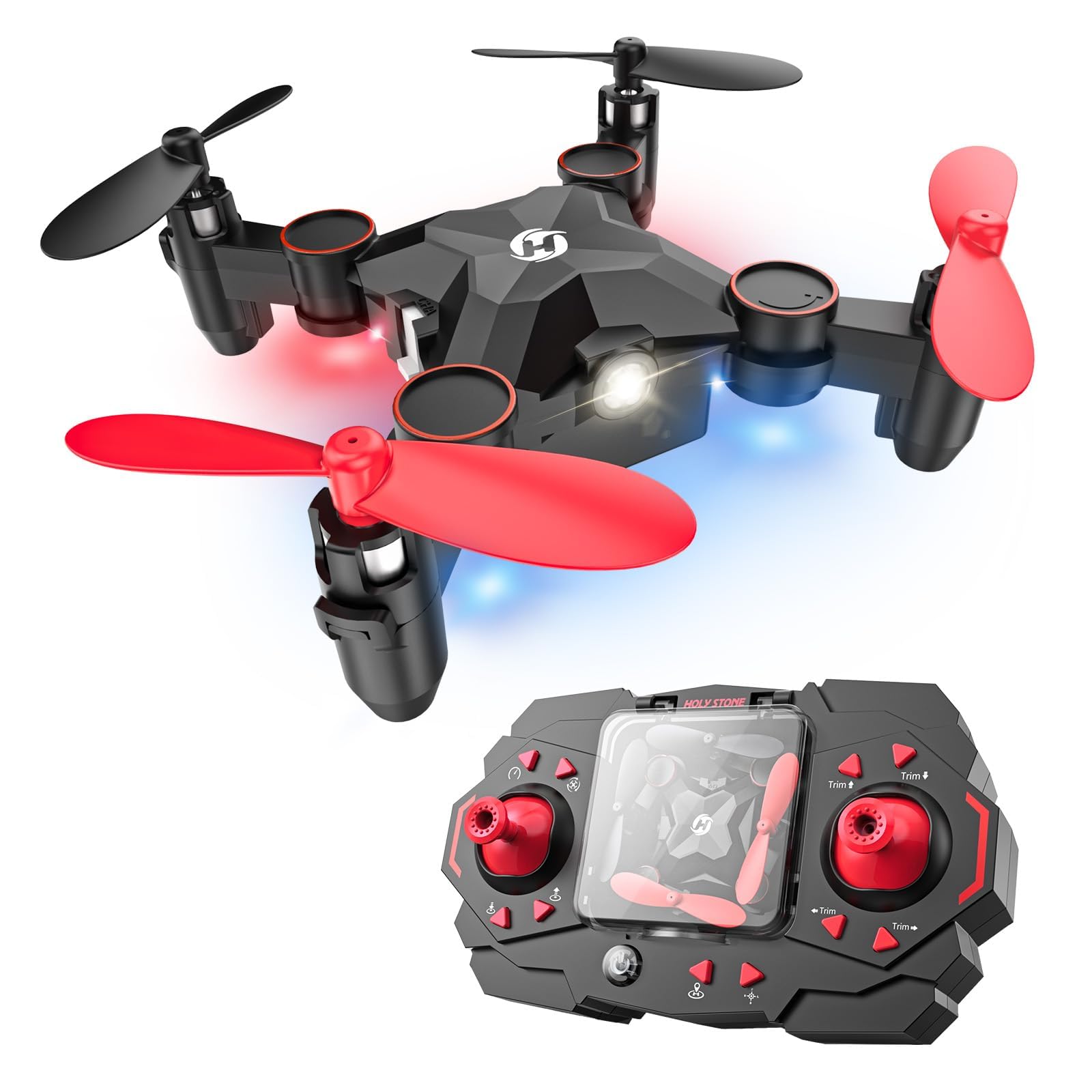
The HS190 folds down and clips into a bay on top of its own controller, which turns a drone from a planned outing into something a child pockets on the walk to the park. It is 2.44 inches across, weighs 35 grams and has no camera at all — three facts that make it the most kid-proof thing in this group.

No camera means no phone, no live feed and no negotiating over screen time; the entire interaction is two sticks and a flying object. The three speed modes and headless mode are waiting when the child is ready for them, and the guards do the same job they do on the bigger Holy Stone.

It is the drone that lives in the car, and that is a real category — the one that is actually there when a kid asks. If the flying happens at home, the three-battery HS210 buys far longer sessions for about the same money; if it happens wherever you end up, this is the one that comes along.

Pros

  • Folds into its own controller
  • 35 grams and pocket-sized
  • No camera, so no phone involved
  • Three speeds and headless mode

Cons

  • One battery in the box
  • Ninety-six-foot control range
Our verdict

We keep one in the car: it folds into its own controller, and there is no camera to argue about.

Check Latest Price
8

Budget Video

RELIDOL X62

86 /100
LBD Score Excellent

Key details

Camera
1080p
Weight
4.06 oz
Flight Time
Up to 25 min total
Batteries Included
2
View on Amazon

The X62 is the other RELIDOL here — the one without the screen in the controller and without the screen's premium. What it keeps is the useful part: a folding 1080p quad weighing four ounces, with two batteries in the box.

Optical flow is its quiet advantage. The sensor reads the floor to hold position, so a hover stays put and video is steadier than on drones leaning on altitude hold alone — and in a house full of furniture, a drone that holds its spot is a drone a kid can actually steer.

Two 1000 mAh packs give one of the longer claimed totals in this group, 25 minutes across both, and 30 meters of range keeps it in the yard. One-key start, headless mode, gesture control and an 80-degree adjustable lens round out the feature list.

We pick it over its screen-equipped sibling when nobody needs live view, because the flying is the same and the money goes further. For a first camera drone that gets flown in the yard and dropped on the lawn, that is the right trade.

Pros

  • Optical flow holds a steadier hover
  • 1080p camera with an 80-degree tilt
  • Up to 25 minutes from two packs
  • Four-ounce folding body

Cons

  • Can drift when the signal weakens
  • Camera struggles in low light
Our verdict

We recommend it to families who want video but not a second screen: the same folding airframe as its pricier sibling, minus the live view.

Check Latest Price

How We Tested (and Crash-Tested) Kids' Drones

We started with every kids' drone we could find — bestseller lists, models parents praise in reviews, and a few oddballs — then filtered for the things that decide whether a child can actually fly: propeller guards, altitude hold, and a price that makes a crash survivable. Anything that required a phone app just to take off got cut. That left 14 drones, which we flew for three months in a living room obstacle course built from couch cushions, along a driveway, and across a park field on a breezy afternoon.

The controllers went to kids between six and eleven, most of them total beginners, plus a couple of adults who'd never flown anything. To judge controls, we timed each drone from box to first flight and watched whether a first-timer got airborne without me touching the remote — then watched whether it held its height or needed constant stick correction. If a smaller kid had to fight the throttle, or the drone drifted left every time they touched the right stick, we wrote it down.

Battery life we measured by running each one until it dropped and counting flights per charge, since most of these last only minutes per pack. Durability got less scientific: we flew them into walls, let them tumble off the couch, checked propellers and guards for cracks after every session, then re-paired and relaunched to see if anything had gone flaky. Size we judged against a kid's palm and a backpack pocket, and reliability came down to whether a drone behaved the same on its tenth flight as its first. Fun needed no measurement — the ones the kids argued over are the ones that made the list.

How to Choose a Drone for a Kid

Guards First, Camera Second

Every drone here puts something between the blades and the world, but how much varies. Four clip-on guards keep fingers off the rotors while leaving the props exposed to furniture; a cage that wraps the whole rotor disc, as on the SYMA X100, keeps the blades off walls too and comes out of more crashes. Hand-operated toys use a third approach, an enclosed webbed shell, which is the safest of the lot and the least like a drone.

For a first quadcopter, look at the picture rather than the wording: if the plastic runs around the outside of each rotor, the guard is doing real work. A model with bare props is not a kids' drone, whatever the listing calls it.

Divide the Flight Time by the Battery Count

A listing that promises 25 minutes usually means two packs of about twelve, and a seven-minute hop is normal at this size rather than a fault. Count packs, not minutes. Three swappable batteries, as on the Holy Stone HS210, keep a child flying through an afternoon on rotation; a single pack means the session ends after one flight and the drone sits on the shelf until the next charge.

Buy at least one spare, charge them in rotation rather than all at once, and expect cold weather to cut runtime noticeably.

Let the Drone Do the Hard Part

Three features decide how quickly a child gets airborne. Altitude hold keeps the drone at a fixed height so the throttle can be left alone; headless mode makes the controls relative to where the pilot stands, so left is left whichever way the nose points; one-key takeoff and landing removes the two fiddliest moments of a flight. Speed modes are the other lever, and every pick here starts slow enough for a nervous beginner.

Treat headless mode as a teaching crutch. A child who only ever flies headless never learns orientation, so switch it off once hovering is automatic. That's the difference between a toy and a skill.

Weight Tells You Where It Can Fly

Under about 60 grams you are looking at a living-room drone: the Holy Stone HS190 is 35 grams, the HS210 is 50, the SYMA X100 is 58. That is light enough to bounce off a doorframe and light enough that a real breeze carries it off, so those three belong indoors or out on a still evening.

Anything appreciably heavier pushes through light wind, and it also hits harder, which is worth weighing before you hand one to a six-year-old. We put more value on a 50-gram drone that gets flown daily than a heavier one that only comes out on perfect days.

Cameras, Screens and Phones

Beginner camera drones stream video over Wi-Fi to a phone, which means a device in the child's hands, a small lag between stick and screen, and footage that looks far better in sun than indoors. A controller with a built-in screen, like the RELIDOL PK01, removes the phone from the equation but usually needs a memory card you supply.

Be honest about whether anyone will watch the footage twice. If not, skip the camera and put the money into batteries and guards, because that buys more flying.

Frequently Asked Questions

Final Verdict

The Holy Stone HS210 is the drone to put in a kid's hands first. Three batteries, four guarded rotors and 50 grams mean a crash is a pause rather than an event, and the control aids let a seven-year-old fly on the first afternoon instead of the first weekend.

If the flying will all happen indoors, the SYMA X100's sensors and full cage are the better fit. If the child is six and a controller is one thing too many, the ETPlanet orb answers that question honestly and costs very little to find out.