Best Drones Under $500 of 2026

The real fear with a budget drone isn't a hard landing — it's watching the thing drift off over the treeline while the controller says signal lost. I've chased one across a soccer field and would rather not repeat it. What separates a good drone under $500 from a frustrating one rarely shows up on the spec sheet: it's whether the aircraft holds its position in a gust, comes home on its own when the battery sags, and doesn't demand a twenty-minute calibration ritual before every flight.

Get those right and the rest — smooth footage, simple controls, actual fun — tends to follow. Over the past six months we've flown 12 of them, from palm-sized models that duck under the 250-gram registration threshold to folding quadcopters with three-axis gimbals and spare batteries in the case. One thing I'd tell any first-time buyer: prioritize the gimbal over the megapixel count, and treat claimed flight time as a ceiling, not a promise. The picks below are the ones that came back in one piece with footage I actually wanted to keep.

1

Best Overall

DJI Mini 4K

91 /100
LBD Score Outstanding

Key details

Range
10 km
Weight
8.47 oz
Flight Time
31 min
Stabilization
3-axis gimbal
View on Amazon

At 240 g, the Mini 4K slips under the FAA's 250-gram registration line, and that single fact changes how often you'll actually carry it. It's the drone we recommend first because the convenience is not a gimmick: you can toss it in a daypack, set it up in a minute, and shoot stabilized 4K without paperwork hanging over the trip. For a first camera drone, that matters more than a longer feature list.

The 3-axis gimbal is the part that matters most. It keeps the camera level as the body moves, so footage looks calm even when you're making small corrections. The 10 km transmission range and Level 5 wind resistance are more than most beginners need, but they add margin when the breeze picks up. In our flights, the Mini 4K was the one we trusted to hold a steady frame while we concentrated on framing the shot.

The main limitation is obstacle avoidance, or the lack of it. The Mini 4K relies on GPS hold and your own eyes, so we kept our first flights in open space and stayed wide of trees. That is a reasonable trade at this end of the market, and it keeps the drone light and simple. If you want a safety net for tighter shots, the Neo 2 is the pick here that adds sensing.

Pros

  • Sub-250-g body avoids FAA registration
  • 3-axis gimbal stabilizes 4K video
  • 10 km range and Level 5 wind resistance
  • Beginner-friendly auto return

Cons

  • Battery life can fall short of the 31-minute rating
Our verdict

We recommend the Mini 4K for most first-time camera pilots: it pairs a stabilized 4K camera with a regulation-friendly weight and dependable control.
Check Latest Price
2

Best for Follow-Me Shots

DJI Neo 2 Fly More

90 /100
LBD Score Outstanding

Key details

Camera
4K video
Weight
5.33 oz
Batteries
3 included
Obstacle Sensing
Omnidirectional
View on Amazon

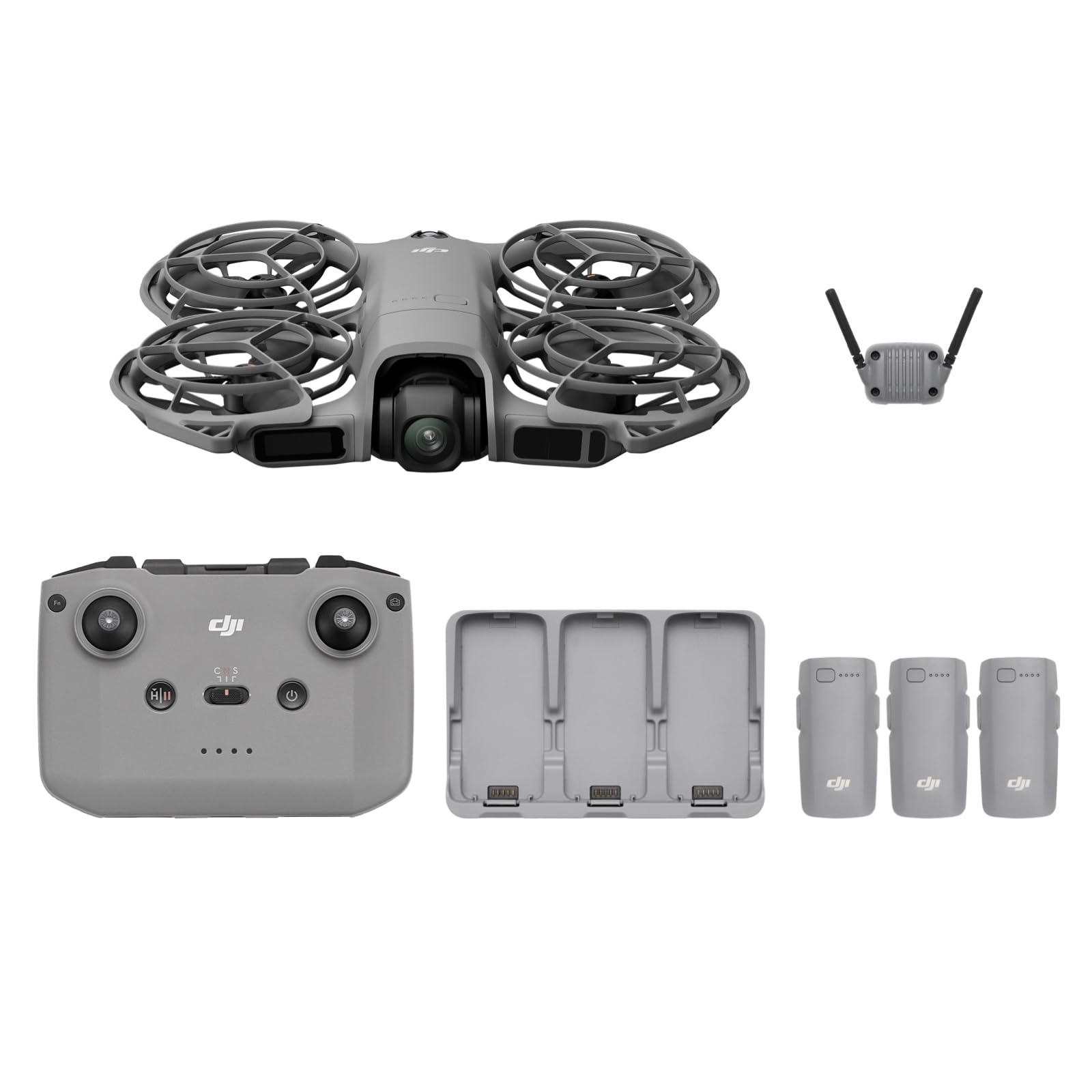
The Neo 2 is the drone we grab when the shot is us, not the landscape. It takes off from a palm, follows a subject with ActiveTrack, and responds to gestures or voice, so a hike or a family picnic can produce a clip without a controller in your hand. At 151 g with full propeller guards, it is the least intimidating camera drone in this group.

What makes it worth the runner-up slot is the safety layer. Omnidirectional obstacle sensing is rare in this price range, and it gave us more confidence when the drone was tracking us through a cluttered space. The RC-N3 controller in the Fly More kit also turns it into a more conventional camera drone when you want manual control. For travel and social video, that flexibility is the appeal.

The Fly More kit includes three batteries, and you'll use all of them on a full afternoon. We also treat follow-me mode as a fair-weather tool: it works best in open space with clear sightlines, not around crowds or tight obstacles. If you want long, smooth survey flights, the Mini 4K is the calmer choice; if you want the drone to do the filming while you move, this is the one.

Pros

  • Hands-free tracking and gesture control
  • Omnidirectional obstacle sensing
  • 151 g with full propeller guards
  • Three batteries and RC-N3 included

Cons

  • Short per-battery flight time
  • ⚠️ Can stop unexpectedly in flight
Our verdict

We recommend the Neo 2 Fly More for travelers who want hands-free follow shots and obstacle sensing without packing a larger camera drone.

Check Latest Price
3

Best Budget

Potensic ATOM SE

89 /100
LBD Score Excellent

Key details

Range
4 km
Weight
Under 249 g
Flight Time
62 min total (2 batteries)
Stabilization
4K EIS
View on Amazon

Two batteries and a sub-250-g body are what make the ATOM SE our budget pick. It is the drone we point to when someone wants to spend less but still get a real GPS camera drone, and it covers the basics without requiring registration or a single short battery. The 62-minute total flight budget is the headline, and it is more useful than a bigger camera claim on a first drone.

The camera uses electronic stabilization rather than a mechanical gimbal, which keeps the ATOM SE lighter and less expensive. EIS crops the frame and smooths movement in software; in calm air, the footage looks clean, and for stills or short clips on gentle days it is perfectly satisfying. The difference shows up when the wind picks up, where a gimbal has the advantage. That is the trade you accept for the lower price.

The rest is beginner-friendly in the ways that matter. It has a beginner mode, GPS hold, and auto return, and the 4 km range is plenty for the line-of-sight flying most recreational pilots actually do. The folding body is easy to pack, and the controller cradle is simple. It is not the drone for obstacle-heavy shots; it is the one for learning the basics and getting two batteries in the air without stretching the budget.

Pros

  • Two batteries deliver 62 minutes total
  • Under 249 g, no FAA registration
  • Beginner mode and GPS control
  • 4K EIS camera with Sony sensor

Cons

  • No mechanical gimbal
  • 4 km range is shorter than DJI's 10 km
Our verdict

We recommend the ATOM SE as the budget pick for new pilots who want two batteries, a sub-250-g body, and simple GPS flying.

Check Latest Price
4

Best Value Gimbal Drone

Ruko F11PRO 2

89 /100
LBD Score Excellent

Key details

Range
10,000 ft
Weight
12.6 oz
Flight Time
70 min total (2 batteries)
Stabilization
3-axis gimbal
View on Amazon

A three-axis gimbal and two batteries are the reasons the F11PRO 2 stands out at the value end of this group. It shoots 4K/30 video and 6K photos, folds into a case, and includes GPS auto return and a beginner mode. On paper, it reads like a much more expensive camera drone.

The gimbal is what makes it worth recommending. It physically isolates the camera from the drone's movement, so the footage stays steady in a way that electronic stabilization struggles to match when the wind picks up. We also appreciate the 70-minute total from two batteries; that is more airtime than the DJI Mini 4K gives you out of the box. For a first camera drone on a tighter budget, that combination is compelling.

The main trade-off is weight. At 357 g, it crosses the FAA's 250-gram line, so registration is part of ownership and the drone is bulkier to pack than the sub-250-g picks. That is the price you pay for the bigger battery and gimbal assembly. If you want the simplest travel experience, the Mini 4K is the better fit; if you want a mechanical gimbal and long battery life for less, this is the one.

Pros

  • 3-axis gimbal stabilizes 4K video
  • Two batteries provide 70 minutes total
  • GPS auto return and beginner mode
  • 6K photos and 4K/30 video

Cons

  • Live feed can freeze at range
Our verdict

We recommend the F11PRO 2 for value hunters who want a mechanical gimbal and two long-flight batteries without paying DJI money.

Check Latest Price
5

Best Built-In Screen

Ruko U11MINI 4K

90 /100
LBD Score Outstanding

Key details

Range
20,000 ft
Weight
8.75 oz
Controller
5.5-inch touchscreen
Flight Time
64 min total (2 batteries)
View on Amazon

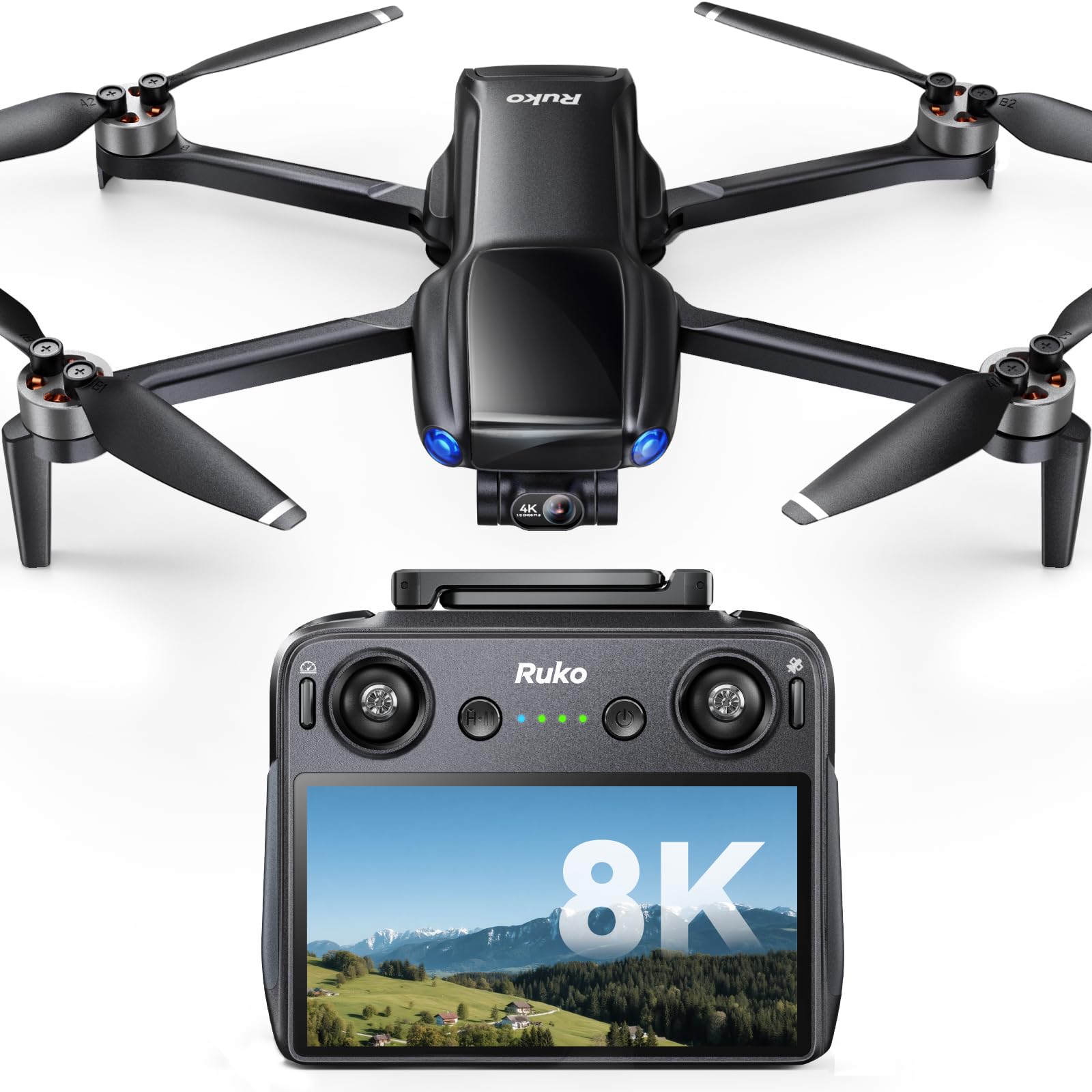
The U11MINI's 5.5-inch touchscreen controller is the feature that changes the routine. There is no phone to clamp in, no cable to forget, and no notifications sliding over the live feed. You turn it on, connect, and fly. For anyone who has fumbled with a phone-based controller in the field, that is a real convenience, not a spec-sheet novelty.

The rest of the package is built for travel. At 248 g, it stays under the FAA's 250-gram line, and the two batteries give it a 64-minute total flight budget. The 3-axis gimbal shoots 4K/30 video and 8K photos, and the 20,000 ft transmission range is the longest in this group. In our flights, the screen made setup faster and kept us from draining a phone we might need later.

What earns it a recommendation is the combination of that screen and a genuinely portable body. We did not expect the built-in display to matter as much as it did, but it turns the U11MINI into the drone we reach for when we want to fly without a checklist. If you already carry a phone and want the smoothest video, the Mini 4K is still the safer default; if you want the simplest controller, this is the one.

Pros

  • Built-in 5.5-inch touchscreen controller
  • Under 249 g, no FAA registration
  • 3-axis gimbal with 4K/30 video and 8K photos
  • Two batteries provide 64 minutes total

Cons

  • Battery packs can fail to charge or fall short
Our verdict

We recommend the U11MINI 4K for pilots who want a built-in screen, two batteries, and a sub-250-g body without tethering a phone.

Check Latest Price

How We Tested Drones Under $500

We started by working through listings for every drone under $500 from brands with a real support presence in the U.S., then cut anything that duplicated a size class we already had or skipped stabilization altogether. That left 12, which we flew for six months — on an open park field at dawn before the wind picked up, in my backyard at dusk, at a coastal field on a weekend trip, and folded into a daypack on a hike.

For ease of use, I timed every step from unboxing to first takeoff, including app pairing, compass calibration, and the wait for a GPS lock, then handed the controller to a neighbor who had never flown a drone and kept quiet while he worked it out. Beginner-friendliness lived or died in those ten minutes.

Battery life and reliability got the rougher treatment. I triggered return-to-home mid-flight on purpose, ran batteries down to the low-voltage warning to see how each aircraft behaved, and timed real flight minutes against the claim, along with recharge time. Footage went back to a monitor, where I looked for jitter on slow pans, a horizon that drifted, and how much detail survived in low light. To judge value, I laid out everything in the box — spare batteries, prop guards, an actual case — and asked whether a beginner could fly that weekend without buying anything else. The last measure was unscientific: which controller I reached for on a random Sunday.

How to Choose a Camera Drone

Weight and Registration Come First

The 250-gram mark is the first spec we check. Under 249 g, a recreational drone avoids FAA registration and Remote ID, which makes spontaneous travel much easier. The DJI Mini 4K, Potensic ATOM SE, and Ruko U11MINI all stay under that line. The Ruko F11PRO 2 is 357 g, so registration is part of ownership. If you want the least friction, choose a sub-250-g body; if you need a bigger camera or a longer flight package, accept the paperwork and build it into your routine.

Gimbal or EIS?

A mechanical gimbal isolates the camera from the drone's movement, so video stays smooth in wind and during turns. Electronic stabilization, or EIS, crops the frame and smooths the image in software; it works well in calm air but can show jitter when conditions get rough. If video is your main output, a 3-axis gimbal is worth prioritizing. The Mini 4K, Ruko F11PRO 2, and Ruko U11MINI have one; the ATOM SE relies on EIS. For stills and short clips on gentle days, EIS is a reasonable way to save money and weight.

Count Batteries, Not Just Minutes

Advertised flight time is usually measured in ideal conditions. Wind, climbs, and aggressive turns all shorten it. A drone with two batteries gives you a real session because you can land, swap, and keep flying; a single battery often means one short flight and a long wait. The Ruko F11PRO 2 and Potensic ATOM SE include two batteries, and the Ruko U11MINI also ships with two. The DJI Neo 2 Fly More includes three, which helps offset its shorter per-battery time. We prioritize a second battery over a slightly better camera claim.

The Controller Changes the Routine

A phone-based controller gives you a larger screen and uses hardware you already own, but it drains the phone and adds a clamp-and-cable step. A built-in screen controller is faster to deploy and keeps your phone free for calls or navigation. The Ruko U11MINI has a 5.5-inch touchscreen; the Mini 4K and ATOM SE use a phone; the Neo 2 uses the RC-N3. Range matters less than a stable live feed within visual line of sight, so choose the controller you will actually enjoy using.

Obstacle Sensing Is the Safety Net

Obstacle avoidance is not standard under $500. The DJI Neo 2 is the only pick here with omnidirectional sensing, which is why it suits follow-me shots in cluttered spaces. The Mini 4K and the Ruko camera drones rely on GPS hold and the pilot's eyes. That is not a reason to avoid them, but it does change where you fly: start in open fields, keep the drone in sight, and stay wide of trees and buildings until you know how it handles. If you plan to track a subject through tight spaces, pay for sensing.

Frequently Asked Questions

Final Verdict

We recommend the DJI Mini 4K for most people shopping under $500. It is the cleanest balance of stabilized 4K, a sub-250-g body, and control that will not overwhelm a first-time pilot. If your priority changes to hands-free tracking, the DJI Neo 2 Fly More is the more fun travel companion; if you refuse to tether a phone, the Ruko U11MINI 4K has the better controller. Neither replaces the Mini 4K as the default for straightforward aerial photos and video.