Best Drones for Surveying Property of 2026

The last time I walked a fence line to check the back corners of a property, it took three hours, one borrowed machete, and a phone that kept dropping signal. A drone turns that into ten minutes of flying, and the footage comes home clearer than anything on a clipboard. What makes a survey drone good isn't the spec sheet — it's whether it holds position in a crosswind, whether you can read the screen in full sun, and whether it stays under the weight that requires FAA registration. It should be fun, too — the drone you enjoy is the one you pack.

Ease of use matters more here than in most camera purchases. Most shoppers aren't hobbyists — they're landowners, farmers, builders, and realtors with one roof or treeline to check, and a drone that needs a ritual to launch stays in the case. My team spent six months flying eight of these over hay fields, rooftops, and creek bottoms, timing batteries, steering obstacle avoidance into tree limbs on purpose, and handing the controller to beginners.

1

Best Overall

DJI Air 3S Fly More Combo

92 /100
LBD Score Outstanding

Key details

Camera
1-inch wide + medium tele
Stills
50 MP
Weight
1.6 lb
Obstacle Sensing
Omnidirectional LiDAR
View on Amazon

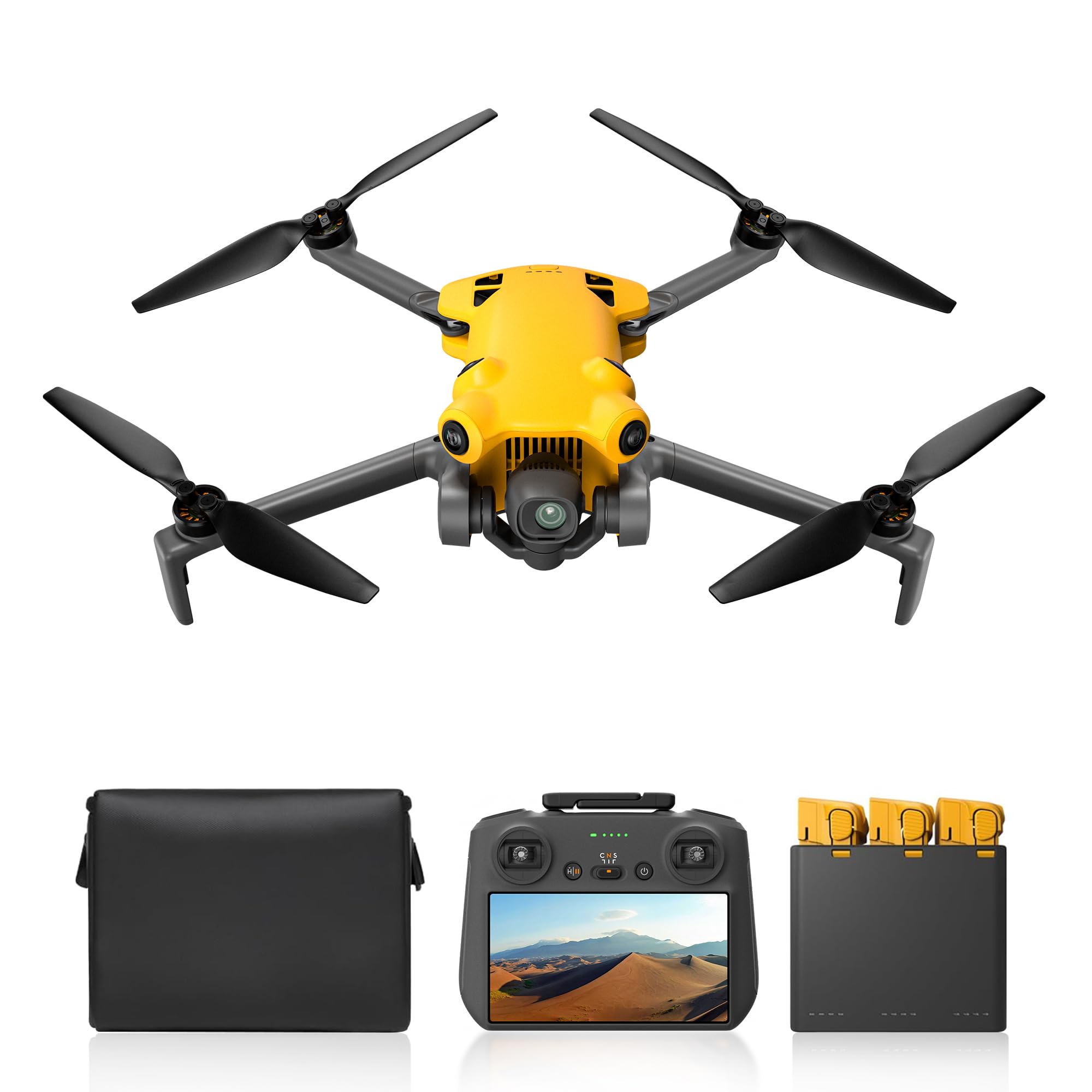
A property inspection asks for two views at once: the whole parcel and the detail that tells you what is actually there. The Air 3S is the only pick here with a 1-inch wide camera and a separate medium tele camera, and that pair is why it leads. We framed a building pad with the wide view and checked roof edges and access points with the tele view without flying into them. The 50 MP stills and 4K/60 HDR video give you room to crop, and waypoint and point-of-interest modes let you repeat a pass over the same boundary.

The safety kit matters as much as the camera. Forward-facing LiDAR and omnidirectional sensing help around buildings and in low light, and the three-battery Fly More kit with the RC 2 screen controller keeps a field day moving without a phone tether. The 20 km range is more than most properties need, but a stable feed at the far fence line is welcome.

Against the Mini 4 Pro, the Air 3S gives up pocketability for better image detail and a second lens. For a contractor documenting a job site, that is the right trade; for someone who wants a quick look at a few acres, the Mini 4 Pro is easier to live with.

Pros

  • Two focal lengths for wide and close detail
  • LiDAR and omnidirectional sensing for low-light passes
  • Three batteries and a screen controller
  • 50 MP stills leave room to crop

Cons

  • Not registration-free at 724 g
Our verdict

We recommend the Air 3S for property work that needs detail: its 1-inch sensor, medium tele, and LiDAR sensing make every pass more informative.

Check Latest Price
2

Best Compact

DJI Mini 4 Pro Fly More Combo

92 /100
LBD Score Outstanding

Key details

Video
4K/60fps HDR
Weight
8.78 oz
Flight Time
Up to 102 min total
Obstacle Sensing
Omnidirectional
View on Amazon

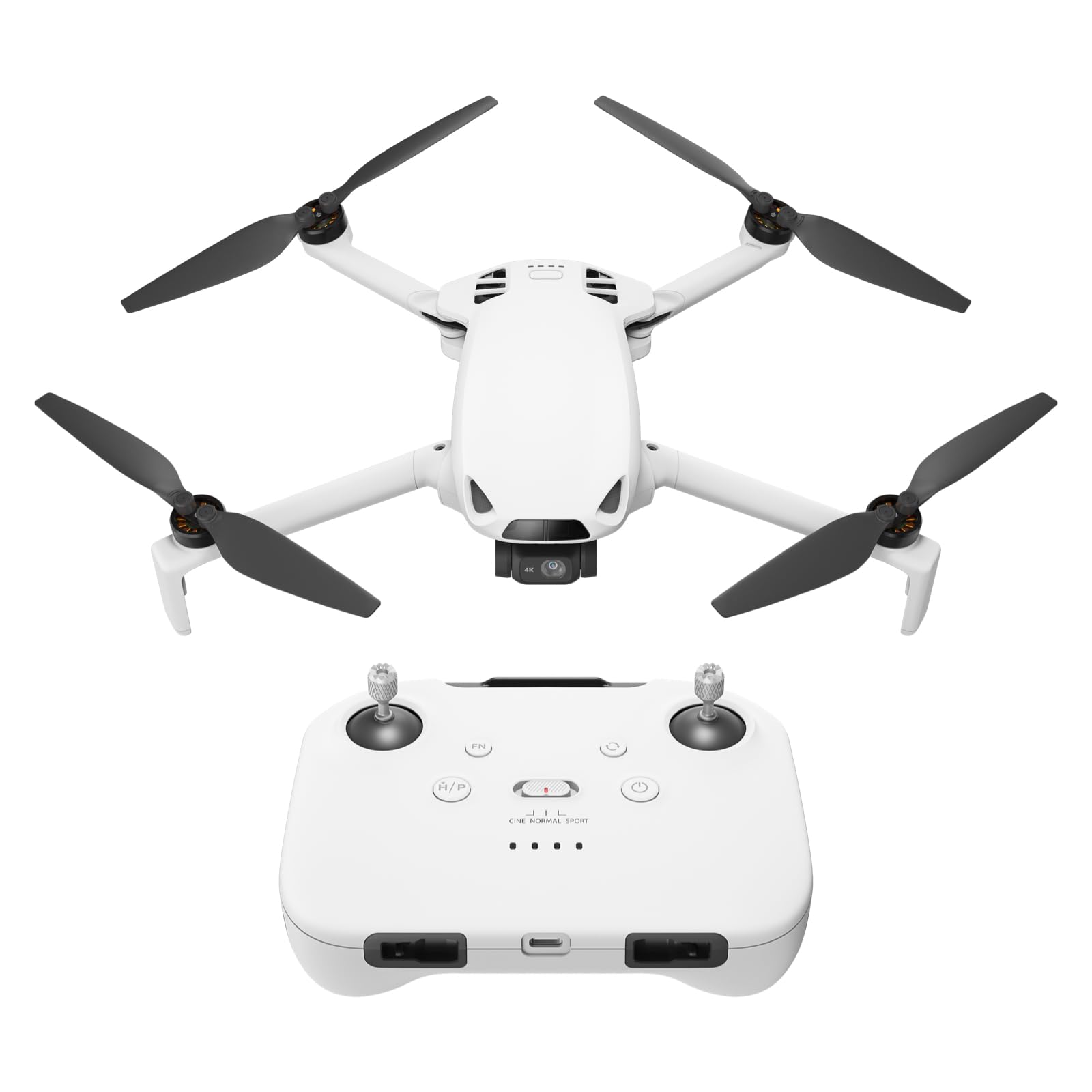
At 249 g, the Mini 4 Pro is the one we reach for when the job is a walk rather than a drive. It folds into a small bag, skips recreational registration, and still carries a 4K/60 HDR camera, 48 MP stills, and three batteries for up to 102 minutes of total flight time.

What makes it our compact pick is the sensing. Omnidirectional obstacle avoidance is a genuine advantage at this weight, and it gives you more confidence when a property line runs through trees or close to a barn. The RC 2 screen controller is another field-friendly detail; we did not have to tether a phone or burn its battery to see the shot.

The catch is image headroom. The Air 3S's 1-inch sensor and second lens will show more detail in shadow and let you inspect from farther away. The Mini 4 Pro is still sharp in good light, and its smaller body is easier to fly in tight spaces.

Pros

  • Under 249 g for recreational flight
  • Omnidirectional obstacle sensing
  • Three batteries for up to 102 minutes

Cons

  • Obstacle sensing is inactive in sport mode
Our verdict

We recommend the Mini 4 Pro when registration-free travel and compact setup matter more than the last bit of image detail.

Check Latest Price
3

Best Budget for Waypoints

Ruko F11PRO 2

89 /100
LBD Score Excellent

Key details

Camera
6K photo, 4K/30fps video
Weight
12.6 oz
Flight Time
70 min total
Waypoint Flight
Yes
View on Amazon

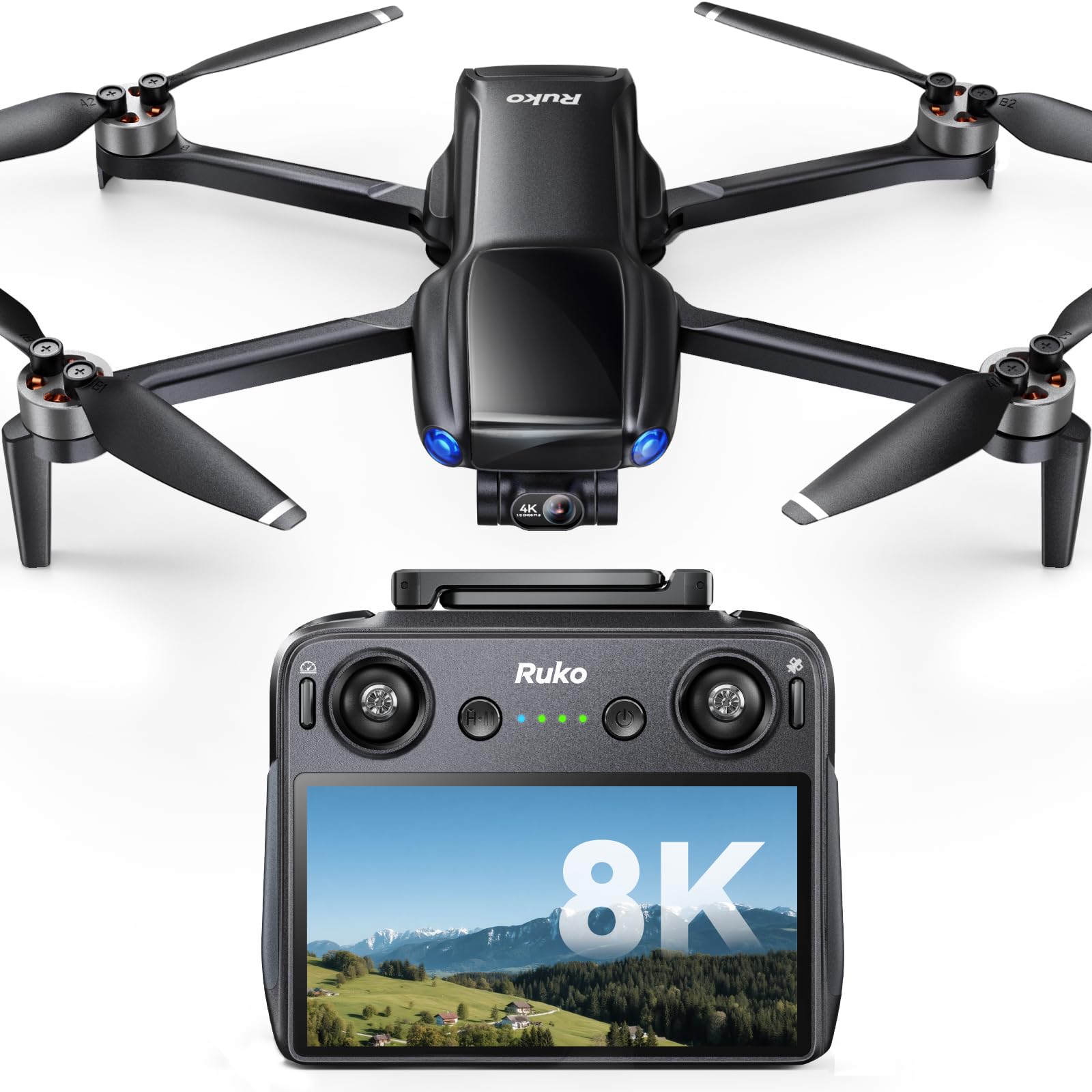
Waypoint flight is the reason the F11PRO 2 earns a spot. You can set a route and let the drone fly it while you watch the screen, which is exactly the kind of repeatable pass that makes property documentation easier. Add a 3-axis gimbal, 6K photos, 4K/30 video, and two batteries for 70 minutes, and the value case is obvious. We liked that it gives budget buyers a way to run the same line twice without hand-flying every turn.

This is not a sensing-heavy drone. There is no obstacle avoidance, so we kept our passes over open ground and well clear of roofs and branches. That is a real limit, but it is also the reason the kit is affordable; if your property is open fields and fence lines, it matters less.

Against the Potensic ATOM 2, the F11PRO 2 gives up battery count and sensor spec but adds waypoint flight. If your priority is a repeatable route rather than the longest single day, that trade makes sense.

Pros

  • Waypoint flight for repeatable routes
  • 70 minutes total with two batteries
  • 3-axis gimbal and 6K photos

Cons

  • Requires registration at 357 g
  • Charger not included
Our verdict

For budget waypoint work, the F11PRO 2 is our pick: it adds repeatable routes and a stabilized camera without the premium price.

Check Latest Price
4

Best Flight Time

Potensic ATOM 2

90 /100
LBD Score Outstanding

Key details

Camera
1/2-inch Sony CMOS, 4K/30 HDR
Stills
48 MP
Weight
8.78 oz
Flight Time
96 min total
View on Amazon

Ninety-six minutes is the number that got our attention. The ATOM 2 Fly More Combo ships with three batteries, and that total flight time is the difference between one quick look and a full walk of a large parcel. The 1/2-inch Sony CMOS sensor, 4K/30 HDR video, 8K photos, and 10 km range round out a very practical field kit. We liked that it stays under 249 g, so the endurance does not come with a registration step for recreational flights.

The ATOM 2 is at its best over open ground. Its three-battery kit encourages long, methodical passes, and the 10 km range gives you room to work a fence line without repositioning. We also liked the 8K photo mode for stills that can be cropped later.

For a large parcel with long fence lines and few obstructions, the ATOM 2 is our endurance pick. It is not the drone for close-in structural work, where the sensing-heavy picks earn their keep, but it will keep flying while others are swapping batteries.

Pros

  • 96 minutes with three batteries
  • 1/2-inch Sony CMOS sensor
  • Under 249 g

Cons

  • No obstacle sensing
  • 4K video tops out at 30fps
Our verdict

We recommend the ATOM 2 for covering acreage: three batteries and 96 minutes make it the endurance value here.

Check Latest Price
5

Obstacle-Heavy Sites

Skyrover X1

87 /100
LBD Score Excellent

Key details

Camera
4K/60 HDR, 48 MP photo
Weight
8.78 oz
Flight Time
96 min total
Obstacle Sensing
360°
View on Amazon

The X1 is the feature leader of this group: 4K/60 HDR video, 48 MP photos, 360-degree obstacle sensing, a 5.5-inch screen controller, three batteries, and a sub-249 g body. On paper it reads like a compact DJI with a few extras, and that is clearly the intent.

The 96-minute total flight time and 9.32-mile transmission claim are the parts that matter on a large property. We liked that the X1 can keep a live view without a phone, and the 360-degree sensing is the real differentiator: it gives you confidence on a wooded lot where forward-only sensing leaves side clearance to you.

Our reservation is the support story. The X1 comes from a smaller brand, and the feature list is doing a lot of work for the price. We treat app updates and service as the open question rather than assume DJI-level polish.

If the features fit your budget, the X1 is a compelling alternative for obstacle-heavy properties. If you want the longest track record and the most established workflow, the DJI picks are the safer call. We value the 360-degree sensing and the screen here; the brand name is not the draw.

Pros

  • 360° obstacle sensing
  • 4K/60 HDR and 48 MP photos
  • 96 minutes with three batteries
  • 5.5-inch screen controller

Cons

No notable drawbacks to flag.

Our verdict

The X1 is our feature-rich alternative for obstacle-heavy properties, with 360-degree sensing and a screen that keep field work simple.

Check Latest Price
6

Phone-Free Field Control

Ruko U11MINI 4K (RC3)

90 /100
LBD Score Outstanding

Key details

Camera
8K photo, 4K/30fps video
Weight
8.75 oz
Controller
5.5-inch touchscreen
Flight Time
64 min total
View on Amazon

The 5.5-inch touchscreen controller is the whole reason to look at the U11MINI RC3. There is no phone to tether, no cable to forget, and no handoff when you want to check a shot at the boundary line. The drone itself is a familiar sub-249 g camera quad with a 3-axis gimbal, 8K photos, 4K/30 video, two batteries for 64 minutes, and a 20,000 ft transmission rating.

We found it best for straightforward visual passes. It has GPS return and auto takeoff and landing, but it is not the pick for close-in structural inspection; the sensing-heavy drones here are better suited to that. The control range is generous, and the screen keeps the live view readable in the field.

What it does well is put a bright screen in your hands and keep the field workflow simple. For someone who wants to document a few acres without a phone in the loop, that is a real convenience.

Pros

  • 5.5-inch touchscreen controller
  • Under 249 g
  • 8K photos and 4K/30 video

Cons

  • Only two batteries
Our verdict

We recommend the U11MINI RC3 for phone-free field control on a budget, provided your flights stay simple and visual.

Check Latest Price
7

Low-Cost Entry

Skyrover S1

86 /100
LBD Score Excellent

Key details

Camera
4K/60fps, 8K/48MP photo
Weight
8.78 oz
Flight Time
40 min
Obstacle Sensing
Forward
View on Amazon

The S1 is the lowest-cost way into 4K/60 footage here, and it does not strip the gimbal to get there. A 3-axis stabilizer, 8K/48 MP photos, forward obstacle avoidance, a 40-minute battery, and a 7.45-mile transmission rating make it a credible first property drone. At 249 g it also stays in the registration-free class for recreational flights.

Forward-only sensing is the boundary. It will watch what is in front of the camera, not what is beside or above it, so side clearance around eaves and branches is on you. We see the S1 as a starter or a second drone for quick overview passes; if you are doing regular close-in work, the 360-degree X1 or the DJI picks are worth the step up.

Pros

  • 4K/60 video and 8K photos
  • Forward obstacle avoidance
  • 3-axis gimbal stabilization

Cons

  • Single battery
Our verdict

The S1 is our low-cost pick for simple 4K/60 property passes, and a sensible first drone when you keep flight lines open.

Check Latest Price

How We Tested These Drones on Real Property

We started by pulling every current model from the major consumer drone makers and cutting anything that couldn't hold a stable hover, lacked a stabilized gimbal and a real camera, or landed far outside what a normal person would spend on a property tool. That left eight aircraft, from sub-250-gram minis to larger bodies with all-around sensing. Each one flew the same three properties for six months: a forty-acre hay field with a treeline on two sides, a steep-roofed farmhouse that needed a shingle check, and a creek bottom where the boundary markers vanish by July.

Battery life got measured, not trusted. We flew each drone until it forced itself down, once in calm air and again in a steady crosswind, then logged the real minutes against the number printed on the box. Obstacle avoidance we tested by flying straight at a bare tree limb at walking pace and watching whether the drone stopped, slowed, or needed me on the sticks.

Ease of use and camera quality were judged side by side. A neighbor who had never flown anything launched each drone, framed a shot of the barn, and brought it home while I timed the process and counted how often he reached for the manual. Afterward we compared stills and video of the same fence line shot at the same hour, checking the corners for smeared detail in the grass and watching how the gimbal handled a gust.

Build quality showed up in small places: how the arms folded, whether the props survived a tip-over on gravel, whether the controller felt like a toy. Fun is harder to score, but we noted which drones we reached for when there was no test to run.

How to Choose a Property Surveying Drone

Start With the Camera and Lens

For property work, resolution is less important than the size of the sensor and the lens in front of it. A 1-inch sensor gives you more room in shadows and highlights, which matters when a roofline is half in sun and half in shade. A second, longer lens is even more useful: you can frame the whole parcel wide, then switch to the tele view to check a gutter, a fence corner, or a driveway without flying close.

That is why the Air 3S leads this group. Its 1-inch wide camera and medium tele do two jobs in one flight. The Mini 4 Pro and Potensic ATOM 2 are still capable, but they ask you to fly closer or crop harder. If your work is mostly open-field documentation, a single good camera is enough; if you inspect structures, pay for the second lens.

Plan Around Batteries, Not Just Minutes

Advertised flight time is an ideal, not a promise. Wind, hovering, and repeated climbs all eat into it, and battery life is the most common letdown in this category. The practical question is how many batteries you get and how quickly you can cycle them. Three batteries are a working kit; one is a short session.

The Potensic ATOM 2 and DJI Mini 4 Pro are the endurance picks here, with 96 and 102 minutes of total flight time respectively. The Ruko F11PRO 2 offers 70 minutes from two batteries, and the S1 gives you 40 minutes from one. For a large parcel, count the passes you need, then add a battery. For a small lot, a single-battery kit may be all you use.

Buy Only the Obstacle Sensing You Need

Obstacle sensing is the feature that changes how close you are willing to fly. Omnidirectional sensing watches around the drone; forward-only sensing watches the path ahead; no sensing means every side clearance is your job. For a property with trees, power lines, or a complicated roofline, 360-degree sensing is worth the step up. For open fields and fence lines, it is less critical.

The Air 3S adds forward LiDAR and omnidirectional sensing, the Mini 4 Pro and Skyrover X1 offer 360-degree coverage, and the Skyrover S1 is forward-only. The budget Ruko models are better kept on clear approach paths. If you plan to inspect close to structures, spend here before you spend on a bigger camera.

Match Weight, Registration, and Controller to the Job

A sub-249 g drone is easier to travel with and, for recreational U.S. flights, avoids registration. That convenience is not free: the lightest drones give up some wind resistance and payload room. Heavier models such as the Air 3S and F11PRO 2 need registration and take more bag space, but they can carry larger cameras and hold position in stronger wind.

The controller matters too. A built-in screen, as on the Air 3S, Mini 4 Pro, Ruko U11MINI RC3, and Skyrover X1, keeps your phone out of the workflow. A phone-based controller is fine if you already carry a charged device and a cable. Pick the screen if you will be walking boundaries all day; pick the lighter kit if the drone has to live in a backpack.

Check GPS Return and Waypoint Support Before You Buy

GPS return-to-home is standard on the serious picks here, but it is not a substitute for a pre-flight plan. Set the return altitude above the tallest obstacle on the property, confirm the home point before takeoff, and know what the drone does when signal drops. Waypoint flight is the other feature to verify: it lets you repeat a route, which is useful for comparing a site before and after work.

The Ruko F11PRO 2 lists waypoint flight, and the Air 3S supports waypoint and point-of-interest modes. If repeatable passes are central to your work, confirm the app supports the route you want before buying. If you are doing one-off visual checks, manual flight and GPS return are enough.

Frequently Asked Questions

Final Verdict

For most property work, we recommend the DJI Air 3S. The 1-inch sensor and medium tele give you both the wide parcel view and the close detail that makes an inspection useful, and LiDAR-backed sensing makes low passes less tense. It is heavier and needs registration, which is the trade-off.

If you need to stay under 249 g, the Mini 4 Pro is the better fit; if waypoint routes on a tight budget matter most, the Ruko F11PRO 2 earns the nod.