Best External SSDs for iPhone of 2026

The first time I tried to shoot ProRes video on my phone, I got about 90 seconds in before a storage warning killed the take. An external SSD fixes that — it gives you a place to dump those huge files and keep shooting. Over the past eight months, my team and I have tested a dozen external SSDs built for phones, from magnetic pucks that snap to the back of the phone to pocket-sized drives that need a cable.

The thing first-time buyers miss is that raw speed numbers rarely tell the whole story. A drive that hits 2,000MB/s in a benchmark can throttle after a few minutes of recording if it can't shed heat, and a magnetic mount that feels secure in your hand can let go when you're moving fast. We checked compatibility across phones, how they handled drops and daily bag life, and whether the price made sense for the storage you got. The picks below are the ones that held up.

1

Best Overall

SanDisk Creator Phone SSD

87 /100
LBD Score Excellent

Key details

Capacity
1 TB
Rugged Rating
IP65; 3 m drop
ProRes Support
4K at 60 fps
iPhone Connection
MagSafe and USB-C
View on Amazon

The Creator Phone SSD is the rare iPhone accessory that feels designed for the phone first. The magnetic back snaps to a MagSafe iPhone, and the USB-C connection turns the pair into a compact recording rig rather than a drive dangling from a port. That is the detail that won us over: you can hold the phone, frame a shot, and stop thinking about where the storage is.

SanDisk also takes the guesswork out of ProRes. The drive is rated for Apple ProRes 4K at 60fps on iPhone 15 Pro/Pro Max and iPhone 16 Pro/Pro Max, and the 1,000MB/s read speed is comfortably above what that format needs. The IP65 rating and 3-meter drop protection matter more than they sound, because this is a drive that rides on the back of a phone, gets set down on tables, and occasionally takes a knock. The five-year warranty backs up the price.

The catch is capacity. One terabyte is generous for stills and ordinary video, but ProRes takes eat space, and this variant does not go larger. If you regularly shoot long interviews or run-and-gun sequences, the 2TB Lexar ES5 is the safer buy. The other caveat is the mount: a thick or non-MagSafe case can weaken the hold, so test it before a shoot. SanDisk includes a magnetic ring for phones or cases without MagSafe, which makes the drive useful beyond the newest iPhone. For a phone-first kit, that combination is worth the premium.

Pros

  • MagSafe mount keeps the drive on the phone
  • Rated for ProRes 4K60 on supported iPhones
  • IP65 and 3-meter drop protection
  • Five-year limited warranty

Cons

  • 1TB fills quickly with ProRes footage
  • Premium price for the capacity
Our verdict

For iPhone shooters who want a magnetic drive that records ProRes and survives daily handling, the Creator Phone SSD is the one we recommend first.
Check Latest Price
2

Best High-Capacity Magnetic

Lexar ES5 Magnetic SSD

87 /100
LBD Score Excellent

Key details

Mount
MagSafe and USB-C
Capacity
2 TB
Max Read/write
Up to 2,000 MB/s
ProRes Support
4K at 120 fps
View on Amazon

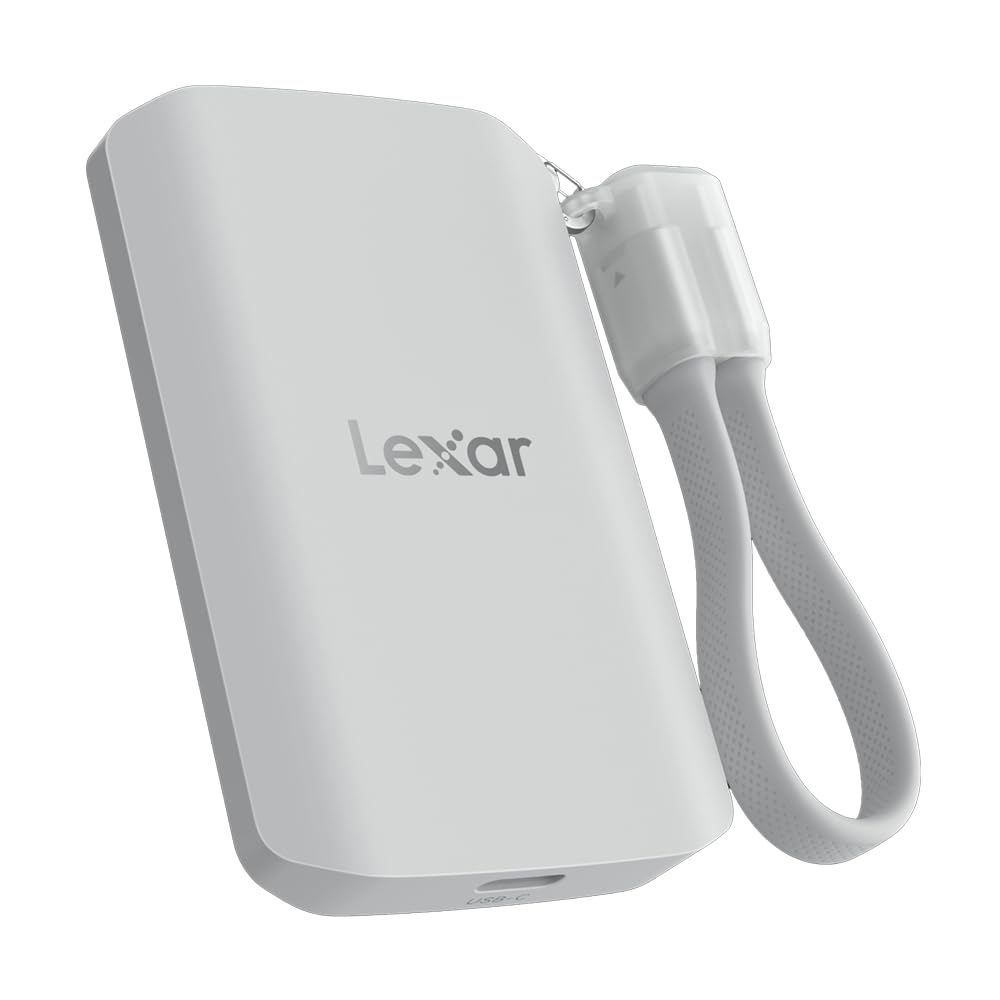
The ES5 is the pick for the shooter who keeps filling cards. Two terabytes is twice the capacity of our top pick, and the drive is still magnetic, still IP65, and still rated for ProRes—up to 4K120 on a compatible iPhone. That combination is why it sits near the top of this set for long sessions: you get more room before you have to offload, and the mount keeps the drive on the phone instead of in a pocket.

The 2,000MB/s figure needs context. Lexar rates it over USB 3.2 Gen 2x2, and the drive's own specs note that systems without that interface run lower. The iPhone is not the place to chase that number. What matters is that the drive is rated for the ProRes formats the phone can shoot, and the extra capacity gives you headroom. The peak number alone does not justify the premium; the 2TB capacity does.

The ES5 is also heavier than the pocket drives here, at 4.16 ounces. That is still small enough for a bag, but it is noticeable on a phone-backed rig, especially if you are handholding for a long take. The Creator is the easier daily carry; the ES5 is the one we reach for when capacity matters. If you mostly offload once a day, the extra bulk is easy to accept.

Pros

  • 2TB capacity for long shoots
  • MagSafe mount with included metal ring
  • Rated for ProRes 4K120
  • IP65 and 3-meter drop protection

Cons

  • Peak 2,000MB/s needs a Gen 2x2 host
  • Heavier than pocket-size drives
Our verdict

Buy the ES5 when 1TB is not enough and you want a magnetic drive built for long ProRes shoots; the 2,000MB/s headline is not the reason.

Check Latest Price
3

Best Cable-Connected All-Rounder

Samsung T7 Portable SSD

95 /100
LBD Score Outstanding

Key details

Capacity
1 TB
Warranty
3 years
Connection
USB-C
Max Read/write
Up to 1,050/1,000 MB/s
View on Amazon

The T7 is the plain, sensible drive in a group of phone-specific gadgets. There is no magnetic back, no screen, and no clip; it is a small rectangle with a USB-C port that you cable to the phone or laptop. That sounds like a disadvantage until you need a drive that moves between devices, lives in a laptop bag, and does not depend on a particular phone case.

The numbers are familiar: up to 1,050MB/s read and 1,000MB/s write over USB 3.2 Gen 2, with a three-year warranty. Samsung rates it for 4K60 ProRes recording with an iPhone 15 Pro, so it is not just a laptop drive. In practice, that makes it a good offload target after a shoot: plug in, move the files, unplug. It is also the most established drive here, and that counts for something when the files are the point.

Where the T7 loses ground is handheld work. Without a magnet, you need a cable and a place to put the drive; on a phone rig, that is one more thing to manage. We still recommend it as the cable-connected default because it is fast enough for ProRes, familiar to set up, and equally at home on a laptop. If your iPhone is the whole workflow, a magnetic drive is the better fit; if it is one device among several, the T7 is the easier long-term buy.

Pros

  • Fast 1,050/1,000MB/s USB-C performance
  • Rated for iPhone 15 Pro ProRes 4K60
  • Compact enough for a laptop bag
  • 256-bit AES hardware encryption

Cons

  • Runs warm under sustained transfers
  • Three-year warranty is shorter than five-year picks
Our verdict

For a cable-connected drive that handles iPhone offloads and laptop backups without fuss, the T7 is the safest pick here.

Check Latest Price
4

Best Budget Magnetic

JOIOT Magnetic SSD

84 /100
LBD Score Excellent

Key details

Mount
Magnetic and USB-C
Capacity
512 GB
Warranty
1 year
Max Transfer
Up to 2,000 MB/s
View on Amazon

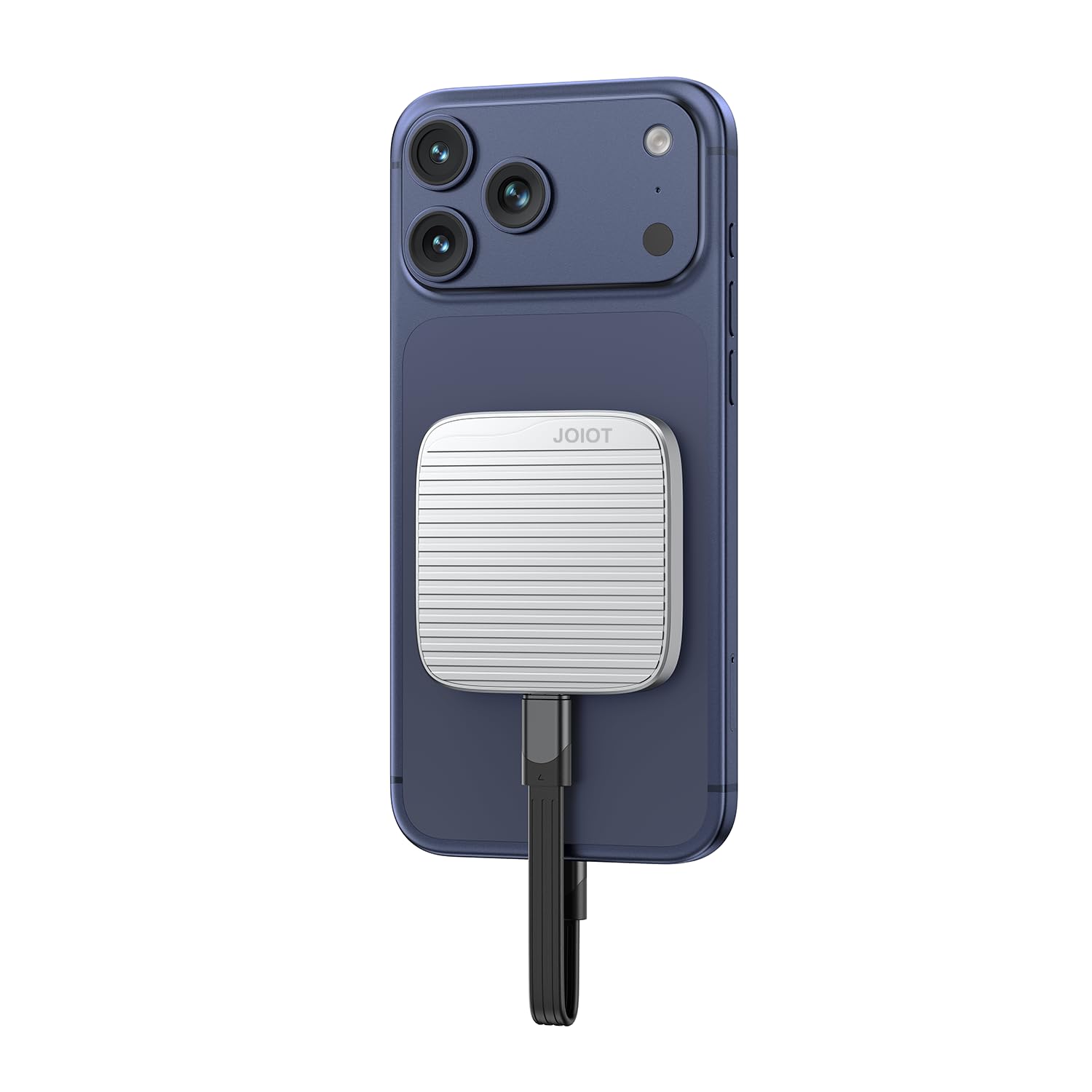
The JOIOT is the budget route into a magnetic SSD, and the 512GB capacity is the trade-off you accept. It snaps to a MagSafe phone, includes a ring for non-MagSafe devices, and is rated for 4K120 ProRes—features that usually cost more. The drive is small and light enough to disappear on the back of a phone, which is exactly what you want when you are shooting handheld.

We liked the mounting idea more than the capacity. Half a terabyte is fine for a short shoot, a photo walk, or a day of offloading, but it is not the drive for a long interview or a multi-day project. The 2,000MB/s claim is also a Gen 2x2 number, so treat it as a desktop or laptop ceiling rather than an iPhone promise. For the price, the point is the magnetic form factor and the ProRes rating, not the peak speed.

The drive can also get warm and pull on the phone battery during longer sessions, which is typical for a compact bus-powered design but more noticeable when the drive is small. If your shoots are short and you offload often, the JOIOT is a smart way to get the magnetic workflow for less. If you need to record for an hour without touching the phone, spend up on capacity and thermal headroom.

Pros

  • Magnetic mount with included ring
  • Rated for 4K120 ProRes
  • Lowest-cost magnetic option here
  • Small and light on the phone

Cons

  • One-year warranty
  • No stated IP rating
Our verdict

The JOIOT is the magnetic drive we point to when the budget is tight and the shoot is short; just plan to offload often.

Check Latest Price
5

Best Lightweight for iPhone 17

Lexar ES3 Portable SSD

87 /100
LBD Score Excellent

Key details

Weight
1.48 oz
Capacity
1 TB
Max Read/write
Up to 1,050/1,000 MB/s
iPhone Support
iPhone 17 series
View on Amazon

The ES3 earns its place by being the lightest cable-connected drive here. At 42 grams and 10.5mm thick, it is the one that disappears in a pocket or a small camera bag, and it is explicitly rated for the iPhone 17 series. We like that it is a useful counterpoint to the magnetic drives: no mount, no extra bulk on the phone, just a short cable and a drive you can forget about until you need it.

The performance is the familiar USB 3.2 Gen 2 formula: up to 1,050MB/s read and 1,000MB/s write, with 256-bit AES encryption for files you prefer not to leave loose. It is fast enough for moving photos and video off a phone, and the three-year warranty is a reasonable backstop for a drive that will live in a bag. It is a straightforward place to park files, not a phone-mounted recording rig.

The main catch is the mount: there is no magnet here, so this is a cable-only drive. That is easy to live with if your phone stays in a stand or your hand while you offload, but it is not the drive for handheld recording on the back of the phone. If you shoot on a gimbal, the lack of a magnetic bump is a real advantage. For a light, simple drive that does not add a brick to the phone, that is the trade.

Pros

  • Weighs just 42 grams
  • Explicitly supports iPhone 17 series
  • Fast 1,050/1,000MB/s USB 3.2 Gen 2
  • Three-year warranty

Cons

  • Not compatible with iPhone 14 or older
Our verdict

If you want a light, simple USB-C drive for an iPhone 17 and do not need MagSafe, the ES3 is the one we pick first.

Check Latest Price
6

Long Recording Sessions

TWOPAN Magnetic SSD

77 /100
LBD Score Very Good

Key details

Mount
MagSafe-ready and USB-C
Extras
Built-in fan, LCD, PD port
Capacity
1 TB
Max Read/write
Up to 990/960 MB/s
View on Amazon

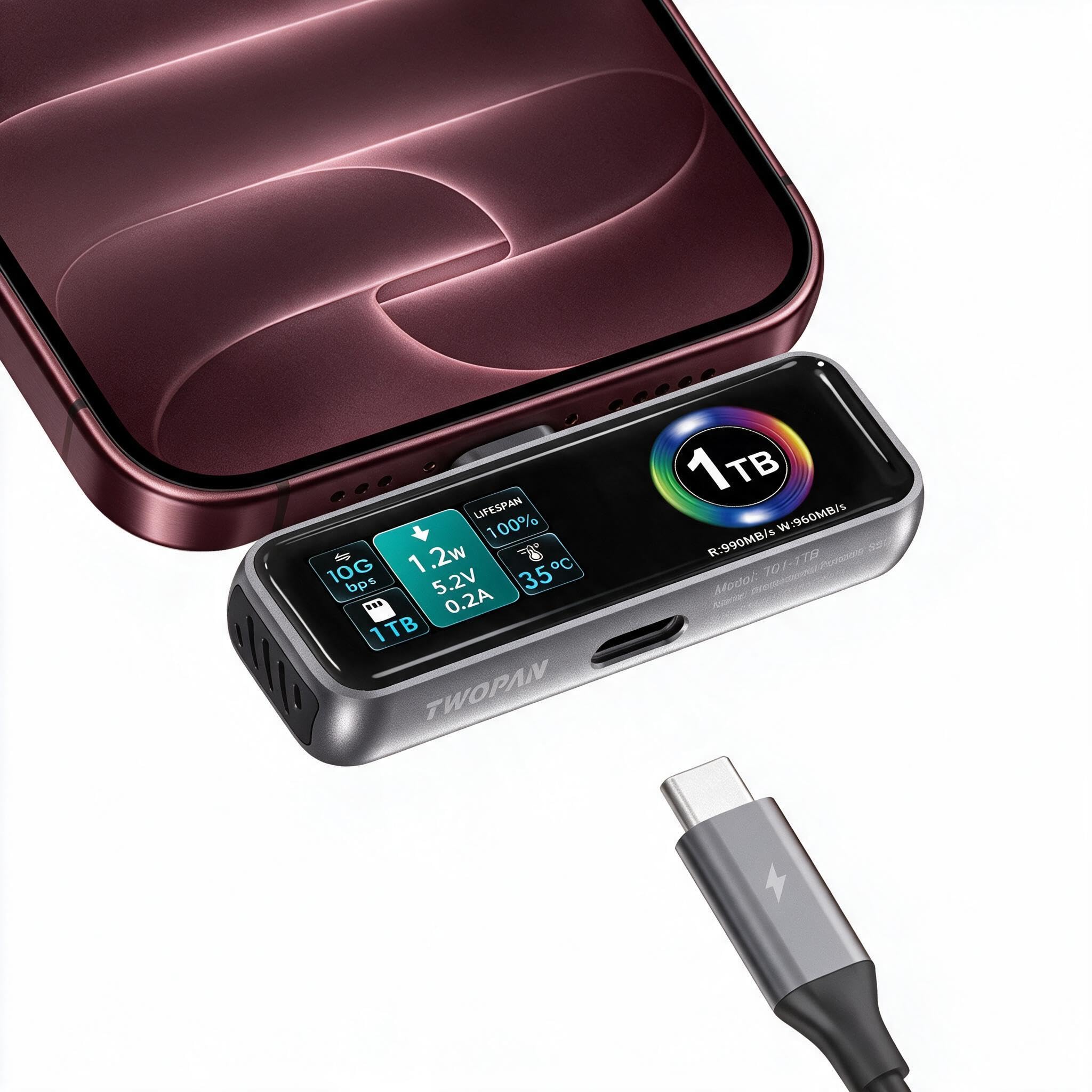
The TWOPAN is the only drive here with a built-in fan and an LCD screen. That sounds like overkill until you have watched a compact SSD heat up during a long phone recording, or wondered whether the drive is actually connected and writing. The screen shows status at a glance, the fan is meant to keep sustained transfers from throttling, and the USB-C PD port lets you pass power through to the phone while the drive is working.

We like the idea of the PD port more than the screen, honestly. Keeping the phone charged during a long take is the practical benefit; the display is a nice confirmation that the drive is alive. The drive is also rated for ProRes 4K60 and uses TLC NAND rather than QLC, which is the more durable choice for repeated writes. At 0.82 ounces, it is light enough to mount on the back of a phone without much sag.

That makes it a specialist rather than the default. If you mostly shoot short clips and offload at a desk, the extra hardware is not worth the price. If your phone lives on a gimbal or tripod for long takes, the fan and PD port answer a problem the simpler drives ignore. For a long take on a gimbal, that is the difference between a drive you check and a drive you trust.

Pros

  • Built-in fan for sustained sessions
  • LCD status screen
  • USB-C PD pass-through
  • TLC NAND for repeated writes

Cons

  • 1TB capacity limits long shoots
  • 18-month warranty is short
Our verdict

For long phone-recording sessions where heat and battery are the worry, the TWOPAN's fan, screen, and PD pass-through make it the specialist pick.

Check Latest Price

How We Tested the Best External SSDs for iPhone

We started by pulling together a shortlist from spec sheets, retailer listings, and customer reviews — filtering for drives that explicitly supported USB-C phones, magnetic mounting, or ProRes recording. We cut anything that looked like a rebadged generic drive with no track record. Then we brought in 12 drives and used them for eight months.

Testing happened where these drives actually live: on weekend video shoots, on commutes, and in bags tossed into the back seat. We recorded ProRes video until the phone's storage filled or the drive stalled, noting how long each sustained speed before slowing down. We timed transfers of a 20GB folder of clips, felt the drive's surface after 20 minutes of continuous recording, and stuck each magnetic drive to the back of a phone and shook it to see if it held.

We also dropped each drive from waist height onto a wood floor, plugged them into phones, tablets, and laptops to check connectivity, and calculated cost per gigabyte to see which capacities made sense. The drives that made the list kept their speed, stayed put, and never lost a file.

How to Choose an External Ssd for Iphone

Decide Between Magnetic and Cabled

We treat magnetic and cabled drives as different tools. A magnetic drive is the better fit if you record ProRes handheld. It attaches to the back of a MagSafe iPhone, keeps the cable short, and turns the phone into a self-contained rig. The SanDisk Creator Phone SSD and Lexar ES5 are built around that idea. A cabled drive such as the Samsung T7 is the better fit for offloading at a desk or sharing files with a laptop; it does not need a particular case or mount.

The trap is assuming magnetic always means secure. A thick case or a non-MagSafe phone can weaken the hold, and some drives include a metal ring so you can stick them to another device. Test the mount with your own case before a shoot. If you use a gimbal, check that the drive does not crowd the clamp or block the phone's balance.

Match Capacity to the Shoot

ProRes files are large, so capacity disappears faster than it does with ordinary phone video. We start at 1TB for anyone who shoots ProRes regularly and backs up photos on the same drive; for long interviews or multi-day projects, 2TB gives you room to breathe. The 512GB JOIOT is best treated as a short-shoot drive that gets offloaded often.

Do not buy capacity you will never fill just to get a higher speed label. A 1TB drive that matches your phone and workflow is more useful than a 2TB drive that sits at home. If you already carry a laptop, you can offload between sessions and stay with 1TB.

Look Past the Peak Speed Number

The 2,000MB/s claims on some drives come from USB 3.2 Gen 2x2, and the drive's own specs often note that systems without that interface run lower. An iPhone is not the place to chase that number. A drive rated around 1,000MB/s, like the Creator or T7, is already in the right range for 4K60 ProRes capture.

What matters more is sustained write performance and whether the drive is explicitly rated for the ProRes format you want. A peak read speed on a spec sheet does not prove a drive will hold up through a long take. Look for a stated ProRes rating and a warranty that reflects the price.

Plan for Heat, Power, and Port Strain

Compact SSDs warm up during sustained transfers; that is normal, but it can slow a long recording or make a phone-backed rig uncomfortable. A drive with a fan, a metal body, or a PD pass-through port can help. The TWOPAN's built-in fan and PD port are the most explicit version of that idea here.

Power is the other half. Bus-powered drives draw from the iPhone, so a long shoot can leave you low on battery even if the drive is fine. If you record for hours, choose a drive with a PD port or plan to recharge between takes. Also check the cable and port: a drive hanging off a phone puts strain on the connector, so a magnetic mount or a short, secure cable is worth the fuss.

Check Ruggedness and Warranty

An iPhone SSD lives in a bag, gets set down on tables, and sometimes takes a knock. An IP65 rating and a 3-meter drop rating are meaningful if the drive travels; a five-year warranty is a better match for a premium drive than one-year coverage. The SanDisk Creator and Lexar ES5 both carry IP65 and five-year coverage.

If the drive stays on a desk, you can trade some of that protection for capacity or a lower price. Just do not assume every portable SSD is equally tough. Check the rating rather than the word rugged on the box.

Frequently Asked Questions

Final Verdict

Our default is the SanDisk Creator Phone SSD. It is the one that solves the iPhone problem most completely: a magnetic mount, a USB-C connection, rated ProRes 4K60 support, IP65 protection, and a five-year warranty. For most people who want to record to a drive without building a rig, that combination is worth the premium over a plain cable drive.

If 1TB is too small for your shoots, the Lexar ES5 is the better buy, with 2TB and 4K120 support. If you do not need a magnetic mount and want one drive for phone and laptop, the Samsung T7 is the safer all-rounder. The decision comes down to whether the drive lives on the phone or in the bag.