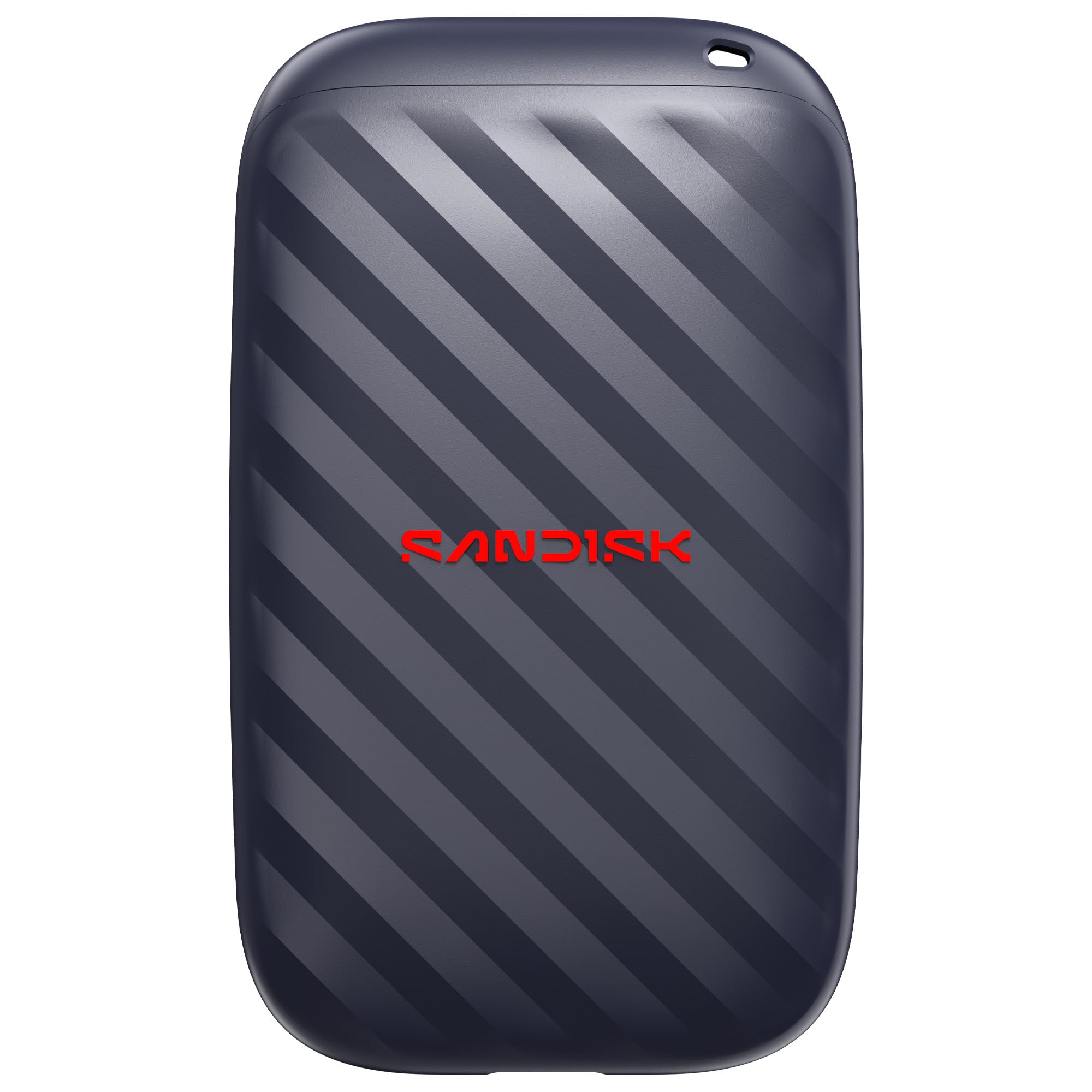
Best External SSDs of 2026

The portable hard drive I carried through my twenties died the way most do: a two-foot fall, a faint clicking, and a folder of photos I hadn't backed up anywhere else. An external SSD takes that fear off the table — no platters to knock out of alignment — and once you've edited video off one, going back feels like dial-up.

My team and I have spent six months living with a dozen of these drives, from slim metal slivers that vanish in a pocket to rubberized models built for a camera bag. We filled them with game installs, RAW photo libraries, and video projects, timing every transfer and feeling the cases warm up.

What the spec sheets skip: the headline speed is a best-case sequential read, and a drive that hits it for thirty seconds can crawl once its cache fills. Your port matters just as much — a Gen 2x2 drive in an older USB-C slot is money spent on speed you can't reach. The picks below stayed fast, cool, and boringly reliable.

1

Best Overall

Samsung T7

95 /100
LBD Score Outstanding

Key details

Capacity
1TB
Warranty
3 years
Interface
USB 3.2 Gen 2
Read/write Speed
Up to 1,050/1,000 MB/s
View on Amazon

The T7 gets the balance right for most people: up to 1,050/1,000 MB/s over USB 3.2 Gen 2, 1TB of capacity, and a slim body that slips into a laptop sleeve. It does not carry an IP65 rating, but it also does not charge a rugged premium. For desk backups, photo archives, and moving a working folder between computers, that is the trade we prefer. It is the drive we recommend first when you want fast, simple portable storage without overbuying.

The metal case feels tidy, and the three-year warranty is standard for the category. Mac users may need to reformat it before the first backup, which is normal for a cross-platform drive. The 1TB version is the sweet spot for documents and photos; video editors with a large project library should look at the 4TB SanDisk instead.

If the drive rides in a camera bag or gets knocked around, the T7 Shield is the safer pick. For a drive that mostly stays indoors, the T7 is the better value and the one we reach for. It is not the fastest drive here, and it is not the toughest, but it makes the fewest demands on the person using it.

Pros

  • Up to 1,050/1,000 MB/s over USB 3.2 Gen 2
  • Slim, light 1TB body
  • Lower cost than the rugged Shield

Cons

  • No water or dust rating
  • Gets warm under sustained transfers
Our verdict

The T7 is our default external SSD: fast enough for most backups and 4K edits, slim enough to carry, and priced below the rugged Shield.

Check Latest Price
2

Best for Travel

Samsung T7 Shield

95 /100
LBD Score Outstanding

Key details

Capacity
1TB
Warranty
3 years
Durability
IP65; drop resistant
Read/write Speed
Up to 1,050/1,000 MB/s
View on Amazon

The T7 Shield is the version to buy if the drive leaves your desk. It adds IP65 water and dust resistance and drop protection to the same 1,050/1,000 MB/s USB 3.2 Gen 2 platform as the standard T7. That makes it the easier drive to toss into a camera bag, a backpack, or a glovebox without a case.

We like the extra armor because it does not cost speed; the Shield feels like the same drive with a tougher shell. The 1TB capacity is enough for a working photo library or a set of project files, and the three-year warranty matches Samsung's standard coverage. The trade-off is price: you pay more for the sealing, and the drive is a little chunkier in hand.

Mac and Windows compatibility is the same story as the T7, so plan to reformat if the file system does not match your computer. The Shield is not the drive for someone who never takes an SSD out of the house; the standard T7 is the better value there. For travel, fieldwork, or a bag that gets knocked around, the sealing is the feature you are paying for, and the speed is the same as the T7.

Pros

  • IP65 water and dust resistance
  • Drop protection for travel
  • Up to 1,050/1,000 MB/s speed
  • Three-year warranty

Cons

  • Premium price over the standard T7
  • Bulkier than the standard T7
Our verdict

The T7 Shield is the travel-ready T7: same speed, plus IP65 sealing and drop protection for people who carry their files through the real world.

Check Latest Price
3

Best High Capacity

SanDisk Extreme 4TB

89 /100
LBD Score Excellent

Key details

Capacity
4TB
Warranty
5 years
Durability
IP65; 3m drop protection
Transfer Speed
Up to 2,000 MB/s
View on Amazon

Four terabytes in a pocket-sized drive is the headline, but the 2,000 MB/s transfer claim is what makes the SanDisk Extreme 4TB interesting for video work. A 4TB drive lets you keep a full project archive in one place, and the USB-C connection means it fits modern laptops without a dock. It also carries IP65 water and dust resistance, up to 3-meter drop protection, and a five-year warranty, which is a stronger support package than most of the drives here.

The catch is that 2,000 MB/s is a best-case figure. You need a host port and cable that can feed that speed, and many laptops top out at the 10Gbps USB 3.2 Gen 2 level. Even then, the drive is quick enough for large photo catalogs and 4K footage. The built-in 256-bit AES encryption is a useful extra for client work, though it is only useful if you remember the password.

This is the pick for someone whose library has outgrown 1TB and who wants one drive rather than a stack of smaller ones. The price is premium, and the drive is not the impulse budget buy. But for a photographer or editor who needs capacity and speed in the same pocketable package, the 4TB label is the reason to stretch; the speed is the bonus.

Pros

  • 4TB capacity in a pocket-sized drive
  • Up to 2,000 MB/s transfer speed
  • IP65 protection and five-year warranty

Cons

  • Premium price for 4TB capacity
Our verdict

For large photo and video libraries, the SanDisk Extreme 4TB pairs real capacity with 2,000 MB/s speed and a five-year warranty.

Check Latest Price
4

Best for Console Gaming

WD_BLACK P50

93 /100
LBD Score Outstanding

Key details

Capacity
4TB
Warranty
5 years
Interface
USB 3.2 Gen 2x2
Transfer Speed
Up to 2,000 MB/s
View on Amazon

The P50 makes the most sense next to a console. It is a 4TB external SSD with a shock-resistant shell, and it comes with both USB-C to USB-A and USB-C to USB-C cables, so you can plug it into a PS5, an Xbox Series X, or a laptop without hunting for an adapter. The drive is rated for up to 2,000 MB/s over USB 3.2 Gen 2x2, which is the kind of speed that makes a game library feel less like an archive.

Capacity is the real draw. Four terabytes holds a lot of games, and the plug-and-play setup means you can move a library without opening the console. The P50 is also one of the few drives here with a five-year warranty. It is built for the job rather than dressed up as a generic pocket drive; the industrial-looking case is part of the appeal if it lives beside a console.

The trade-off is size and heat. At 7.2 ounces and about 4.65 inches long, it is heavier and bulkier than the pocket drives here, and the metal case can get hot during long sessions. That is a fair swap for a drive that stays in one place. If you carry a drive every day, the T7 Shield is easier to live with.

For a console owner who wants one large, fast drive and does not need it to disappear into a pocket, the P50 is the one we point to. It is expensive, but it delivers the capacity and the console-friendly package in one go. The 4TB label is doing the real work; the speed is a bonus for load times.

Pros

  • 4TB capacity for game libraries
  • Up to 2,000 MB/s over USB 3.2 Gen 2x2
  • Includes USB-C and USB-A cables
  • Five-year warranty

Cons

  • Heavy and bulky next to pocket drives
  • Metal case gets hot under load
Our verdict

The P50 is the console-first pick: 4TB, 2,000 MB/s, both cables, and a five-year warranty in a drive that stays put.

Check Latest Price
5

Best Budget

SanDisk Portable SSD 1TB

88 /100
LBD Score Excellent

Key details

Capacity
1TB
Warranty
3 years
Durability
Up to 2m drop protection
Read Speed
Up to 600 MB/s
View on Amazon

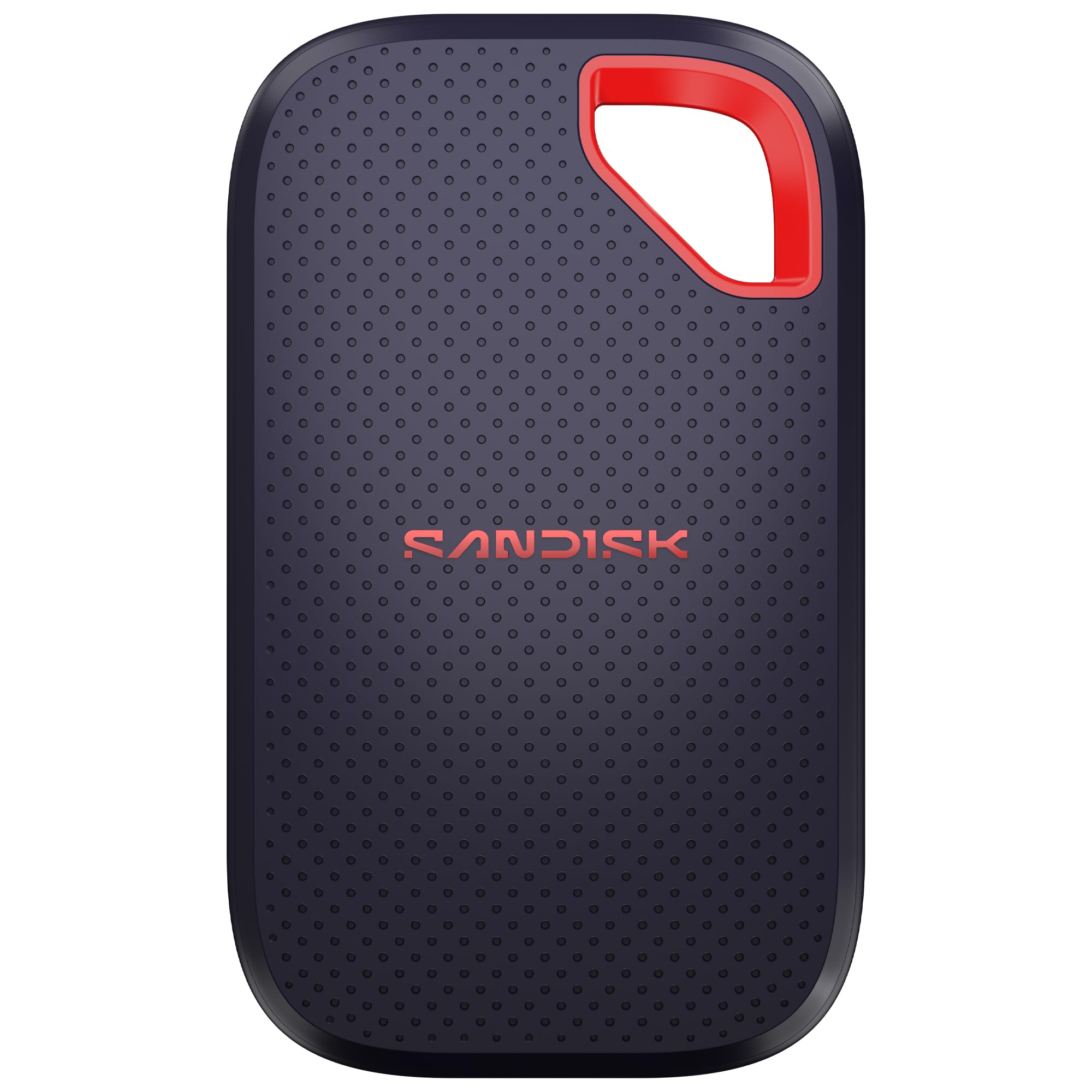
The 600 MB/s ceiling is the first thing to understand about this SanDisk. It is not trying to compete with the 1,050 or 2,000 MB/s drives here, and that is fine for documents, photo backups, and moving a folder between laptops. What stands out is the package: 1TB, a tiny 1.12-ounce body, USB-C, and up to 2-meter drop protection for a budget price. It is the drive we hand to someone who needs a simple backup target, not a video-editing scratch disk.

The three-year warranty is shorter than the five-year coverage on the premium picks, and the plastic body does not feel as armored as the T7 Shield. But it is small enough to leave in a bag, and the 600 MB/s speed is still several times faster than a portable hard drive. If your files are mostly photos and office documents, this is the sensible way to save money. If you move 4K footage every day, step up to a faster drive.

Pros

  • Budget 1TB capacity
  • Tiny 1.12-ounce body
  • Up to 2m drop protection

Cons

  • 600 MB/s ceiling is slower than rivals
  • Three-year warranty is shorter than premium picks
Our verdict

The SanDisk Portable SSD is the budget backup pick for documents and photos, with a tiny body and enough speed for everyday file moves.

Check Latest Price
6

RGB Gaming Setups

WD_BLACK P40

91 /100
LBD Score Outstanding

Key details

Capacity
1TB
Lighting
Custom RGB
Warranty
5 years
Transfer Speed
Up to 2,000 MB/s
View on Amazon

The P40 is the drive for a gaming setup where the hardware is meant to be seen. It has customizable RGB lighting, a shock-resistant body, and a 2,000 MB/s USB 3.2 Gen 2x2 interface, plus both USB-C and USB-A cables in the box. The lighting is controlled through WD_BLACK Dashboard, which is Windows-only, so Mac users can ignore the feature and still use the drive as a fast 1TB SSD.

It makes sense as a secondary game drive or a fast scratch disk for a desktop, not as the default travel pick. At 1TB it fills up quickly with modern games, and the RGB feature only matters if the drive stays visible. The five-year warranty is a plus, and the shock-resistant shell gives it more protection than a bare plastic enclosure. If you want the lighting and the speed, it earns its place; if you just need storage, the standard T7 or the larger P50 makes more sense.

Pros

  • Customizable RGB lighting
  • Up to 2,000 MB/s over USB 3.2 Gen 2x2
  • Shock-resistant body and five-year warranty

Cons

  • RGB software is Windows-only
  • Only 1TB of capacity
Our verdict

The P40 is for a visible gaming rig: 2,000 MB/s, customizable RGB, and a five-year warranty in a shock-resistant 1TB drive.

Check Latest Price
7

Budget Speed

Garmese X6Max

80 /100
LBD Score Excellent

Key details

Weight
1.16 oz
Capacity
1TB
Warranty
12 months
Read/write Speed
Up to 2,000/1,800 MB/s
View on Amazon

The Garmese X6Max advertises 2,000 MB/s read and 1,800 MB/s write for a low price, and it weighs just 33 grams. That combination is why it caught our eye for a secondary drive or a travel backup. It comes with a USB-C cable and a USB-C-to-USB-A adapter, plus a small storage bag, so it is ready for a laptop or a phone without extra shopping.

The catch is the support package. The warranty is 12 months, the shell is ABS rather than metal, and those choices make it a less proven long-term home for important files. The 2,000 MB/s claim also depends on a USB 3.2 Gen 2x2 host, so a standard USB-C laptop may see closer to 1,000 MB/s.

For a cheap second drive to hold a game library, a set of proxies, or a travel copy of files you already have elsewhere, it is a reasonable gamble. We do not recommend it as the only place your work lives. If the price is the main attraction and you accept the shorter warranty, it is a way to get high-speed storage for less. If you want long-term peace of mind, spend more on the T7 Shield or the SanDisk 4TB.

Pros

  • Up to 2,000/1,800 MB/s
  • Weighs just 33g
  • Includes USB-C cable, USB-A adapter, and bag
  • Low price for the speed

Cons

  • 12-month warranty
  • ABS shell is less rugged
Our verdict

The X6Max is a low-cost way to try 2,000 MB/s, best as a secondary drive where the short warranty and ABS shell are acceptable.

Check Latest Price

How We Tested These External SSDs

We built the shortlist from manufacturer spec sheets and retailer listings, then cut it down to a dozen drives we could buy and live with. Anything still on an older USB 3.0 interface was dropped. We kept a spread of capacities from 1TB to 4TB, mixed slim metal bodies with rugged rubberized ones, and included drives marketed for consoles alongside plain pocket-sized models.

Every drive got the same 100GB folder of RAW photos and game installs, copied with a stopwatch running, then a second pass of thousands of small files. We watched the transfer window to see where speeds fell off once the cache filled, and repeated each run on both a Gen 2 and a Gen 2x2 port to find where the ceiling actually sat.

Then we carried them. Each drive rode loose in a laptop bag and a coat pocket for weeks, got weighed and measured, and was checked for whether it disappeared next to a phone or bulged out of a jeans pocket. We wrote 200GB in one continuous run and checked case temperature by hand and with an infrared thermometer, noting which ones grew uncomfortable to hold or slowed down as they heated.

For compatibility, we reformatted each drive between exFAT, APFS, and NTFS and plugged them into a PS5, an Xbox, a laptop, an iPhone, and a tablet, recording which ones worked out of the box and which demanded a reformat first. Finally, we tracked cost per terabyte over the six months so the value question reflected real street prices, not launch MSRPs.

How to Choose a Portable External Ssd

Match the port before you chase the speed

USB-C is a connector, not a speed rating. A laptop with USB 3.2 Gen 2 tops out around 1,000 MB/s, so a 1,050 MB/s drive like the Samsung T7 or T7 Shield already uses the available bandwidth. The 2,000 MB/s drives here need a USB 3.2 Gen 2x2 host, and plenty of laptops and consoles do not have one. Check the port specification, not just the shape of the plug.

Once you know your port, the choice gets simpler. For everyday backups and 4K editing, 1,050 MB/s is the practical sweet spot. For large game libraries or multicam footage, a 2,000 MB/s drive can pay off, but only if the rest of the chain supports it. A fast drive on a slow port is just an expensive drive.

Choose capacity around the work

An external SSD fills up faster than the label suggests. Windows reports a 1TB drive as roughly 931GB because of binary measurement, and you need free space for temp files and updates. For documents and photos, 1TB is a comfortable start. For a video project library or a modern game collection, 2TB is the more realistic floor; a 4TB drive like the SanDisk Extreme 4TB makes sense when you want one archive rather than a drawer of smaller drives.

Leave 15 to 20 percent free. Drives slow down when they are nearly full, and a little headroom makes backups and edits less fussy. If you are between sizes, go up rather than plan to clean up every month.

Decide how much protection you need

Ruggedness is the easiest feature to overpay for, and the easiest to miss. If the drive lives on a desk, a slim model like the Samsung T7 is the better value; the extra sealing on the T7 Shield does not help much there. If it rides in a camera bag or a backpack, IP65 water and dust resistance and drop protection are worth the premium. The SanDisk Extreme 4TB also carries IP65 and a five-year warranty, so it covers both capacity and travel.

Check the body, too. A metal case can feel sturdier but runs warm; an ABS shell saves weight but offers less armor. Neither is a substitute for a backup.

Check compatibility and console rules

Format the drive for the computers you actually use. exFAT is the easy cross-platform choice for Mac and Windows; APFS is Mac-only; NTFS is Windows-first. Reformatting is normal, not a defect, but it wipes the drive, so do it before you fill it. Phones and tablets add another layer: USB-C models can usually read a bus-powered SSD, while older Lightning devices need an adapter and may not supply enough power.

Consoles have their own rules. An external SSD can hold and play some backward-compatible games, but current-generation PS5 and Xbox Series X|S titles often need internal storage or an approved expansion card to play. The WD_BLACK P50 includes both USB-C and USB-A cables, which removes one common trip-up.

Read the warranty as support, not a reliability rating

A three-year warranty is common on mainstream drives; five years is a meaningful upgrade on the SanDisk Extreme 4TB, WD_BLACK P50, and WD_BLACK P40. That longer coverage buys a replacement if the drive fails, not recovery of the files on it. We treat warranty length as a tiebreaker, not proof that one drive will outlast another.

Buy the drive for the job, then keep a second copy of anything you cannot lose. That habit matters more than any single specification on this page.

Frequently Asked Questions

Final Verdict

For most people, the Samsung T7 is the external SSD we recommend first. It delivers 1,050/1,000 MB/s speed in a slim, light body, works across Mac and Windows with a reformat, and costs less than the rugged Shield. If the drive will travel in a camera bag, the T7 Shield is the better buy for its IP65 sealing and drop protection.

If capacity is the deciding factor, the SanDisk Extreme 4TB is the alternative: four terabytes, 2,000 MB/s, and a five-year warranty in a pocketable body. Console owners should look at the WD_BLACK P50 instead, because its 4TB capacity and included cables make it the easier plug-and-play game library.