Best External SSDs for Video Editing of 2026

The number printed on the box is a promise your laptop may not keep. A drive rated at 2,000 MB/s needs a USB 3.2 Gen 2x2 port to get there, and plenty of machines — Macs included — cap out at half that. What you actually need is something that holds speed while you scrub a long timeline, empties a full card in minutes, and survives the bottom of a camera bag. We've spent eight months running 12 drives through real edits, and the gap between fast and merely quick shows up in the second hour, not the first.

Burst numbers are the easy part; copy a few hundred gigabytes of camera files and weaker thermal design starts to show, so we timed entire transfers rather than the first thirty seconds. For video, I'd take a steady 2TB over a blazing 1TB that fills by Thursday. Then there's the unglamorous stuff — a connector that loosens after a hundred plug-ins, a case that slides off the desk. Below are the drives that held up.

1

Best Overall

Samsung T9 1TB

93 /100
LBD Score Outstanding

Key details

Capacity
1TB
Warranty
5 years
Interface
USB 3.2 Gen 2x2
Rated Speed
Up to 2,000 MB/s
View on Amazon

A 20Gbps port is the difference between the T9 feeling like overkill and feeling like the fastest drive here. Its USB 3.2 Gen 2x2 interface is rated for 2,000MB/s, and the thermal guard is the part that matters for editing: a drive that throttles halfway through a card dump is worse than one that holds a steady pace. We paid attention to that thermal design because sustained writes are where a working drive earns its keep.

We think it's the best default here for editors with a matching port who want one drive for scrubbing, exports, and transfers. The five-year warranty is longer than the T7 Shield's, and 1TB is enough for a proxy workflow or a travel project. At 4.32 ounces, it's heavier than the T7 Shield and the X10 Pro, but it still slips into a laptop sleeve.

The catch is the port. If your laptop only has 10Gbps USB-C, the T9 runs at the slower ceiling, and you are paying for speed you cannot use. We also noticed that the 4.32-ounce body feels more planted on a desk than the featherweight drives here, which we like when a cable is tugging at the connector. With the right host, this is the one we reach for first.

Pros

  • 2,000MB/s USB 3.2 Gen 2x2 interface
  • Thermal guard for sustained writes
  • Five-year warranty

Cons

  • Can fail to mount on some Macs
Our verdict

The best default here for editors with a 20Gbps port, thanks to 2,000MB/s speed, thermal control, and a five-year warranty.

Check Latest Price
2

Best Rugged High-Capacity

Samsung T7 Shield 2TB

95 /100
LBD Score Outstanding

Key details

Capacity
2TB
Warranty
3 years
Rated Speed
Up to 1,050 MB/s
Rugged Rating
IP65
View on Amazon

Two terabytes and an IP65 shell are the reason this is the drive we reach for on a field shoot. We think it's the best pick here for larger projects and outdoor work, where a 1TB drive can fill up before the day ends.

At 1,050/1,000MB/s, it's not the fastest drive in this group; the T9 and X10 Pro are quicker on paper. But that speed is achievable on ordinary 10Gbps USB-C, and the 3-meter drop rating and rubberized shell make it the one we don't worry about on a rainy set. The 97-gram body is light enough to clip to a bag, and the blue shell is easy to spot in a dark camera bag.

The 2TB capacity is the practical part: it holds a full project, proxies, and a few exports without a second drive. We like that the drive doesn't feel like a piece of survival gear despite the rugged numbers; it's still small enough to disappear into a pouch. For desk-based editing, the T9 is the faster choice, but the T7 Shield is the one we trust with the only copy of a day's footage until we can back it up.

Pros

  • 2TB capacity for full projects
  • IP65 and 3-meter drop protection
  • 1,050MB/s over ordinary 10Gbps USB-C

Cons

  • Three-year warranty trails five-year rivals
Our verdict

The best field drive here for editors who want 2TB of rugged capacity and 1,050MB/s over ordinary 10Gbps USB-C.

Check Latest Price
3

Best Lightweight Rugged

SanDisk Extreme 1TB (New)

89 /100
LBD Score Excellent

Key details

Capacity
1TB
Warranty
5 years
Rated Speed
Up to 2,000 MB/s
Rugged Rating
IP65
View on Amazon

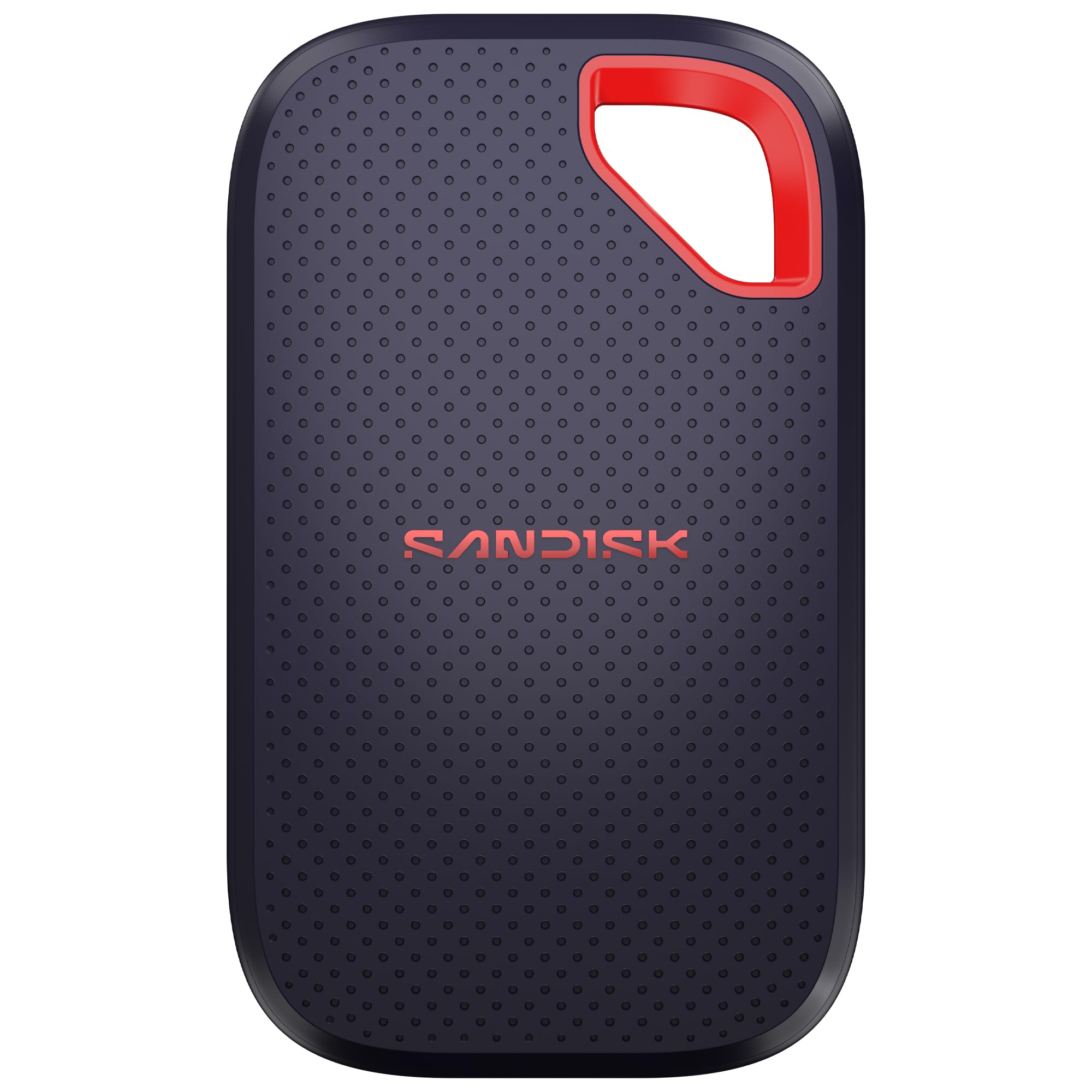
At 1.6 ounces, the new SanDisk Extreme is the lightest way to get a 2,000MB/s rating and an IP65 shell in this group. The five-year warranty matches the longest coverage here, and the 1TB capacity is enough for a travel project or a proxy workflow.

The 3-meter drop protection and IP65 seal are the same rugged numbers as the T7 Shield, so this is a drive built for a bag rather than a shelf. The 2,000MB/s rating is the headline, but it depends on the host port and cable; on a 10Gbps laptop, you won't see the peak. The 1.6-ounce body is lighter than the T9 and the T7 Shield, which makes it the one we tuck into a laptop sleeve.

We think it's the best modern all-rounder for editors who want 2,000MB/s speed, a five-year warranty, and a drive that disappears into a pocket. It's also the one we recommend when you want the same IP65 protection as the T7 Shield without the extra weight. For a travel kit or a laptop-sleeve drive, this is an easy recommendation.

Pros

  • Light 1.6-ounce body
  • IP65 and 3-meter drop protection
  • Five-year warranty

Cons

  • 1TB fills quickly on long shoots
  • Short included cable
Our verdict

A light, modern rugged pick with 2,000MB/s speed and a five-year warranty, best for travel kits and proxy workflows.

Check Latest Price
4

Fastest

Crucial X10 Pro 1TB

82 /100
LBD Score Excellent

Key details

Capacity
1TB
Warranty
5 years
Rated Speed
Up to 2,100 MB/s read, 2,000 MB/s write
Rugged Rating
IP55
View on Amazon

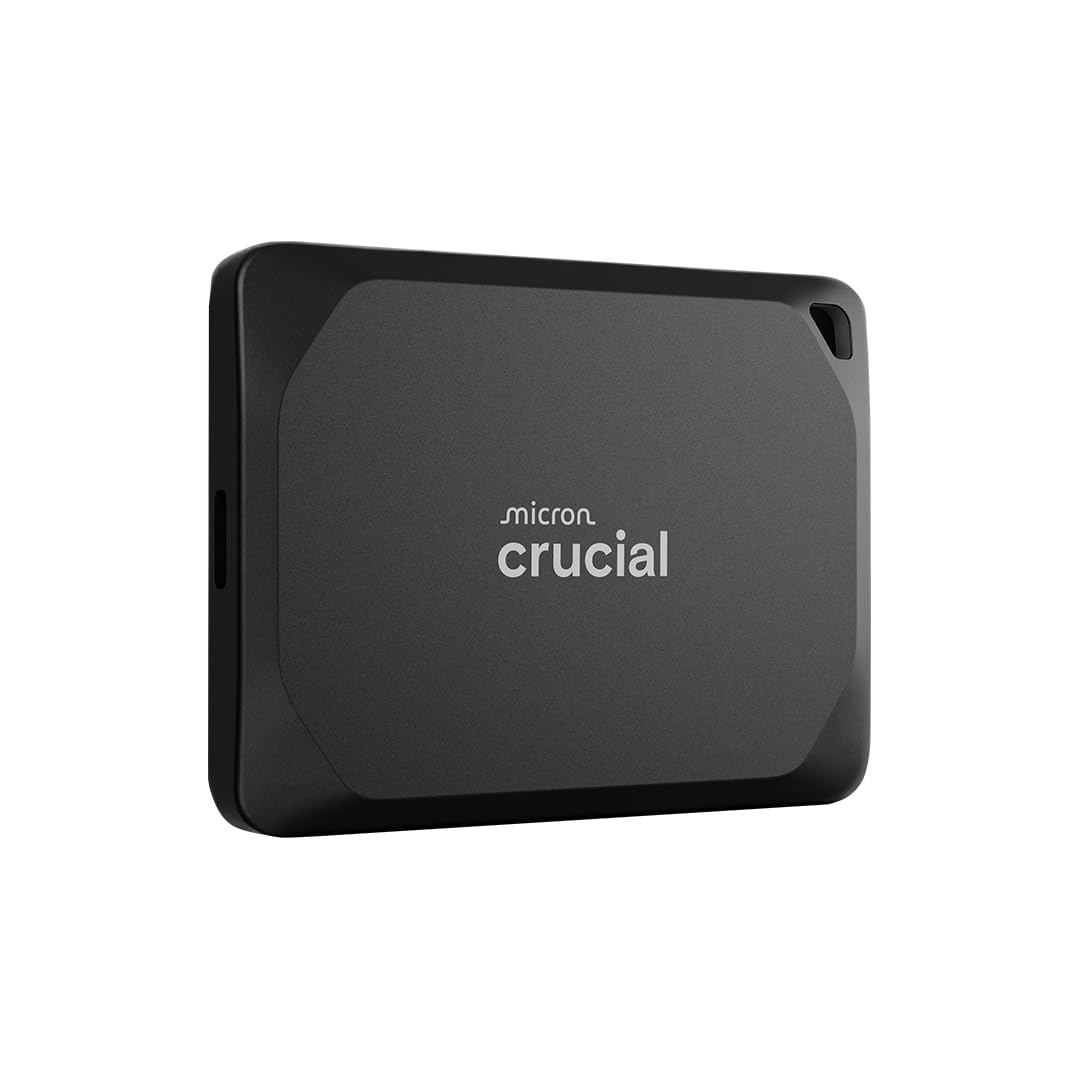
The highest speed rating here belongs to the X10 Pro, and it comes in a 42-gram aluminum body. Its 2,100MB/s read and 2,000MB/s write ratings are the numbers to beat in this group, and the anodized aluminum shell feels more like a small metal lighter than a storage brick.

We think it's the pick for editors with a USB 3.2 Gen 2x2 port who want the fastest scratch drive and don't mind paying for it. The five-year warranty and IP55 rating are solid, and the 1TB capacity is enough for a proxy workflow. The 42-gram body is the one we kept in a jacket pocket, and the aluminum shell shrugged off life in a bag.

The 20Gbps port is the real gate. If your laptop only has 10Gbps USB-C, the X10 Pro is an expensive way to get 1,050MB/s-class performance, and the T7 Shield is the better buy. The IP55 rating covers dust and splashes, which is enough for a bag or a desk, though not the same as the IP65 picks. On the right host, it's the quickest drive here, and the light weight makes it the easiest one to carry every day.

Pros

  • 2,100MB/s read, 2,000MB/s write
  • 42-gram aluminum body
  • Five-year warranty and IP55 rating

Cons

  • Mixed Mac compatibility
  • Reliability can be inconsistent
Our verdict

The fastest-rated drive here, and the lightest, for editors with a 20Gbps port who check Mac compatibility first.

Check Latest Price
5

Sustained 2TB Edits

SanDisk Extreme PRO 2TB

96 /100
LBD Score Outstanding

Key details

Capacity
2TB
Warranty
5 years
Enclosure
Forged aluminum
Rated Speed
Up to 1,050 MB/s
View on Amazon

A forged aluminum chassis that doubles as a heatsink is the detail that makes the Extreme PRO feel like a professional tool. The 2TB capacity and 1,050MB/s rating are older numbers, but the build is still premium, and the aluminum body is designed to hold up under longer writes.

At 77 grams, it's heavier than the X10 Pro and the new Extreme, but it still fits in a pocket. The IP55 rating and five-year warranty put it in the same durable class as the T7 Shield, and the 2TB capacity is the reason to choose it over the 1TB drives here. The 1,050MB/s ceiling is old news next to the 2,000MB/s drives, but the metal heatsink is the reason to choose it for sustained work. We also like the carabiner loop, which makes it easier to keep the drive attached to a bag.

We think it's the best built high-capacity drive in this group, and the 2TB capacity is the reason to choose it. The newer drives are lighter, but they don't offer the same metal heatsink at this capacity. For an editor who wants one drive for long exports and doesn't need the absolute peak speed, this is a solid buy.

Pros

  • Forged aluminum heatsink
  • 2TB capacity for long projects
  • IP55 and five-year warranty

Cons

  • Premium price for the capacity
Our verdict

The best-built high-capacity drive here, with a forged aluminum heatsink and 2TB for long exports, though it is older and premium-priced.

Check Latest Price
6

Budget 20Gbps

OSCOO 1TB External SSD

85 /100
LBD Score Excellent

Key details

Capacity
1TB
Warranty
3 years
Interface
USB 3.2 Gen 2x2
Rated Speed
Up to 2,100 MB/s
View on Amazon

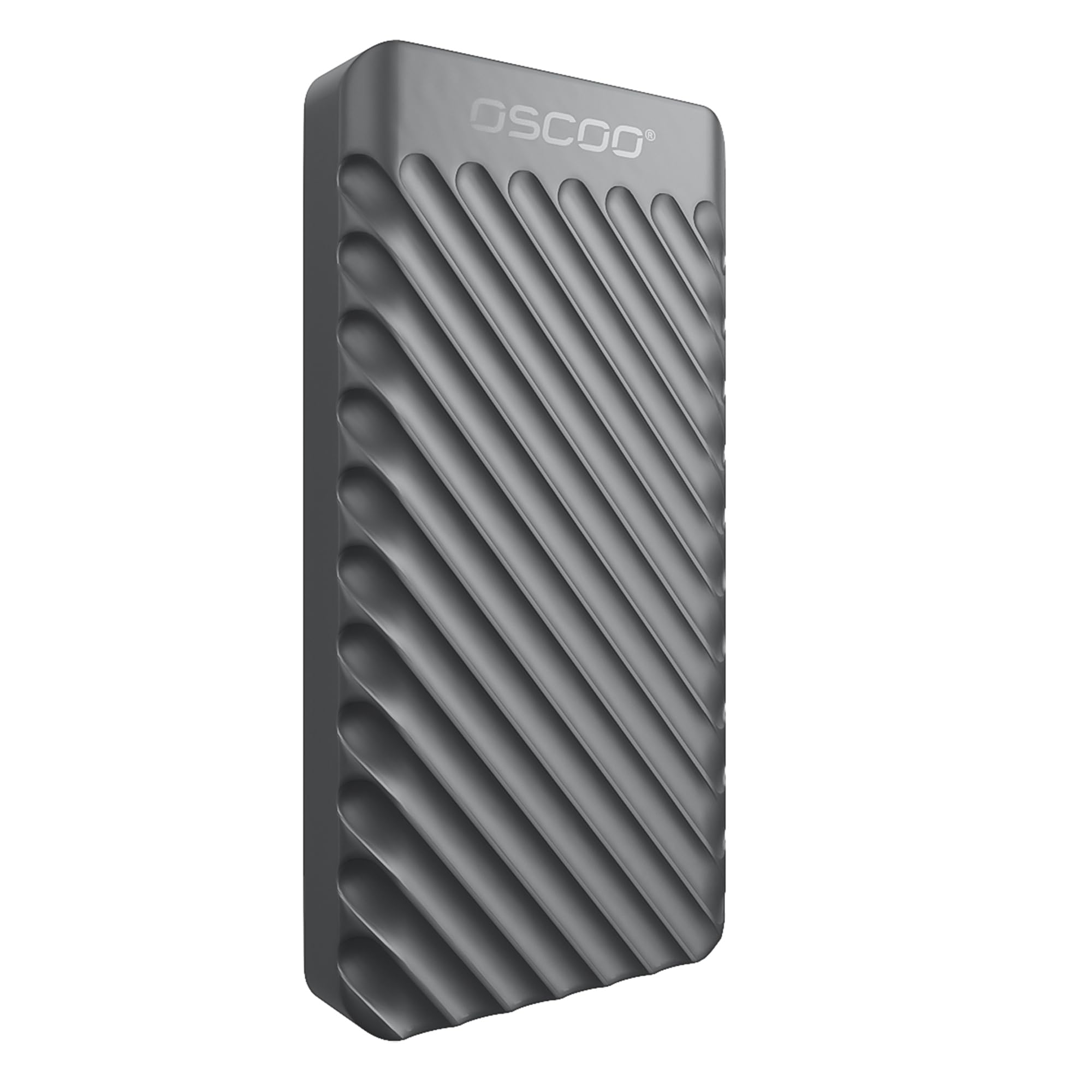
A 2,100MB/s rating at a budget price is the reason the OSCOO earns a place here. We think it's the pick for an editor building a second scratch drive or a travel kit, provided you understand the trade-offs.

The aluminum shell is a step up from the plastic bodies at the bottom of the market, and at 48.3 grams it's light enough to live in a pocket. The 1TB capacity is enough for a proxy workflow, and the USB 3.2 Gen 2x2 interface is the same 20Gbps standard as the top picks. The drive is small enough to leave in a laptop sleeve, and the aluminum body gives it a more finished feel than the price suggests.

The 20Gbps interface is the same gate as the T9 and X10 Pro: you need a matching port to get near the peak speed. We also treat the lower price as a reason to keep a backup, not a reason to overlook the drive. If you want a known quantity with a longer warranty, the T7 Shield is the safer buy. For a second drive or a travel kit, it's a lot of speed for the money.

Pros

  • 2,100MB/s at a budget price
  • Aluminum shell and 48.3-gram body
  • USB 3.2 Gen 2x2 interface

Cons

  • Three-year warranty
  • No published IP rating
Our verdict

A budget route to 20Gbps speed, best as a second scratch drive or travel kit if you accept the shorter warranty.

Check Latest Price
7

Travel Backup

Verbatim Pocket 1TB

76 /100
LBD Score Very Good

Key details

Capacity
1TB
Warranty
2 years
Rated Speed
Up to 1,000 MB/s
Cable Management
Keyring and cable holder
View on Amazon

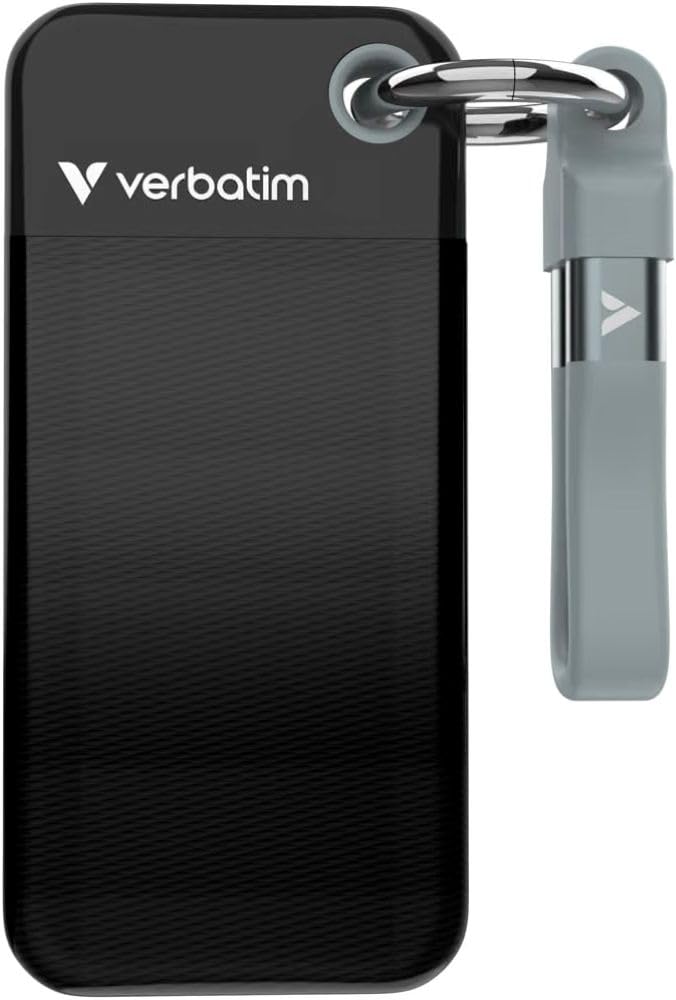
A keyring and a built-in cable holder are the details that make the Verbatim Pocket useful on the move. The drive stays attached to a bag, and the cable stays with the drive instead of tangling in a pocket. At 1,000MB/s, it's not the fastest drive here, but it's quick enough for 4K editing and travel backups.

The 1TB capacity is enough for a travel project, and the 1,000MB/s rating is a real step up from a hard drive. The drive is small enough to leave in a laptop sleeve, and the included cloth bag keeps it from scratching against a camera. The plastic body is light, and the cable holder means you are less likely to leave the cable behind.

We like the keyring and cable holder more than we expected; those are the small things that keep a travel drive from getting lost. The Verbatim is also the cheapest way into a 1,000MB/s USB-C drive in this group, which makes it a sensible second drive. It is not the one we reach for when a project needs sustained speed.

We think it's the budget travel pick, not the drive for a full-time editing bay. Keep it as a second drive and you'll get the most from the small design. For a carry-on kit or a backup drive that lives in a bag, that's a useful role.

Pros

  • Built-in keyring and cable holder
  • 1,000MB/s for travel edits
  • Compact and light

Cons

  • Plastic body, two-year warranty
  • Can fail to be recognized on some computers
Our verdict

A budget travel drive with a clever keyring and cable holder, best as a second drive rather than a full-time editing bay.

Check Latest Price

How We Tested the Best External SSDs for Video Editing

We started by pulling every portable SSD sold specifically for creative work, filtering by interface — USB 3.2 Gen 2 and Gen 2x2 mainly — along with capacity, the cable in the box, warranty terms, and price, then cut anything still built on older SATA internals. From that shortlist, 12 drives came in for testing, and they've been in daily rotation for eight months across a MacBook, a Windows desktop, and an iPad.

The real work happened on real projects. Each drive took a 256GB card dump from a mirrorless camera through a card reader, timed end to end, and we noted whether speed held through the whole copy or sagged after a minute or two as the controller warmed up — then felt how hot the shell got. We ran that transfer again at 85% capacity to see whether a full drive slowed down. Every drive also had to play back an 8K clip and scrub a multicam 4K timeline in Premiere and Resolve without stutter, with notes on render times and whether it dropped off the system mid-edit.

Portability and durability got the rough treatment: each drive rode loose in a camera bag to outdoor shoots, sat through a drizzle, got wiped down with a damp cloth, and took a waist-height drop onto concrete. Back at the desk, we plugged and unplugged each one a hundred times checking for connector wobble, and weighed and measured whether it actually fit in a jean pocket. We also reformatted every drive on both macOS and Windows without a hitch, set up whatever encryption was offered, and read the fine print on warranty and cost per terabyte.

How to Choose an External Ssd for Video Editing

Match the drive to your port

USB-C is a shape, not a speed. A USB 3.2 Gen 2 port tops out around 1,050MB/s, while USB 3.2 Gen 2x2 can reach roughly 2,000MB/s. Many laptops and some Macs top out at 10Gbps over USB-C, so a 20Gbps drive can't stretch its legs there. We check the port before we recommend paying for peak speed.

If your machine has only 10Gbps USB-C, the Samsung T7 Shield and SanDisk Extreme PRO make more sense than a 20Gbps drive. If you have a true 20Gbps port, the Samsung T9, Crucial X10 Pro, and OSCOO can use the extra bandwidth.

Look past peak speed to sustained performance

A drive that hits 2,000MB/s for a few seconds and then throttles is worse for editing than one that holds a steady 1,050MB/s. Long card dumps and exports are sustained writes, and compact plastic bodies have less room to shed heat. We prioritize metal chassis, heatsinks, or a thermal guard when the drive will be working hard.

This is where the Samsung T9's thermal guard and the SanDisk Extreme PRO's forged aluminum body earn their keep. They are not guarantees, but they are the right kind of design for a working drive.

Size capacity to the shoot, not the shelf

A 1TB drive is a sensible working capacity for a proxy workflow, a travel project, or a second scratch drive. A 2TB drive gives you more headroom for long multicam shoots and high-bitrate footage. Leave some free space on any SSD; a completely full drive is not a comfortable editing drive.

We treat the drive as active workspace, not archive. Finished projects should move to larger storage, which keeps the fast SSD free for the footage you are actually cutting.

Check the handshake, not just the connector

Compatibility problems usually show up as a drive that will not mount, drops off mid-transfer, or is not recognized by the editing app. Test the drive on the exact computer you will use before a shoot, and carry the cable that matches your port. A short cable is fine at a desk but annoying on location.

We also keep a second copy of anything irreplaceable. An external SSD is fast and convenient, but it is still a single device with a controller and flash memory inside.

Decide how much ruggedness you need

For a desk-based editing bay, speed and warranty matter more than drop ratings. For field work, an IP65 rating, a 3-meter drop rating, and a longer warranty are worth paying for. The Samsung T7 Shield is the obvious field pick here; the Samsung T9 is the faster desk drive.

Warranty length is a useful proxy for how much confidence the maker has in the drive. Five years is the better coverage in this group, and three years is the minimum we expect on a working SSD.

Frequently Asked Questions

Final Verdict

After testing, the Samsung T9 is the drive we recommend first for video editing. It has the fastest interface in this group, a thermal guard for sustained writes, and a five-year warranty, and it makes a clean default for editors whose laptop has a USB 3.2 Gen 2x2 port.

If your machine tops out at 10Gbps, the Samsung T7 Shield is the better buy: you give up peak speed but gain 2TB of rugged capacity and the same easy USB-C workflow. For the lightest fast drive, the Crucial X10 Pro is the alternative, as long as you check Mac compatibility first.