Best Filament Dryers of 2026

Filament is a sponge. A spool left sitting on the shelf pulls moisture out of the air, and that moisture flashes to steam at the nozzle, which is why a roll that printed clean in January starts popping, stringing, and delaminating by July. A dryer holds the spool at a low, controlled heat while air moves past it, and the real differences between models come down to how many spools go in at once, whether the chambers heat independently, and whether the humidity reading on the front can be trusted.

I've tried the oven trick (don't) and I've lost most of a roll of PA to a muggy week. Over the past eight months my team and I have run 11 dryers through ordinary shop conditions, and the pattern held: capacity and an honest sensor matter more than a big temperature number. If you print PLA and PETG, 70°C is plenty; the higher ceilings are for nylon and polycarbonate, and only if the chamber actually holds them steadily. What you're really buying is a flat first layer and a spool that behaves the same in August as it did in February.

These machines also run for hours, often a few feet from where you're sitting, so fan noise and a readable interface count for more than the spec sheet suggests. The ones below earned a permanent spot beside the printer.

1

Best Overall

SUNLU S4

88 /100
LBD Score Excellent

Key details

Heater
350W PTC
Spool Capacity
4 spools (1 kg each)
Air Circulation
Three fans
Max Temperature
70℃
View on Amazon

Four spools is the point where a dryer stops being a gadget and starts being part of the workflow. The SUNLU S4 takes four 1 kg rolls at once, and its three circulation fans are there to keep heat moving around all of them rather than baking the side nearest the heater. That combination is why we recommend it for a typical home printer: you can dry a week's worth of PLA and PETG in one cycle instead of rotating spools through a single-spool box.

The 350W PTC heater and 70°C ceiling are not the highest here—the Creality X4 and Comgrow SH03 go to 85°C—but 70°C is enough for the materials most people print. We like the presets and the adjustable timer because they make a long dry less of a manual exercise. The eight filament exit holes are a detail we didn't expect to care about: with several printers around a bench, you can leave spools in the box and feed more than one machine without unsealing the lid.

The S4 is at its best when you keep a batch of common filament moving. For PLA, PETG, TPU, and the usual workshop filaments, it has the capacity and airflow we want without the complexity of independent chambers. The four-spool box is also easy to keep loaded, which is the point of paying for capacity in the first place.

Pros

  • Dries four 1 kg spools at once
  • Three fans circulate heat around the chamber
  • Eight exit holes feed multiple printers
  • Presets simplify material changes

Cons

  • Large footprint for a small desk
Our verdict

We recommend the S4 for most home setups: four spools, even airflow, and a 70°C ceiling that covers PLA, PETG, and TPU.
Check Latest Price
2

Best for Engineering Filaments

Creality Space Pi X4

88 /100
LBD Score Excellent

Key details

Heating
Dual 200W PTC
Chambers
Dual independent
Spool Capacity
4 spools
Max Temperature
85℃
View on Amazon

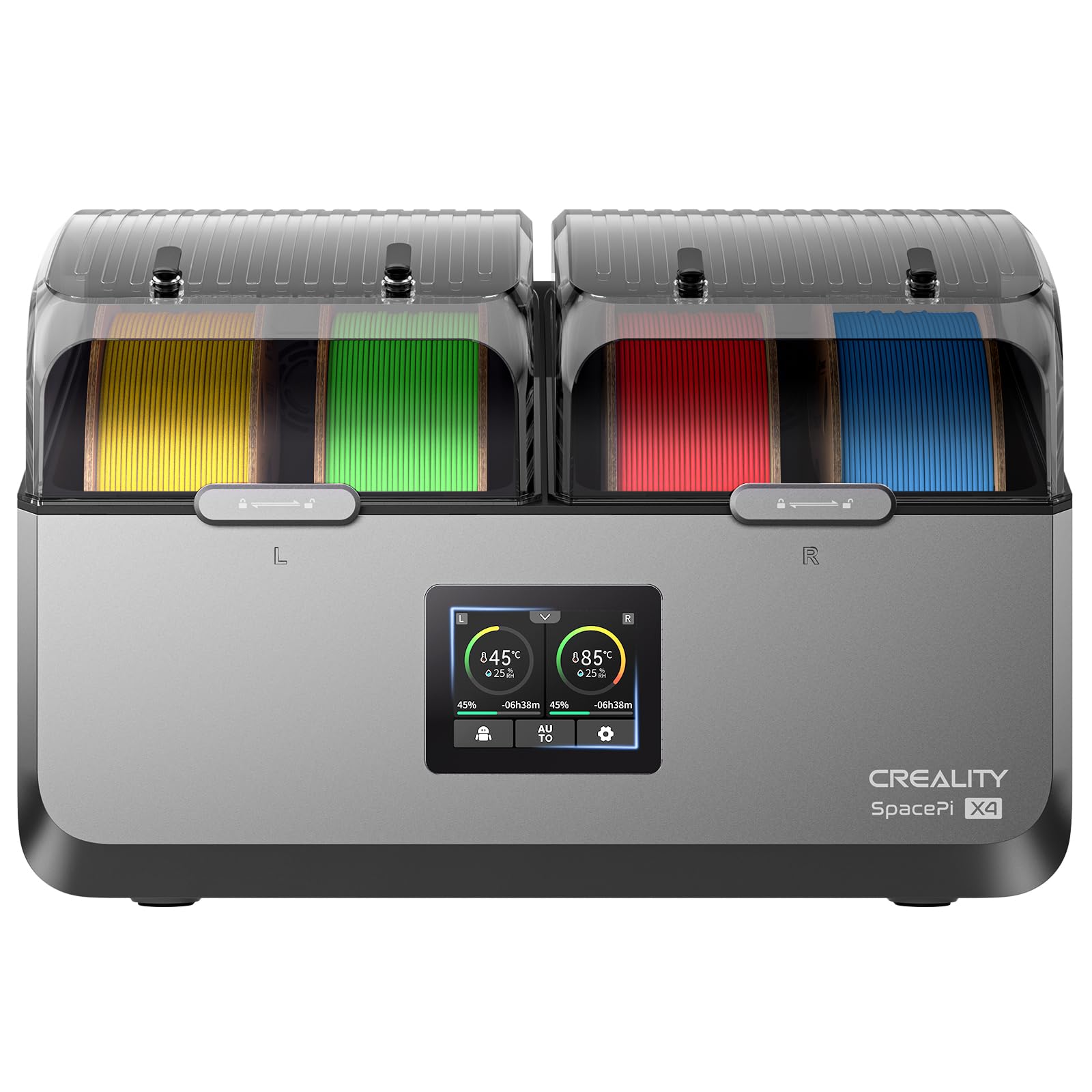
Eighty-five degrees is the number that separates the Creality Space Pi X4 from most of this group. Each of its two chambers has its own 200W PTC heater and independent temperature control, so you can dry a spool of PAHT on one side and PLA on the other without compromising either. The box holds four spools, and it can dry and print from them at the same time.

We think the independent chambers are the real feature, not the headline temperature. You can run one chamber only when you have a single spool to dry, which saves power and keeps the other side available for storage. That flexibility is what makes the X4 a serious engineering-filament box rather than just a bigger single-zone dryer. The 85°C ceiling covers the high-temp materials that the S4 and Space Pi SE cannot reach, and the insulated chambers help hold that heat.

The X4 is at its best when your filament shelf includes materials that need 80°C-plus and you want to dry two types at once. For a PLA-and-PETG-only bench, the S4 is easier to justify; the X4's extra heat and chambers are capacity you may never use.

Pros

  • Dual chambers hold independent temperatures
  • 85°C ceiling suits engineering filaments
  • Four spools dry and print at once
  • Single-chamber mode saves power

Cons

  • Premium price for the four-spool class
  • Humidity readings can be inconsistent
Our verdict

We point engineering-filament printers to the X4: dual independent chambers and an 85°C ceiling make the premium easier to justify.

Check Latest Price
3

Best High-Capacity Value

Comgrow SH03

87 /100
LBD Score Excellent

Key details

Heating
Dual 200W PTC
Chambers
Dual independent
Spool Capacity
4 spools (1 kg each)
Max Temperature
185℉ (85℃)
View on Amazon

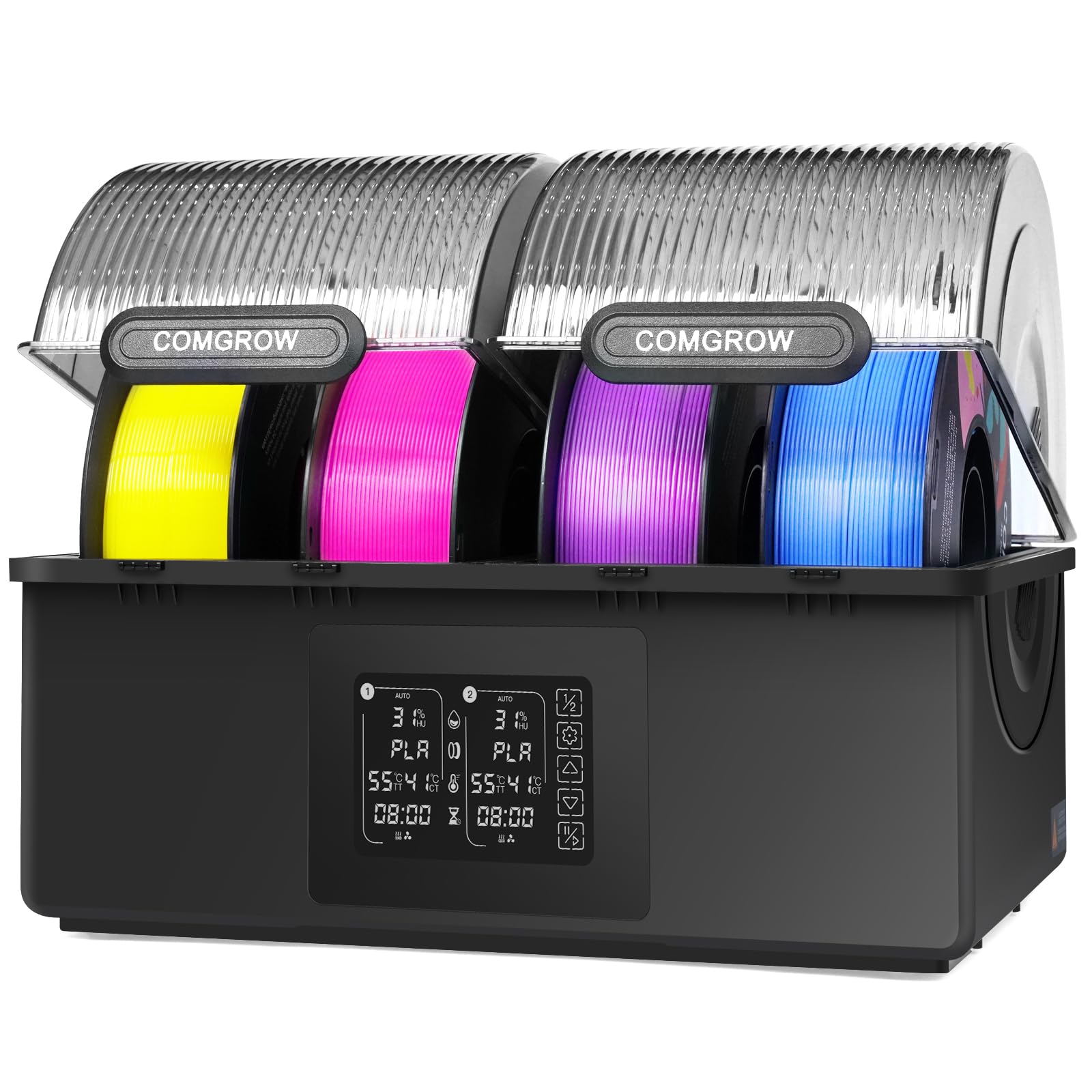
A four-spool dryer with two independently heated 85°C chambers is the expensive end of this category, which is what makes the Comgrow SH03 worth a look. It uses dual 200W PTC heaters, reaches 185°F (85°C), and holds up to four 1 kg spools across its two chambers. The automatic drying mode is meant to save energy by activating only when it is needed.

The SH03 also has a four-part protection and monitoring system, including outlet temperature monitoring and PTC protection. That matters because these boxes run for hours, often unattended, and heat is the part you cannot see. The 360° hot-air fan is there to even out the chamber, and the dual chambers let you keep one side available for storage while the other dries. Both chambers can run together or separately, so you can scale the box to the job.

We like the SH03 most for a workshop that wants high-temp capacity without paying premium money. The dual chambers and 85°C ceiling are the reason it earns a place beside the X4, and the automatic mode makes a long dry less wasteful. If you dry one spool at a time, it is more box than you need; for four-spool production, it earns its shelf space.

Pros

  • Dual 85°C chambers dry high-temp filaments
  • Four 1 kg spools fit at once
  • Automatic drying mode saves energy
  • Four protection and monitoring functions

Cons

  • Fan noise during long cycles
Our verdict

We like the SH03 for high-capacity value: four spools, dual 85°C chambers, and automatic dehumidification without the premium price.

Check Latest Price
4

Best Budget

Creality Space Pi SE

87 /100
LBD Score Excellent

Key details

Heating
PTC with fan
Controls
Knob and display
Spool Capacity
1 kg spool
Temperature Range
45–65℃
View on Amazon

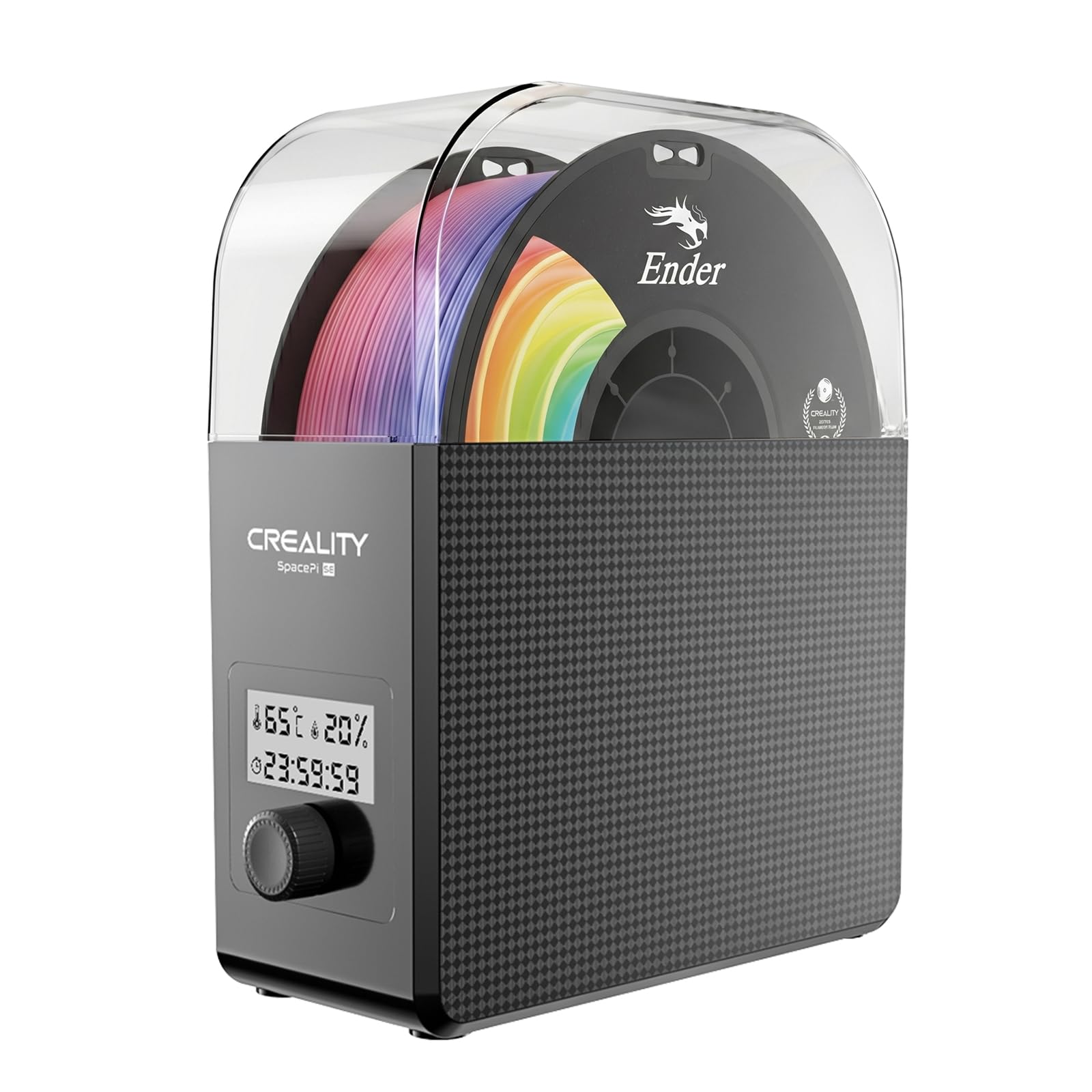
If you want to dry one spool without learning a menu system, the Creality Space Pi SE is the one we point to. It arrives assembled, and the knob-and-display controls are about as close to plug-and-play as this category gets. There is no touchscreen to fight, no preset menu to scroll through, and no reason to read a manual before your first dry.

The 45–65°C range is aimed at common materials, and the built-in fan circulates air around the chamber. We appreciate that Creality includes real-time humidity monitoring at this price, because it gives you a way to see whether the box is actually pulling moisture out. The single-spool chamber covers the usual 1 kg hobby roll, and the display is easy to read without a second glance.

The knob is the part we keep coming back to: one turn sets time, one sets temperature, and there is no touchscreen to fight when your hands are covered in filament dust. That simplicity is the whole argument for the SE. It is a single-spool box with a 65°C ceiling, so it is not the pick for ABS, PA, or PC; for PLA and PETG, it is the least fussy way into drying.

Pros

  • No assembly required
  • Simple knob and display controls
  • Real-time humidity monitoring

Cons

  • Six-month warranty is short
Our verdict

We recommend the Space Pi SE for budget single-spool drying: no assembly, simple knob controls, and a 65°C ceiling for PLA and PETG.

Check Latest Price
5

Two-Spool Desks

Comgrow SH02

87 /100
LBD Score Excellent

Key details

Heating
150W PTC
Presets
9 filament types
Spool Capacity
2 spools
Max Temperature
70℃
View on Amazon

Nine filament presets on a two-spool box is more control than we expected from a compact dryer here. The Comgrow SH02 sets temperature with one key for PLA, TPU, PETG, ABS, ASA, PVA, PC, PA, and PP, and the 150W PTC heater covers a 40–70°C range. The touchscreen keeps the current settings visible without a manual.

We think the SH02 is a sensible compact choice for a desk with one or two printers. It holds two spools, has sealing rings on both covers, and uses a safety cutoff that drops the heater if the PTC climbs above 130°C and restarts it below 90°C. That is the kind of backup we want in a box that runs unattended, and it makes the SH02 easier to recommend than a bare-bones single-spool unit.

For two spools of the same material, the SH02 is simpler and easier to fit on a shelf than a four-spool box. The sealed design also means you can leave filament in it between prints, which is half the point of owning a dry box. It is a useful middle step between a single-spool budget box and a four-spool production dryer.

Pros

  • Nine one-key filament presets
  • 150W PTC heater with 40–70°C range
  • Sealing rings on both covers
  • Safety cutoff above 130°C

Cons

  • 70°C ceiling limits engineering filaments
Our verdict

We think the SH02 is a sensible compact choice for two spools, with nine presets, a small footprint, and a useful safety cutoff.

Check Latest Price
6

Single-Spool Touchscreen

SUNLU S2

85 /100
LBD Score Excellent

Key details

Screen
4.6-inch touchscreen
Heating
Dual heating sheets
Spool Capacity
1 spool
Max Temperature
70℃
View on Amazon

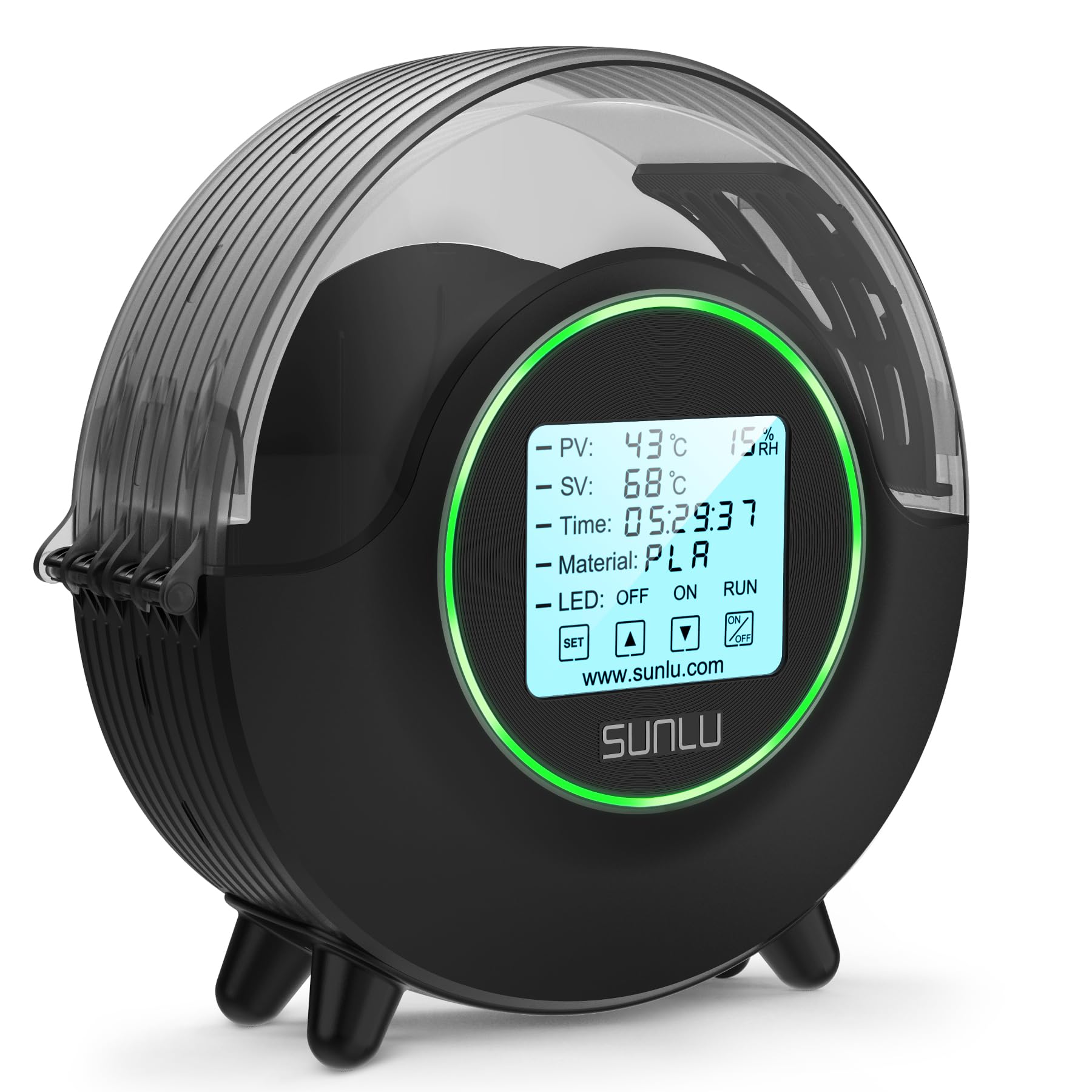
The 4.6-inch touchscreen is the first thing you notice on the SUNLU S2, and it is the reason this single-spool box stands out from the budget crowd. The screen shows temperature, time, humidity, and filament type together, so you can see the whole drying session without cycling through menus.

The 70°C ceiling gives it more headroom than the Creality Space Pi SE, and the one-key material settings are easy to read at a glance. We appreciate the dual heating sheets and 360° heating fan for even drying, which matters more on a single spool than on a big four-spool box. For PLA, PETG, and TPU, the S2 is an easy box to live with.

We recommend the S2 when the screen and the extra heat matter more to you than a few conveniences. Moisture can hang around inside during a long dry, and the practical fix is to crack the lid so the damp air has somewhere to go. That lid-cracking ritual is small, but it is the difference between trusting the humidity reading and ignoring it. The box can also feel tippy on a crowded desk, so give it a stable spot. If you want the simplest budget dryer, the Space Pi SE has fewer moving parts; if you want the display, the S2 is the one.

Pros

  • 4.6-inch touchscreen shows the full session
  • One-key settings for common filaments
  • Dual heating sheets and 360° fan

Cons

  • 70°C ceiling limits high-temp filaments
Our verdict

We recommend the S2 for a single-spool desk if you want a big touchscreen and 70°C heat, but plan to vent it manually.

Check Latest Price

How We Tested Filament Dryers

We built the shortlist by pulling spec sheets and listing details from the brands that dominate this space, then filtering for chamber count, spool capacity, maximum temperature, heater type, and price. Anything without a real humidity readout, a listed temperature range, or accessible spare parts came off the list. We bought 11 units ourselves and ran them for eight months on a bench in a basement shop that gets genuinely damp in summer.

Each dryer sat beside a running FDM printer and did what a dryer is actually asked to do: rescue spools that had been left out. We weighed every spool on a kitchen scale before and after each cycle to see how much water came out, ran the same PLA, PETG, and PA rolls through every machine, and printed identical test models from wet and dried filament to compare surface finish and first-layer adhesion. Heat-up got a probe thermometer, so we could see whether the displayed temperature matched what the chamber was doing.

For the humidity sensor, we set a separate hygrometer inside the chamber and watched whether the dryer's number tracked it or just drifted downward on a timer. Noise got measured at arm's length and from the next room, plus a simpler test: could we hear the fan over a podcast? We timed how long a one-touch cycle took to set up without the manual, then checked whether the touchscreen was legible from across the shop, since most of these sit low and to the side of the printer.

Reliability showed up over weeks rather than minutes: units that stopped holding temperature, fans that developed a rattle, and one that browned the edge of a spool. Those went to the back of the list, no matter how good the first dry was.

How to Choose a Filament Dryer

Match the Heat to the Filament

PLA, PETG, and TPU are the easy cases: a box that holds 65–70°C will dry them without much fuss. ABS, ASA, PA, and PC want more headroom, and 85°C is the ceiling worth paying for if those materials are part of your routine. The Creality X4 and Comgrow SH03 are the two picks here that reach that territory; the SUNLU S4 and Space Pi SE stop lower and are better value for common filaments.

Stay at or below the filament maker's recommended drying temperature, and don't assume a higher number is always better—overheating can soften or fuse a spool. We treat the dryer's maximum as a ceiling, not a target.

Count Spools and Chambers

Capacity is about how many rolls you can dry at once; chamber design is about whether they can dry at different temperatures. A four-spool box like the S4 is efficient when you're prepping a batch of the same material. Dual independent chambers, as on the X4 and SH03, let you dry a high-temp engineering filament on one side and PLA on the other without compromise.

If you usually dry one material at a time, a single-chamber box is simpler and cheaper; if your shelf mixes materials, pay for independence. The Comgrow SH02 sits in the middle with two spools in one compact box, which is fine for a matched pair.

Watch How Moisture Escapes

A temperature display tells you the chamber is warm, not that the moisture has left. Look for a vent, an automatic dehumidification mode, or a sealed design that lets you keep spools dry between prints. The Comgrow SH03's automatic drying mode and the Space Pi X4's sealed chamber are examples of designs that address this.

On a simpler box, you may need to crack the lid or run a longer cycle; that's a workaround, not a reason to ignore the humidity reading. A sensor that never drops is telling you something.

Plan for Noise, Space, and Service Life

Filament dryers run for hours, so fan noise and footprint matter more than they look in a listing. The four-spool boxes take real shelf space, and the fans in this category are a common weak point over time. Put the dryer where you can tolerate the sound, leave clearance around the vents, and check the warranty before you buy.

A cheap box that dies in a month is not a bargain; a larger box you never use because it's too loud is not capacity you can count on. We put more weight on a clear warranty and a return path than on an extra preset.

Frequently Asked Questions

Final Verdict

For most home printers, the SUNLU S4 is the default: four spools, even airflow, and a 70°C ceiling that covers the materials most people actually print. Move to the Creality Space Pi X4 if you need 85°C and independent chambers for engineering filaments, or the Comgrow SH03 if you want that heat and capacity for less. On a tight budget, the Creality Space Pi SE is the single-spool box we recommend.