Best Laptops for Seniors of 2026

The right laptop for an older adult isn't the fastest one on the shelf — it's the one that opens to a readable screen, stays awake when it's supposed to, and doesn't trigger a phone call to you every third day. I've set up several of these for relatives, and what causes trouble is never horsepower. It's small text, a dim glossy panel, and keys that punish stiff hands.

Over the past six months, my team and I have lived with 11 budget-friendly laptops, using them at kitchen tables and in recliners rather than on a lab bench. That's long enough to learn which ones stay quick after a few browser tabs, and which extras — a bundled Office license, an "AI assistant" key — actually earn their keep.

The advice I give everyone, whether you're shopping for a parent or finally replacing your own aging machine: ignore the processor numbers and judge the screen, the keyboard, and the battery first. Those are what you look at and touch every day, and they're where cheap laptops quietly cut corners. The picks below held up on all three — and never froze mid-task.

1

Best Overall

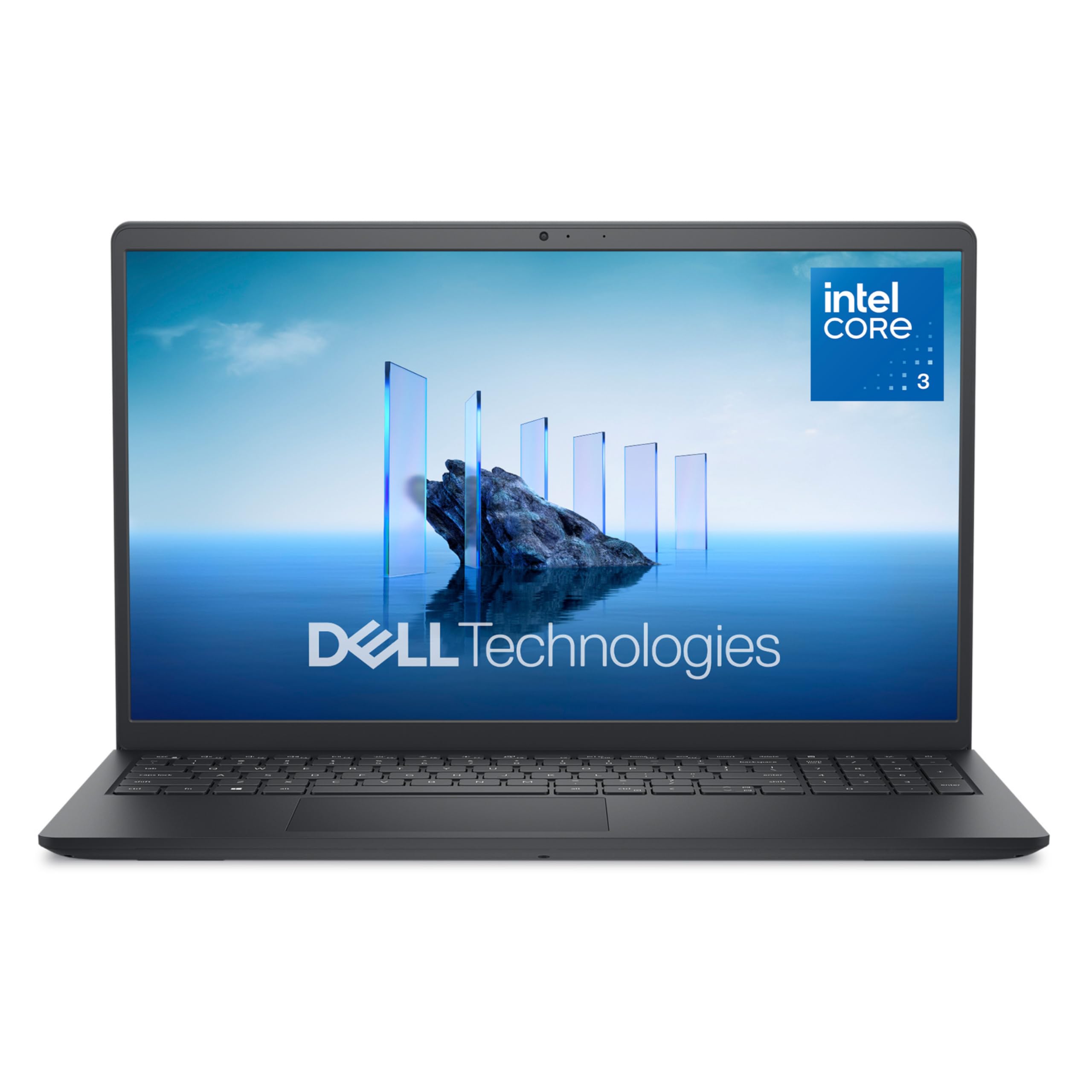
Dell 15 DC15250

83 /100
LBD Score Excellent

Key details

Weight
4.2 lb
Display
15.6 in., 1920 x 1080 anti-glare IPS
Warranty
1 year onsite service
Memory And Storage
8 GB RAM / 512 GB SSD
View on Amazon

Most budget laptops stretch 1,366 x 768 pixels across a 15-inch screen, which is the wrong trade for eyes doing more reading than they used to. The Dell 15 doesn't: its 15.6-inch panel runs 1,920 x 1,080, and on a page of email or a news site the difference isn't subtle. It's matte, so the window behind the kitchen table doesn't turn the display into a mirror. That screen is why this is the first machine we recommend, and why a couple of compromises elsewhere don't change our minds.

The rest of the laptop holds up its end. Eight gigabytes of memory and a 512 GB solid-state drive leave room for a browser, a video call, and a spreadsheet at the same time, plus years of photos. It runs full Windows 11 Home rather than the S Mode version that limits installs to the Microsoft Store, so a printer or an older program goes in the way it always did. We were also won over by the smaller decisions: a number pad for anyone paying bills online, hinges that tilt the keyboard toward you, and a ComfortView setting that takes the edge off blue light in the evening.

Where it gives ground is battery. The 41-watt-hour cell is a small allowance for a screen this size, and this is not the laptop for someone who works untethered all day. On a desk with the charger within reach, which is how most of these will actually be used, it never comes up. The year of onsite service is the other thing that justifies the price: if something fails, a technician comes to the house instead of the laptop going into a box.

Pros

  • Sharp 15.6-inch full-HD matte screen
  • 8 GB memory and 512 GB SSD
  • Full Windows 11 Home, no S Mode
  • A year of onsite service

Cons

  • Heavy at 4.2 pounds
  • No fingerprint sign-in
Our verdict

We recommend the Dell 15 to most buyers here: it's the only pick with a full-HD screen, 8 GB of memory, and onsite service, and it's happiest on a desk.
Check Latest Price
2

Best Value Windows Laptop

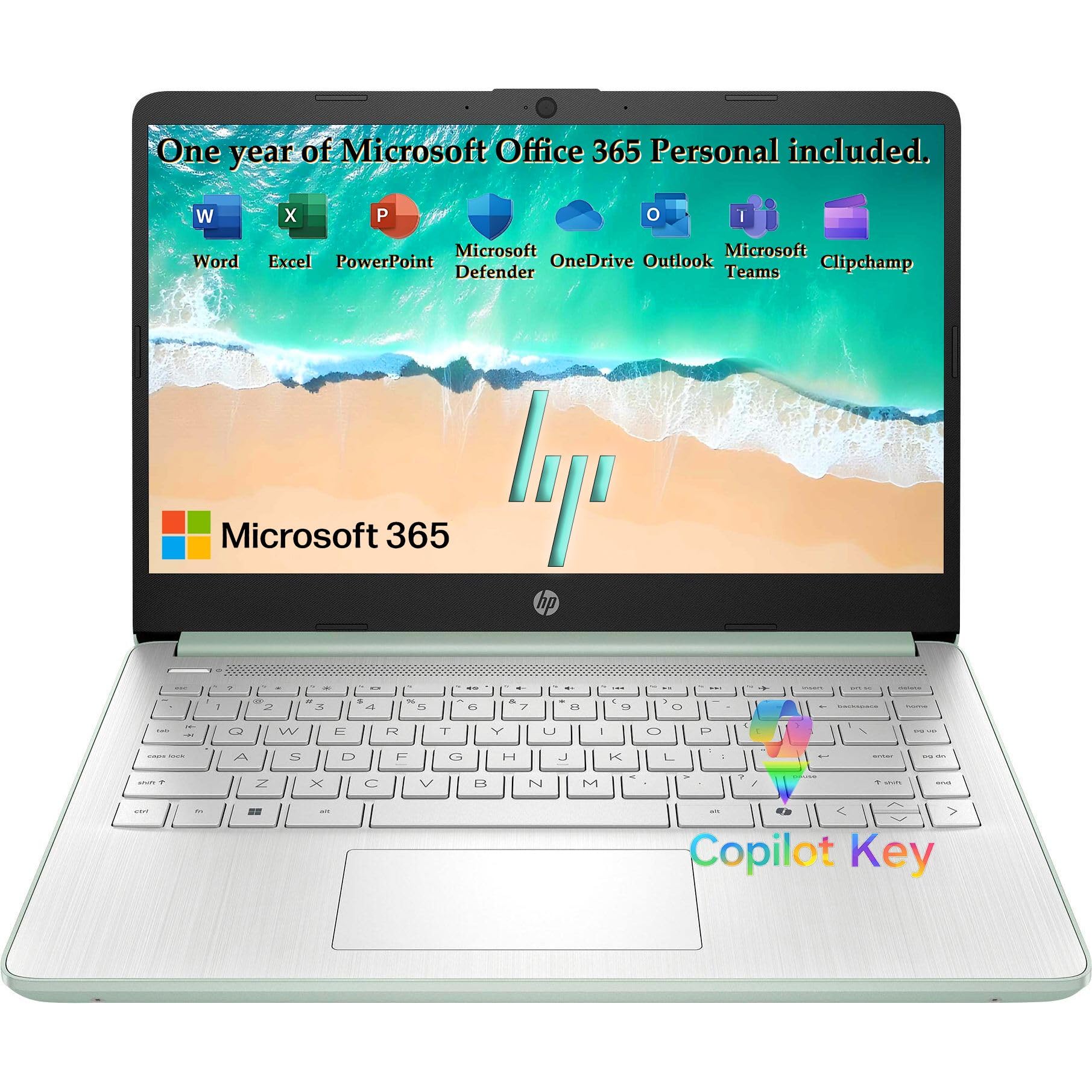
HP 14 Everyday (2027)

89 /100
LBD Score Excellent

Key details

Weight
3.24 lb
Display
14 in., 1366 x 768 anti-glare
Included Software
Microsoft 365, 1 TB cloud
Memory And Storage
4 GB RAM / 128 GB UFS
View on Amazon

This is the laptop for a household that wants a normal Windows computer, wants it to behave like the one it replaces, and has no interest in paying for capability nobody will touch. Email, a browser, a video call, a document: that's the job, and it does it on the same Windows everyone else runs, with Microsoft 365 and a terabyte of cloud storage along for the ride.

At 3.24 pounds and a little over half an inch thick, it is the lightest machine in this group, and lightness matters more than it sounds. The laptop that actually gets carried to the kitchen table, out to the porch, and back to the couch is the one that gets used. What struck us in daily use is how little it asks: it starts quickly, the 14-inch matte screen stays readable with a lamp on beside it, and the willow green finish is a nice change from another black rectangle.

The limit is memory. Four gigabytes is soldered to the board, so it can never be added later, and it's the figure that decides how gracefully this machine ages. For mail, video calls, shopping, and a handful of tabs it's fine — we used it that way without complaint. For someone who lives in a browser all day with a dozen tabs open, it's the reason to spend more.

Set against the Chromebook below, it buys familiarity: the same Windows screens in the same places, the same printer setup, no new account to learn. Set against the Dell, it trades a pound of weight and a full-HD panel for something you can carry in one hand. For a kitchen or spare-room machine, we take the lighter one.

Pros

  • Light at 3.24 pounds
  • Full Windows 11 with Microsoft 365
  • Boots quickly from UFS storage
  • USB-C with DisplayPort for a second screen

Cons

  • 4 GB memory, soldered and not upgradeable
  • 1,366 x 768 panel
Our verdict

For a familiar Windows machine at the lowest sensible price, this is our pick — light, quick to start, and honest about its 4 GB of memory.

Check Latest Price
3

Best Chromebook

HP Chromebook 14

87 /100
LBD Score Excellent

Key details

Weight
3.2 lb
Battery
Up to 14 hours claimed
Display
14 in., 1366 x 768 anti-glare
Memory And Storage
4 GB RAM / 64 GB eMMC
View on Amazon

The compromise is the screen, so start there: 1,366 x 768 across 14 inches, and the softest, dimmest panel in this group. We minded it on long articles and fine print, and we noticed it every time we moved from another laptop to this one. If crisp text is the whole point of the purchase, pay more for the Dell and skip the rest of this.

Everything else here is the easiest experience on the page. Chrome OS signs in with a Google account and is ready in minutes: no driver hunt, no antivirus upsell, no S Mode to switch off, no update that grinds for an hour while someone waits. For a person whose computing is email, a browser, the occasional video, and a weekly call with the family, that simplicity is worth more than horsepower, and this is the least expensive way to buy it in this group.

It's also easy to live with. At 3.2 pounds it moves from lap to table without complaint, the keyboard is full-width and comfortable, and the anti-glare finish keeps a lamp from washing out the picture. HP claims 14 hours of battery — the longest figure here — which is the kind of margin that lets the charger live in a drawer for days at a time.

The Celeron N4120 and 4 GB of memory are modest, and a dozen open tabs is where this one starts to feel like work. The 64 GB of storage is the other number to keep in mind: Chrome OS itself is small, but downloads, photos, and offline video eat into it. Neither is a problem for the job this laptop is for. Both are part of why it costs what it does.

Pros

  • Sets up in minutes with a Google account
  • Up to 14 hours of claimed battery
  • 3.2 pounds with a matte screen
  • Almost nothing to maintain

Cons

  • Dim, low-resolution display
  • 64 GB storage and modest Celeron speed
Our verdict

This is the one we hand to anyone who wants the simplest computer in the house, as long as they can accept a soft, dim 14-inch screen.

Check Latest Price
4

Budget Big Screen

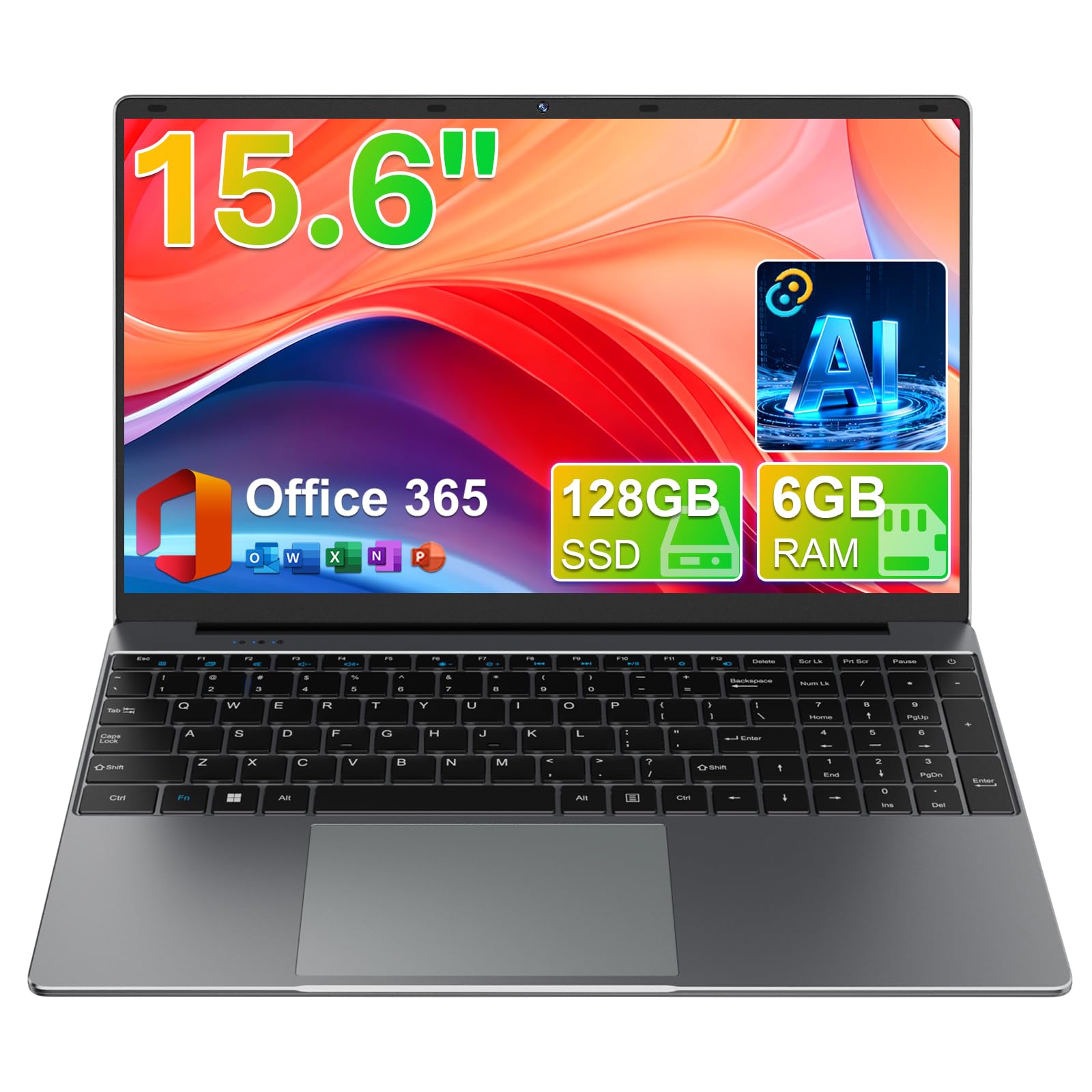
Skrebba M156FH

91 /100
LBD Score Outstanding

Key details

Weight
3.7 lb
Display
15.6 in., 1920 x 1080 IPS
Included Software
Office 365
Memory And Storage
6 GB RAM / 128 GB SSD
View on Amazon

A 15.6-inch, 1,920 x 1,080 IPS panel in a laptop that costs a good deal less than the Dell is the whole case for this one. Same size, same resolution, same sharpness — and for reading email, a recipe, or a bank statement, that panel does more for the experience than any processor on this page.

Around it, the hardware is reasonable for the money. Six gigabytes of memory and a 128 GB solid-state drive sit between the budget HPs and the Dell, Office is included, and an assistant with modes for chat, writing, reading, and meetings is bundled — treat that as a bonus rather than a reason to buy. The hinge opens flat to 180 degrees, a spec-sheet line that turns out to be genuinely useful when you want to turn the screen toward someone across the table, and the narrow bezels keep a 15.6-inch machine from feeling like a suitcase.

What you give up shows up later rather than on day one. The Celeron J4105 is an older chip than the N150 in the HP machines, the wireless is Wi-Fi 5 with Bluetooth 4.2 instead of Wi-Fi 6, and Skrebba is not a brand with a support line most buyers will ever call. Our read: for a reader who wants a big, clear screen for mail, photos, and browsing, and who has a family member nearby for the first afternoon of setup, this is the most screen for the money. For anyone who wants a name they recognize and a number to call, the Dell earns its extra cost.

Pros

  • 15.6-inch full-HD IPS screen
  • 6 GB memory and 128 GB SSD
  • Lays flat to 180 degrees
  • Office 365 included

Cons

  • Unfamiliar brand with limited support
  • Older processor and Wi-Fi 5 wireless
Our verdict

Buy this one for the screen: a 15.6-inch full-HD panel for considerably less than the Windows picks above, with an unfamiliar brand as the trade-off.

Check Latest Price

How We Tested These Laptops

We started by pulling the budget laptops from the major retailers and dropping anything with a screen smaller than 14 inches, a panel we couldn't read comfortably at arm's length, or a processor that choked on more than a few browser tabs. That left 11 machines across Windows and Chrome OS, which we set up the way a new owner would — out of the box, following the on-screen prompts, with nobody from IT standing by.

For six months those laptops lived where they'd really live: a kitchen table next to a coffee cup, a lap in a recliner, a desk beside a bright window. We read news articles in morning sun and noted whether we had to squint or tilt the lid to kill the glare. We typed a two-page letter on each keyboard and tracked key travel, spacing, and any trackpad jump mid-sentence, then lifted each lid with one hand to see whether the hinge held its angle or crept downward. Finish, lid flex, and how much the thing pressed into a thigh after an hour all went into the notes.

Speed was measured in chores, not benchmarks: cold start to a usable desktop, ten tabs plus a video call, then a return visit a month later to see if it still felt the same. We unplugged each one at 8 a.m. and checked the battery at noon, again after a call with grandchildren. Along the way we logged which ran quietly, which warmed a lap, which rocked on a table, and which stalled during updates. Value came down to what was in the box — a real Office license versus a trial, how much of the advertised cloud storage was free and for how long — plus how many settings we had to change before the machine was comfortable to use.

How to Choose a Laptop for an Older Adult

Resolution Before Processor

On a 15.6-inch panel, 1,920 x 1,080 makes email, news pages, and bank statements noticeably sharper than 1,366 x 768. On a 14-inch screen the lower resolution is survivable, and it is what most budget machines still use. A matte, anti-glare finish matters nearly as much if the laptop sits near a window or under a lamp.

If reading is the main job, spend here first and accept a slower processor to get it. The Dell and the Skrebba are the two picks in this group that give you a full-HD panel; everything else trades sharpness for something else.

Look At the Keys

Pale lettering on pale keys, no backlight, and squeezed arrow keys turn typing into squinting. Study photographs of the keyboard before ordering: dark legends on lighter keys, a full-width layout with real arrow keys, and a separate number pad if the buyer pays bills or keeps a spreadsheet.

Backlighting is worth paying for if the laptop gets used in a dim living room after dinner, and it is one of the first features budget models drop.

Memory Decides How Long It Lasts

Four gigabytes is the standard at the bottom of this market and it is almost always soldered, so it can never be added later. Eight is the number that keeps a browser comfortable three or four years from now. Storage is easier to work around: 128 GB of local space plus cloud storage covers mail and photos, while 64 GB fills quickly with downloads and offline video.

Our rule is to buy the most memory the budget allows and take whatever storage comes with it.

Windows, Chrome OS, or S Mode

A full copy of Windows 11 Home is the least disruptive choice for someone who already knows Windows. Chrome OS does less, but it sets up in minutes, updates itself, and is close to maintenance-free — the right call when nobody in the house wants to be the administrator.

Watch for Windows 11 Home in S Mode in a listing. S Mode installs only from the Microsoft Store until you switch it off, which is free and one-way, but it is not something to discover on the first afternoon with a new printer.

Decide Where It Lives, Then Pick

A laptop that stays on a desk can trade battery life and light weight for a bigger, sharper screen. One that moves between the kitchen, the porch, and the bedroom wants to stay near three and a half pounds, charger included.

Then read the warranty. A year of onsite service means a technician comes to the house; a mail-in plan means the laptop leaves it. For a buyer who is not the family's troubleshooter, that difference is worth real money.

Frequently Asked Questions

Final Verdict

The Dell 15 is the one we recommend to most people: a 1,920 x 1,080 screen that makes text easy at arm's length, eight gigabytes of memory that won't feel cramped in a few years, and a year of onsite service that keeps a repair out of a shipping box. Put it on a desk with the charger nearby and the modest battery stops mattering.

If simple matters most, the HP Chromebook 14 signs in and then gets out of the way for the least money here, as long as the buyer can live with a dim screen. And if the budget is firm and the screen is the whole point, the Skrebba's 15.6-inch full-HD panel is the most picture for the price, provided someone is nearby for setup and support.