Best Laptops of 2026

Every laptop is a compromise folded into a hinge. Chase the thinnest chassis and you give up ports and cooling headroom; chase speed and you hear a fan all afternoon. Picking the tradeoff you can live with is the real decision, and no spec sheet makes it for you.

So we stopped reading spec sheets and started living with these machines. We spent six months using 12 laptops for real work — spreadsheets, video calls, a dozen browser tabs — and the same few things kept deciding it. Battery life and fan noise controlled how often I reached for a laptop; screen quality and sound decided whether I enjoyed it. Every box says “AI PC” now, and in practice that mostly means a chip that gets through a video call without the fans winding up. A bundled Office license and a number pad matter more than they sound if your day lives in spreadsheets.

Weight and looks get the most attention in a store and the least after a month, though they're why two machines with the same guts feel so different. Below you'll find featherweight ultraportables and big-screen desk rigs alike, plus a couple of genuinely good deals.

1

Best Overall

Apple MacBook Air 13-inch M5

93 /100
LBD Score Outstanding

Key details

Memory
16GB unified
Weight
2.71 lb
Display
13.6-inch Liquid Retina
Storage
512GB SSD
View on Amazon

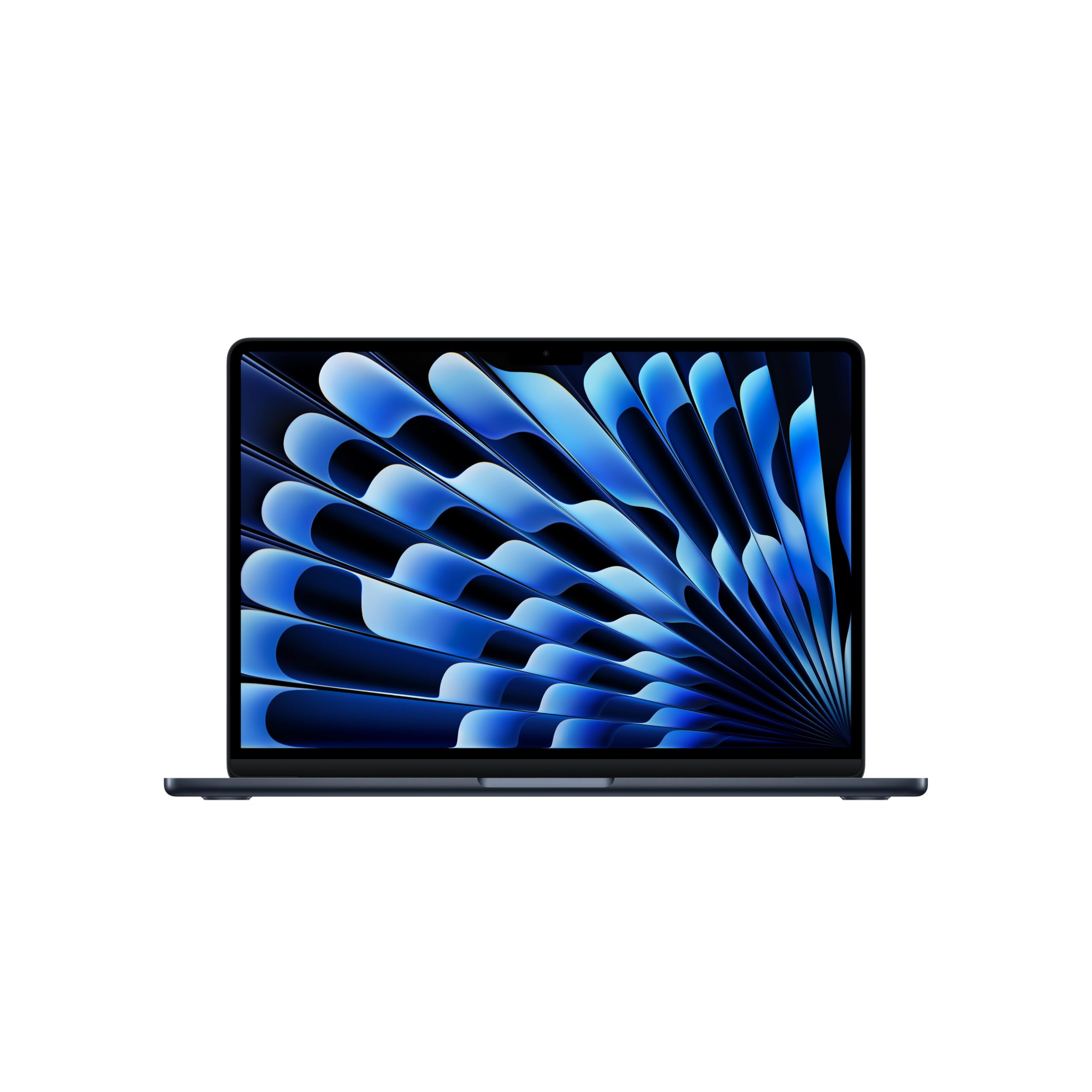
Apple's claim of up to 18 hours of battery life is the first thing we look at, because it changes how you carry this laptop: the 2.71-pound Air can stay out of the charger's orbit for a full workday. The 13.6-inch Liquid Retina display is crisp enough for spreadsheets, photos, and long reading sessions, and the 0.44-inch body slips into a tote without a dedicated laptop sleeve.

What makes it our top pick is how little you give up for that portability. The M5 chip and 16GB of unified memory give it the headroom for a browser full of tabs, a document, and a photo edit at the same time, while the 512GB SSD leaves room for a real photo library rather than just apps. In our time with it, the combination felt less like a compromise than most ultraportables do. We also appreciate that the 13.6-inch size keeps it genuinely portable without feeling cramped.

The hurdle is the premium price, and macOS will not run Windows-only software natively. If your day depends on a Windows-only business or engineering application, this is not the machine to force. For everyone else, the mix of battery life, weight, and performance is the safest bet on the page.

Pros

  • Up to 18 hours of battery life
  • Light 2.71-pound body
  • Fast M5 chip and 16GB memory
  • Crisp 13.6-inch Liquid Retina display

Cons

  • Premium price
  • macOS limits Windows-only software
Our verdict

We recommend the MacBook Air M5 as the best laptop for most people, provided your software runs on macOS and you can absorb the premium price.
Check Latest Price
2

Best Windows Laptop

Lenovo IdeaPad Slim 3 16

88 /100
LBD Score Excellent

Key details

Memory
16GB DDR5
Display
16-inch WUXGA IPS
Storage
512GB SSD
Processor
Intel Core i5-13420H
View on Amazon

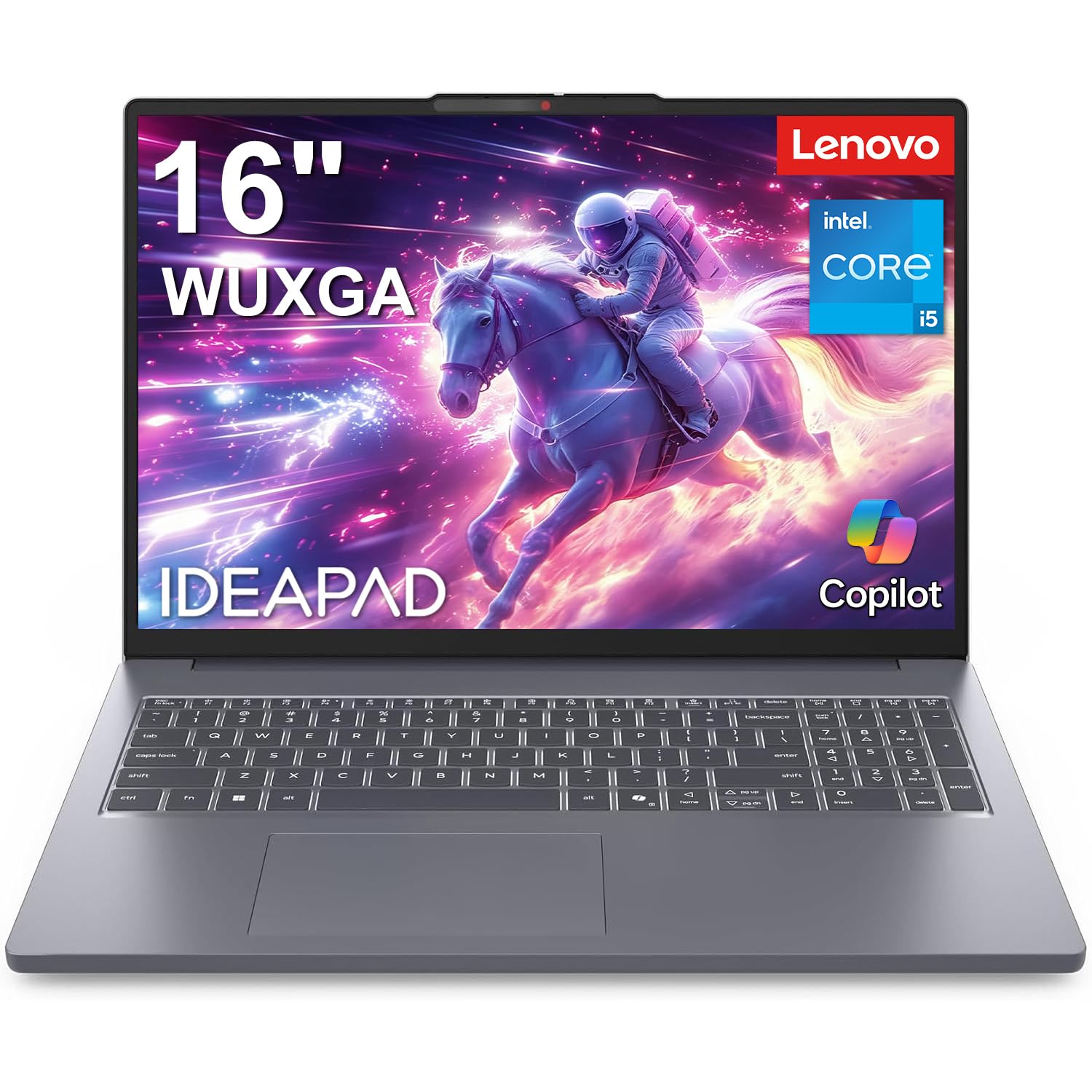
If you need Windows, start here. The IdeaPad Slim 3 16 pairs a 16-inch WUXGA screen with an Intel Core i5-13420H, 16GB of DDR5 memory, and a 512GB SSD, which is the most sensible all-around combination in this set for office work, school, and light creative tasks. We like the extra vertical room of the 16:10 panel; it makes long documents and spreadsheets feel less cramped than a 15.6-inch 16:9 screen.

The keyboard includes a number pad, and the 0.7-inch chassis is slim enough to move between desk and bag without feeling like a full desktop replacement. The 300-nit display is fine indoors, but it is not the panel to choose for working on a sunny porch. We also noted that the memory can go to 40GB, which gives this Lenovo a longer upgrade path than the sealed 8GB machines here.

The trade-off is size and a battery story that does not lead the class. This is a laptop for someone who wants a roomy Windows screen and strong core specs more than a 2.7-pound travel machine. For that buyer, it is the most complete Windows package on the page, and the price sits in the middle of the group rather than at the premium end.

Pros

  • Roomy 16-inch WUXGA display
  • 8-core Intel i5-13420H
  • 16GB DDR5 and 512GB SSD
  • Memory upgradeable to 40GB

Cons

  • 300-nit screen limits outdoor use
  • Larger than a 13-inch travel laptop
Our verdict

For Windows buyers, the IdeaPad Slim 3 16 is the best all-around choice here, with a roomy 16-inch screen and strong core specs.

Check Latest Price
3

Best Gaming Laptop

Acer Nitro V 16S AI

86 /100
LBD Score Excellent

Key details

Memory
32GB DDR5
Display
16-inch WUXGA 180Hz
Storage
1TB Gen 4 SSD
Graphics
NVIDIA GeForce RTX 5060
View on Amazon

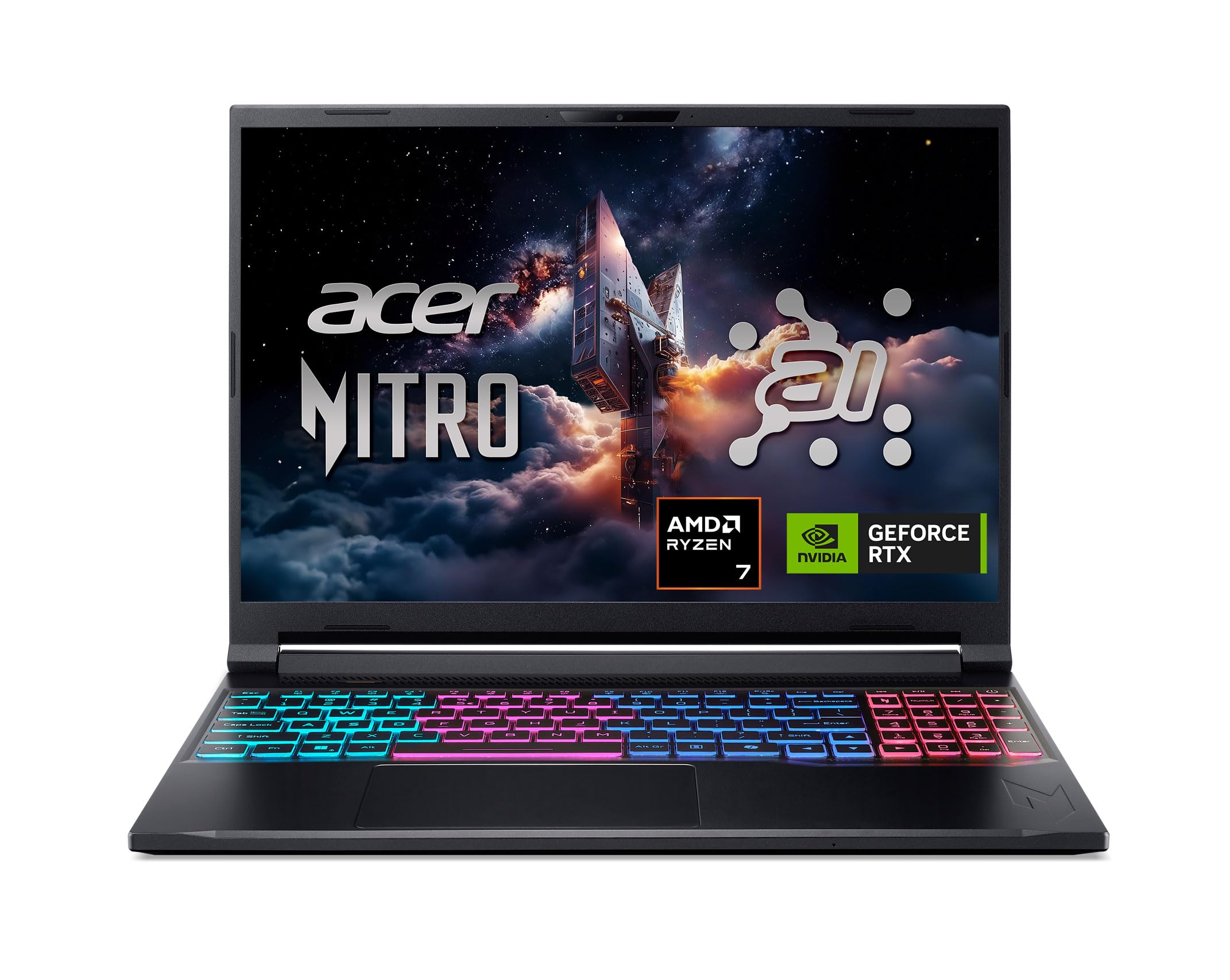
The 16-inch WUXGA panel runs at 180Hz and is paired with an RTX 5060, which is the combination that earns this Acer its spot. The 16:10 aspect ratio gives games and creative apps more vertical space than a standard 16:9 screen, and the 100% sRGB coverage means the display is not just fast but useful for color work. Add 32GB of DDR5 and a 1TB Gen 4 SSD and you have a gaming laptop that does not need immediate upgrades.

The 4.6-pound body is reasonable for a 16-inch gaming machine, but this is still a laptop that lives best near a desk and an outlet. The 65Wh battery will not carry you through a long day away from power, especially in a performance mode. We noted that the memory and storage are already at the level most gamers would pay to reach, so the value is in not having to open it up later.

Heat and fan noise are the costs. Under load the fans can be loud, and the machine can run hot enough that a hard surface is better than a blanket or lap. We think it is the right gaming pick for a plugged-in player who wants high-refresh performance; if you need a quiet, all-day school laptop, this is the wrong tool.

Pros

  • 180Hz WUXGA gaming display
  • RTX 5060 and 32GB DDR5
  • 1TB Gen 4 SSD
  • Strong gaming performance for the price

Cons

  • Battery drains quickly under load
  • Fans get loud in performance mode
Our verdict

The Nitro V 16S is our gaming pick for buyers who want high-refresh performance and generous memory without flagship pricing.

Check Latest Price
4

Best Large-Screen Laptop

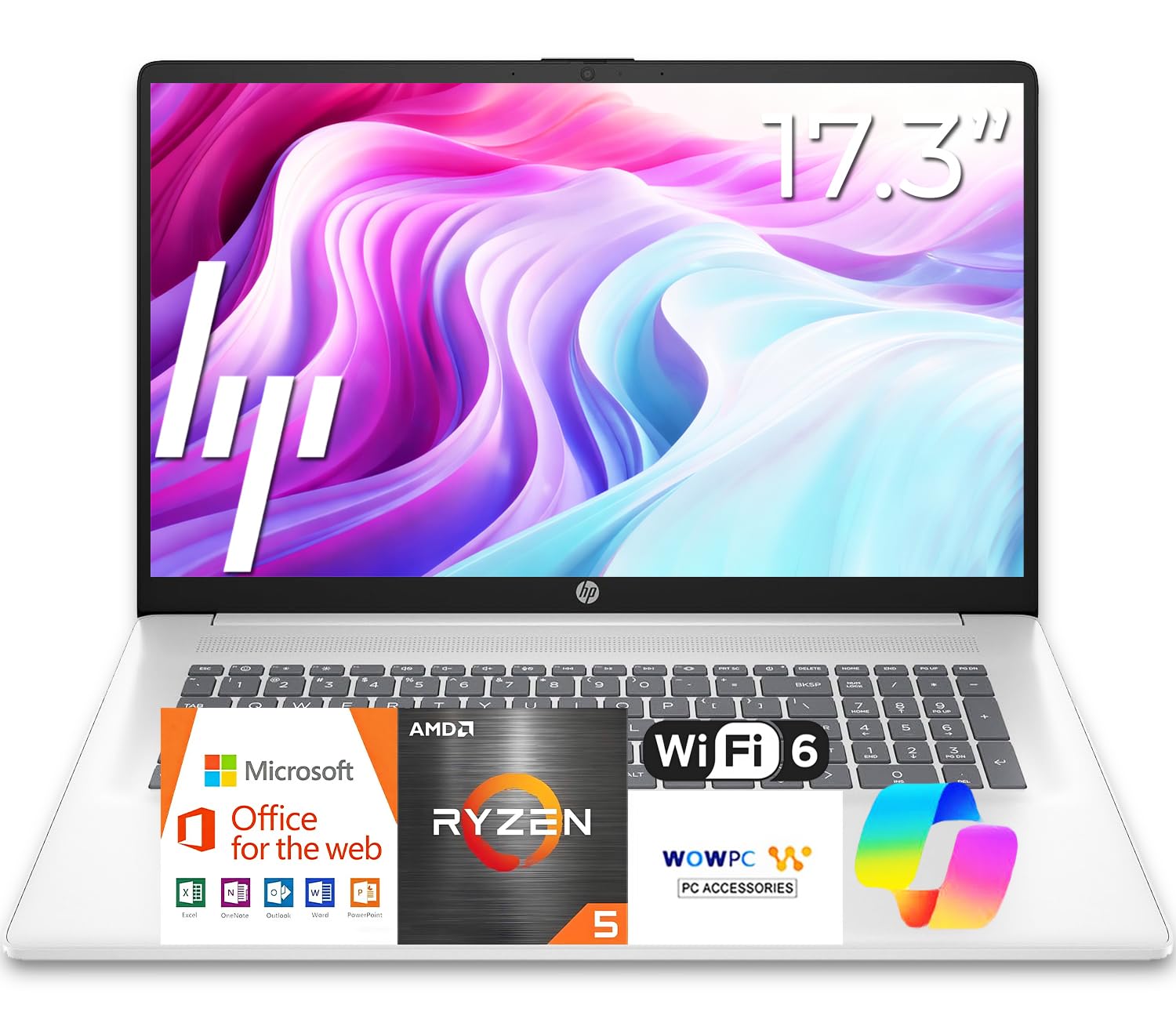
HP 17 Business Laptop

87 /100
LBD Score Excellent

Key details

Memory
16GB DDR4
Display
17.3-inch anti-glare
Storage
512GB SSD
Processor
AMD Ryzen 5 7430U
View on Amazon

A 17.3-inch laptop is a commitment to desk space, and the HP 17 measures 15.78 inches wide, so it is not the machine to squeeze into a small backpack. The payoff is a big anti-glare screen and a full-size keyboard with a separate number pad, which makes spreadsheets, taxes, and long documents more comfortable than they are on a 13-inch laptop.

Inside, the Ryzen 5 7430U, 16GB of RAM, and a 512GB SSD are a sensible combination for everyday work. We like that HP did not force you into a tiny screen to get a number pad, and the 12-hour battery claim means it can leave the outlet for a workday. This is not a gaming laptop; the integrated graphics are for basic display duty, not modern games.

Resolution varies by configuration, so confirm the exact panel before ordering; at this size, the difference between a sharp full-HD image and a lower-resolution one is easy to see in text. The anti-glare finish helps in a bright room, and the full keyboard is the bigger everyday win. Check the resolution and the weight of the specific model rather than assuming every HP 17 is the same.

For a desk-bound buyer who wants a large Windows screen, a number pad, and enough memory to keep tabs open, the HP 17 is the most sensible large-screen choice here. We think it earns the spot because it focuses on comfort and capacity rather than pretending to be a gaming machine. Just make peace with the footprint.

Pros

  • Spacious 17.3-inch anti-glare screen
  • Full keyboard with number pad
  • 16GB RAM and 512GB SSD
  • Up to 12 hours of battery life

Cons

  • Wide body needs a large bag
  • Integrated graphics limit gaming
Our verdict

The HP 17 is our large-screen pick for desk-bound work, with a number pad, 16GB of memory, and a 512GB SSD.

Check Latest Price
5

Best Budget Windows Laptop

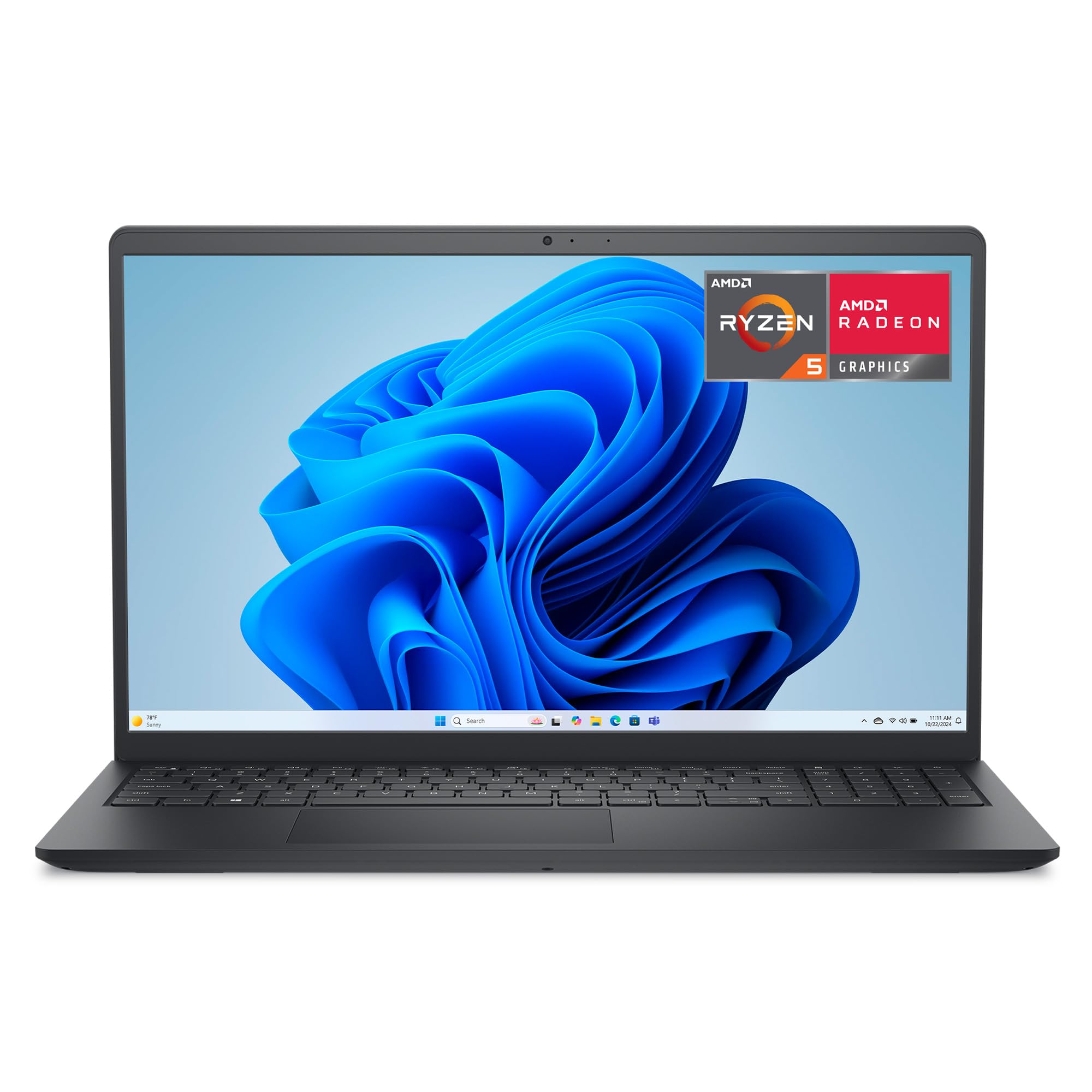
Dell 15 DC15255

82 /100
LBD Score Excellent

Key details

Memory
8GB LPDDR5
Display
15.6-inch FHD 120Hz
Storage
512GB SSD
Processor
AMD Ryzen 5 7520U
View on Amazon

A 120Hz screen is the surprise here. The Dell 15 pairs its 15.6-inch full-HD IPS panel with a 120Hz refresh rate, which makes scrolling and everyday motion noticeably smoother than the standard 60Hz budget laptop. We think that, plus the 512GB SSD, makes it the budget Windows pick to beat for a student or home-office worker who wants a comfortable screen without paying for a gaming GPU.

The Ryzen 5 7520U and 8GB of LPDDR5 memory are enough for browser tabs, documents, and video calls, but the memory is soldered, so buy for the workload you have now rather than the one you might add later. Wi-Fi 5 is another older choice; it is fine on a normal home network but not the spec to choose if you are buying for the next five years. The lifted hinge gives the keyboard a pleasant typing angle, and the matte screen keeps glare down.

We see this as a second or first laptop for straightforward Windows work, not a machine for video editing or games. The 512GB SSD is the generous part of the package, and it is the reason this one stays on the list over cheaper 128GB machines. If you need 16GB of memory for heavy multitasking, step up to the Lenovo IdeaPad Slim 3 16 instead.

Pros

  • Smooth 120Hz FHD display
  • 512GB SSD at a budget price
  • Comfortable lifted-hinge typing angle
  • Ryzen 5 handles everyday work

Cons

  • 8GB memory is soldered
  • Wi-Fi 5 is older
Our verdict

The Dell 15 is our budget Windows pick for buyers who want a smooth 120Hz screen and 512GB of storage without paying for extras.

Check Latest Price
6

Best Business Laptop

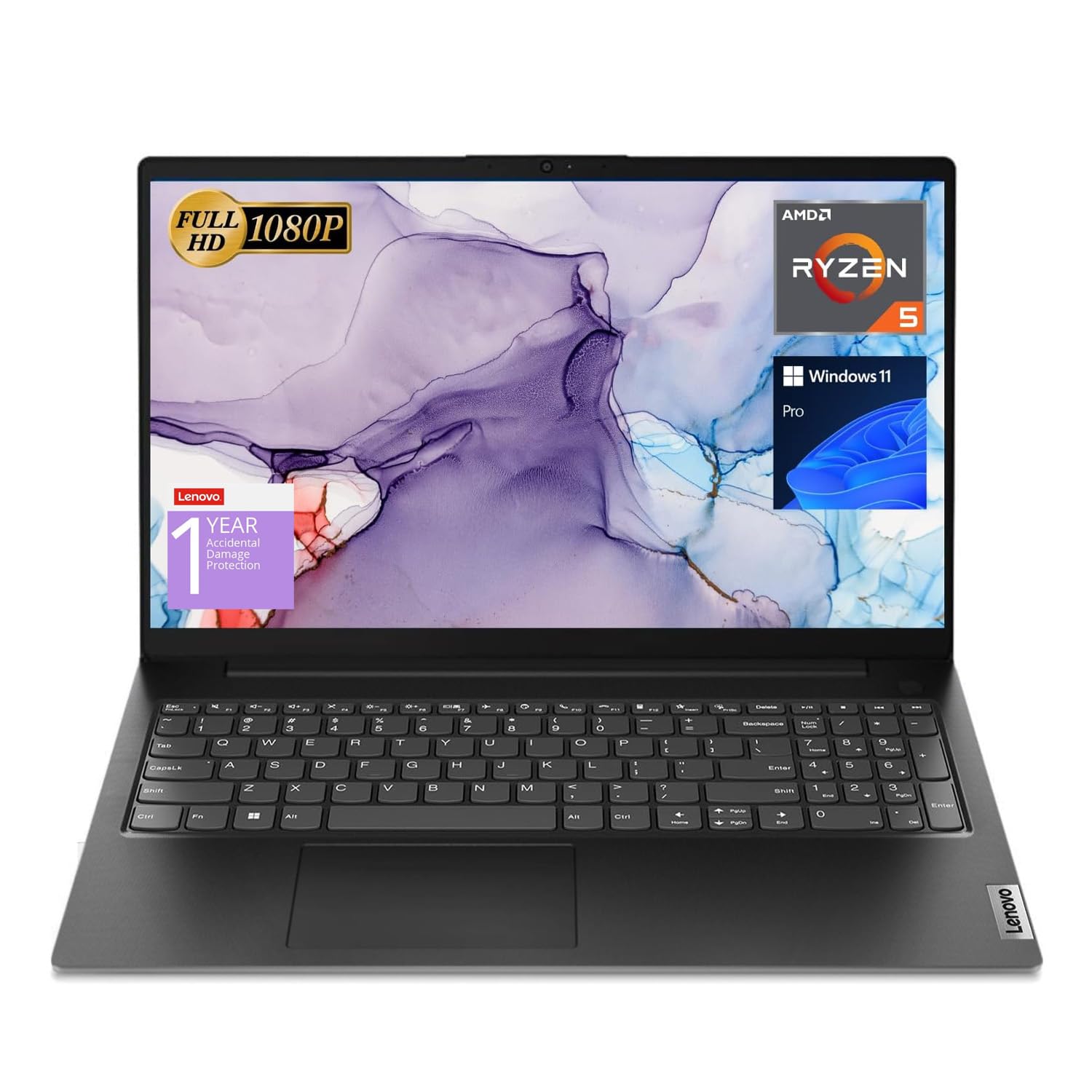
Lenovo V15

84 /100
LBD Score Excellent

Key details

Memory
16GB
Display
15.6-inch FHD
Storage
512GB SSD
Processor
AMD Ryzen 5 5500U
View on Amazon

The RJ45 Ethernet port is the detail that tells you who this Lenovo is for. Wired networking is increasingly rare on thin laptops, and for a small office, a front desk, or a home worker who wants a stable connection, it is a genuinely useful inclusion. The V15 also gives you HDMI, USB-C, two USB-A ports, and a full keyboard with a number pad, which covers the practical side of a work machine.

We recommend it as the business pick because it pairs Windows 11 Pro with 16GB of RAM and a 512GB SSD, a combination that handles office multitasking without asking you to manage every open tab. The Ryzen 5 5500U is an older platform, but it is still capable for documents, spreadsheets, and video calls. The glossy 15.6-inch full-HD screen is the weak point; it is usable indoors but not the panel for a bright room or color-critical work.

Battery life is the other compromise. This is a laptop to keep near an outlet on a long day, not one to count on for coast-to-coast travel. If you need a lighter, longer-running Windows machine, the IdeaPad Slim 3 16 is the better all-around choice. If you need wired networking and Windows 11 Pro at a business-friendly price, the V15 is the one that fits.

Pros

  • Windows 11 Pro included
  • RJ45 Ethernet and useful ports
  • 16GB RAM and 512GB SSD
  • Full keyboard with number pad

Cons

  • Battery life falls short for long days
  • Glossy screen shows reflections
Our verdict

The Lenovo V15 is the practical business pick here, with wired networking, Windows 11 Pro, and enough memory for office multitasking.

Check Latest Price
7

Basic Schoolwork

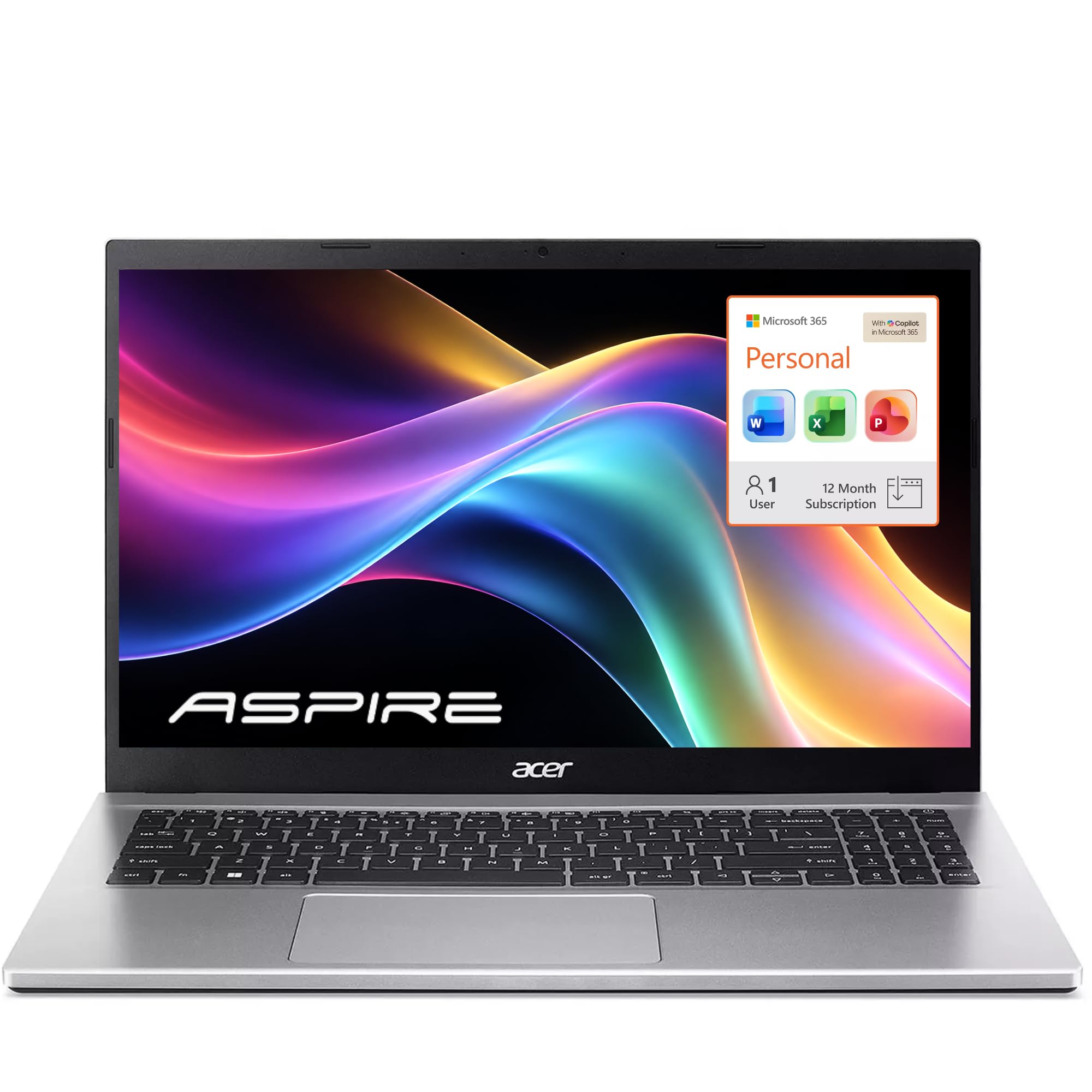
Acer Aspire Lite 15

86 /100
LBD Score Excellent

Key details

Memory
16GB DDR4
Display
15.6-inch FHD IPS
Storage
256GB SSD
Processor
Intel N150
View on Amazon

On paper, 16GB of RAM and a 15.6-inch full-HD IPS screen look like a lot for a budget laptop. The catch is the Intel N150 processor, a low-power four-core chip that is fine for browsing, email, documents, and video but not for sustained multitasking or creative work. We see this as a light-duty machine, not a hidden performance bargain.

The 256GB SSD is enough for school files and a few apps, though it fills quickly if you keep photos or games on board. The 15.6-inch screen is the best part of the package, and the full-size keyboard with a number pad makes it comfortable for longer typing sessions. Sound is the weak spot: the speakers are thin, so plan on headphones for meetings or movies. The 11-hour battery claim is promising, but plan on a charger for a long day away from an outlet.

Reliability is the reason this sits in our also-consider group rather than a top award. The record is mixed enough that we treat the Aspire Lite 15 as a backup or a first laptop for basic schoolwork, not a workhorse for a business. We think it is a reasonable buy for a household that needs a big screen and lots of memory on a tight budget, as long as the heavy lifting happens elsewhere.

Pros

  • 15.6-inch FHD IPS display
  • 16GB RAM for browser tabs
  • Full keyboard with number pad
  • Low-cost entry to a big screen

Cons

  • N150 processor limits heavier work
  • Weak speakers
Our verdict

The Aspire Lite 15 is a budget pick for light schoolwork and browsing, not for anyone who needs sustained speed or strong speakers.

Check Latest Price
8

Light Browsing

HP 2027 Everyday Laptop

89 /100
LBD Score Excellent

Key details

Memory
4GB LPDDR5
Display
14-inch HD
Storage
128GB UFS
Processor
Intel N150
View on Amazon

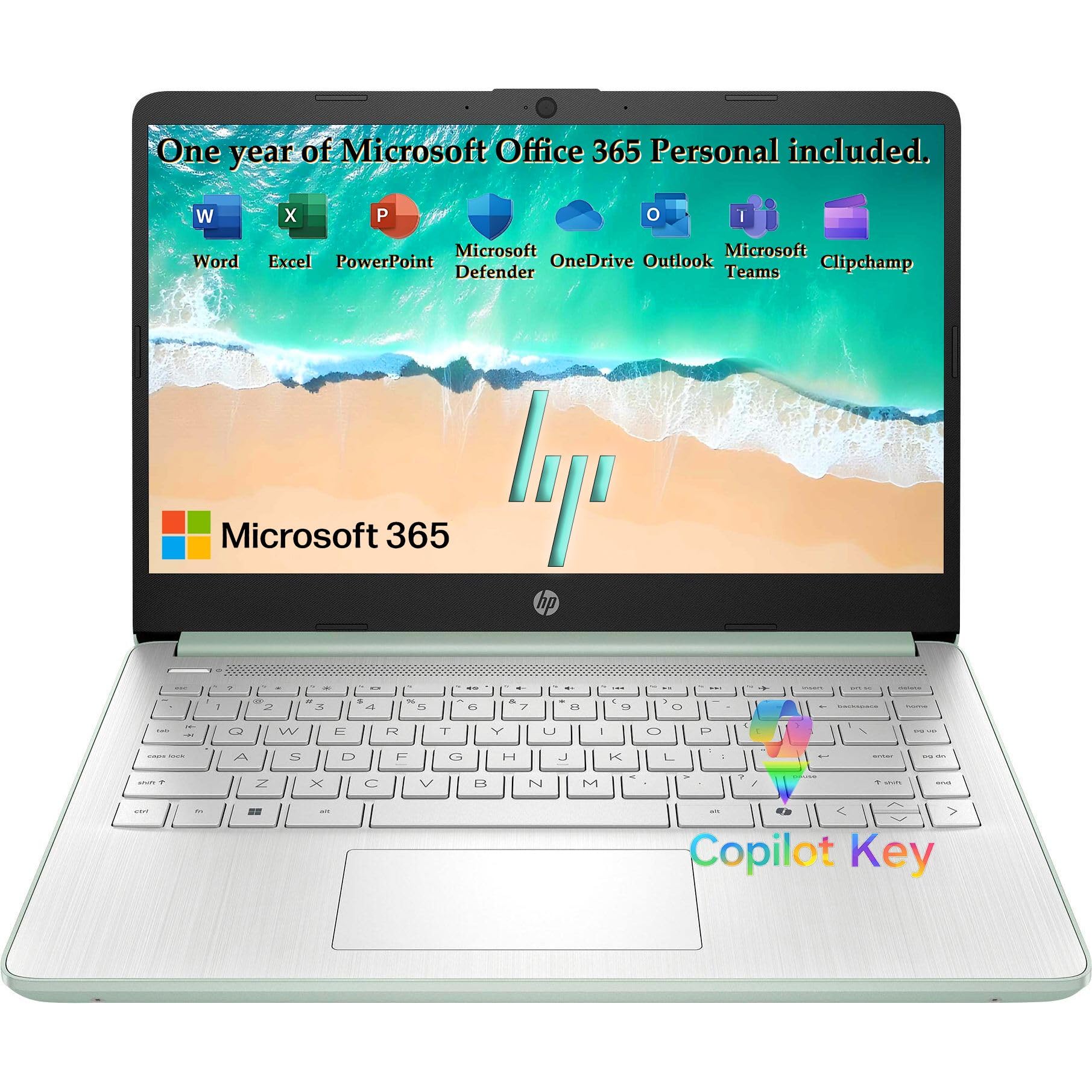
The 4GB of memory is the first thing to understand about the HP 2027 Everyday Laptop. It is enough for email, a few browser tabs, and simple documents, but it is not a machine for keeping a dozen tabs open while a video call runs. The Intel N150 is similarly honest about its place: this is a laptop for light, everyday computing, not for school projects that involve large files or creative apps.

What we like is the size. At 3.24 pounds and 0.71 inch thick, it is the easiest laptop here to carry in a small bag, and the 14-inch screen is the right size for a lap or a coffee-shop table. The 1366x768 panel is the compromise: text and icons are not as crisp as on a full-HD screen, and the 128GB of UFS storage fills quickly once you add photos and apps.

The willow green finish is a small pleasure in a category full of black and silver boxes, and the matte surface resists showing every fingerprint. The keyboard is comfortable for short sessions, though this is not the machine for all-day typing marathons. Keep the 1TB of cloud storage in perspective: it is online storage, not local space, so you still need to manage what lives on the laptop.

We think the HP 14 earns a place as a second laptop, a travel machine, or a first computer for someone whose needs really are email and the web. It is affordable for what it does, but the 4GB memory and low-resolution screen are boundaries, not details to overlook. If you need more than one or two apps at once, spend up on a machine with 8GB or 16GB.

Pros

  • Light 3.24-pound body
  • Simple everyday performance
  • Attractive willow green finish
  • Low-cost way into a new laptop

Cons

  • 4GB memory limits multitasking
  • 1366x768 screen is not sharp
Our verdict

The HP 2027 Everyday Laptop is a good fit for light browsing and email, as long as you accept 4GB of memory and an HD screen.

Check Latest Price

How We Tested 12 Laptops Over Six Months

We started with roughly 60 current configurations, pulled specs from manufacturer and retailer listings, and sorted them by processor, memory, storage, and screen size. Then we cut anything superseded, anything with a dim display, and anything priced far outside the mainstream, which left 12 laptops from 13 to 17 inches: ultraportables, business workhorses, and one gaming machine.

Each of the 12 became someone's only computer for at least three weeks. They lived on kitchen tables and office desks, rode in tote bags to coffee shops, and came along on flights and a couple of long train rides. Every machine ran the same workload: a browser with too many tabs open, hour-long video calls, spreadsheet recalculations, photo edits, and a few evenings of games on the ones with a graphics card.

Battery life was the number we cared about most, so we unplugged each laptop, fixed the brightness, and looped video calls and documents until it shut down. For heat and noise, we held a thermometer against the underside after half an hour of calls, then sat in a quiet room listening for the fans. We weighed each machine on a kitchen scale and carried it for a week, keeping an eye on scuffs and fingerprints, and compared screens side by side with the same episode and photo set, near a window and in a dim room.

Sound got judged at half volume in a quiet room and over a plane cabin's drone. Finally we logged what came in the box for the money and what wore thin: bundled Office licenses and cloud storage, a full number pad for anyone typing figures all day, ports that take a cable without an adapter, and whether a machine woke from sleep, held its Wi-Fi, or stuttered when a video call met 20 open tabs.

How to Choose a Laptop

Match the processor to your real workload

The processor name matters less than the class it belongs to. Intel N150 and Celeron chips are for browsing, email, documents, and video; they are fine for a second laptop or light schoolwork but slow down under several demanding apps. A Ryzen 5 or Core i5 is the mainstream choice for office multitasking and light creative work, while an H-series chip or a discrete GPU like the RTX 5060 is what gaming and heavy editing need.

Our advice is to buy one step above your current workload rather than the cheapest chip that opens a browser. If you keep a dozen tabs open and edit photos, start with 16GB of memory and a mainstream processor. If you mostly write and stream, a low-power chip can be enough, but check that it is paired with a capable SSD.

Buy enough memory and local storage

For Windows, 8GB is the minimum for comfortable everyday use and 16GB is the safer long-term choice; 4GB belongs in a light-use machine and will feel tight with a video call and several tabs. Memory is often soldered, especially on thin budget laptops, so the amount you buy is the amount you keep. The Dell 15's 8GB is a fixed ceiling, while the IdeaPad Slim 3 16 can grow to 40GB.

Storage is separate from memory. A 128GB drive fills quickly after Windows, updates, and a few apps; 256GB is workable for schoolwork, and 512GB gives you room for photos and projects. Check what is local before you buy, especially when a listing emphasizes online storage or a memory-card slot.

Choose screen size, resolution, and weight together

A 13- or 14-inch laptop is the easy travel size; 15.6 and 16 inches are the balance point for a desk that sometimes moves; 17 inches and larger are best left on a desk. Resolution matters as much as size. A 1366x768 panel on a 14-inch laptop shows less text and softer images than a full-HD panel, and the difference is obvious on spreadsheets and long documents.

Weight follows the same logic. The MacBook Air is 2.71 pounds, the Nitro V 16S is 4.6 pounds, and the HP 17 is wide enough to need a dedicated bag. Choose the largest screen you will actually carry, not the largest one you can fit on a desk. If you work outdoors, check brightness; a 300-nit panel is fine indoors but can struggle in direct sun.

Check ports, keyboard, and service before you commit

The ports you use every day are worth more than a slightly thinner chassis. An RJ45 jack makes the Lenovo V15 a better fit for wired offices, HDMI is still the simplest way to connect a monitor or projector, and USB-C with Power Delivery can reduce charger clutter. A number pad is a real productivity feature for spreadsheets and accounting, but it pushes the keyboard off-center.

Also look at the keyboard, hinge, and warranty terms. A lifted hinge like the Dell 15's can improve typing comfort, while a glossy screen can be a problem in bright rooms. Business-class Windows 11 Pro adds management features that a home user may never touch, so do not pay for it unless you need it.

Treat battery life and fan noise as ownership costs

Battery claims are measured in easy conditions, so read them as a ceiling rather than a promise. A thin productivity laptop can approach a full workday, while a gaming laptop with a discrete GPU will drain faster under load; the Nitro V 16S has a 65Wh battery and is happiest near an outlet in performance mode. If you commute without a charger, weight and endurance matter more than a slightly faster chip.

Fan noise is the other daily cost. Gaming laptops can be quiet at idle and loud under load, and a hot chassis is uncomfortable on a lap even when it is not a safety problem. If you take notes in a quiet room or join calls all day, prioritize a machine that stays cool and quiet; if you play plugged in with headphones, raw performance is the better trade.

Frequently Asked Questions

Final Verdict

The MacBook Air M5 is our top pick because it makes the fewest compromises for most people: long battery life, a 2.71-pound body, 16GB of memory, 512GB of storage, and strong M5 performance. The main exception is software; if your work requires Windows, the Lenovo IdeaPad Slim 3 16 is the stronger all-around alternative.

Choose the Nitro V 16S if gaming is the priority, the HP 17 if you want a large desk screen and a number pad, or the Lenovo V15 if wired networking and Windows 11 Pro matter. The budget picks are best for light work, not for pretending a low-power chip is a workstation.