Best Mechanical Keyboards with Screens of 2026

A screen on a mechanical keyboard sounds like a gimmick until you've lived with one for a week. You glance down, see you're on Bluetooth 2 with 40 percent battery left, and skip the config app entirely. That's the friction a good display removes, and it's worth nothing if the typing is merely fine.

Twelve boards have been in rotation here since early fall, and the pattern is hard to miss: the keepers nailed the typing first. A knob that handles volume without a second thought earns more of my day than a screen playing a GIF, and you can hear a hollow case versus a well-damped one in one sentence.

The display should still earn its space, showing battery, connection, and layer at a glance. Layout is the other quiet decision — compact boards bring the mouse hand closer, full-size ones keep the numpad — and at these prices hot-swap sockets should be table stakes. The picks below are the ones that survived eight months of daily use.

1

Best Overall

EPOMAKER X Aula F75 MAX

92 /100
LBD Score Outstanding

Key details

Layout
75% (80 keys)
Display
TFT color screen with knob
Switches
Hot-swappable linear
Connectivity
2.4GHz, Bluetooth 5.0, USB-C
View on Amazon

The F75 MAX is built for a desk that has to share space with a monitor, a mouse, and whatever paperwork survived the week. Its 75% layout keeps the arrow keys and function row but drops the number pad, so the board stays narrow without feeling stripped. The TFT screen and knob sit in the top-right corner, where we can see the connection mode and battery level at a glance.

That combination is why we recommend it as the default here. The pre-lubed linear switches and gasket mount give it a soft, creamy typing feel that we were happy to use through long writing sessions, and the hot-swap sockets make a switch change a simple swap rather than a soldering project. Tri-mode wireless lets it move between a desktop, laptop, and tablet, and the knob handles volume without a trip to the software.

The screen customization runs through desktop software, so we set our GIFs once and then left the daily controls to the knob. That is fine for us, but it means the display is more of a desk feature than a travel one. The typing is the part that keeps us coming back: it sounds expensive without being loud, and the 80-key layout is easy to relearn. The screen is the reason we keep it in view; the typing is the reason we keep using it.

Pros

  • 75% layout saves desk space
  • TFT screen and knob stay useful
  • Creamy hot-swap linear switches
  • Tri-mode wireless for three devices

Cons

  • Battery life drops with screen and RGB on
Our verdict

We recommend the F75 MAX as the default screen keyboard: its 75% layout, useful TFT display, and creamy hot-swap switches make it an easy everyday board.
Check Latest Price
2

Best Full-Size

EPOMAKER TH108 PRO

91 /100
LBD Score Outstanding

Key details

Layout
Full-size (104 keys)
Battery
10,000mAh
Display
Smart screen, metal knob
Connectivity
2.4GHz, Bluetooth, USB-C
View on Amazon

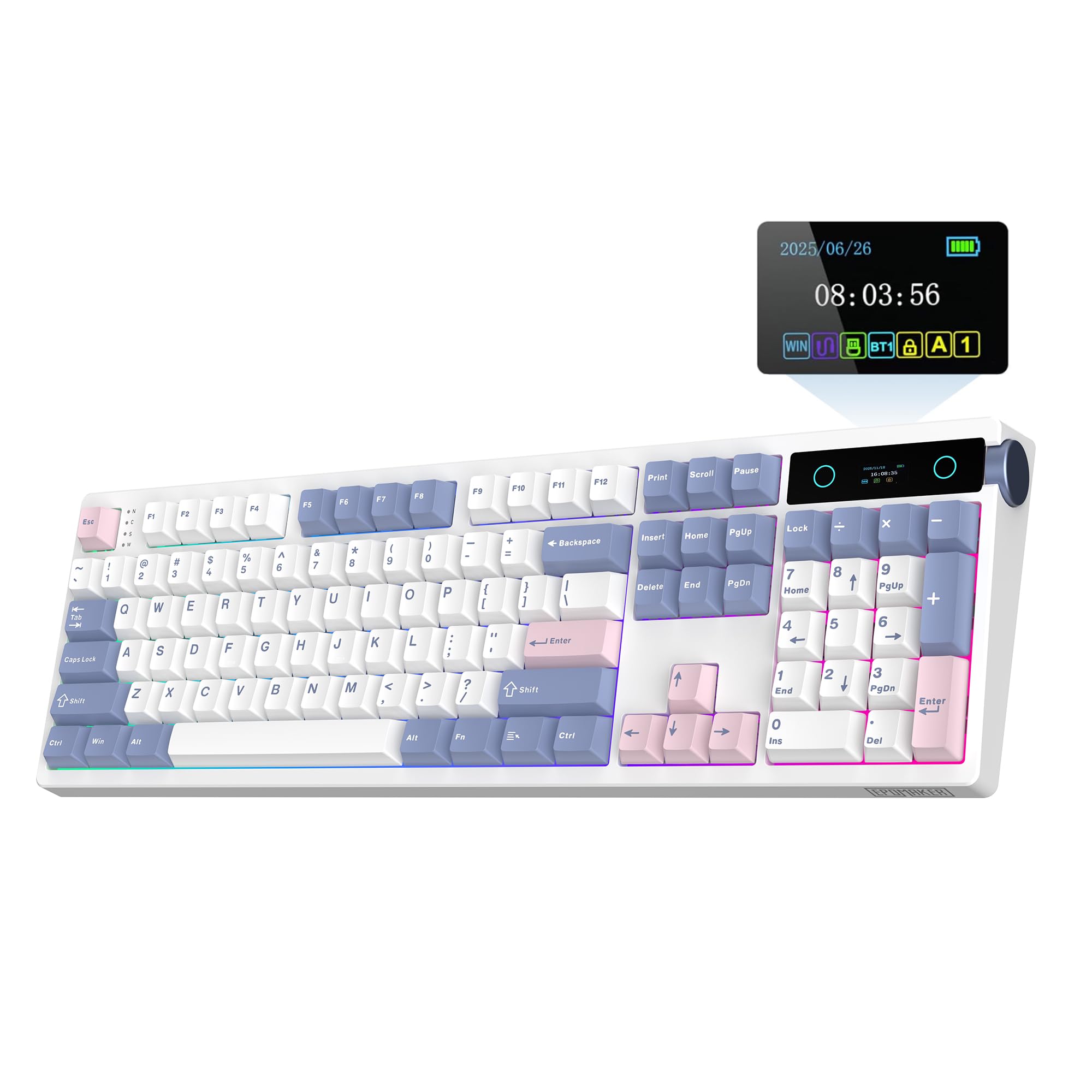
The TH108 PRO's 10,000mAh battery is the number that changes the ownership experience. We stopped treating the charging cable as a permanent desk accessory, and the full-size frame gives the screen and metal knob room to sit without crowding the keys. That sounds like a small thing until you are used to a board that always seems to be near empty.

The 104-key layout is the other half of the pitch: a number pad, arrow cluster, and function row with proper spacing for spreadsheet work and long gaming sessions. The smart screen handles battery, connection, and custom images, and the metal knob is easy to find without looking. The screen is less flashy than the F75 MAX's, but it covers the status information most people need. The gasket mount and five-layer padding make the pre-lubed linear switches feel soft rather than mushy, and hot-swap sockets keep the board serviceable.

We recommend it as the full-size pick for exactly that reason: it is the board for someone who wants the screen and wireless convenience without giving up a numpad. The battery is the feature we noticed least, which is the point. It is a plush, quiet board for a desk that can give it the room.

Pros

  • 10,000mAh battery reduces charging
  • Full-size 104-key layout
  • Smart screen and metal knob
  • Plush gasket typing, hot-swap

Cons

  • Full-size footprint needs a wide desk
Our verdict

We keep the TH108 PRO on our full-size desk list for its 10,000mAh battery and 104-key layout, which suit long sessions and number-heavy work.

Check Latest Price
3

Best 96% Layout

RK Royal Kludge S98

88 /100
LBD Score Excellent

Key details

Layout
96% (98 keys)
Weight
3 lb
Display
Smart display with knob
Connectivity
Bluetooth 5.0, 2.4GHz, USB-C
View on Amazon

The S98's display is the kind we actually use: battery, connection mode, and layout status, not just a looping GIF. That makes the screen feel like part of the keyboard rather than a decoration, and the knob is close enough to the top-right corner that volume changes happen without a glance. The display is not a touchscreen, but the knob covers the adjustments we make most often.

The 96% layout keeps a number pad and arrow cluster while trimming the gaps between sections, so it fits a desk that cannot take a full-size board. The top-mount build is firmer than the gasket boards here, and the 3-pound weight keeps it planted. We liked the stability for gaming, and the five layers of damping keep the sound from turning hollow. The keycaps and pre-lubed switches feel consistent out of the box, and the board has a solid, weighty sound that suits both work and games.

Hot-swap sockets and per-key RGB are here, but the S98 is less about tinkering than the F75 MAX; it is the board for someone who wants a numpad and a display without building a custom. The screen's GIF support is a bonus, not the reason to buy. What matters is that the display stays readable and the knob handles the adjustments we make most often.

Pros

  • Readable status display and knob
  • 96% layout keeps numpad
  • Solid 3-pound top-mount build
  • Hot-swap and five-layer damping

Cons

  • Battery life is inconsistent with RGB on
  • Keys can stop responding over time
Our verdict

We think the S98 is the best 96% screen board here for buyers who want a numpad, a readable display, and a knob without moving to full size.

Check Latest Price
4

Best Value

Redragon K719 PRO

90 /100
LBD Score Outstanding

Key details

Layout
95 keys
Weight
1.83 lb
Display
TFT screen with knob
Connectivity
USB-C, Bluetooth, 2.4GHz
View on Amazon

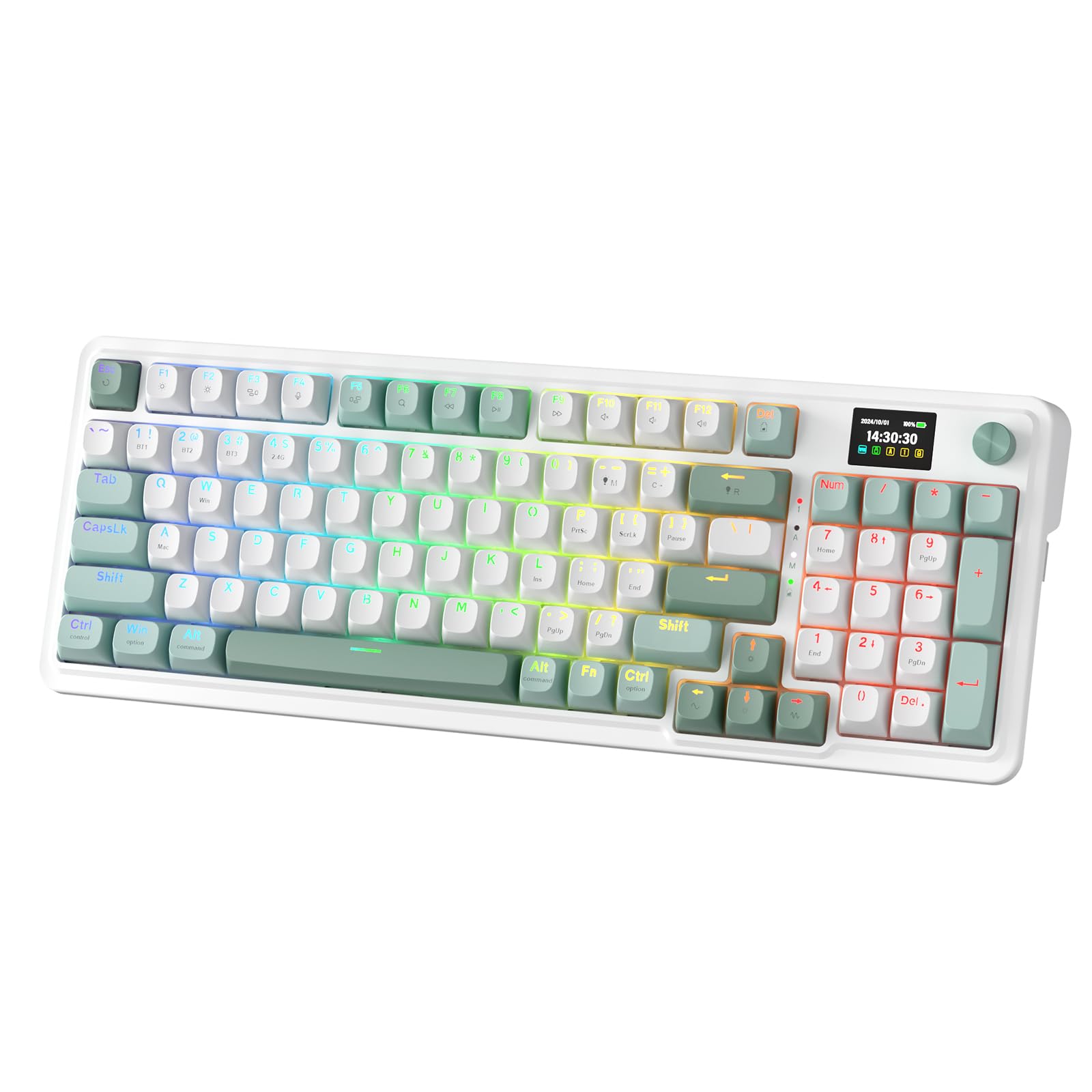
The K719 PRO is the board we point to when someone wants the screen, the knob, and wireless without paying for features they will never touch. It keeps a TFT display and a single knob in a 95-key frame, and the Jade Cloud colorway looks calmer on a desk than the usual black gaming slab.

We rate it the value leader here because the basics are right: a gasket mount, five layers of noise dampening, and thick-lubed linear switches give it a soft, quiet typing feel that will not annoy a shared office. The 830-gram body stays put, and the screen shows battery and connection status without software. The TFT display is more about function than flash, and the custom GIF support gives it some personality without becoming a distraction.

The 95-key layout keeps the number pad and arrows, so it is a practical compromise between a 96% board and a full-size one. The knob is the control we reached for most; volume, connection mode, and lighting are all within a twist or click. The typing sound is on the quiet side of creamy, which makes it a safer choice for an office than a loud clicky board. It is the board we leave on the desk when we want the screen without the fuss.

Pros

  • TFT screen and knob for quick status
  • Quiet gasket typing for shared spaces
  • 95-key layout keeps numpad
  • Tri-mode wireless and hot-swap

Cons

  • Battery life is inconsistent with RGB on
  • Bluetooth pairing can be finicky
Our verdict

We rate the K719 PRO the value leader: it brings a TFT screen, tri-mode wireless, and a quiet gasket build without the extras that inflate other boards.

Check Latest Price
5

Best Wired Budget

Womier SK80

93 /100
LBD Score Outstanding

Key details

Layout
75% (82 keys)
Display
Color multimedia screen
Enclosure
Metal
Connectivity
USB-C wired
View on Amazon

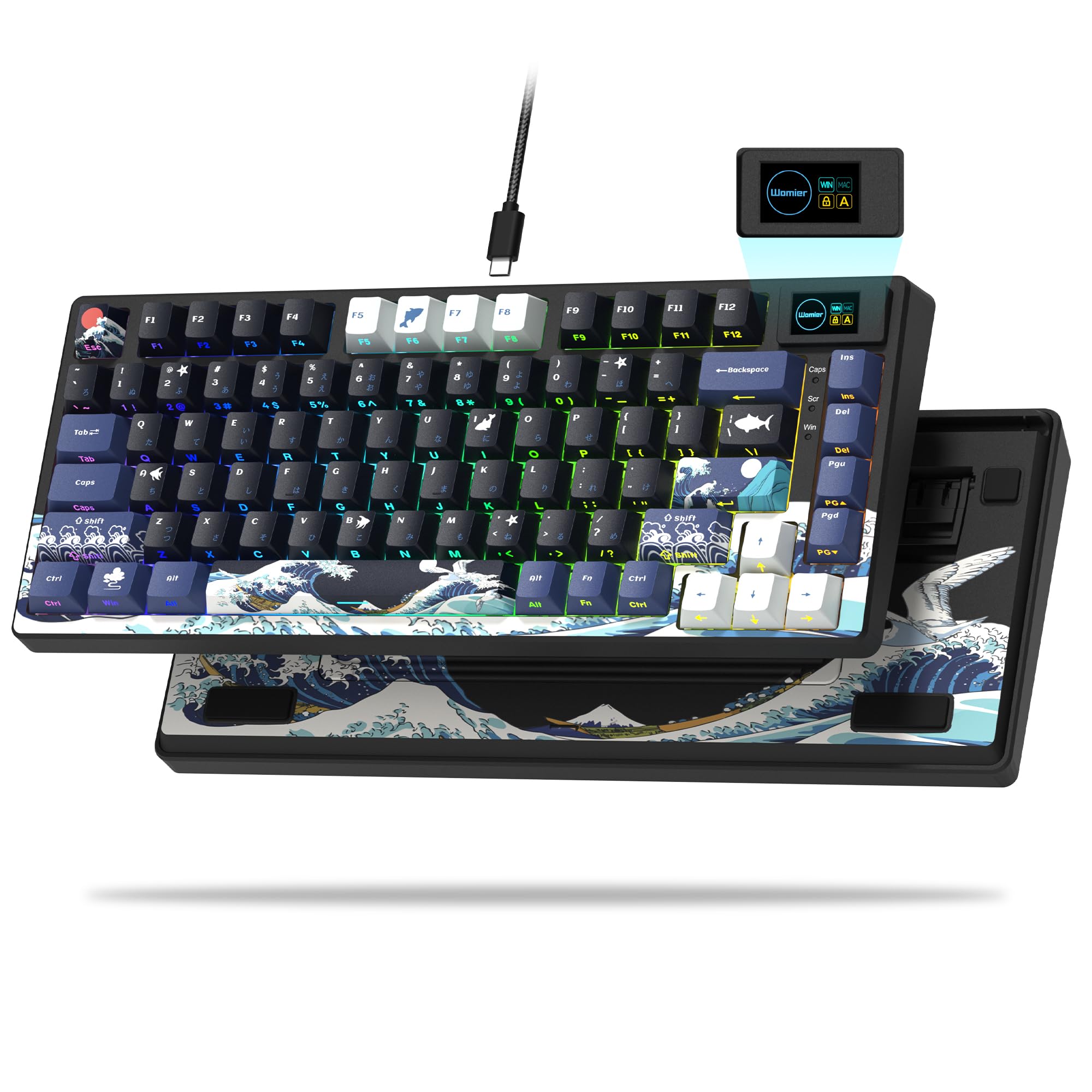
The SK80 is the one pick here that never asks you to think about charging. It is a wired 75% board, so the USB-C cable is both power and connection, and the color multimedia display in the corner handles status and custom images without a battery to protect.

We recommend it to anyone building a first screen keyboard on a tight budget. The 82-key layout is compact without losing the arrows, the gasket mount and pre-lubed linear switches give it a creamy, comfortable feel, and the metal enclosure makes it feel more substantial than the compact frame suggests.

The screen and RGB are the fun part: 19 lighting effects and custom GIFs give it more personality than the plain boards in this group. Hot-swap sockets mean you can change switches later, which is the right kind of upgrade path for a budget board. The display is easy to set up, and the metal frame gives it a planted feel that we did not expect from a compact board.

Pros

  • Colorful display and RGB
  • Compact 82-key layout
  • Creamy hot-swap switches
  • Metal enclosure

Cons

  • Wired-only USB-C connection
  • RGB does not shine through key legends
Our verdict

The SK80 is our pick for wired-budget shoppers who want a colorful display and hot-swap hardware without battery upkeep.

Check Latest Price
6

Best Compact

Redragon K724 PRO

88 /100
LBD Score Excellent

Key details

Layout
80% (81 keys)
Display
TFT screen with knob
Structure
Gasket mount
Connectivity
2.4GHz, Bluetooth, USB-C
View on Amazon

The K724 PRO is what happens when a compact board keeps the screen and knob but drops the number pad. Its 81-key, 80% layout leaves more room for a mouse, which is the whole point for a small gaming desk or a laptop setup that doubles as a workstation.

We like it for cramped spaces because the TFT display and knob survive the size cut. The gasket mount and five layers of dampening give the custom linear switches a soft, quiet bounce, and tri-mode wireless means it can move between a desktop and a laptop without re-pairing. It is not as plush as the larger gasket boards, but it is close for a compact frame.

The 81-key layout is the boundary: if you spend your day in spreadsheets, the 95-key K719 PRO is the better fit. For everyone else, the smaller frame is the feature, and the screen is legible enough for battery and connection checks without opening software. It is the board we reach for when the desk has to share space with a notebook.

Pros

  • Compact 81-key footprint
  • TFT screen and knob remain
  • Quiet gasket typing
  • Tri-mode wireless

Cons

  • Multimedia keys can be finicky
Our verdict

We like the K724 PRO for cramped desks: its 81-key frame keeps the screen and knob while leaving more room for the mouse.

Check Latest Price
7

Stylish 97-Key Setups

SOLAKAKA A99 Pro

87 /100
LBD Score Excellent

Key details

Layout
97 keys
Display
LCD screen, metal knob
Structure
Gasket mount
Connectivity
Bluetooth 5.0, 2.4GHz, USB-C
View on Amazon

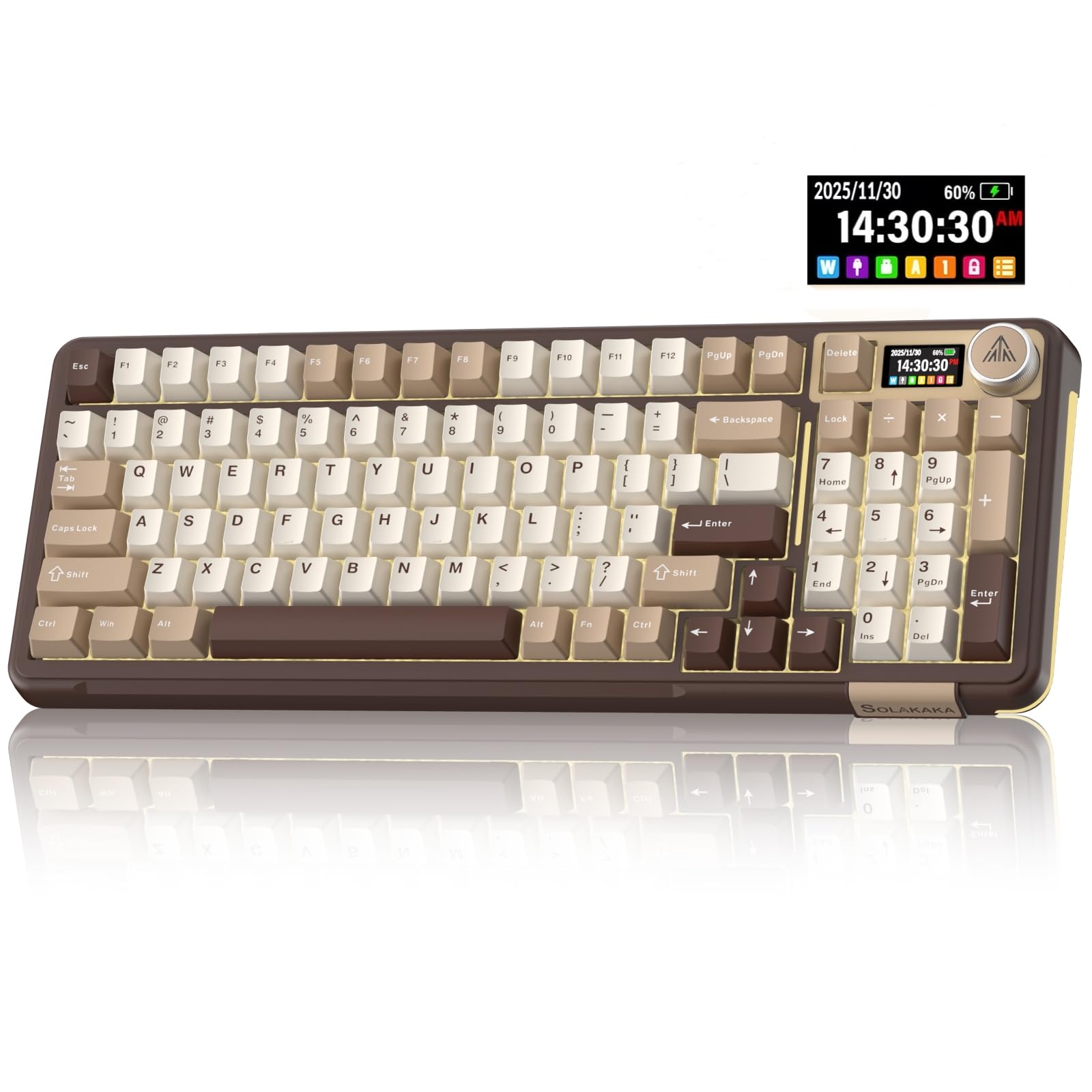
The A99 Pro is the style pick of the group. The milk-coffee colorway and metal knob make it look less like a gaming peripheral and more like something you leave on a shared desk, and the LCD in the corner adds information without turning the whole board into a light show.

The 97-key layout keeps a number pad and arrows in a footprint that stops short of full-size. We like the LCD for date, time, battery, and connection status, and the metal knob has a more substantial feel than the plastic knobs on several rivals. The gasket structure and hot-swap sockets make it easy to live with, and the side lighting adds a little glow without washing out the keys.

The typing feel is creamy and comfortable, with five layers of cushioning under the switches and a sound that stays on the softer side. The screen is simple to set up, and custom images are supported, which makes it easy to personalize without a deep learning curve.

We recommend it as the style-first alternative to the more popular picks here: it gives you a 97-key layout, a readable LCD, and a metal knob without looking like every other gaming board. The software is the weak link for advanced macros, so keep that in mind if you need deep programmability.

Pros

  • Milk-coffee color and metal knob
  • 97-key layout keeps numpad
  • LCD shows status and custom images
  • Gasket mount and hot-swap

Cons

  • Responsiveness can be uneven
Our verdict

We suggest the A99 Pro for buyers who want a color LCD and metal knob in a 97-key layout that splits the difference between compact and full-size.

Check Latest Price

How We Tested: Eight Months, a Dozen Keyboards

We started with every mechanical keyboard we could find that paired a usable display with a knob, then filtered for the things shoppers actually compare: hot-swap sockets, a gasket mount, pre-lubed switches and stabilizers, multi-mode wireless where it was offered, and layouts running from compact 75% up to full-size. Boards whose screen only showed a logo got cut. That left 12, which we bought at retail and put into rotation.

Every board spent at least a week as my main keyboard: full workdays of writing and spreadsheets, evening gaming, and, for the wireless ones, a stretch unplugged and carried between my home desk and a shared office in town. We typed the same passage on each, on the same desk mat, and listened for ping, spacebar rattle, and how much of the creamy sound claim survived contact with a real desk. We also swapped lubed linears into every hot-swap board to see how the gasket mount handled it, reloaded the screen artwork, and remapped keys to check the software.

Battery life got its own tally: we ran each wireless board from full at 2.4GHz with the backlight blazing, then again dark, and compared the number on the display to what actually happened — one board dropped a bar in an afternoon, another still read 60 percent after a week. We noted whether keys registered on the first press after sleep, whether a board double-typed or dropped its connection over a month of use, and whether the knob's default was volume or a menu dive. Durability came down to case flex under a hard press and how the keycaps looked after weeks of typing; lighting was judged at night at half brightness, ergonomics by front height and where my wrists sat after a full day, and value by what each board gave for what it asked.

How to Choose a Mechanical Keyboard with a Screen

Decide What the Screen Is For

A screen can show battery level, connection mode, active layout, time, or custom GIFs. The useful ones put that information where a glance catches it; the gimmicky ones make you open software for basic changes. We look for a display that works with the knob for volume or lighting, because that combination earns its space. If you mainly want battery and connection status, a simpler LCD is enough. If custom images are the draw, check that the model supports GIFs and that the software runs on your computer. Write down the two things you want to see; if neither is on the list, spend the money on switches instead.

Match the Layout to Your Desk and Numpad Habit

A 75% board like the F75 MAX keeps the arrows and function row but drops the number pad, which frees mouse room on a narrow desk. A 96% or 95-key board keeps the number pad in a tighter frame, while a full-size model like the TH108 PRO adds spacing and a wider footprint. The right choice is the one that matches the work you do: spreadsheet and accounting users should keep the number pad; game-first desks can usually give it up. If you use a mouse close to the keyboard, the compact frame matters more than the extra keys.

Choose Connectivity Around Your Charging Habits

Tri-mode wireless is the flexible choice: 2.4GHz for low-latency gaming, Bluetooth for switching between a laptop and tablet, and USB-C for charging or a wired session. A wired board like the SK80 removes charging from the equation entirely, which is a real convenience if you never move the keyboard. Battery capacity matters, but so does the screen and RGB load; a large cell helps, yet a colorful display still asks for a cable sooner. If you hate charging, buy wired; if you switch devices, buy tri-mode.

Prioritize Switch Feel and Dampening

Most boards in this group use linear switches, which are smooth and quiet enough for shared spaces. The bigger difference is the mount: gasket boards like the F75 MAX and K719 PRO have a softer, cushioned feel, while a top-mount board like the S98 is firmer and more planted. Five layers of foam or silicone reduce hollow noise, and hot-swap sockets let you change switches later without soldering. If you want tactile feedback, plan to swap switches rather than expecting it out of the box.

Check the Knob and Software Before You Commit

The knob is the feature you touch constantly, so its resistance and click matter. A good one controls volume, connection mode, and lighting without a trip to the software. The screen is the opposite: basic status is usually available on-device, but custom GIFs, macros, and per-key lighting often depend on a desktop driver. If you rely on macros, read the software notes before buying; if you just want a volume dial and a battery readout, the hardware controls are what count.

Frequently Asked Questions

Final Verdict

The F75 MAX is the board we recommend first because it gets the everyday balance right: a compact 75% layout, a TFT screen that stays useful, creamy hot-swap switches, and tri-mode wireless. If you need a number pad and the longest battery in the group, the TH108 PRO is the better full-size buy. If you want the simplest entry into a screen keyboard and never want to charge it, the wired SK80 is the one.