Best PC Case Fans of 2026

A case fan is the cheapest part of a build and the one you'll listen to longest. Spin it faster and it moves more air and makes more noise; slow it down and your CPU and GPU creep toward their limits. Everything worth buying sits somewhere on that line — the question is which fans hold the quiet side of it.

I've built enough systems to be picky, and over four months my team and I ran 18 fans through real builds rather than a test bench. Top RPM on the box tells you almost nothing: bearing quality and blade shape decide whether a fan hums or drones, a fan pulling through a dust filter behaves nothing like one in open air, and you'll run out of motherboard headers long before you run out of mounting spots — so cable length, daisy-chaining, and even whether the white model ships with white cables made the cut.

The picks below are the ones that stayed in my builds after testing wrapped: quiet enough to leave running overnight, strong enough to hold temperatures where I wanted them.

1

Best Overall

Noctua NF-P12 redux-1700 PWM

96 /100
LBD Score Outstanding

Key details

Airflow
120.2 cubic meter per hour
Connector
4-pin PWM
Max Speed
1,700 RPM
Noise Level
25.1 dB
View on Amazon

Twenty-five decibels and 120 cubic meters an hour are the two figures that put this at the top of our list. Noctua's redux line is the stripped-down version of its fan range — no accessories, plain packaging, the fan and four screws — and what survives the cost-cutting is the part that matters: a 120mm PWM fan that moves serious air without announcing itself. When someone asks us for one fan to fix a hot, noisy case, this is the name that comes out first.

The pressure-optimized blade design is why it works in more places than a rear exhaust. It pulls through a dusty front filter and pushes across a heatsink or a thin radiator without stalling, so the same fan covers an intake, an exhaust, and a CPU cooler swap. The 4-pin connector hands speed control to the motherboard, and at idle it drops far enough down the range that the machine fades into the background.

What you give up is the extras. Anti-vibration mounts, a y-splitter, and a low-noise adaptor all cost extra here, and on a case with thin steel side panels the rubber corners are worth adding to the same order rather than a second one. For most builds those mounts are the difference between a fan you hear and one you forget.

The rest is standard Noctua: a six-year warranty, a bearing rated past 150,000 hours, and a sleeved black cable that disappears into a build. It isn't the cheapest fan here and it isn't the quietest at full speed, but it makes the fewest excuses of anything in this guide.

Pros

  • Best airflow-to-noise balance in this group
  • 4-pin PWM speed control
  • Six-year warranty and 150,000-hour bearing rating
  • Pressure-optimized blades work on filters and heatsinks

Cons

  • Anti-vibration mounts and splitters cost extra
  • Grey-brown frame divides opinion
Our verdict

Our default case fan: the best airflow-to-noise balance in this group, PWM control, and a six-year warranty for about half the flagship Noctua's price.

Check Latest Price
2

Best Premium

Noctua NF-A12x25 PWM

98 /100
LBD Score Outstanding

Key details

Airflow
102.1 cubic meter per hour
Max Speed
2,000 RPM
Noise Level
22.6 dB
Low-noise Adaptor
1,700 RPM
View on Amazon

Open the box and there is a small bag of parts most fans don't come with: eight anti-vibration mounts, a radiator gasket, four screws, an extension cable, a y-cable for running two fans from one header, and a low-noise adaptor that caps the fan at 1,700 RPM. It reads like overkill until you're the person hunting a y-splitter at eleven at night with the side panel off.

None of that would matter if the fan were average. It isn't. The Sterrox liquid-crystal blades, the metal-reinforced hub, and the very tight tip clearance are where the money went, and the result is 102 cubic meters an hour against a 22.6 dB rating — the quietest full-speed figure of any fan here. The practical question with a fan like this is where it becomes audible, and the answer is high in the range: it stays effectively silent up to roughly 1,600 RPM, and at 2,000 you can hear it.

We also rate the low-noise adaptor more highly than the spec sheet suggests. For a case fan you rarely need the last 300 RPM, and the adaptor turns the flagship into a very quiet 1,700 RPM fan with no software and no fan curve to configure. That is a useful thing to have in a build for someone who will never open the BIOS.

The sticking point is that this is the priciest single fan in the guide, which makes it a fan for the two positions that matter rather than a fan for filling a case — typically a rear exhaust and the front intake feeding the CPU. The brown and beige frame is the other consideration, and inside a glass-panelled build with a colour scheme it's a real one.

Pros

  • Quietest full-speed rating in this group
  • Complete accessory kit in the box
  • Works as case fan, cooler fan, and radiator fan
  • Six-year warranty and metal-reinforced hub

Cons

  • Priciest single fan in this guide
Our verdict

If noise is the constraint rather than the goal, this is the fan: 22.6 dB at 2,000 RPM, every accessory in the box, and the best build quality here.

Check Latest Price
3

Best Budget Multipack

ARCTIC P12 5-Pack

92 /100
LBD Score Outstanding

Key details

Airflow
56.3 cfm
Connector
3-pin
Fan Speed
1,800 RPM
Static Pressure
2.2 mmH₂O
View on Amazon

Five fans, one box, and enough airflow to populate a mid-tower front to back. That's the whole proposition, and it's why this is the set we suggest when someone is finishing a build on a budget and needs four or five matching fans rather than one perfect one. At 56.3 cfm and 2.2 mmH₂O apiece, they're rated for the same restricted-intake work as the pressure fans costing several times as much.

Where the set earns its keep is behind restrictions: the blades are pressure-optimized, so they pull through a dust filter and push across a radiator instead of stalling at the first obstruction. Plan the wiring before ordering, though — five fans want five headers, and most boards have two or three chassis headers, so a splitter or a small hub belongs in the same basket.

What we like is how little they ask in return. The fluid dynamic bearing is the same idea the expensive fans use, the frame screws straight into standard 120mm spacing, and the set carries a six-year warranty. They aren't the quietest fans here at full speed, but at 0.3 sone they're far from the loudest — and replacing one that develops a rattle isn't a decision worth agonizing over.

Pros

  • Five fans for about one premium fan's price
  • Pressure-optimized blades handle filters and radiators
  • Six-year warranty and fluid dynamic bearing

Cons

  • 3-pin, so speed control depends on the motherboard
Our verdict

One box covers a whole mid-tower: five pressure-optimized 120mm fans for about the price of a single premium one, as long as your board can control 3-pin fans.

Check Latest Price
4

Best Quiet Single Fan

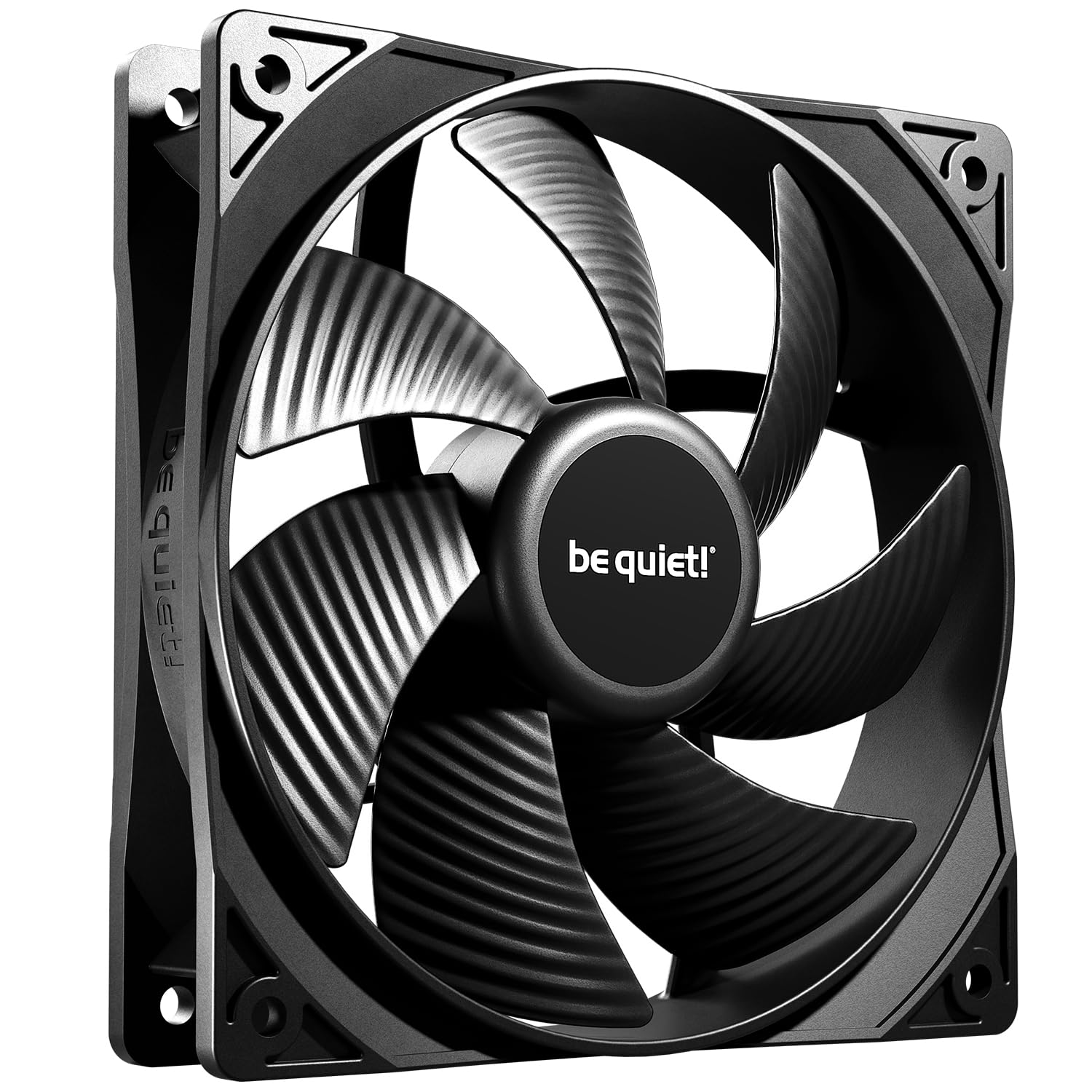
be quiet! Pure Wings 3

92 /100
LBD Score Outstanding

Key details

Airflow
49.9 cfm
Max Speed
1,600 RPM
Noise Level
25.5 dB
Bearing Life
80,000 hours
View on Amazon

Most fan coverage is written at full speed, which is not where a desktop spends its life. The Pure Wings 3 is designed around the other end of the curve: be quiet! builds it to run at a very low minimum RPM, so the fan is essentially inaudible at idle and only ramps when the processor asks it to. In a bedroom office or a living-room build, that's the difference you actually notice.

It's a 4-pin PWM fan, 1,600 RPM at the ceiling, 49.9 cfm, and 25.5 dB by the rating. Those are good numbers rather than class-leading ones, and that's the right way to read this fan — it sells on the shape of the curve, not the peak. Seven airflow-optimized blades and a frame outlet tuned for radiators mean it moves air smoothly through the range instead of needing to be wound up before it does anything.

The trade-off is capacity. At 49.9 cfm it's an airflow fan first: it will cool a case and handle a slim radiator, but it isn't the one to choose for a thick 360 with densely packed fins. There are no radiator bolts or fan hub in the box either — you get the fan and its mounting screws — so a radiator install needs hardware from somewhere else.

The rifle bearing is rated to 80,000 hours and the fan carries a two-year warranty, which is the honest trade for the price. What keeps us coming back is the fit: a black frame, no lighting, nothing to configure, and a fan that is quieter this afternoon rather than a weekend project.

Pros

  • Very low minimum speed for near-silent idle
  • 4-pin PWM control with a 25.5 dB rating
  • 80,000-hour rifle bearing

Cons

  • Won't come to a full stop at zero PWM
  • Two-year warranty is the shortest here
Our verdict

The quietest way to spend the least: a 4-pin PWM fan built around a very low minimum speed, rated 25.5 dB flat out, for barely more than a no-name fan.

Check Latest Price
5

Best ARGB Daisy-Chain Set

Corsair RS120 ARGB Triple Pack

92 /100
LBD Score Outstanding

Key details

Airflow
72.8 cfm
Lighting
8 ARGB LEDs per fan
Max Speed
2,100 RPM
Static Pressure
2.8mm-H2O
View on Amazon

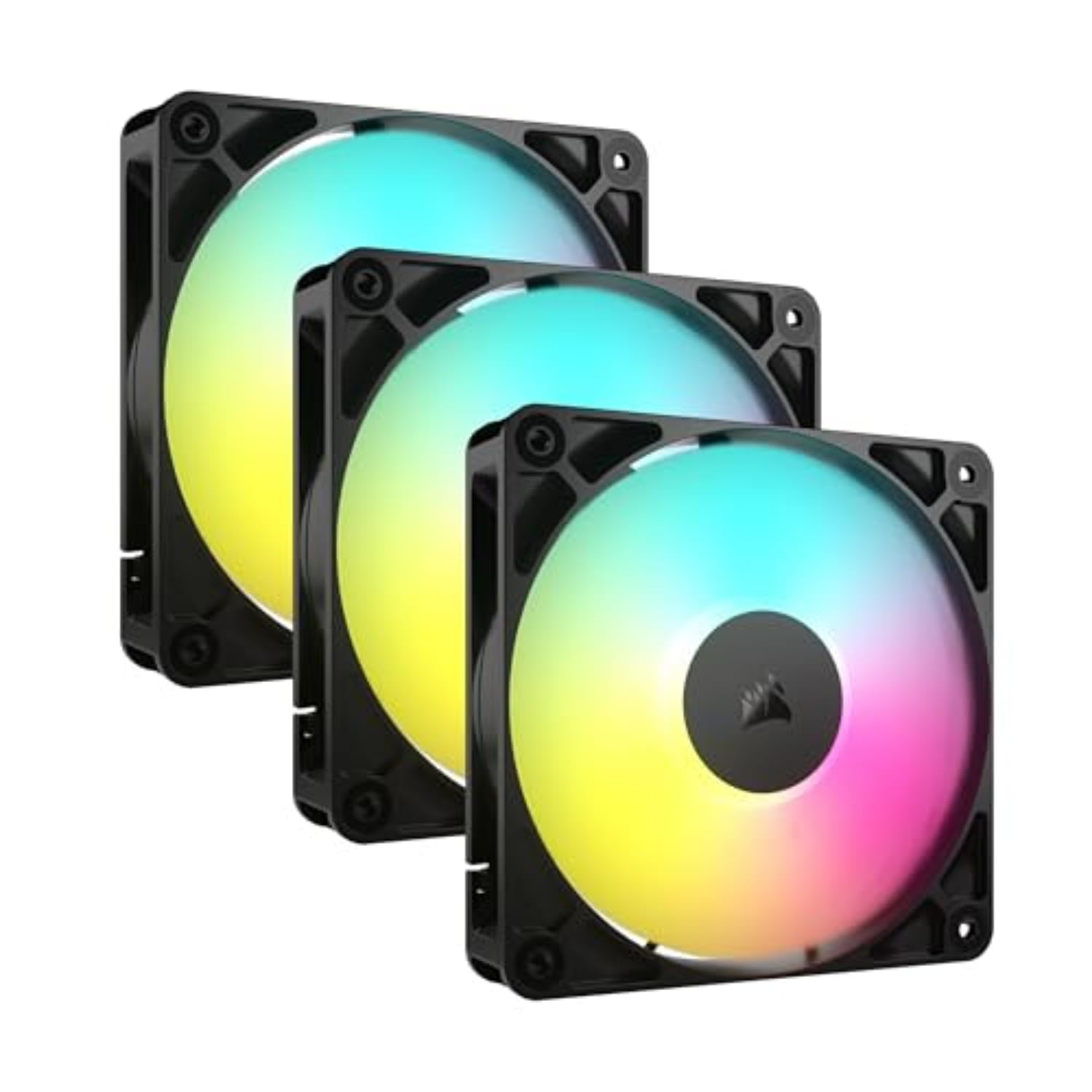
One 4-pin PWM lead and one 5V ARGB lead for all three fans. That's the pitch, and in a case with a single accessible header it's the difference between a clean build and a nest of splitters. The interlocking connectors let you chain the set and run one cable to the board, which is why this is our pick when the build has lighting in it and the cable management doesn't.

The performance isn't an afterthought. 2,100 RPM, 72.8 cfm, and 2.8 mmH₂O of static pressure put these near the top of this group for pushing through a radiator, and Corsair's AirGuide vanes angle the exhaust at the components instead of letting it scatter. The magnetic dome bearing is a good sign for longevity and the five-year warranty backs it.

Where they fall down is noise, and the 36 dB rating is the giveaway — these get loud when you let them. Under light load the set is nearly silent; at full tilt it's the noisiest thing in this guide by a wide margin. A fan curve solves most of it, and because the fans are PWM the board will manage that for you once you set a sensible profile. Leave the top of the range for load spikes.

Compared with the Thermalright set, you're paying for brighter lighting and a far tidier cable run rather than more airflow. Compared with the Lian Li triple, you give up the showpiece look and save a chunk of money. For a first RGB build with a glass side panel and one free ARGB header, that's the right trade.

Pros

  • One PWM and one ARGB lead for three fans
  • Strong static pressure for radiator use
  • Five-year warranty and magnetic dome bearing

Cons

  • Lighting needs a 5V ARGB motherboard header
  • Short runs between daisy-chained fans
Our verdict

Three ARGB fans sharing one PWM and one ARGB connector, with genuine radiator pressure — the tidiest way to light a case on a midrange budget.

Check Latest Price
6

Best Budget ARGB Set

Thermalright TL-C12C-S 5-Pack

91 /100
LBD Score Outstanding

Key details

Airflow
66.17 cfm
Max Speed
1,550 RPM
Pack Size
5 fans
Static Pressure
1.53mm H2O
View on Amazon

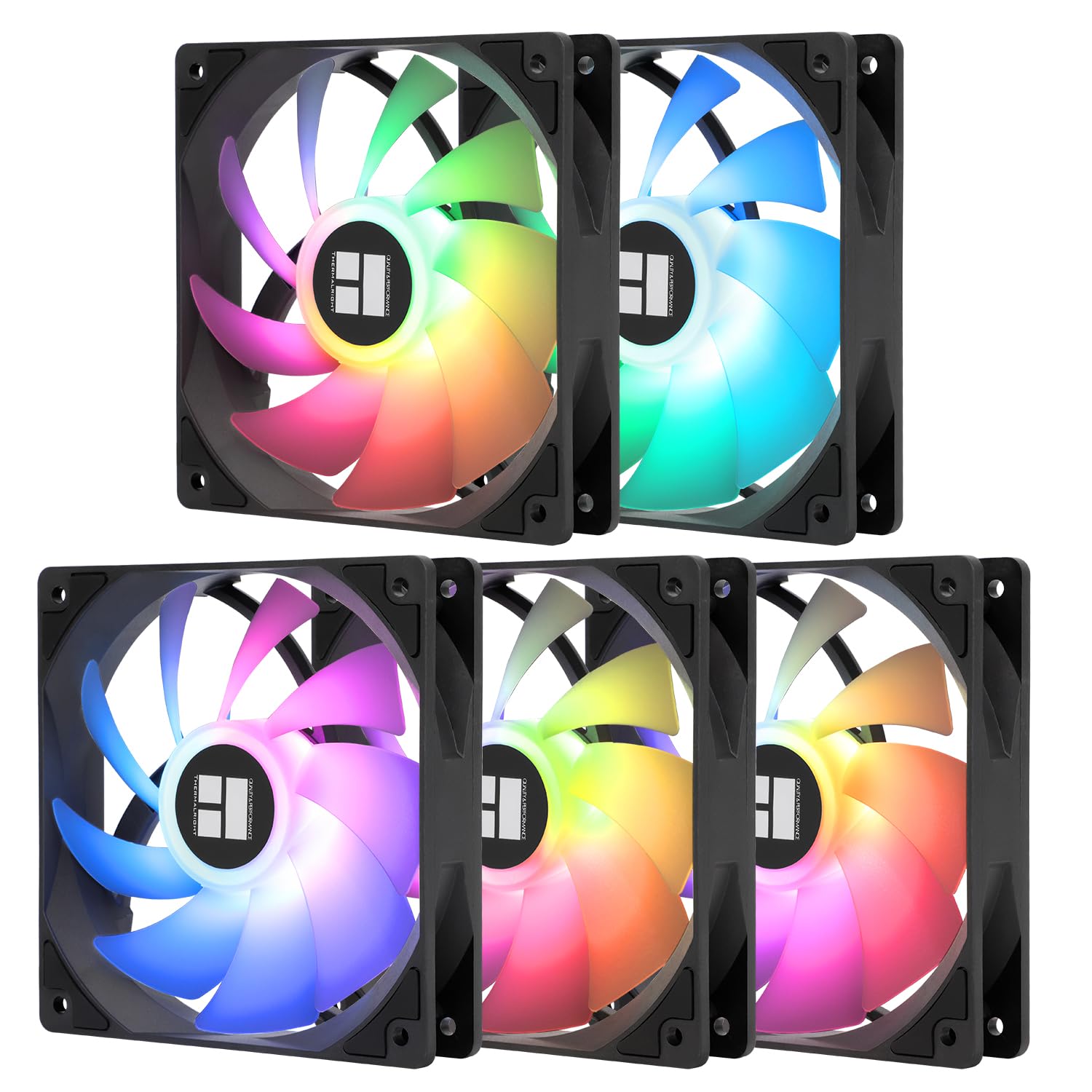
No hub, no controller, no software: the PWM and ARGB cables both daisy-chain, so five fans run from one fan header and one ARGB header. That's the part that makes this set worth taking seriously rather than a novelty — a full case of addressable lighting usually means a controller and a weekend, and this box skips both.

The spec sheet is more than adequate for case work: 1,550 RPM, 66.17 cfm, and a 25.6 dB rating. The ARGB blade is soft and diffused rather than pin-sharp, which reads well behind a mesh front, and the cables are long enough to reach the back of a mid-tower. Everything is controllable from the motherboard's own software, which is one fewer program to install.

Noise is the variable to plan for. The rating looks modest, but character matters more than the number here: these can develop a whine at particular speeds, and at full tilt in a quiet room you'll hear them. The fix is a fan curve — pick a ceiling you can live with and leave the top of the range for load spikes rather than idle.

What you accept is the warranty: three years against six from Noctua and Arctic, and that's the honest read on where the savings came from. Even so, five PWM ARGB fans for the price of one premium fan is the value story of this guide. Buy it for the lighting and the headcount; the cooling is a bonus.

Pros

  • Daisy-chains both PWM and ARGB, no hub needed
  • Five fans for less than one premium fan
  • 4-pin PWM with motherboard ARGB control

Cons

  • Three-year warranty
  • Low 1.53mm H2O static pressure
Our verdict

Five PWM ARGB fans that daisy-chain power and lighting, for less than a single premium fan here — the value pick if a three-year warranty is acceptable.

Check Latest Price
7

Best Single-Frame 360Mm

NZXT F360 RGB Core

91 /100
LBD Score Outstanding

Key details

Frame
360mm, three 120mm fans
Airflow
75.12 cfm
Max Speed
2,400 RPM
Noise Level
30 dB
View on Amazon

A single frame holding three 120mm fans, so mounting a 360mm radiator or a front panel is one operation rather than three. That's the whole argument, and it's a good one: fewer screws, one cable, and no chance of the three fans sitting at slightly different heights and buzzing against the same panel.

The fans themselves are rated to 2,400 RPM with 75.12 cfm of airflow and 30 dB — more airflow on paper than most of this guide — and the fluid dynamic bearings are rated to 60,000 hours. The blades are shaped for static pressure, so the unit is as comfortable on a radiator as it is in a case front, and the semi-translucent blades carry the lighting evenly rather than in hot spots.

Control is the part to understand before buying. Speed and lighting through NZXT CAM need an NZXT controller, which is sold separately; without one, the unit connects to any motherboard's 5V ARGB header and you run it from the board's software. Neither route is wrong — if you already live in CAM, buy the controller; if you don't, the header costs nothing.

What we like most is how much building it removes. One cable, one mounting job, one thing to configure, and a look that is cleaner than three separate fan frames bolted side by side. It's a niche product — it fits where a 360mm radiator fits and nowhere else — but within that niche nothing here installs more tidily.

Pros

  • One frame, one cable for three fans
  • High 75.12 cfm with pressure-shaped blades
  • 60,000-hour fluid dynamic bearings and five-year warranty

Cons

  • Audible as it climbs toward 2,400 RPM
  • Requires a 360mm mounting location
Our verdict

Three 120mm fans on one frame and one cable — the cleanest 360mm install in this guide, as long as you can feed it a controller or an ARGB header.

Check Latest Price
8

Showcase RGB Builds

Lian Li UNI Fan SL-Infinity

93 /100
LBD Score Outstanding

Key details

Pack
Triple pack with controller
Fan Size
120mm
LEDs Per Fan
40
Controller Capacity
Up to 16 fans
View on Amazon

An infinity mirror around the hub and the frame's inner edge, 40 LEDs per fan, and a multi-layer effect that holds up from the side as well as the front. This is the fan people notice through a glass panel, and Lian Li has built the rest of the product around that one fact.

The practical side is better than a pure showpiece deserves. The fans interlock so the cables daisy-chain cleanly, the cable module is reversible and removable so it clears a radiator fitting, and the controller included in the triple pack runs up to 16 fans in four groups plus two SM-type devices. That's an actual ecosystem for a case, not a three-fan dead end.

What you give up is a cooling argument. There's no airflow or static pressure figure here to set against the rest of the guide, so if thermal performance is the deciding factor you'd be choosing blind — and the Noctua, Arctic, and be quiet! picks publish exactly those numbers. Read this one as a lighting product that also moves air, and it stops being a compromise.

In a build where the case sits on the desk with a glass panel facing the room, the mirror and the cable design are the reason to buy and the cooling is beside the point. In a solid steel box under the desk, everything you paid for is invisible. That's the whole decision, and it has nothing to do with fan curves.

Pros

  • Infinity mirror visible from any angle
  • Included controller runs up to 16 fans

Cons

  • Most expensive set in this guide
Our verdict

The showpiece of the group: an infinity mirror that reads from any angle, a controller that runs up to 16 fans, and interlocking cables that keep a glass build tidy.

Check Latest Price

How We Tested the Best PC Case Fans

We started by sorting what's actually on the market by size, bearing type, PWM control, and price per fan once multi-packs were factored in, then cut anything with a reputation for ticking or for cables too short to reach a top-rear header in a mid-tower.

Each of the 18 went into one of three systems: my main mid-tower with a 360mm radiator up top and intake fans pulling through a dust filter, a compact build in a warm second-floor office, and an older case in a house with a shedding dog. I installed them all myself and timed it, noting whether screws bit cleanly into plastic, whether the frame flexed when I tightened it, and how the cable routed behind the tray with the panel back on.

For noise, I pinned each fan to fixed speeds rather than trusting a curve, then sat at desk distance in a quiet house after everyone else went to bed, listening for motor hum versus wind rush and flagging anything that ticked at low RPM. For cooling, I logged CPU and GPU temperatures across repeated 30-minute stress runs, first as intake and then as radiator exhaust, and held a tissue at the vent to see whether it fluttered.

Bearing quality got a hands-on check: I spun each hub before installing to feel for play or grit, flexed the blades, and came back a month later to see how much dust had caked on. I dimmed the room to check for lighting bleed and held white fans against white cases to see whether the frame and cables actually matched. Anything that ticked at 40 percent didn't survive the month.

How to Choose Pc Case Fans

PWM first, everything else second

A 4-pin PWM fan lets the motherboard set speed continuously, so it idles slow and ramps only under load. A 3-pin fan holds a fixed speed unless your board supports DC voltage control, and even then the usable range is narrower. That difference matters more than any airflow figure in this guide: a modest PWM fan on a sensible curve is quieter every day than a premium fixed-speed fan running flat out.

If your chassis headers are PWM-only, which most modern boards are, buy 4-pin and stop shopping on that axis. Only drop to 3-pin when the price gap is the whole point, as with the Arctic five-pack, and go in knowing you're trading control for headcount.

Airflow or static pressure?

A fan blowing into open mesh meets almost no resistance, and a blade built for raw flow does that best. Put the same fan behind a fine dust filter, a drive cage, or a radiator and the air stalls against the obstruction. Pressure-optimized designs give up a little peak flow in exchange for pushing through it.

In practice: pressure fans on front intakes and radiators, airflow fans on rear and top exhaust. If you're buying one type for the whole case, buy pressure — it covers both jobs well enough, which is why Noctua's pressure-optimized P12 makes a better all-rounder here than a pure airflow blade.

Read the dB rating with suspicion

Ratings are taken at full speed on a single fan, which is almost never how a case runs. Three 25 dB fans do not add up to 25 dB, and tone matters more than volume — a low whoosh disappears into a room, a high whine does not. That is the gap between the Corsair set at 36 dB and the quieter single fans here, and it is why a fan curve does more for your ears than a specification ever will.

Two things the number never tells you: how low the minimum speed goes, and whether the fan stops entirely at zero PWM. Both decide how quiet the machine is at idle, which is most of the time it is switched on.

Count your headers and cables

A five-pack needs five fan headers, and most boards have two or three chassis headers. A splitter is the cheap answer — check the header's current rating before hanging four fans off one — or buy a set that daisy-chains, like the Corsair or Thermalright picks here, where the fans share a single connector.

Cable length is the other trap. A front intake in a full tower can be a long way from a header at the bottom edge of the board, and short leads mean extensions. Measure the run once, before the motherboard goes in.

Lighting decides your ecosystem

Addressable RGB fans need a 5V 3-pin ARGB header, not the older 12V 4-pin RGB header, and plugging one into the other can damage the LEDs. If the board has the right header, buy fans that use it and skip the controller entirely — that is the simplest route for a first build.

If it doesn't, factor a controller into the total. NZXT's CAM control for the F360 needs one and it is sold separately; Lian Li includes one with the SL-Infinity triple pack. Motherboard software is usually less polished but it is already there.

Frequently Asked Questions

Final Verdict

Start with the Noctua NF-P12 redux-1700. It has the best balance of airflow and noise in this guide, it's PWM, and the six-year warranty means the fan will outlast whatever case you put it in. If quiet is the constraint rather than the goal, the NF-A12x25 buys the last few decibels and every accessory you'll need.

Filling a whole case is a different purchase: the Arctic five-pack or the Thermalright ARGB set gets you there for the price of one premium fan, with 3-pin control or a shorter warranty as the trade.