Best Photo Printers of 2026

Somewhere on your phone are a few thousand photos you have never held in your hand. That's the small problem a photo printer solves: the birthday shot that ends up in a frame instead of a cloud, the sticky-backed snapshot a kid slaps on a laptop lid, the print you actually hang. The category has split in two — palm-size printers that spit out stickers in under a minute, and bigger machines that turn out prints worth framing.

Over the past six months, my team and I put 12 printers through the ordinary rhythm of home printing: phones on the kitchen counter, a laptop on the couch, an afternoon of birthday cards. Nobody tells a first-time buyer that the printer is the cheap part. What you pay per print, and whether refills will still be on sale in two years, matters more than the price on the box.

We weighed pocket-size models against all-in-ones that scan and copy, and watched how each one connected — and stayed connected. Some prints curled and some colors drifted. The picks below kept earning their spot on the counter.

1

Best Overall

Liene M100

89 /100
LBD Score Excellent

Key details

Connection
Wi-Fi hotspot, USB
In The Box
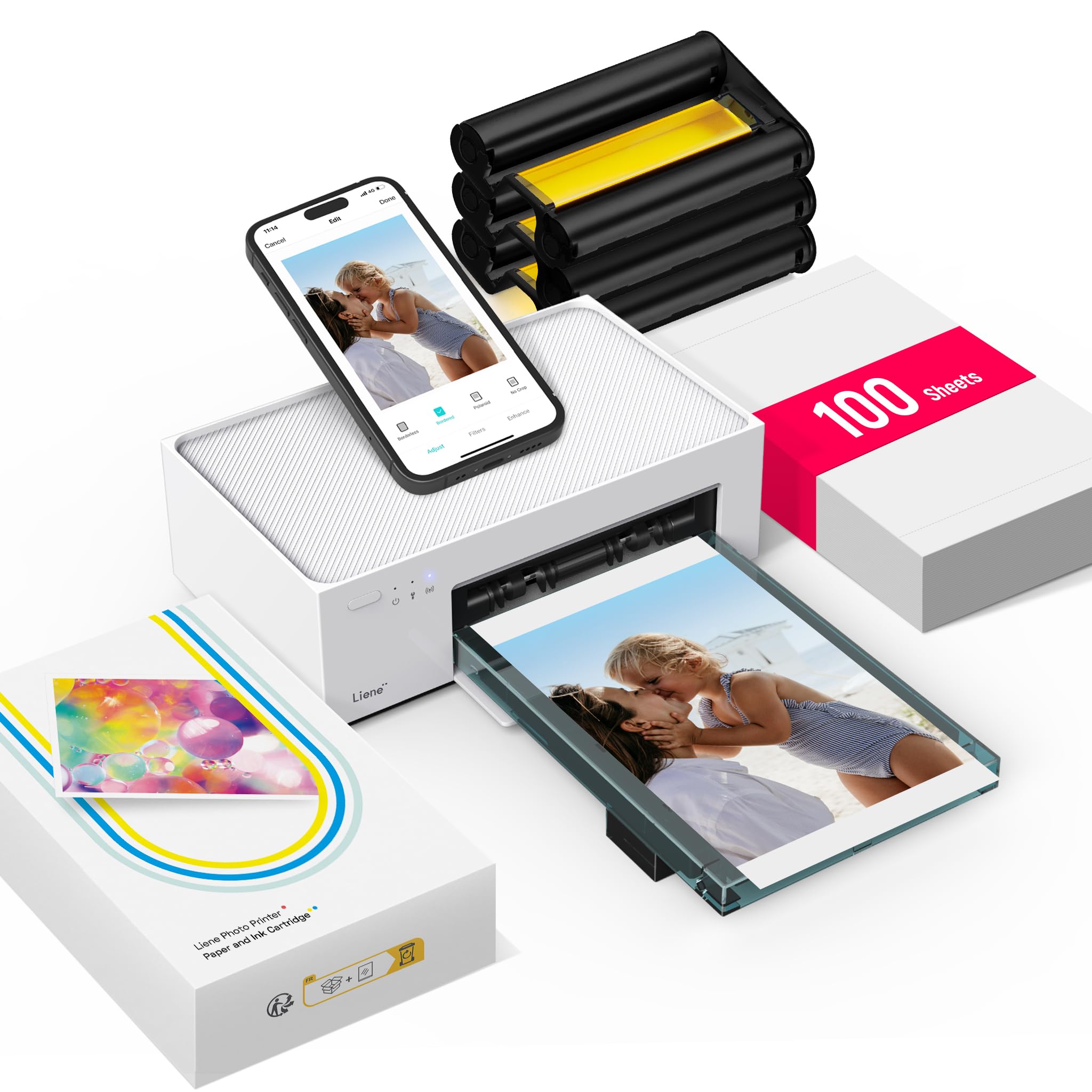
100 sheets, 3 cartridges
Print Type
Dye sublimation
Max Print Size
4 x 6 in
View on Amazon

The first 4x6 out of the M100 is what sold us: skin tones matched the phone, blacks stayed black instead of going muddy, and the print was dry enough to pass around the table the moment it landed. That is dye sublimation doing its job — color laid down in layers and sealed under a clear laminate, about a minute a sheet.

What we noticed next was how little friction sits between you and a print. The M100 runs its own Wi-Fi hotspot, so you join it straight from the phone instead of routing through the house network, and up to five devices can be connected at once — which is the difference between a printer one person uses and one a whole party can use. The box holds 100 sheets and three cartridges, enough to fill an album before you order anything else.

Batches are where it earns its keep. Send ten prints and the machine works through them while you get on with something else, and the laminate means each sheet is safe to handle as it lands. The one thing we plan around is the connection: the direct hotspot is dependable once it is up, but a phone that drifts back to the home network between jobs loses the printer, so we keep the printer's network selected until a batch is finished.

A practical note on the paper path: the cassette takes a stack of 20 sheets, so a long run means topping it up partway through. We prefer that to a machine that jams, and in an evening of printing it is a ten-second interruption.

Pros

  • Consistently sharp, accurate 4x6 color
  • Own Wi-Fi hotspot takes five phones
  • 100 sheets and three cartridges included
  • Small enough to move around the house

Cons

  • 4 x 6 prints only
  • Ink and paper sold as one bundle
Our verdict

For printing 4x6 photos at home from a phone, this is the one we recommend: sharp color, a hotspot that takes five devices, and paper in the box.

Check Latest Price
2

Best for Mixed Print Sizes

Canon SELPHY CP1500

88 /100
LBD Score Excellent

Key details

Connection
Wi-Fi, USB, memory card
Print Type
Dye sublimation
Paper Sizes
4x6, 3.5x4.7, 2.1x3.4, 2.1x2.1 in
On-printer Screen
3.5 in
View on Amazon

Four paper sizes are what separate the SELPHY CP1500 from the other compact dye-sub printers here: a 4x6 for the frame, 3.5 x 4.7 for a card, and two small formats down to 2.1 x 2.1 for wallet prints and sticker pages. If your printing is a bit of everything, that flexibility earns the shelf space. If it is 4x6 or nothing, the Liene M100 costs about the same and ships with 100 sheets and three cartridges.

The 3.5-inch screen on the front does more than show status. You can pull photos off a memory card, crop them, and apply a sepia or black-and-white filter without picking up the phone — useful when the phone is the thing you are trying to stay off. Prints come out dry and water-resistant, which matters with kids at the table.

Two things to plan for. Each paper size needs its own cassette, so moving between 4x6 and the small formats means swapping a tray rather than pressing a button. And the printer is portable only with the optional battery pack; out of the box it wants a wall outlet, which is how we run it.

Color is where we temper expectations. Prints can come out warm, with a slight yellow lean, so run one test print from a new pack before committing a batch of twenty.

Pros

  • Four paper sizes down to 2.1 x 2.1
  • 3.5-inch screen edits without a phone
  • Prints come out dry and water resistant
  • Wi-Fi, USB, and memory card printing

Cons

  • Prints top out at 4 x 6 in
Our verdict

We reach for this one when the print has to be something other than 4x6: four paper sizes, on-device editing, and prints that come out dry and water resistant.

Check Latest Price
3

Best for Large Prints

Canon PIXMA PRO-200S

80 /100
LBD Score Excellent

Key details

Weight
32 lb
Ink System
8-color dye
Print Speed
8x10 in 53 sec
Max Print Size
13 x 19 in
View on Amazon

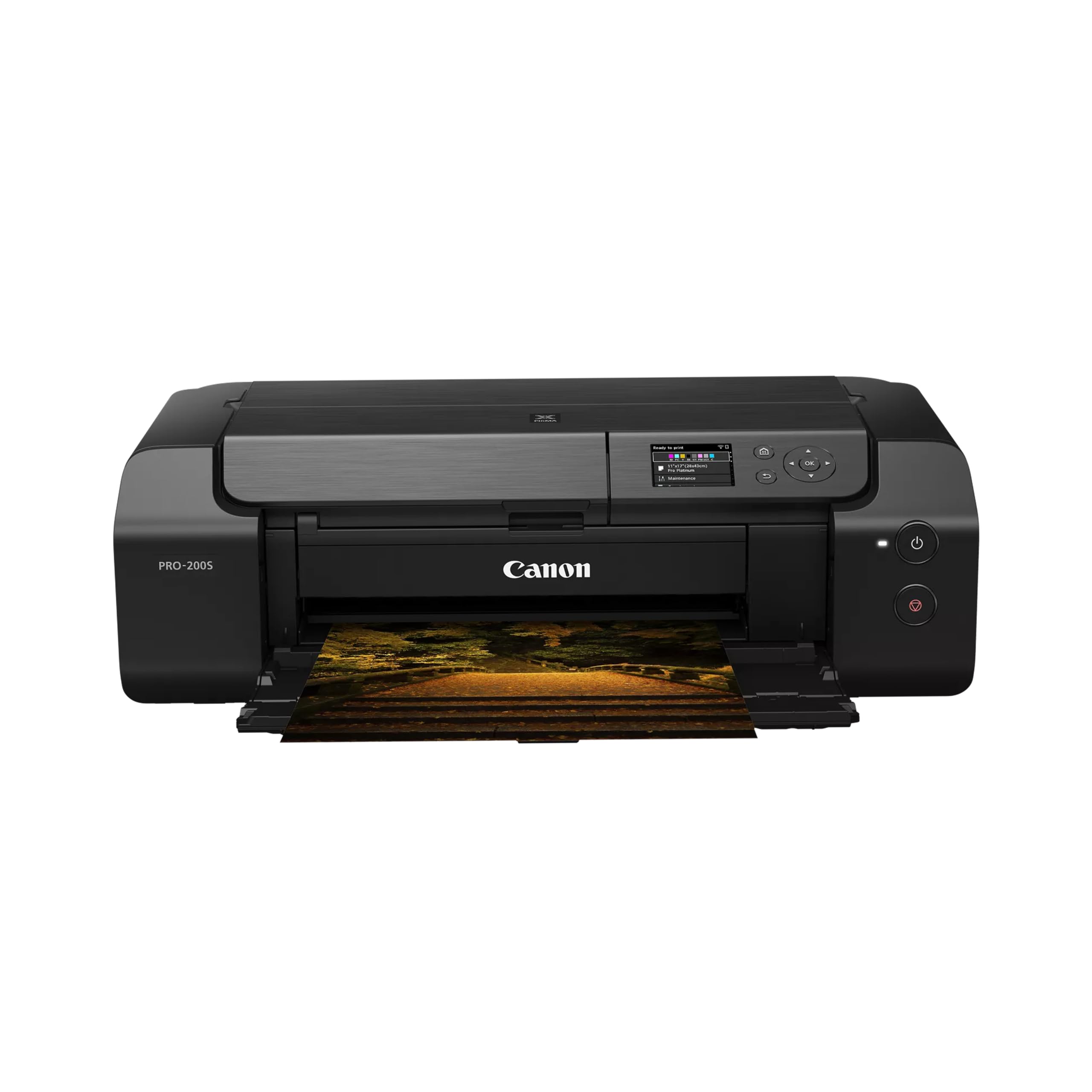
Thirty-two pounds and a footprint close to a small microwave: the PRO-200S wants a dedicated table before it produces a single print. What that buys is a borderless 13 x 19 sheet from eight dye inks, and it is the only printer here that turns a phone snapshot into something you would hang.

Speed surprised us for a photo printer this size — a bordered 8 x 10 in 53 seconds, an A3+ sheet in about 90, so six prints is a coffee break rather than an afternoon. Glossy paper is where the eight inks show off: saturated color and a shine that pigment printers do not quite match.

This is a printer for the person making their own wall art, not the one printing birthday snapshots. A 4x6 from it looks excellent and is an expensive way to get one, and the running cost only makes sense when the print is the product — a portfolio, a sale, a framed piece for the hallway.

Two paper trays are a quieter advantage than the print size: keep 13 x 19 loaded in one and 4x6 in the other, and you stop reloading paper every time the job changes.

Pros

  • Borderless prints up to 13 x 19 inches
  • Eight dye inks for saturated gloss
  • 8 x 10 in 53 seconds

Cons

  • Print-only: no scan, copy or duplex
Our verdict

Buy it for prints bigger than letter size: borderless 13x19 output, eight dye inks, and real speed. It is a specialist machine that wants its own table.

Check Latest Price
4

Best for Stickers

Liene Amber M110

87 /100
LBD Score Excellent

Key details

Weight
2.9 lb
In The Box
60 4x6, 20 3x3 sticker sheets, 2 cartridges
Print Type
Dye sublimation
Paper Formats
4x6 and 3x3 in
View on Amazon

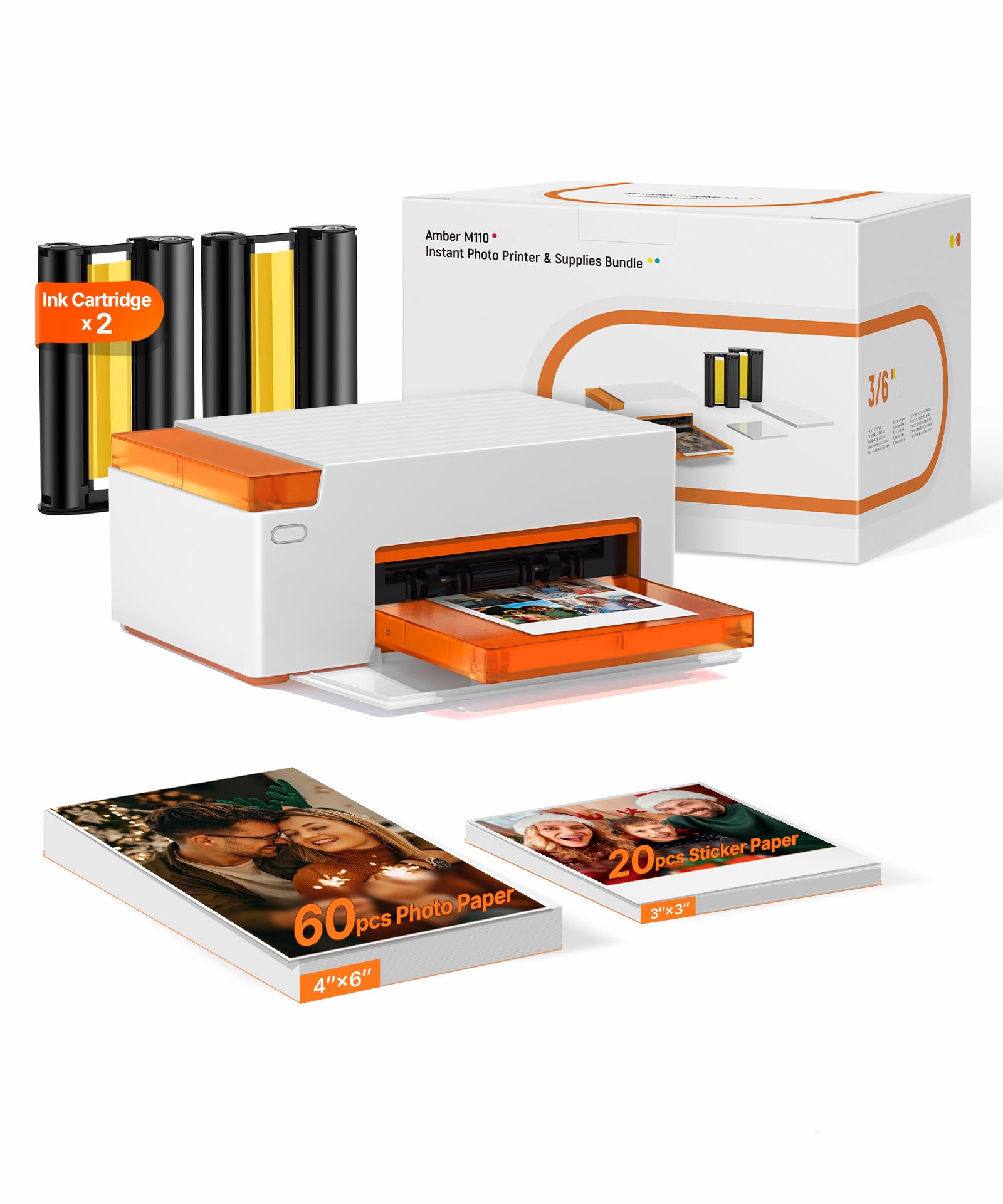
A second tray is the whole idea behind the Amber M110. Load it with 3 x 3 sticky-back sheets and the same machine that prints your 4x6 frames turns out square stickers that peel off like a Polaroid — the format that ends up on a notebook cover or in a travel journal.

We think that dual format is worth paying for when stickers are part of the point. The alternative is a 2x3 instant printer plus a separate 4x6 machine: two devices, two paper supplies, twice the shelf. The Amber's 4x6 output matched what we get from the M100, and colors came out vivid and close to the phone.

Setup is quick — Bluetooth pairing is the fastest of the mini printers in this group — and 2.9 pounds moves from kitchen to desk without a second thought. The cassettes swap in seconds, and the app is where you crop, add a border, and send the job.

Pros

  • Two trays for 4x6 and 3x3 stickers
  • Vivid, true-to-color prints
  • Fast Bluetooth pairing
  • 2.9 lb and easy to move

Cons

  • Limited to 4x6 and 3x3 paper
  • App-only operation
Our verdict

If your photos end up in a journal or on a laptop lid, this prints both 4x6 and 3x3 stickers from one compact machine, and that second tray is the reason to choose it.

Check Latest Price
5

Best Budget Mini Printer

Nelko PP01

84 /100
LBD Score Excellent

Key details

In The Box
20 sheets, 1 cartridge
Print Size
2 x 3 in
Print Type
Inkjet
Resolution
600 x 600 dpi
View on Amazon

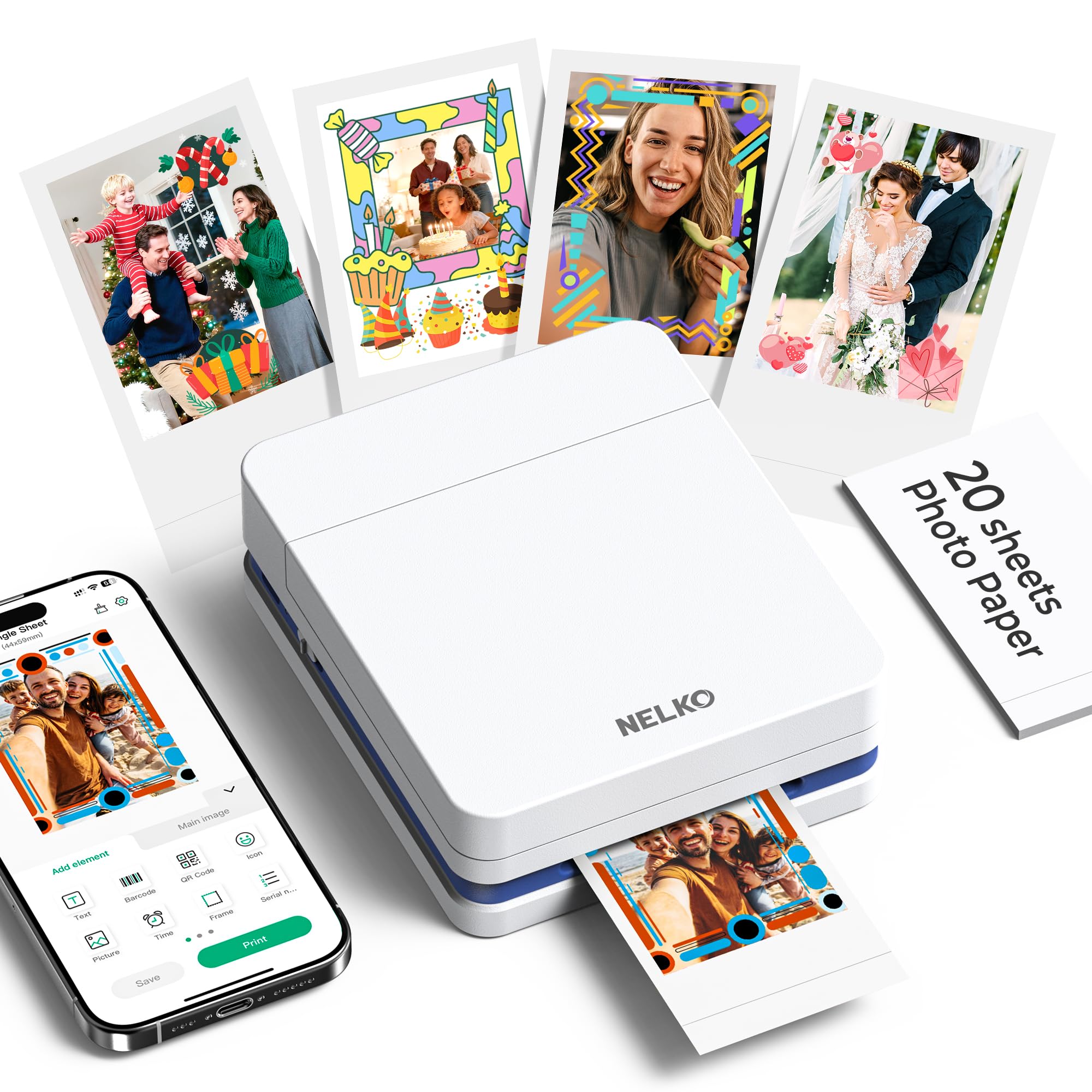
The PP01 is the cheapest way into a print you can stick on something. It undercuts the Kodak Step and uses an inkjet head at 600 dpi rather than Zink's dye crystals, and the difference shows in the output: small prints with real detail instead of the soft, grainy look that has always held instant printers back.

Twenty sheets come in the box, ten of them already loaded, along with a cartridge, so it prints the same afternoon it arrives. The adhesive back is the point — these go into scrapbooks, planners, and the inside of a suitcase lid, and the prints resist water and smudging well enough to survive the trip.

Paper is where the money goes, and a pack goes fast once everyone at the table wants a copy, so buy refills in multiples rather than one at a time. Pairing over Bluetooth is quick, and the app handles borders, frames, and cropping before anything prints.

Pros

  • 600 dpi detail in a tiny print
  • 20 sheets and a cartridge included
  • Quick, steady Bluetooth pairing
  • Lowest buy-in of the mini printers

Cons

  • 2 x 3 prints only
  • Can stop feeding partway through a pack
Our verdict

For 2x3 stickers on a budget, this is our pick: sharper 600 dpi prints than the Zink alternatives and a price that makes it easy to try.

Check Latest Price
6

Best for Low Ink Costs

Epson EcoTank ET-8500

84 /100
LBD Score Excellent

Key details

Functions
Print, scan, copy
Connection
Wi-Fi, Ethernet, USB
Ink System
6 refillable bottles
Max Paper Size
Legal (8.5 x 14 in)
View on Amazon

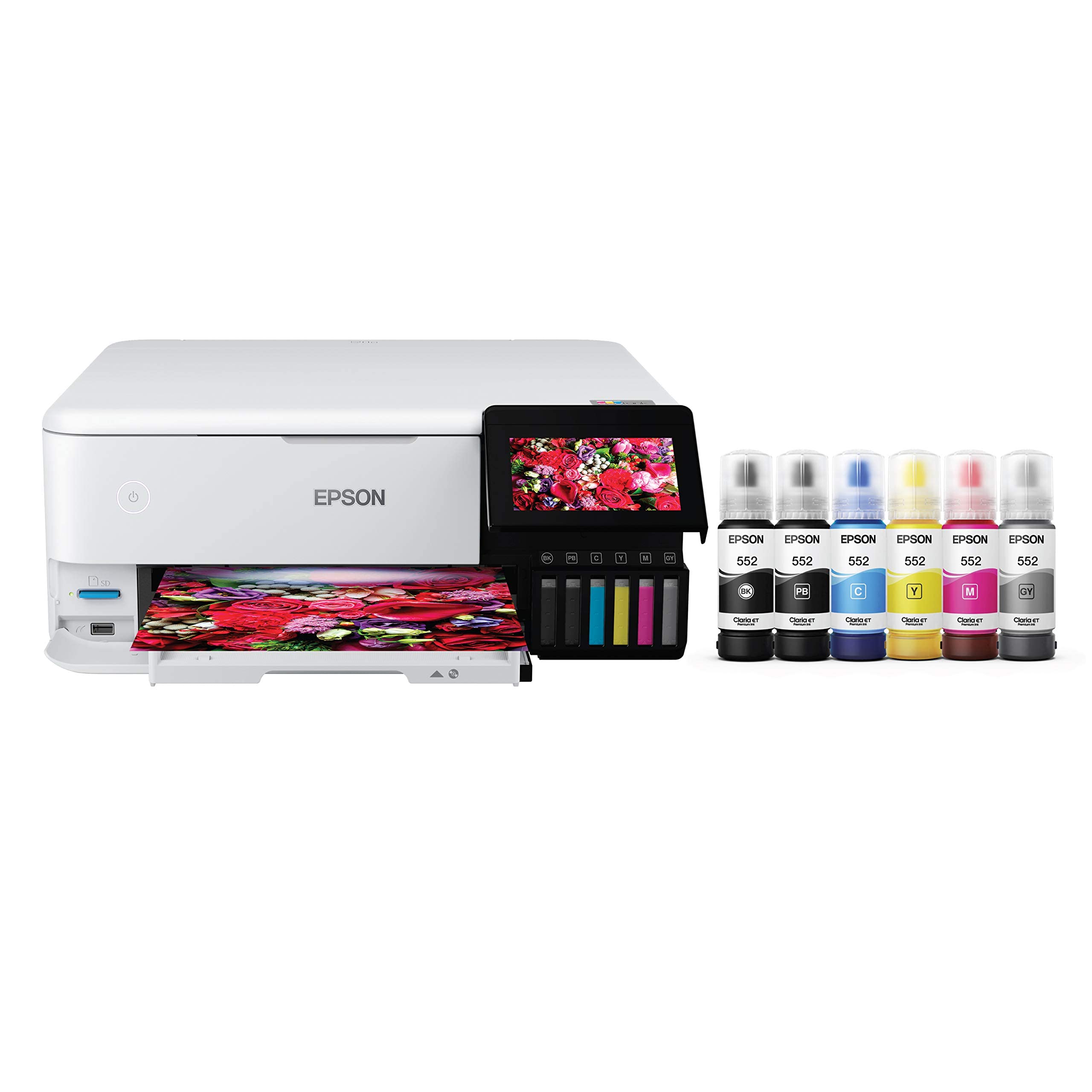
Six refillable bottles instead of cartridges is the entire pitch, and it holds up. A 4x6 from a tank printer costs a fraction of what a cartridge all-in-one charges per photo, and you top up from a bottle rather than swapping a chipped cartridge every few dozen prints.

Photo quality is the stronger argument. Six Claria ET Premium inks at 4800 x 1200 dpi produce glossy prints with smooth gradients and clean shadow detail, and the gray ink keeps black-and-white from going green. It scans and copies, duplexes automatically, and the touchscreen is clear enough to set up without the manual.

The size ceiling is where buyers get caught. This is a letter-and-legal machine: 8 x 10 and 8.5 x 11 photo paper is its home, and if 13 x 19 is the goal, this is the wrong printer no matter how good the ink economics look.

We still choose it over a cartridge all-in-one for anyone printing photos most weeks. The purchase price is high, but this is the machine that stops the ink bill from being the reason you do not print.

Pros

  • Refillable bottles cut the cost per photo
  • Six-color glossy output up to legal
  • Prints, scans, copies and duplexes

Cons

  • Deep 24-inch footprint on a desk
Our verdict

The pick for anyone printing photos often enough that ink cost matters: six refillable bottles, strong glossy output, and print, scan and copy in one box.

Check Latest Price
7

Instant Stickers

Kodak Step

89 /100
LBD Score Excellent

Key details

Paper
Sticky-back Zink
Connection
Bluetooth, NFC
Print Size
2 x 3 in
Print Type
Zink (no ink)
View on Amazon

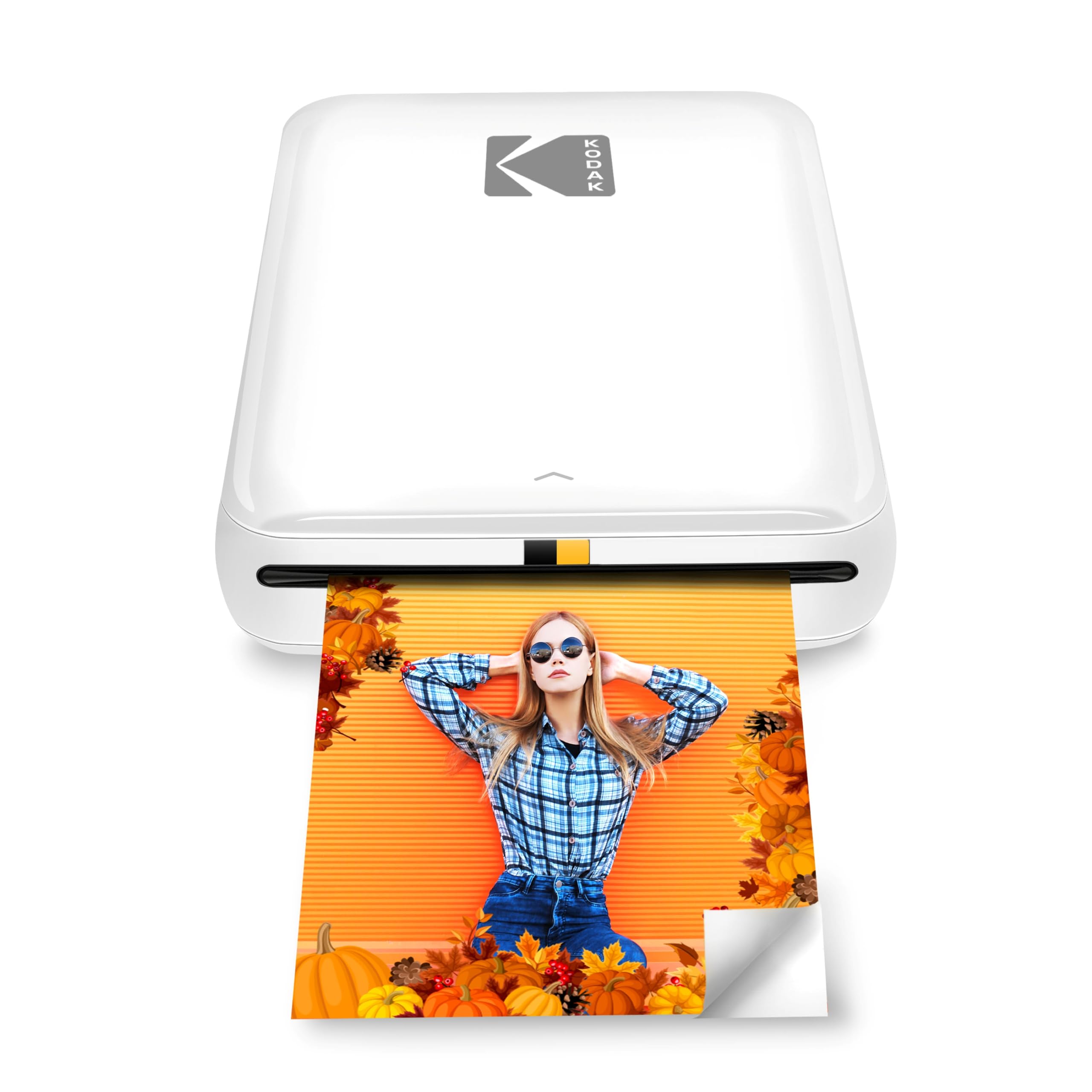
Two inches by three, sticky on the back, and nothing else — the Step does not pretend to be a printer for frames and albums. It is the machine you hand a kid at a birthday party, and at under a pound it drops into a bag without a second thought.

For that job it earns its place: no ink to buy, no warm-up, and a print that peels and sticks to whatever is in front of you. The cost of entry stays low because there is nothing to replace but the paper.

Setup is the simplest here — Bluetooth or NFC, an app with filters and borders, about a minute per print. Two things to know first. Paper is the running cost, and a pack disappears quickly at a party. And reliability is uneven enough that we keep the receipt: the Step is the printer in this group most likely to stop printing and stay stopped, so buy it where returns are easy.

Pros

  • No ink cartridges to buy
  • Under a pound and pocketable
  • Sticky backs peel and stick anywhere
  • Bluetooth or NFC, about a minute a print

Cons

  • Soft, low-detail output next to dye-sub
  • Prints only through the phone app
Our verdict

For instant 2x3 stickers with no ink to buy, this is the simple, cheap choice — just buy it somewhere with an easy return.

Check Latest Price
8

Home and Documents

HP Envy Photo 7975

79 /100
LBD Score Very Good

Key details

Display
2.7 in touchscreen
Functions
Print, scan, copy
Max Print Size
8.5 x 11.7 in
Paper Capacity
125 sheets
View on Amazon

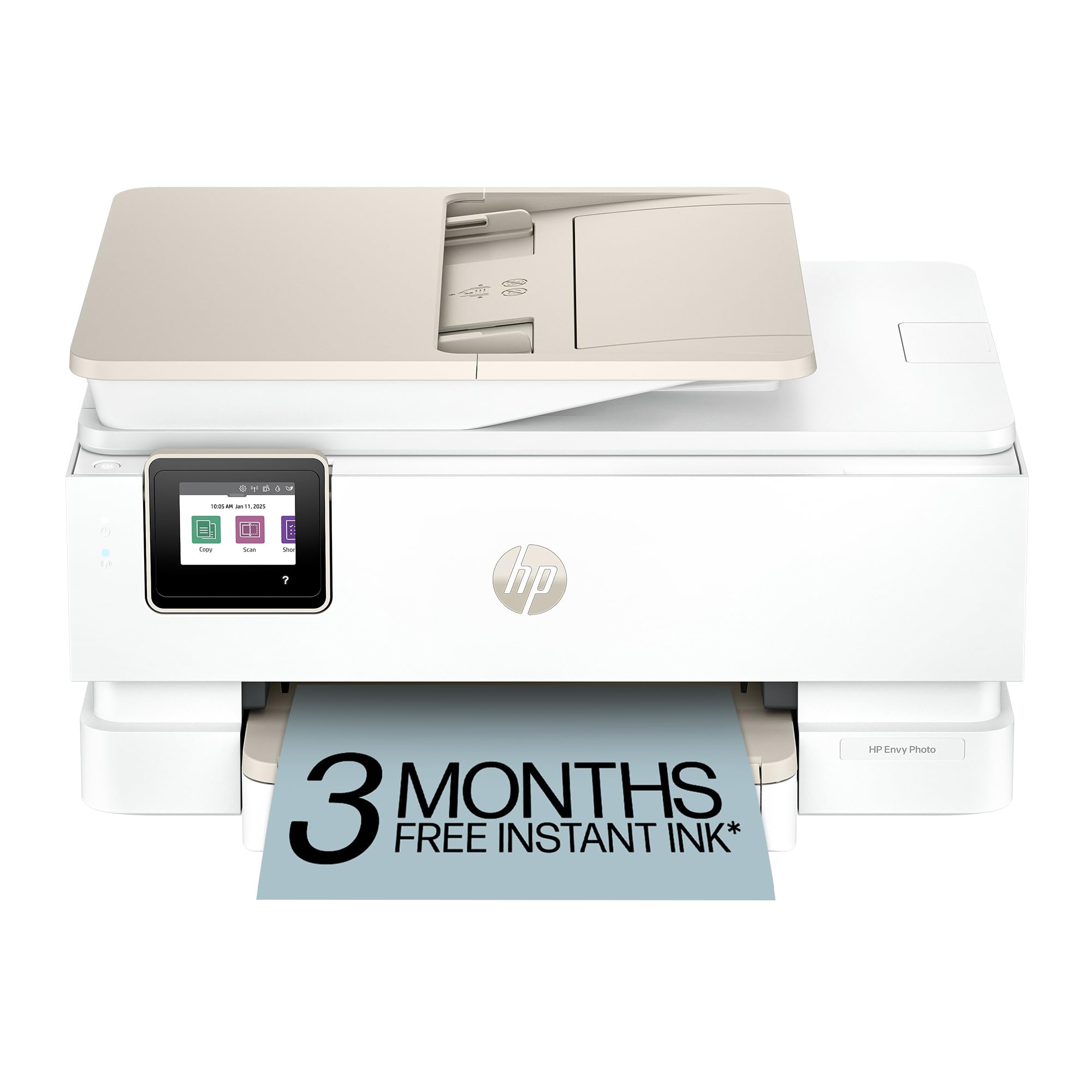
This is the printer for a household where the photo is one job among many. There is a dedicated tray for 4x6 photo paper, an automatic document feeder for the school forms, and automatic two-sided printing for everything else — the combination you want when one machine has to cover the kitchen table.

Photo output is better than we expected from a general-purpose all-in-one. At 4800 x 1200 dpi on glossy stock it gives clean edges and bright, accurate color, and the separate photo tray means nobody has to swap paper every time a picture is wanted.

The catch is ink. HP's model here is a three-month Instant Ink trial with a monthly fee after it, and the cartridges are chipped, so the economics depend on how much you print and whether a subscription suits you at all.

None of that disqualifies it in a home office that prints weekly anyway. What settles it is the mix: if photos are the main event, the dye-sub printers here are cheaper per print and better at it; if photos are a tenth of what the machine does, this is the more useful box to own.

Pros

  • Dedicated 4 x 6 photo tray
  • Prints, scans, copies and duplexes
  • Clean, bright photo output on glossy

Cons

  • Wireless drops that need reconnecting
Our verdict

Buy it if one machine has to print homework, forms and photos: a dedicated photo tray, a document feeder, and good glossy output, with ink costs to weigh.

Check Latest Price

How We Chose and Tested a Dozen Photo Printers

To build the shortlist, we started with the formats people actually shop for — pocket printers that pair with a phone, compact machines that sit on a shelf and turn out snapshots, and larger inkjets meant for framing and portfolio work — then cut anything with a discontinued paper pack or a refill that was hard to reorder. That left 12 printers, which we ran for six months in the places they would really live: a kitchen counter that doubles as a charging station, a coffee table during a run of birthday parties, a tote bag on two weekend trips, and a desk where bigger prints got made and trimmed.

At every step we watched what happened instead of scoring a spec sheet. We timed each print from tapping the button in the app to the sheet landing in the tray, and noted which printers needed a second try to connect or dropped off Wi-Fi when a phone left the room. Colors were judged against the same three photos — a face in soft window light, a saturated red, and a landscape with fine detail — and we checked whether sheets came out sticky, curled, or fed crooked.

Cost came down to arithmetic: the price of a paper-and-cartridge pack divided by usable prints, then checked again months later to see if the math had changed. For reliability, we deliberately left printers idle for three weeks and printed again, and noted which apps forgot the printer after a phone update. Compact size was measured against a paperback and the mouth of a tote bag. Several printers also ended up in the hands of a nine-year-old, which is the most honest ease-of-use test there is.

How to Choose a Photo Printer

Start With the Print Size, Not the Specs

A 4x6 printer fills albums and frames; a 2x3 machine makes stickers; a 13-inch machine makes wall art. They are not interchangeable, and no amount of resolution rescues a print that is the wrong size for the frame you already own. Our picks split along that line: the Liene M100 and Canon SELPHY CP1500 for 4x6, the Nelko PP01 and Kodak Step for 2x3, the Canon PRO-200S for 13x19.

Work backwards from where the print ends up. Most households are best served by 4x6, because that is what frames, albums, and card inserts are built around. The exception is a house that also prints forms and letters — then a photo-capable all-in-one such as the HP Envy Photo 7975 or the Epson ET-8500 saves you from buying two machines.

Dye Sublimation, Zink, or Inkjet

Three technologies, three different jobs. Dye sublimation lays down color in layers and seals a clear laminate over the top, which is why the prints come out dry, water-resistant, and consistent — the trade is that most dye-sub machines are locked to one or two paper sizes. Zink paper carries its dye as crystals embedded in the sheet, so there is no ink at all, but the output is softer and grainier. Inkjet gives the highest resolution and the widest choice of sizes and papers, and it is the only one that handles documents and photos equally well.

For a print headed to a frame or an album, dye-sub or a photo inkjet will look better than Zink every time. Zink's advantage is the format: palm-sized, instant, sticky, and cheap to start.

Add Up the Cost Per Print

The purchase price is the smaller number. Dye-sub printers use a matched cartridge-and-paper pack sold together, and once the pack is spent you buy another pair. Zink paper carries its own dye, so paper is the entire running cost. Tank printers invert the model: you pay more up front — the Epson ET-8500 is the clearest example — and then refill from bottles that bring the cost per photo down sharply. Cartridge all-in-ones sit in the middle until you print a lot, at which point they become the most expensive way to make a photograph.

Before you buy the printer, price a paper pack plus its cartridge and divide by the sheet count. That number, not the sticker price, tells you whether you will actually print or leave the thing on a shelf.

Plan for the Phone Connection

Nearly every complaint about these printers ends up being about the phone-to-printer link rather than the print itself. Two setups exist: a printer that broadcasts its own network, which you join directly (both Liene models work this way), and a printer that joins your home Wi-Fi (the Epson ET-8500 and Canon PRO-200S). The first is steadier in a house with weak Wi-Fi; the second lets every device on the network print without switching anything.

Whichever you choose, keep the printer in the same room as the router, and expect to re-pair it after a major phone update. On the direct-network models, stay on the printer's network until the batch is finished instead of letting the phone drift back to the house signal.

Frequently Asked Questions

Final Verdict

The Liene M100 is the photo printer we point most people to. It turns out a sharp 4x6 in about a minute, runs its own Wi-Fi so five phones can use it at once, and arrives with 100 sheets and three cartridges — enough to fill an album before you have to buy anything else.

If the print has to be a size other than 4x6, the Canon SELPHY CP1500 takes four paper formats. If it has to be a sticker, start with the Nelko PP01. And if it has to be big enough to hang, the Canon PIXMA PRO-200S is the only machine here that prints 13x19.