Best Tattoo Stencil Printers of 2026

For years the ritual in my studio was the same: print the design on regular paper, tape it to the light pad, and trace it onto stencil paper by hand, hoping the line weight survived the trip. A thermal stencil printer collapses that into one pass, but the difference between a machine that earns its counter space and one that ends up in a drawer comes down to heat control. Run it too hot and the lines bloom into a smear the first time you wipe; too cool and you're re-tracing the faint parts anyway.

My team and I have spent the past six months with 12 of these printers, from battery-powered models that ride in a backpack to wide-format sheets built for full sleeves. The ones that stuck around held fine linework without fattening it, reconnected to a phone without a fight, and spat out a page fast enough that the client didn't notice the pause. The picks below are the ones we'd buy again.

1

Best Overall

Phomemo M08F Plus

89 /100
LBD Score Excellent

Key details

Weight
745 g (1.6 lb)
Connectivity
Bluetooth, USB-C
Max Paper Size
Letter (8.5 x 11 in)
Stated Resolution
203 dpi
View on Amazon

The touchscreen is what separates the M08F Plus from the rest of this group, and it is worth the premium if you print most days. Density, reprints and the battery percentage all sit on the machine, which matters when your hands are gloved and your phone is across the studio. Setting the printer itself rather than an app is a small thing that stops being small on a busy afternoon.

Phomemo has tuned the firmware for line detail rather than chasing a bigger resolution number, and the sheet still reads 203 dpi. What we watched for was whether a single needle-width line stayed a line instead of a grey smear, and whether solid black came out solid rather than patchy; the detail held on both. The app's anti-wrinkle mode is the quiet hero, keeping a curling sheet tracking straight through the head so a stencil doesn't shift halfway down.

At 745 g and roughly 12.8 inches long it's a bag printer rather than a pocket one, and the length is simply the price of letter-width printing. The battery is 1,200 mAh, the same as the base model, so the USB-C cable belongs in your kit alongside the paper rather than in a drawer at home.

The caveats are about money and numbers rather than output. Pattern extraction and the AI design tools sit behind the Pro subscription, and the printhead is 203 dpi where the MUNBYN below offers 300. Neither changed a stencil for us, but if your work is single-needle fine line, read the MUNBYN entry before you commit.

Pros

  • Onboard touchscreen for density, reprints and battery
  • Line-tuned firmware that holds hairlines and solid black
  • Two-year warranty, the longest in this group
  • Letter-width output from a 745 g body

Cons

  • Pro subscription gates pattern extraction and AI tools
  • 203 dpi head against the MUNBYN's 300 dpi
Our verdict

We tell working artists to buy this one: the touchscreen and line-tuned print profile make daily stencilling quicker, and the two-year warranty backs it.

Check Latest Price
2

Best Value

Phomemo M08F

91 /100
LBD Score Outstanding

Key details

Weight
715 g (1.6 lb)
Battery
1,200 mAh
Connectivity
Bluetooth, USB-C
Max Paper Size
8.27 x 11.69 in
View on Amazon

The M08F is the base model the Plus was built from, and the differences are narrower than the price gap suggests: a screen, a newer print profile, and a body 30 g lighter and a little shorter. Underneath, it's the same idea — letter-width thermal printing that talks to a phone over Bluetooth or a laptop over USB-C, with 10 sheets of transfer paper in the box and a two-year warranty behind it.

Where this printer goes wrong is paper and density. A sheet that isn't two-layer thermal stencil paper, or a design left at the default darkness, can come out faint enough that the temptation is to reprint twice before you suspect the paper. The app's density and preview controls are the fix, and they're worth learning in the first session rather than the tenth. Feed it the right sheet at the right depth and the stencils are dark, clean and true to the design.

Print width matches the top pick's, and 715 g travels without complaint. Phomemo rates the battery at up to 220 pages of light images, which we treat as a best case and still charge nightly during a busy week. As a first machine this is the sensible spend: the same width, the same paper, the same app, a lower tier and two years of cover. Order a box of two-layer paper with the printer so the 10 included sheets aren't the end of your first week.

Pros

  • Same letter-width printing as the top pick
  • 715 g with Bluetooth and USB-C
  • Two-year warranty at the value tier
  • App with density control and stencil preview

Cons

  • No onboard controls
Our verdict

The sensible first stencil printer: same letter-width printing, same app and same battery as our top pick, with a screen and a newer print profile as the only real losses.

Check Latest Price
3

Best for Fine Line Detail

MUNBYN ITP06

86 /100
LBD Score Excellent

Key details

Weight
1.7 lb
Connectivity
Bluetooth, USB-C
Max Paper Size
Letter and A4
Stated Resolution
300 dpi
View on Amazon

300 dpi is where this one starts, and it is the highest stated head resolution in the group. On fine-line work the figure earns itself: lettering, single dots and hairline script come off the head as discrete marks rather than a grey smear, and the line-processing algorithm behind the printhead is doing as much of that work as the resolution number. If your flash is delicate, this is the machine we point you to.

What it doesn't have is a screen. Size, rotation and density live in the Luck Jingle app, which is plain but competent, and the wired route to Windows and macOS over USB-C is a genuine advantage for anyone whose designs sit on a desktop rather than a phone. The 140-sheet capacity and 1.7 lb body make it a desk-and-convention machine rather than a jacket-pocket one, which we don't mind, because the output is the point.

Two things to know before you buy. If you already own a different brand of transfer paper, MUNBYN's own guidance is to adjust print density for it, so plan a test sheet at a higher setting before committing to a full run of a client's design. And the two-year manufacturer warranty matches our top pick's, which counts for something on a machine whose printhead and roller take the wear.

Pros

  • 300 dpi head, the highest stated here
  • Fine lettering and dots print as clean marks
  • USB-C printing from Windows and macOS
  • Two-year manufacturer warranty

Cons

  • No display
  • Third-party paper needs a manual density change
Our verdict

Buy this if hairlines and small lettering are the job: the 300 dpi head is the highest stated here, and the desktop USB route suits artists who design on a computer.

Check Latest Price
4

Best for Mixed Paper Sizes

ORGBRO X8

86 /100
LBD Score Excellent

Key details

Weight
1.6 lb
Paper Sizes
A4, A5, A6
Connectivity
Bluetooth, USB-C
Stated Resolution
203 dpi
View on Amazon

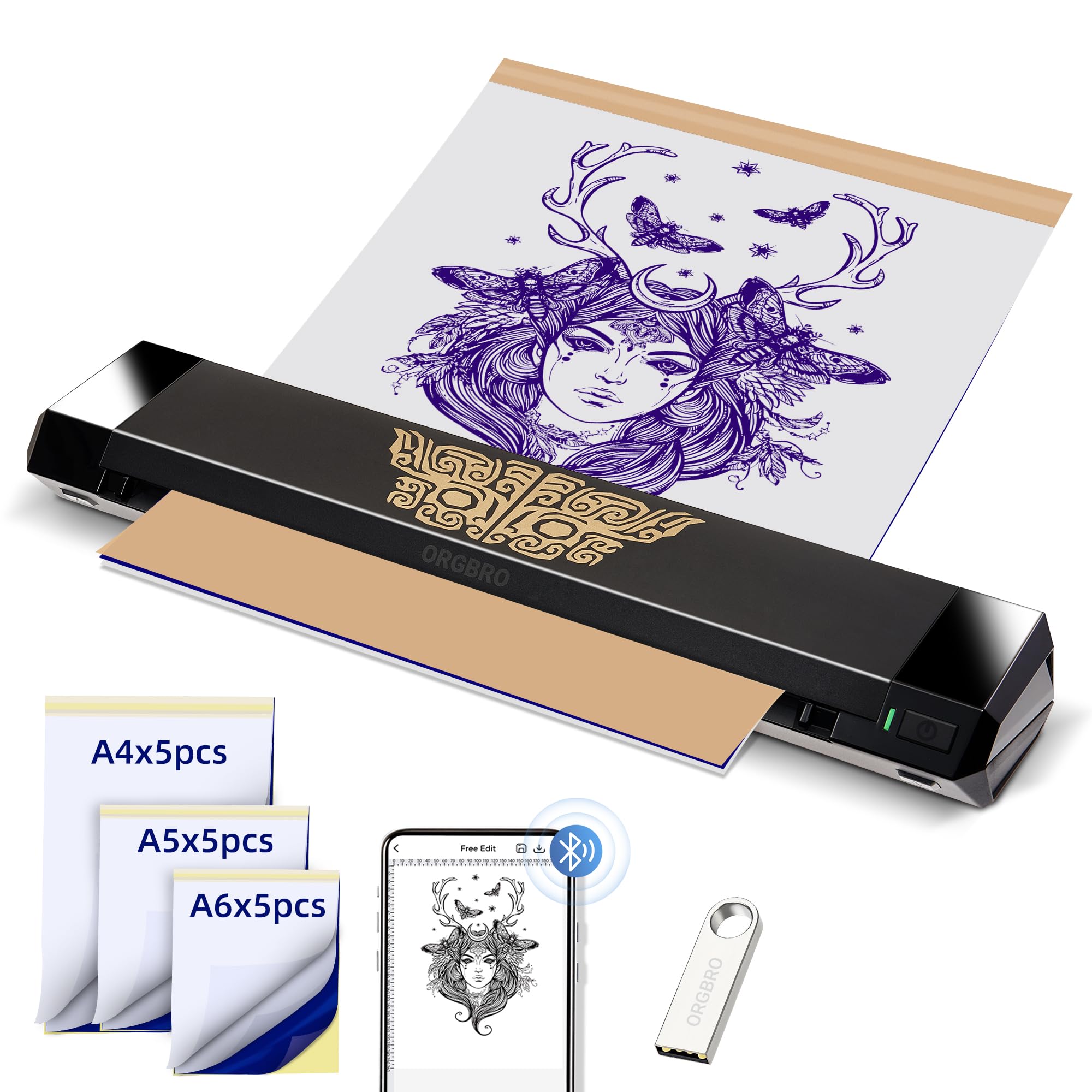
Three widths in one machine — A4, A5 and A6 — with five sheets of each in the box, and no yellow backing sheet to tear before printing. For a shop that prints a back panel in the morning and a finger tattoo after lunch, the range is the reason to choose it: an A6 strip wastes far less paper on small flash, and an A4 sheet takes a full back design without piecing two prints together.

Nothing about the three-size design feels like an afterthought. The feed takes each width and the Tattoo Go app queues several designs in one batch. Where it gives ground is fine detail: the head is 203 dpi, and hairline script and soft shading blur at the edges in a way the MUNBYN does not. For bold traditional work, readable lettering and anything with a strong outline, that difference never showed up.

At 1.6 lb and 12.3 inches it packs into a kit bag, and a 280-sheet capacity means fewer reloads on a long day. Two practical notes: square the sheet against the guide before you close the lid, because a skewed sheet will print partway and stop, and pair it at home rather than at the booth so the USB-C cable is there as a fallback if Bluetooth misbehaves.

Pros

  • A4, A5 and A6 in one feed
  • No yellow-sheet tearing before printing
  • Batch printing several designs in one queue
  • 280-sheet capacity and 1.6 lb

Cons

  • 203 dpi head blurs hairline script
Our verdict

The one to buy if you print small flash and big panels in the same week: three paper widths in one feed, and no yellow backing sheet to tear first.

Check Latest Price
5

Best Wired Desktop Copier

Sacnahe TMSS01

88 /100
LBD Score Excellent

Key details

Weight
4.25 lb
Dimensions
11.4 x 8.9 x 3.2 in
Connectivity
Wired, no Bluetooth
Transfer Time
10 seconds
View on Amazon

No Bluetooth, no app, no battery: the Sacnahe is the old kind of stencil machine, a 4.25 lb desktop copier that takes a printed design, runs it past a heated head and puts a stencil out the other side in around ten seconds. For an artist whose flash lives on paper or comes off an office printer, that isn't a compromise — it's the point. There's no phone in the room and nothing to pair at nine in the morning.

The trade is control. Five buttons set copy mode, resolution and depth, mirror included, and there is no screen to edit on: what goes in is what comes out, which suits anyone who already draws at final size. It is also the least fussy workflow in this group — no subscription, no firmware update, no battery to charge before a session — and for an apprentice studio where several people print from one bench, that simplicity is worth more than wireless convenience.

Two caveats before you clear counter space. It wants a few minutes' rest after a sheet or two, so a long run of stencils takes longer than ten seconds apiece suggests. And it is mechanical — a roller pulls the paper and a hot head does the transfer — and a unit that stops feeding paper properly is out of service until it's fixed, which is the one part of this machine we can't call dependable. Beside a wireless printer, it earns its bench.

Pros

  • Ten-second transfers with no app or pairing
  • Mirror, depth and resolution on five buttons
  • 20 sheets of transfer paper included

Cons

  • Wired only
  • Lines and simple shading only; dense shading won't transfer
Our verdict

Buy it as a second machine for a fixed bench: a printed design becomes a stencil in about ten seconds with no app, no pairing and no subscription to renew.

Check Latest Price
6

Travel and Budget

Wormhole N202007

86 /100
LBD Score Excellent

Key details

Weight
2.2 lb
Battery
2,500 mAh
Connectivity
Bluetooth, USB
Max Paper Size
A4
View on Amazon

This is the cheapest route into a wireless stencil printer in the group, and the 2,500 mAh battery is the largest capacity stated on any machine here. For a travel kit, a market stall or an apprentice's first setup, that pairing is hard to argue with: full A4 width, Type-C charging and an app that does the basic editing without a manual.

It prints, and the contrast on transfer paper is good. Setup from unboxing to a first stencil took a couple of minutes, and the app's layout is plain enough to use with one hand. Consistency is what you trade away: output varied more from sheet to sheet than the top picks managed, and the paper path is the weak point — a sheet that goes in slightly off-square can catch, wrinkle and tear, which is an expensive way to lose a design.

At 1 kg and 30 cm long it's the most packable full-width machine here, and the battery means a booth or a kitchen-table setup doesn't need an outlet. Print the day's designs the night before rather than at the chair: at this tier a bad sheet costs time you don't have once a client is seated, and a spare sheet of transfer paper in the bag solves most of it.

Pros

  • 2,500 mAh battery, the largest stated here
  • Full A4 width at 1 kg
  • Quick setup and strong contrast on paper

Cons

  • Sheets can catch and tear in the feed
  • Output varies more between sheets than our top picks
Our verdict

A decent first wireless printer for a travel kit or an apprentice bench, as long as you accept more variation sheet to sheet than our top picks deliver.

Check Latest Price

How We Tested the Best Tattoo Stencil Printers

We started with every thermal stencil printer we could find selling in any real volume, then narrowed by paper sizes supported, whether the companion app ran on both iOS and Android, and whether replacement stencil paper was easy to reorder in the middle of a work week. That left 12 units, which we rotated through working studios, guest spots, and a couple of conventions over six months.

Each printer got the same jobs: a fine-line design with hairlines and tight fills, a full-page piece scaled up and down in the app, and a repeat print of a healed design a client wanted resized. We timed the gap between tapping print and the sheet coming out, then checked whether the smallest lines printed solid or dropped away. Every stencil went onto practice skin, got wiped twice with green soap, and we logged what stayed legible afterward — a print that looks crisp on the sheet but vanishes on the wipe is no use to anyone.

On the connectivity side, we printed from a phone and a laptop on the same machine, walked a room away to see how quickly it reconnected, and noted whether the app held the image's proportions when we resized it. Portability got the same treatment: each unit went into a work bag, rode to two guest spots, and ran on battery until it quit. We also counted how many sheets came in a pack and how many prints we got before a jam, since paper is the cost that never stops.

Reliability showed up in the unglamorous places. We ran twenty prints back to back on each machine to see which ones drifted or started skipping lines, and we noted which units insisted on a specific paper brand to work properly.

How to Choose a Tattoo Stencil Printer

Start With Print Width, Not Weight

Every listing leads with portability, but the specification that changes your working life is maximum media size. Letter and A4 width, around 8.5 by 11 inches, covers back panels, sleeves, ribs and thighs. A mini format capped at three inches is a small-flash tool whatever the product photos suggest, and a three-inch print won't tile into a back piece without a seam you'll be covering up all session.

So read compact as a description of the body, not the output. If you ever print larger than a hand, buy letter width and accept a 12-inch machine in your bag. If your work is finger tattoos, small script and practice skin, a mini genuinely saves paper and desk space.

What Actually Makes a Stencil Crisp

A thermal head prints by heating a coated sheet, so two things set the quality of the line: the head's resolution and the density you print at. 203 dpi is the standard here and 300 dpi is the top of this group. The higher figure helps hairlines and small lettering most; bold outlines look much the same on both.

Density is the setting people forget. A stencil that's too light fades when you wipe the skin, and one that's too dark can bleed and spread the line. Buy a machine with adjustable depth and a preview you can check before the sheet feeds. Every pick here has one, and it's the control you'll touch most after the first week.

Paper Is Half the Machine

Two-layer thermal stencil paper is what these printers expect. Some models want the yellow backing sheet torn away before printing; the ORGBRO X8 takes it as it comes and saves a step on every stencil. Spirit sheets made for a classic copier are a different product and don't always work in a thermal printhead, so confirm the paper is rated for your machine before you buy a box.

Budget for paper the way you budget for needles. It's the recurring cost of owning one of these, and a cheap box that feeds badly costs more in lost designs than it saves.

The App, the Subscription and the Cable

Everything here is driven from a phone app, and the free tier covers the daily jobs: import, resize, mirror, set density, print. The paid tier holds pattern extraction, image generation and the bigger design libraries — worth it if you build designs on the fly, unnecessary if you arrive with finished artwork. Check the subscription price before you buy the machine, because it's the cost that surprises people.

If you prefer to stay off a phone, print from a laptop. MUNBYN and ORGBRO both accept a USB-C connection to Windows or macOS, and the Sacnahe skips software altogether by copying a printed sheet.

Power, Weight and Where It Lives

Battery capacity runs from 1,200 mAh on the Phomemos to 2,500 mAh on the Wormhole, and the honest reading is that capacity buys a session or two, not a week. A convention stand or a mobile setup wants the bigger battery; a fixed studio bench wants the cable.

Weight stretches from about a pound and a half to a 4.25 lb desktop copier, and warranties run one to two years. On a machine whose printhead and feed roller do the wearing, the longer warranty is worth factoring in — it's the one part of the purchase you can't inspect in advance.

Frequently Asked Questions

Final Verdict

Our default is the Phomemo M08F Plus. The touchscreen turns a phone-fumbling workflow into two taps at the machine, the print profile holds hairlines and solid black, and the two-year warranty covers a tool that will run most days. It costs more than anything else here, and for a working artist that premium pays for itself in saved reprints.

If your work is single-needle fine line, the MUNBYN ITP06's 300 dpi head is the better technical match for less money. And if you're buying your first printer, the M08F prints the same letter-width stencils from the same app at the value tier — put the difference into paper.