Best Portable Monitor Stands of 2026

A portable monitor's built-in kickstand is a small marvel of compromise: one height, one angle, and a wobble every time you touch the keyboard. It's why so many second screens end up back in a drawer instead of on the desk. A decent stand puts the panel at eye level, holds it there while you type, and folds down small enough to ride in the same sleeve as the monitor.

I've been running a second screen beside my laptop for years, and the difference between a stand you trust and one you don't shows up within a day. My team and I spent six months with 12 stands — clamp-on arms, weighted metal bases, folding travel models — watching which ones held a 15.6-inch panel steady through a full workday and which ones sagged by lunch.

One bit of category wisdom worth having before you shop: the weight rating on the box assumes a bare screen. Hang a cable off the port and a stand that felt solid can start to lean. Foldability and stability pull against each other too, since every extra joint is one more place to slip. Here's what got both right.

1

Best Overall

tounee Tablet Stand

94 /100
LBD Score Outstanding

Key details

Build
All-metal aluminum
Adjustment
Locking height and tilt
Device Fit
4.7 to 16.9 inches
Item Dimensions
7 x 2 x 2 inches
View on Amazon

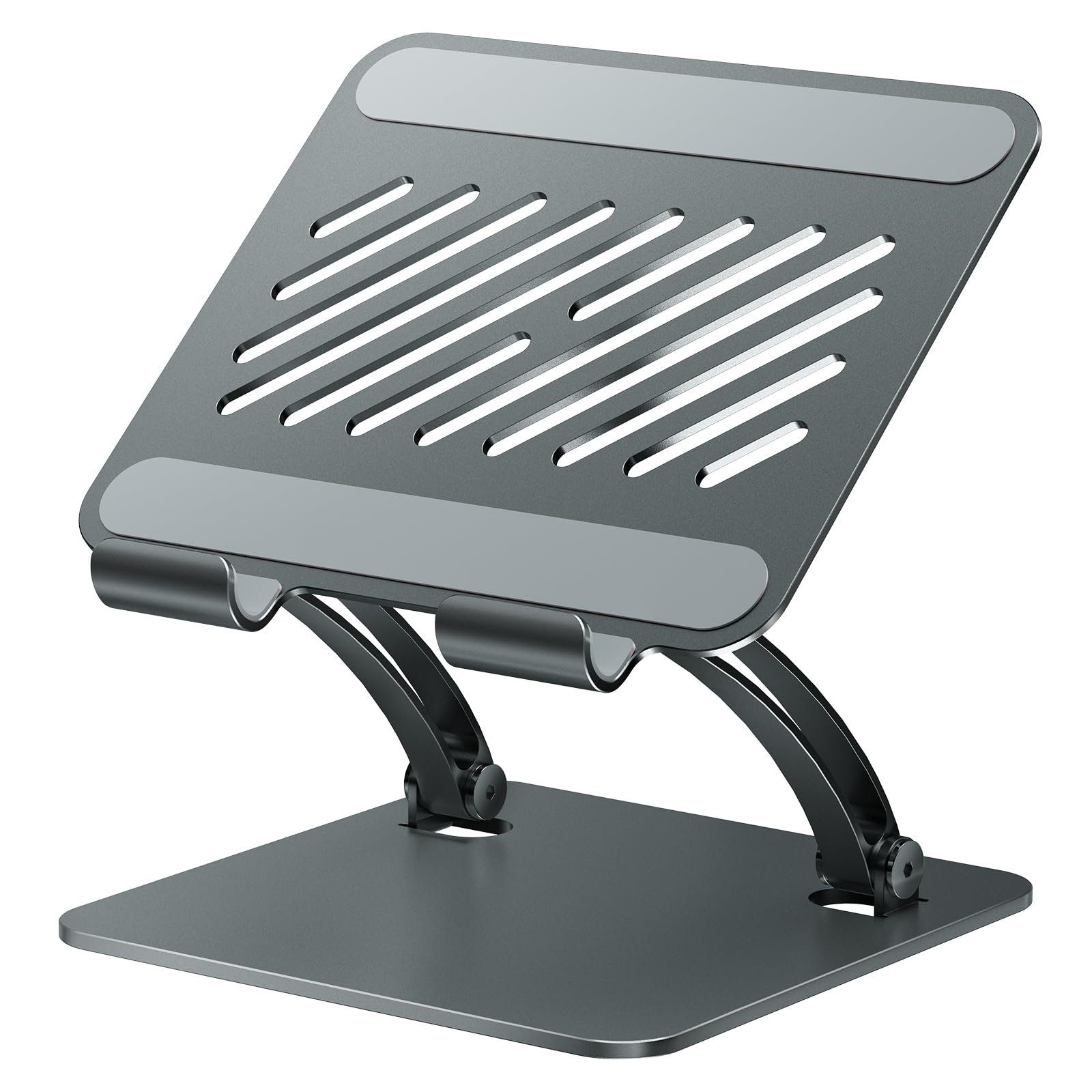
Two things decided this one for us before a monitor ever went on it: the frame is metal through and through, and it folds down to roughly the size of a paperback. Plenty of folding stands in this group look the part in photos and turn out to be plastic with an aluminum-sounding description. This one is aluminum, and the difference shows up the first time you unfold the arms and feel the hinge take up tension.

On a desk it does the thing we care about most: it puts a 15.6-inch panel at eye level and keeps it there. The locking mechanism holds height and tilt where you set them, and the screen didn't creep down over a working day the way it does on lighter cradles. A 15.6-inch monitor sits in the holder with room on both sides, and a tablet is well inside that range.

The base and the cradle are both padded, so a metal-backed monitor doesn't skate and the stand doesn't walk across the desk when you tap the screen. Folded, it fits a laptop bag — though this is a desk stand that travels rather than a travel stand, and we kept it set up most of the time.

A folding stand lives or dies on whether its hinge still holds after repeated opening and closing, and this is the one in the group where we had nothing to complain about by the end of testing.

Pros

  • All-metal frame, not plastic dressed up
  • Holds height and tilt without drifting
  • Folds flat for a laptop bag
  • Covered fit from 4.7 to 16.9 inches

Cons

  • No published height range
  • Stops at 16.9 inches, so no 17.3-inch panels
Our verdict

The stand we recommend first: all-metal, steady at eye level with a 15.6-inch monitor, and it folds flat enough for a backpack, for less than most of the picks here.

Check Latest Price
2

Best for Eye-Level Height

COOPER TabStand

92 /100
LBD Score Outstanding

Key details

Base
Weighted metal
Device Fit
Up to 17 inches
Load Rating
4.4 lb
Height Range
13 to 20 inches
View on Amazon

Twenty inches is the number that decides whether a stand works above a laptop. Most of this group tops out around 13 or 14, which is fine beside a keyboard and useless over a screen; the TabStand's rod extends to 20, putting a portable monitor at eye level without propping it on a book.

The base is weighted metal, and that's the whole trick — it stays planted and doesn't tip forward when you press the top of the screen. The rating is 4.4 pounds, enough for a 17-inch portable monitor, and the clip opens wide enough for a tablet with a chunky case still on it.

Assembly is a rod, a base, and one screw, and it was standing before we finished reading the manual. The tilt is firm rather than silky: push and it moves, let go and it stays. We didn't mind that at all — a stand that adjusts too freely is a stand that droops by Thursday.

It comes apart into three pieces for storage. What surprised us is how often it gets used for a tablet between work sessions; the same clip that holds a monitor holds an iPad in the kitchen, and at 20 inches it clears the counter clutter.

Pros

  • Reaches 20 inches, above a laptop lid
  • Weighted base resists tipping
  • 4.4-pound rating covers 17-inch panels
  • Three pieces and one screw to assemble

Cons

  • Nearly two pounds, so it stays on one desk
Our verdict

If your second screen needs to sit above a laptop rather than beside it, this 20-inch tower is the one — a weighted base and a firm clip that hold a 17-inch panel still.

Check Latest Price
3

Best Grip for Big Screens

WYSXEBWZ Monitor Stand

87 /100
LBD Score Excellent

Key details

Weight
1.5 lb
Device Fit
Up to 17.3 inches
Load Rating
6.5 lb
Clip Extension
4.9 to 10.2 inches
View on Amazon

No adhesive, no magnet, no plate stuck to the back of your monitor. The WYSXEBWZ grabs the screen between two padded jaws on a spring clamp, and the clip extends from a stated 4.9 to 10.2 inches — enough slack to take a monitor with its cover folded behind it. That mechanical hold is why we rate it: nothing about it depends on a sticky pad staying sticky.

The joints are tensioned with the screwdriver that comes in the box, and that isn't a gimmick — a stand with arms this long needs a way to take up slack, and the ones that skip it are the ones that sag by mid-afternoon. Set the tension once and the arm holds where you put it.

At 6.5 pounds it has the highest load capacity here, and it's the stand to hand someone with a 17.3-inch panel and a heavy cover. The trade is bulk: 1.5 pounds of aluminum goes into a laptop bag and announces itself, where the folding stands disappear into a sleeve. The 360-degree swivel earns its keep too — the joint is stiff enough that it doesn't drift once set.

Pros

  • 6.5-pound rating, the highest in this group
  • Spring clamp needs no adhesive plate
  • Aluminum arm that folds for a bag
  • Swivel that stays where you set it

Cons

  • 1.5 pounds in a bag next to the travel picks
Our verdict

The firmest hold in this group: a padded spring clamp that grips the screen's edges, an aluminum arm, and a 6.5-pound rating that shrugs off a 17.3-inch panel.

Check Latest Price
4

Best for 18.5-Inch Monitors

NINEFATICS Monitor Stand

90 /100
LBD Score Outstanding

Key details

Weight
2.05 lb
Device Fit
4.7 to 18.5 inches
Clamp Range
5.5 to 11.2 inches
Load Rating
4.4 lb
View on Amazon

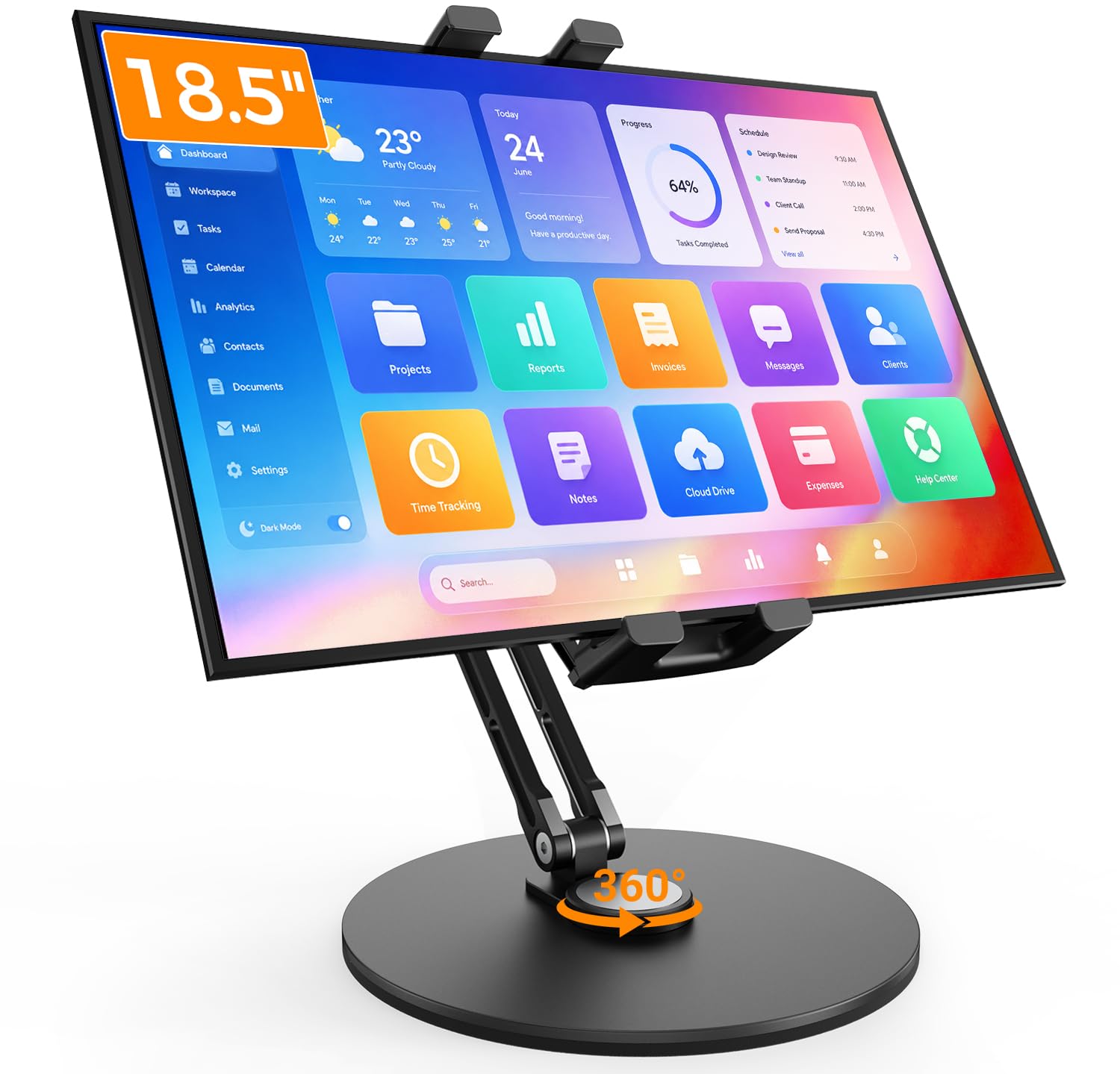
If your portable monitor is one of the big ones — 17.3 or 18.5 inches — most of the stands here quietly stop at 16. The NINEFATICS opens its clamp from 5.5 to 11.2 inches and takes screens up to 18.5, and that's the whole reason it made the list.

It's also the heaviest thing in the group at 928 grams, and that's the trade rather than a flaw: a weighted metal base on a 5 mm EVA pad is what keeps a 2-pound panel from tipping when you knock the top edge. We'll take the weight over babysitting the screen.

The arms fold, the middle joint takes tension by hand, and the holder rotates a full 360 degrees, so portrait is a twist rather than a rebuild. The upper joint adds 240 degrees of tilt, and there's a magnetic spot for a phone — an iPhone sticks straight on, and an Android handset needs the metal ring.

What we didn't expect was how little fiddling it needed: set the tension once and a 17.3-inch panel held in landscape for a full session without drifting. The base is wide enough that it forgives where you put it, too.

Pros

  • Fits panels up to 18.5 inches
  • Weighted base won't tip under a big screen
  • 360-degree rotation plus 240-degree tilt
  • Clamp takes a monitor in a thick case

Cons

  • 928 g, so it stays on one desk
Our verdict

The one to buy if your portable monitor is a 17.3- or 18.5-inch panel: a wide clamp, a weighted base, and enough tension to hold a big screen where you left it.

Check Latest Price
5

Best Desk-Clamp Mount

COOPER FlexArm

86 /100
LBD Score Excellent

Key details

Arm Reach
24 inches
Desk Clamp
Up to 3.5 inches
Device Fit
Up to 17 inches
Load Rating
3.3 lb
View on Amazon

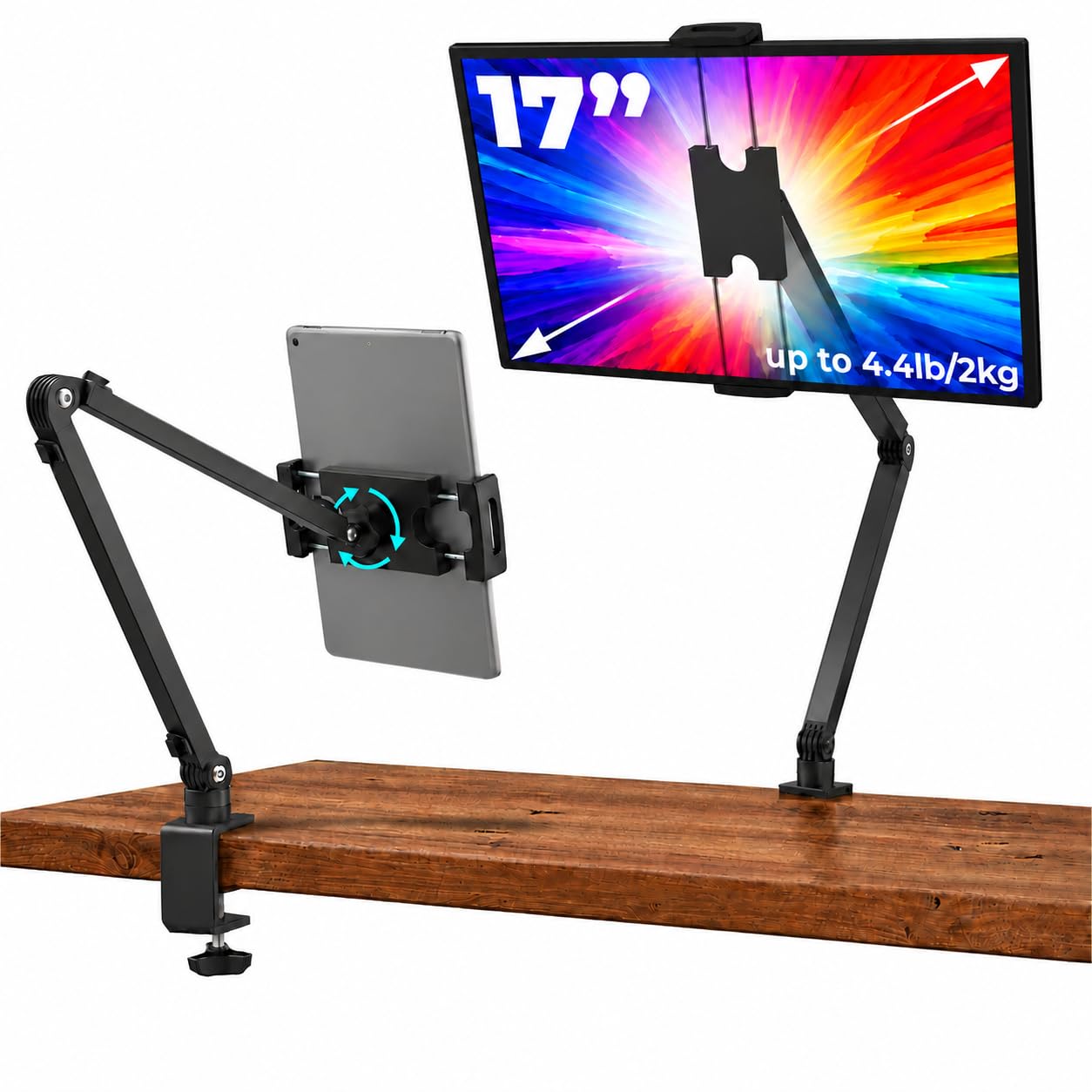
Every stand on this list occupies a patch of desk except this one. The FlexArm clamps to the edge — up to 3.5 inches of it — and reaches 24 inches across two aluminum segments, so a second screen can float above a keyboard, a printer, or the corner where the coffee goes.

Two things to check before you order. The clamp needs a solid, flat edge, and the maker is explicit that bed frames and round posts are out. And the rating is 3.3 pounds, the lowest here — a 15.6-inch panel with its cover on can sit near that ceiling, so put the monitor on a kitchen scale first.

What we came away liking is how completely it gives the desk back: nothing under the monitor, nothing to slide around, and the arm folds back against the clamp when you're done. The three joints re-tighten with the included hex wrench, which matters more on an arm than on a stand — every joint is another place to droop, and this one has several.

Pros

  • Zero desk footprint under the screen
  • 24 inches of reach on two arms
  • Clamps to desks up to 3.5 inches
  • Re-tightenable joints with included wrench

Cons

  • 3.3-pound limit is the lowest here
  • Needs a solid, flat desk edge
Our verdict

For a desk with no flat space left: a clamp-on arm that holds a 17-inch monitor at eye level and gives the surface underneath back to you.

Check Latest Price
6

Best for Travel

JSAUX Portable Monitor Stand

84 /100
LBD Score Excellent

Key details

Weight
3.2 oz
Movement
Fixed
Device Fit
13.5 to 16 inches
Setup Time
About 5 seconds
View on Amazon

Three point two ounces is less than the cable in your bag, and that's the whole argument for this one: it folds to roughly the size of a phone, opens in about five seconds without tools, and turns any table into somewhere to put a second screen. We kept it in the laptop sleeve permanently and stopped thinking about it.

It doesn't adjust, and that's the trade. The screen sits at one fixed angle rather than a range — right for a hotel desk or a café table where you want the monitor tilted back and steady, wrong if you need eye level in a real office. Treat it as the stand that lives in the bag and it earns its place.

Stability is better than the weight suggests: a metal body, a small footprint, and a 15.6-inch monitor sat without a wobble. Portrait works but is noticeably less settled than landscape, which matches how the stand is shaped. The 13.5-to-16-inch range covers the monitors people actually travel with, and the price makes a second one for the office an easy call.

Pros

  • 3.2 ounces, folds to phone size
  • About five seconds to set up
  • Metal body that doesn't wobble at 15.6 inches
  • The least expensive stand here

Cons

  • Fixed angle, no height adjustment
  • Only fits 13.5- to 16-inch screens
Our verdict

The travel stand we keep in the laptop sleeve: three ounces, folds to phone size, and holds a 15.6-inch monitor at a fixed angle on any table.

Check Latest Price
7

Tight Budgets

Anozer Tablet Stand

91 /100
LBD Score Outstanding

Key details

Weight
11.4 oz
Base Size
5.55 x 3.94 inches
Device Fit
4.7 to 15.6 inches
Height Extension
3.16 to 6.26 inches
View on Amazon

This is the least expensive stand in the group, and it's the one to hand someone who wants a monitor raised a few inches and nothing more. The weighted base, the folding plate, the rubberized cradle — it's a familiar design built to a price, and it shows in both directions.

Reach is the catch. Height extends from about 3.16 to 6.26 inches, with the whole stand topping out near 8, so it lifts a screen clear of the desk but doesn't come close to eye level the way a 20-inch tower does. For a 15.6-inch monitor on a hard desk it holds fine; that's the job it's built for.

The 322-gram base is heavier than the folded photos suggest, which is what keeps a small panel from tipping — and also why this isn't the pocket accessory the listing implies. Folded, it's about the size of a paperback and takes up real room in a small bag.

What we didn't expect to like is the hardware: wide rubber hooks and a silicone-covered cradle that hold a metal-backed panel without a mark, and a base heavy enough that a light knock doesn't send the whole thing over. At this price, that's more than we expected.

Pros

  • Least expensive stand in the group
  • Weighted base keeps a small panel planted
  • Folds flat to about paperback size

Cons

  • Tops out around 8 inches of height
  • Screen can tilt down under its own weight
Our verdict

The cheapest stand here and the smallest folded: fine for lifting a small monitor a few inches on a hard desk, less so for a big panel at eye level.

Check Latest Price
8

VESA-Ready Monitors

Jakeko Magnetic VESA Stand

84 /100
LBD Score Excellent

Key details

Mount
Magnetic or VESA 75 x 75 mm
Weight
1.76 lb
Device Fit
13.3 to 18.5 inches
Load Rating
4.4 lb
View on Amazon

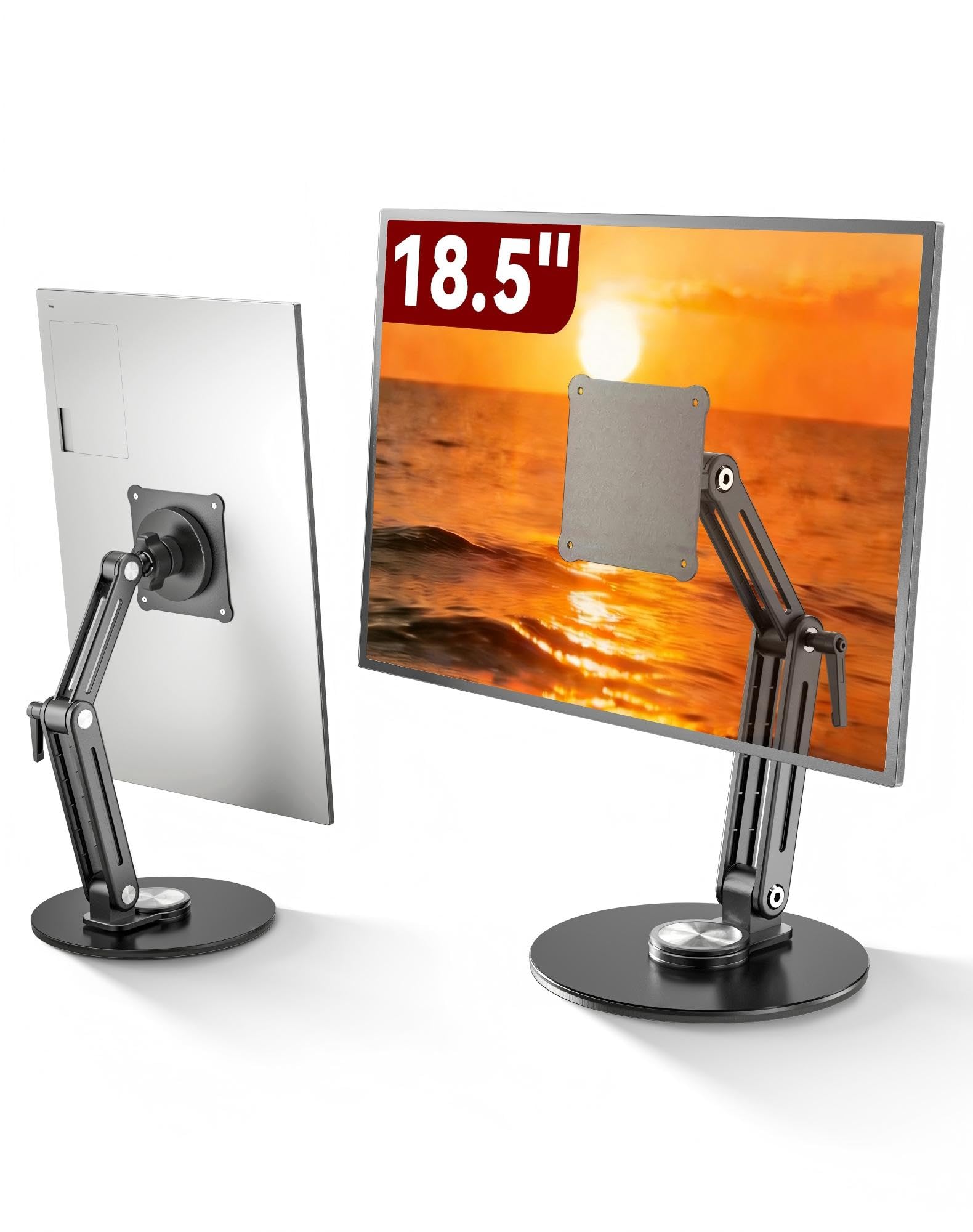
Not every portable monitor has VESA holes, but the ones that do are poorly served by cradles and clamps. The Jakeko takes a 75 x 75 mm plate or a magnetic pad, so a bare panel that nothing else can grip has somewhere to go.

The arm is the good part: gear tension at every joint, a thumb wrench built into the mid-joint so you can take up slack without hunting for a tool, and 360-degree rotation at the base. The movement feels mechanical rather than friction-y, and it stayed where we put it.

The magnet is the part to weigh. It's strong when new, and a 4.4-pound panel hanging off an adhesive pad is the risk you take for the convenience — if your monitor has VESA holes, bolt the plate on and the question disappears. The mount isn't MagSafe compatible, so a phone needs the supplied metal ring.

It's the most expensive stand in this group, and 0.8 kg of aluminum is where the money went: a thick padded base that doesn't lever up, joints you can service by hand, and a fold-flat shape that goes in a bag when the week is over. For a monitor with mounting holes, that's a fair trade.

Pros

  • VESA 75 x 75 mm plate included
  • Geared joints with a built-in thumb wrench
  • Folds flat for storage
  • Takes screens up to 18.5 inches

Cons

  • Most expensive stand here
  • Magnet is not MagSafe compatible
Our verdict

The pick for a monitor with 75 mm VESA holes: bolt the plate on and a geared aluminum arm holds the screen exactly where you left it.

Check Latest Price

How We Tested 12 Stands Over Six Months

We pulled every stand we could find that listed support for screens in the 13- to 18-inch range, then cut anything that couldn't hold a 15.6-inch panel at a usable height, anything that needed tools to adjust, and anything whose footprint would eat a laptop's worth of desk. That left 12 stands, used for six months across home offices, a shared coworking desk, and more hotel rooms than I'd like to count.

Each stand got the same first day. We mounted a 15.6-inch monitor at eye level and typed at the same desk for an hour to see whether the screen crept down or drifted sideways under normal keystrokes, then raised and lowered a standing desk ten times to watch for bounce and gave the desk a hard nudge to see how much the panel swayed.

Height range mattered more than we expected. We noted the lowest point each stand could reach, since one that only works above shoulder height is useless sitting next to a laptop. We ran every swivel arm through its full arc and checked whether it stayed where we left it, and on the magnetic mounts we hung a heavier panel and gave it a light pull to see if it held or slid.

Then we packed them. Every folding stand went into a backpack beside the monitor, came out at the other end, and we timed the trip from bag to stable screen. We weighed the folded stands too, because a stand you won't carry is a stand that stays home. The ones that wobbled, sagged, or lost their angle got cut.

How to Choose a Portable Monitor Stand

Match the Stand to Your Monitor's Size and Weight

A 15.6-inch panel is the common case, and most of the stands here take it. Move to 17.3 or 18.5 inches and the field roughly halves, which is why the wide-clamp models earn their place even at a higher price.

Check two numbers, not one: the screen-size range and the load rating. Weight is the one people skip. A 15.6-inch monitor with its magnetic cover folded behind it can land close to a 3.3-pound limit, and an overloaded joint doesn't fail dramatically — it sags a little more each week. If your panel sits near the top of a stand's range, buy the next one up.

Choose How It Attaches: Cradle, Clamp, Magnet, or VESA

Four mounting styles turn up in this group, and each fails differently. A cradle holds the monitor by its lower edge and back and is the most forgiving of the four. A spring clamp grips the screen's sides and needs no adhesive at all, which is why it's our preference for a heavy panel.

A magnetic pad depends on a steel plate stuck to the monitor's back, and that adhesive is the weak link — most of these mounts are not MagSafe compatible either. If your monitor has 75 x 75 mm VESA holes, a bolt-on plate is the surest connection available, and it's the reason the Jakeko earns a place despite its price.

Height Is the Number Buyers Forget

Sit the way you actually sit, measure from the desk to your eyes, and look for a stand that gets the top of the screen to about that line. Folding stands often top out lower than the photos imply — one here reaches roughly 8 inches overall — while a telescoping tower goes to 20.

If the monitor has to sit above a laptop screen rather than beside it, that requirement eliminates most of this list before price or finish enters the conversation. Decide it first; everything else is easier afterward.

Weigh Portability Against Footprint

A weighted base is what keeps a light monitor from tipping, and the same weight is what keeps a stand parked on one desk. The trade runs from a 3.2-ounce travel stand that folds to phone size to a 928-gram base that isn't going in a backpack.

Clamp arms sidestep the trade entirely — no desk surface at all — but they need a solid, flat edge and they cap out lower on load, 3.3 pounds in the case of the Cooper FlexArm. On a small desk we lean toward the clamp; on a shared or borrowed desk, the weighted base is the safer bet.

Expect to Set the Joint Tension

Almost every stand here ships with a wrench or a hex key, and it isn't a spare part — a joint with a long arm and a monitor on the end needs its tension set once and taken up again as it wears. Set it before the first session: too loose and the screen droops under its own weight, too tight and moving the screen moves the whole base.

If a stand starts to sag a month in, tighten the joint before you blame the stand. That single step resolves most of the drift people describe in this category.

Frequently Asked Questions

Final Verdict

The tounee is the stand we recommend without a second question: all-metal, steady at eye level with a 15.6-inch panel, folds flat, and priced so the decision doesn't need agonizing. For most people with a portable monitor and a desk, that's the end of the search.

Two situations change the answer. If the monitor has to sit above a laptop lid rather than beside it, the Cooper TabStand's 20 inches is the only height here that gets there. And if the desk isn't yours — a hotel table, a borrowed conference room — the three-ounce JSAUX lives in the bag and stops being a reason to leave the monitor at home.