Best SD Cards of 2026

Nothing ends a good shoot faster than the camera flashing "card full" mid-burst — or worse, a card that mounts on your laptop with half the frames missing. An SD card is the cheapest thing in your camera bag and the only one holding images you can't reshoot. The number in big print on the package is read speed, which you only notice when you're offloading at midnight; what keeps a burst from stalling or a 4K clip from dropping frames is sustained write speed and the video speed class behind it.

I've had a card die with a full day's photos on it, so I'm loyal to backups, not brands. Over the past four months, my team and I shot, formatted, and refilled 15 cards — everything from 16GB budget five-packs to 256GB UHS-II cards built for working photographers. Capacity and cost per gigabyte were easy to pin down; reliability, compatibility with older camera bodies, and whether a card actually hits its claimed speed took the whole four months. One thing new buyers almost always miss: a perfectly healthy card can still "fail" on you because it was never formatted in the camera. The picks below are the ones we'd trust with the good stuff.

1

Best Overall

SanDisk Extreme PRO 256GB

96 /100
LBD Score Outstanding

Key details

Capacity
256 GB
Read Speed
Up to 200MB/s
Speed Class
V30, U3, C10
Write Speed
Up to 140MB/s
View on Amazon

The card we recommend first to almost anyone with a standard SD slot is this one. A 140MB/s write rating and a V30 class are what let a camera clear its buffer during a burst and keep recording 4K instead of stopping, and 256GB is enough that a full day of stills and clips rarely needs a second card. There's an asterisk worth knowing about: the 200MB/s read figure is a SanDisk QuickFlow number, and you only see it with the company's own PRO-READER — not inside your camera, and not with a generic reader.

The less glamorous reason it's the default is consistency. A steady write is what keeps a long recording going, and in our time with it the Extreme PRO has never been the thing that made us stop shooting. It's rated for temperature, water and X-rays, which matters more than it sounds when a card lives in a camera bag in a hot car, and the lifetime limited warranty means a card that stops reading is a replacement rather than a loss.

Where it costs you is headroom your camera may not use. In a UHS-I body it runs on the same bus as cards going for far less, so you're paying for capacity, the warranty and a faster offload rather than in-camera magic. If you shoot 10-bit or high frame rates on a UHS-II body, the Lexar pair below is the better buy. Otherwise buy it, format it in the camera, and pair it with a reader that isn't a decade-old USB 2.0 dongle.

Pros

  • 140MB/s write keeps bursts and 4K moving
  • V30 and U3 ratings cover 4K UHD recording
  • 256GB covers a full shooting day
  • Lifetime limited manufacturer warranty

Cons

  • 200MB/s read requires SanDisk's PRO-READER
  • UHS-II bodies get only UHS-I speed
Our verdict

This is the card we recommend first for a standard SD slot: fast enough for 4K, roomy enough for a full day, and backed by a lifetime warranty.

Check Latest Price
2

Best for High-Bitrate Video

Lexar Silver Pro 256GB 2-Pack

95 /100
LBD Score Outstanding

Key details

Capacity
256 GB, 2-pack
Read Speed
Up to 280MB/s
Speed Class
V60, U3
Write Speed
Up to 160MB/s
View on Amazon

Two 256GB UHS-II cards in one box is a professional purchase, and the price says so. What justifies it is 160MB/s write paired with a V60 rating: that's the class you need once 10-bit 4K at high frame rates or 6K enters the picture, and the V30 cards that fill most of this list reach their ceiling well before that.

This is the pair we reach for when the camera has a UHS-II slot and the shoot has a client attached. Two cards mean one records while the other offloads, and the 280MB/s read gets a full card onto the desk quickly with a UHS-II reader in the chain. Lexar keeps it backwards compatible at UHS-I speeds, so it still works in a second body or an older backup camera.

The caveat is the obvious one. In a UHS-I slot that second row of pins does nothing, you get UHS-I speed, and you've paid UHS-II money for it — fine if the cards go back into a UHS-II body next week, wasteful if they don't. For everyone else, capacity and warranty buy more than bus speed does.

Pros

  • 160MB/s write with a V60 rating
  • Two 256GB cards in one purchase
  • Backwards compatible at UHS-I speeds

Cons

  • UHS-II speed needs a matching body or reader
  • The highest-priced option in this set
Our verdict

We think the Silver Pro pair is worth its price only if your body has a UHS-II slot or your desk copy is the bottleneck — when it does, nothing here keeps up.

Check Latest Price
3

Best for Fast Offloads

SanDisk Extreme 128GB

91 /100
LBD Score Outstanding

Key details

Capacity
128 GB
Warranty
Lifetime limited
Read Speed
Up to 230MB/s
Speed Class
V30, U3, C10
View on Amazon

230MB/s is the highest read speed on this page, and it's the figure that should decide whether you buy this card. Read speed is what you feel at the desk rather than in the viewfinder: it's how quickly a full card lands on your drive once the shoot is over and you want to go home.

In the camera, this is a V30 card like several others here — enough for 4K at normal frame rates and for bursts of stills, with a lifetime limited warranty behind it and 128GB that covers a heavy day of photography. SanDisk's Memory Zone app handles the backup and organizing side once the card is in a reader, which is a small convenience that saves a step at the end of a trip.

Our call is that this is the card for the person whose slow part is the copy, not the capture. It's also the least expensive way into V30 with a 230MB/s read in this group, which makes it the sensible first fast card for a camera that isn't going anywhere near 6K. For long trips where capacity matters more than copy times, the Extreme PRO is the step up; if the card never leaves the camera, the extra read speed is money you won't notice.

Pros

  • 230MB/s read is the fastest in this set
  • V30 rating handles 4K at normal frame rates
  • Lifetime limited warranty

Cons

  • The 230MB/s figure needs a supporting reader
Our verdict

We recommend it to anyone whose slow step is the offload: 230MB/s read is the fastest here, and 128GB of V30 storage covers a heavy day.

Check Latest Price
4

Best Two-Card Kit

PNY Elite-X 128GB 2-Pack

93 /100
LBD Score Outstanding

Key details

Capacity
128 GB, 2-pack
Warranty
Limited lifetime
Read Speed
Up to 100MB/s
Speed Class
V30, U3, C10
View on Amazon

Two 128GB V30 cards for roughly what one premium card costs is the whole idea, and it's a good one. This is the pair we pack when a full card shouldn't end the shoot: hand one off to whoever is editing and keep recording on the other, and 256GB of total storage arrives in the bag at once.

Performance is honest rather than exciting. Read speed tops out at 100MB/s, so copying a full card takes longer than it does with the Extreme PRO or the Lexar, and V30 comfortably covers 4K at the bitrates a hybrid body records at. For stills, 128GB swallows a very long day of RAW files before you think about swapping.

The catch is consistency. A card that arrives unreadable or refuses to format is the risk that comes with the saving, and the sensible response is ten minutes of diligence rather than a complaint: format both cards in the camera, shoot a minute of test footage on each, and keep the packaging until you're satisfied. Do that and the saving is worth it; skip it and you'll find out at the worst moment.

Pros

  • Two 128GB cards in one purchase
  • V30 and U3 rated for 4K recording
  • Reads at up to 100MB/s

Cons

  • Cards that refuse to format take a return
Our verdict

Our pick for two-card shooters: a pair of 128GB V30 cards so a full card never ends the day, as long as you format and test both on arrival.

Check Latest Price
5

Best Multipack for Trail Cameras

Gigastone 32GB 5-Pack

93 /100
LBD Score Outstanding

Key details

Capacity
32 GB, 5-pack
Warranty
Limited
Read Speed
Up to 80MB/s
Speed Class
V10, U1, C10
View on Amazon

Five cards and five little plastic cases: the cases are the detail we didn't expect to care about, and now they're the reason these live in a glovebox without arriving at the camera full of pocket lint.

For trail cameras this is the pack we point people at. 32GB is the size most of those cameras handle comfortably, the cards are listed for SPYPOINT, TACTACAM and WOSPORTS units, and five of them means one in the camera, one in the truck and three ready to swap. Class 10, U1 and V10 ratings with an 80MB/s read are more than adequate for 1080p clips and stills.

What they're not is general-purpose camera cards. There's no 4K here, and per gigabyte a multipack of 32s costs more than one large card, so a mirrorless photographer should look elsewhere. For a wall of cameras in the woods, a box of five is exactly the right shape.

Pros

  • Five 32GB cards with individual cases
  • Listed for major trail camera brands
  • V10 and U1 ratings cover 1080p recording
  • Water, shock, x-ray and magnet proof

Cons

  • U1 class rules out 4K recording
  • Higher cost per gigabyte than one large card
Our verdict

We point trail-camera owners at this five-pack: 32GB per camera, cases included, and enough cards to keep swapping without reusing one.

Check Latest Price
6

Bulk Small Cards

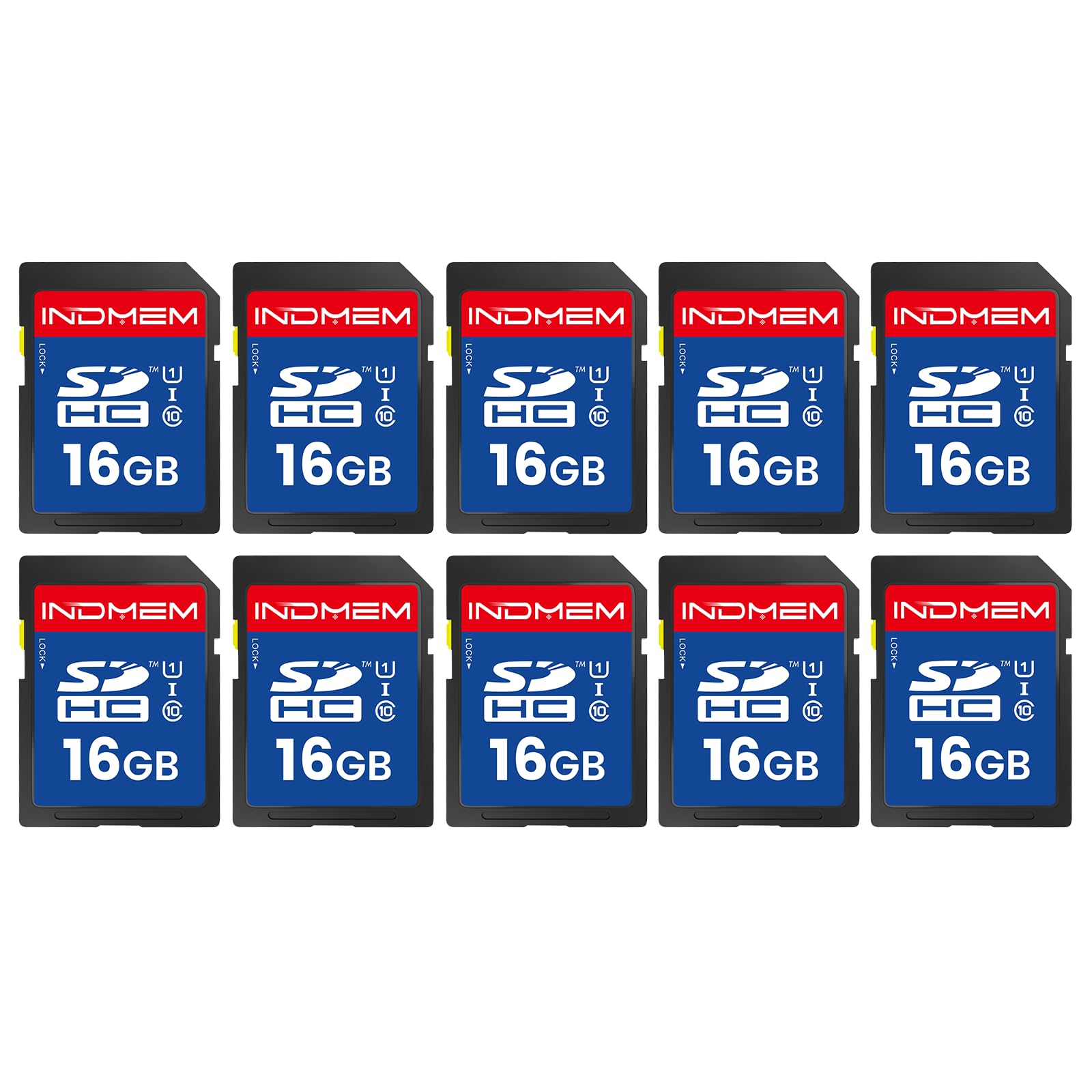
INDMEM 16GB 10-Pack

86 /100
LBD Score Excellent

Key details

Capacity
16 GB, 10-pack
Warranty
1 year
Read Speed
Up to 90MB/s
Speed Class
Class 10, UHS-I
View on Amazon

Ten 16GB cards looks like a strange purchase until you think about what actually needs one: trail cameras, 3D printers, dash cams, CNC machines and digital photo frames. Every one of those swaps a small card in and out on a schedule, and none of them needs 4K or a quarter of a terabyte.

The interesting specification is the flash type. INDMEM specifies MLC memory, which tolerates more rewrite cycles than the TLC that fills most budget cards — the right characteristic to be buying for gear that overwrites the same card every week. The listed read speed is 90MB/s, and the cards are rated temperature, water, shock, humidity, drop, wear-out and X-ray proof.

Two compromises come with that. The warranty is a single year, the shortest in this group, and there's no video speed class listed, so 1080p is the practical ceiling. Ten identical cards also need labelling, or you'll lose track of which one came out of which device.

Where it earns a place is cost per card in a job that doesn't need capacity. Spares for a club's trail cameras, a printer farm, a drawer of old point-and-shoots: buy this for the number of cards, not the size of them.

Pros

  • Ten 16GB cards for swap-heavy devices
  • MLC flash specified for rewrite endurance
  • Read rating up to 90MB/s

Cons

  • One-year warranty is the shortest here
  • No video speed class, so 1080p is the ceiling
Our verdict

Buy it for the count, not the capacity: ten 16GB cards for printers, trail cams and other gear that rewrites the same card weekly.

Check Latest Price
7

Cheap Spare Cards

Silicon Power 32GB 5-Pack

90 /100
LBD Score Outstanding

Key details

Capacity
32 GB, 5-pack
Warranty
5 years
Read Speed
Up to 40MB/s
Speed Class
Class 10
View on Amazon

Five 32GB cards for the lowest price per card on this page. The number that explains the price is the read rating — 40MB/s, the slowest here, against 80 to 280 elsewhere.

In a camera, Class 10 covers 1080p video and JPEG stills, which is the whole job for a shelf of older bodies. The five-year limited warranty is longer than most budget cards carry, and CPRM support keeps the cards usable in devices that specifically ask for it.

Our take is that this is the pack you buy for a classroom, a 3D printer, an old point-and-shoot or a drawer of spares — anywhere 32GB is the whole requirement and speed isn't. If you shoot 4K or offload big cards regularly, the 40MB/s read will wear on you and the money saved won't feel like a saving.

Pros

  • Lowest cost per card in this set
  • Five-year limited warranty
  • Class 10 handles 1080p and stills

Cons

  • 40MB/s read is the slowest here
  • Class 10 only, so not a 4K card
Our verdict

The cheapest way to keep a drawer of old cameras fed — just don't expect 40MB/s reads or Class 10 to serve a 4K workflow.

Check Latest Price

How We Tested the Best SD Cards

We started with spec sheets for close to 40 cards and cut anything that couldn't hold a stated video speed class, then narrowed by bus type, capacity, and price per gigabyte. That left 15 cards, which we bought at retail rather than accepting samples. Half arrived in multi-packs, so we split each set across different cameras to see whether cards from the same pack behaved the same way.

Speed runs happened on a card reader plugged into the same laptop, with read and write tests repeated three times and the outlier discarded. Then the cards went into the field: burst after burst of RAW files on a DSLR and a mirrorless body until the buffer clogged, and 4K clips recorded until each card either stopped cleanly or stalled. Any card that got hot went back in for a second run.

Compatibility and reliability were the slow part. Every card was formatted in-camera before use, then again on a laptop, since a card that only behaves under one format is a card you'll curse on a deadline. We filled each one past 80 percent capacity, read every file back, and checked for missing or corrupted frames. We also loaded them into an older DSLR, a point-and-shoot, and an action camera to see which ones older hardware would actually recognize.

Value came down to cost per usable gigabyte rather than sticker price, which is where the multi-packs earned their place: cheaper per card, but everyone in the pack shares the same write speed ceiling. Across four months we logged every stall, every slow offload, and every card that needed a second attempt to mount.

How to Choose an Sd Card

Start With the Speed Class, Not the Capacity

A speed class is a floor, not a peak. V30 means the card will sustain at least 30MB/s of writing, which is what 4K at normal frame rates asks for; U1 and V10 sit lower and are fine for 1080p and stills. Shoot 10-bit 4K, high frame rates or 6K and the floor moves up to V60, which is where UHS-II cards like the Lexar Silver Pro begin.

Match the class to the heaviest thing you actually shoot rather than the camera's best case. V60 in a body that never exceeds V30-level footage is money spent on headroom you won't use, and V30 in a 400Mbps workflow is a card that stops recording mid-take.

Capacity, and How Many Cards to Carry

Capacity is a scheduling question more than a specification. 32GB is a full session for a trail camera that gets swapped weekly and barely a coffee break for a wedding photographer. Work out roughly what your biggest shooting day writes, then buy two cards that together cover it instead of one that covers it alone — a second card costs less than a reshoot.

The pattern holds across this whole group. Two 128GB cards give you 256GB with a spare in the bag; one 256GB card gives you the same total with nothing to swap to. Neither is wrong. The pair is safer, and the single card is one less thing to lose.

Will Your Camera and Reader Actually Use the Speed?

Here's the trap. Read ratings of 200MB/s, 230MB/s and 280MB/s are not speeds you see inside the camera — they arrive in a matching reader, and SanDisk's 200MB/s figure is specific to its own PRO-READER. Put an Extreme PRO in a UHS-I body and it runs on the same bus as a card costing a fraction as much.

The same logic applies to UHS-II. Those cards are backwards compatible and work perfectly well in a UHS-I slot, but the second row of pins does nothing there and you pay UHS-II money for UHS-I speed. Buy the fast card when your body has the slot or when the copy at your desk is the bottleneck; otherwise put the difference into capacity.

Multipacks, Trail Cameras and the Counterfeit Problem

Multipacks exist for gear that eats small cards: trail cameras, 3D printers, dash cams, classroom sets. 32GB is the sweet spot for most of those devices, and five cards mean one in the camera and four ready to go. Check each card in the device it's meant for on the day it arrives, because a pack is only a bargain if every card in it works.

Buy from a seller you trust as well. Counterfeit cards that report the right capacity and then overwrite your files are a known problem in this category, and a big-capacity card at a startling price deserves a second look. Label the cards too, so you know which one came out of which camera.

Frequently Asked Questions

Final Verdict

The SanDisk Extreme PRO 256GB is the card we recommend to almost everyone with a standard SD slot. It writes fast enough to keep 4K recording and a buffer clearing, it holds a full day of work, and the lifetime limited warranty is the boring reliability that matters more than any single figure on the label.

Two alternatives earn their place for narrower jobs. If your camera has a UHS-II slot and you shoot high-bitrate video, the Lexar Silver Pro pair is the one that keeps up with the body. If the cards live in trail cameras, the Gigastone five-pack is the sensible buy — five small cards beat one large one when the camera is a mile from the truck.