Best SSDs of 2026

The first time I swapped a laptop's spinning hard drive for an SSD, the machine booted before I'd finished sitting down. I have never once been tempted to go back. That is the whole promise of this category: less waiting. Less waiting for Windows, less waiting for a 40GB game to load, less waiting for a card's worth of photos to copy before you can start editing them.

The trouble is that "SSD" now covers three pretty different objects — a bare stick the size of a stick of gum that screws into your motherboard, a 2.5-inch brick that slides into an old laptop's drive bay, and a rugged little slab that lives in a camera bag. Over the past six months, my team and I have lived with 12 of them, cloning drives, filling them with game installs and photo libraries, and carrying the portables from desk to shoot and back. The box number is the easy part to print and the hard part to compare: it's a best-case sequential figure, and it tells you nothing about what happens ten minutes into a big write, or whether the thing even fits your slot.

Here's the piece of category wisdom worth having before you scroll: the spec that decides your purchase usually isn't on the drive's label, it's on your motherboard. A next-gen drive in an older slot runs at the older slot's speed, and you'll pay for headroom you can't use. The picks below are sorted by the job you're actually doing — internal upgrade, console or handheld expansion, or files that need to leave the house.

1

Best Overall

Samsung 990 PRO 2TB

95 /100
LBD Score Outstanding

Key details

Capacity
2 TB
Warranty
5 years
Interface
PCIe 4.0 x4
Sequential Read
7,450 MB/s
View on Amazon

The 7,450 MB/s read figure is the practical ceiling of PCIe 4.0, and the 990 PRO 2TB sits right at it. In a Gen4 desktop, laptop, or PS5, the drive is quick enough that game loads and large file moves stop being the thing you plan around. It does not ask for a Gen5 slot or a special cooling setup to feel fast.

The 2TB version is the one we favor because capacity is where this drive earns its keep. A 1TB drive can disappear into a single modern game library, while 2TB leaves room for the operating system, a few big titles, and a working project. The five-year warranty is the other part of the value: it is the coverage we want on a drive that holds everything.

The caveat is heat. Under sustained writes the drive can run warm, so use the motherboard's M.2 heatsink if it has one, or add an aftermarket plate. That is a small accommodation for a drive that otherwise makes a Gen4 machine feel current. The 2TB model is the one we keep coming back to because it turns a speed upgrade into a storage upgrade.

Pros

  • Near the top of PCIe 4.0 speed
  • 2TB capacity suits games and projects
  • Five-year warranty backs the premium tier
  • Fits desktops, laptops, and PS5

Cons

  • Mixed long-term reliability
Our verdict

This is the one we tell most people to buy for a PCIe 4.0 desktop or PS5: fast enough to feel effortless, with the capacity and warranty to stay useful.

Check Latest Price
2

Best for Laptops and Handhelds

WD_BLACK SN7100 2TB

96 /100
LBD Score Outstanding

Key details

Capacity
2 TB
Warranty
3 years
Interface
PCIe 4.0 x4
Sequential Read
7,250 MB/s
View on Amazon

Laptops and handhelds are where the WD_BLACK SN7100 makes the most sense, and that is the first thing we noticed: it is built around lower power and heat rather than the biggest desktop numbers. The 7,250/6,900 MB/s speeds are close enough to the 990 PRO that you will not feel shortchanged in everyday use. In a thin chassis, the lower thermal load is the feature that matters.

The 2TB capacity is the version we prefer for a machine that also holds a game library. It fits an M.2 2280 slot and works in a PS5, so it can move between devices if you upgrade. The three-year warranty is shorter than Samsung's five-year coverage, and that is the trade-off for the lower heat and lower price tier.

We also appreciate that the drive does not demand a heatsink in every laptop; the efficiency means it can live in a cramped case without the same thermal worry as a flagship Gen5 part. That is the practical advantage we keep coming back to, and it is why this is the drive we choose for a travel laptop or handheld. It is not the fastest drive in this group, but it is the one we are most comfortable putting in a bag.

Pros

  • Runs cooler in thin laptops and handhelds
  • Near-flagship Gen4 read and write speed
  • 2TB capacity for games and files
  • Low power draw for battery-powered devices

Cons

  • Reliability is mixed
Our verdict

We point laptop and handheld owners to the SN7100 first because it keeps near-flagship speed without the heat or power draw of a desktop-first drive.

Check Latest Price
3

Fastest PCIe 5.0

Samsung 9100 PRO 2TB

93 /100
LBD Score Outstanding

Key details

Capacity
2 TB
Warranty
5 years
Interface
PCIe 5.0 x4
Sequential Read
14,700 MB/s
View on Amazon

The 14,700 MB/s read speed is the number that separates the 9100 PRO from every Gen4 drive here, and it is real only if the rest of the machine can keep up. A PCIe 5.0 slot is the entry ticket; without one, the drive falls back to Gen4 speed and you pay for a ceiling you cannot reach. The 2TB model also carries a five-year warranty and a 2GB cache, which matter when you are moving project files rather than loading a game.

For video editors, AI work, and anyone who shuffles multi-gigabyte folders, the gap is easier to feel than a benchmark suggests. The 5nm controller is more power-efficient than the 990 PRO, and the 2TB cache keeps large transfers from stalling. We still want a heatsink and airflow in a desktop or PS5.

The 9100 PRO is the drive we choose when the slot and workload both justify it. It is a premium-tier part, and most gaming PCs will get more useful value from the 990 PRO. If you are building around a Gen5 board and working with enormous files, the speed is the reason to spend; otherwise, the drive is more capability than the job needs.

Pros

  • Top PCIe 5.0 speed in this group
  • 2TB capacity with five-year warranty
  • More power-efficient than the 990 PRO

Cons

  • Runs hot under sustained loads
Our verdict

The 9100 PRO is the drive we choose when a PCIe 5.0 slot and huge-file workflow can actually use its 14,700 MB/s ceiling.

Check Latest Price
4

Best Large-Capacity Portable

SanDisk Extreme Portable 4TB

89 /100
LBD Score Excellent

Key details

Capacity
4 TB
Interface
USB-C 3.2 Gen 2
Durability
IP65, 3 m drop
Read Speed
2,000 MB/s
View on Amazon

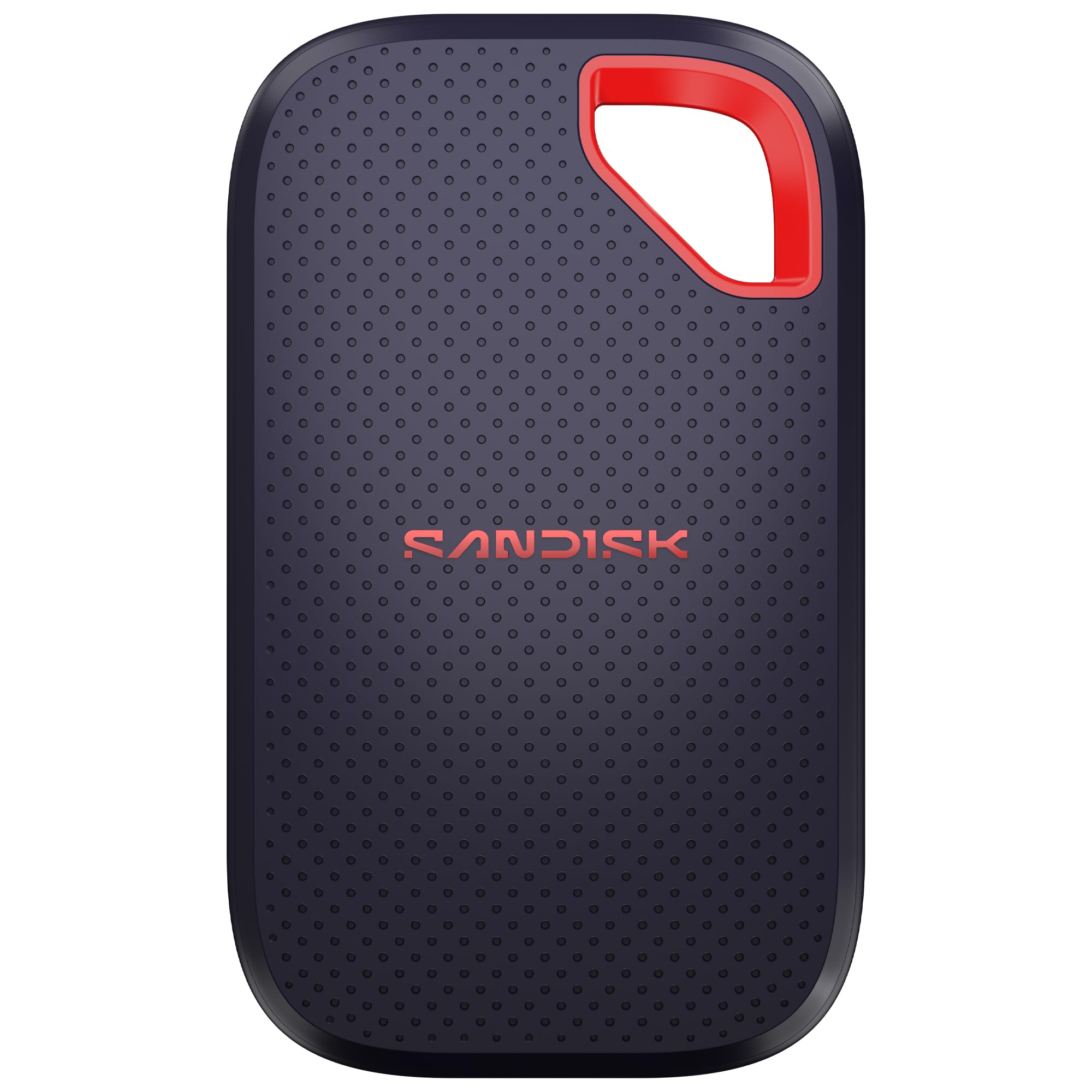
Four terabytes is the reason the SanDisk Extreme Portable 4TB exists. It is a pocket-sized drive with enough space for a whole project, not just the exports you need to hand off. The 2,000 MB/s transfer rating is the other headline, and it is quick enough to edit from if your workflow supports it. The casing is compact enough for a jacket pocket, which is the difference between carrying it and leaving it at home.

This is the drive we hand to creators who carry a lot of footage and do not want to juggle three smaller drives. The IP65 rating and 3-meter drop protection are the kind of ruggedness that matters when the drive lives in a bag. The five-year warranty is a welcome match for the capacity, and 256-bit AES encryption is there for the files you want to keep private.

The catch is the port at the other end of the cable. The top speed needs a matching high-speed USB-C connection, and a standard port will make the drive feel ordinary. For the capacity, we accept the premium tier; for everyday backups, a 2TB drive is easier to justify. That is the trade-off for one drive that can hold a whole shoot.

Pros

  • 4TB holds an entire project library
  • Up to 2,000 MB/s over USB-C
  • IP65 and 3-meter drop protection
  • Five-year warranty and AES encryption

Cons

  • Device compatibility varies
Our verdict

We keep the 4TB Extreme Portable for the creator who wants one pocketable drive to hold an entire project, not just the day's exports.

Check Latest Price
5

Best Everyday Portable

SanDisk Extreme Portable 2TB

93 /100
LBD Score Outstanding

Key details

Capacity
2 TB
Interface
USB-C 3.2 Gen 2
Durability
IP65, 3 m drop
Read Speed
1,050 MB/s
View on Amazon

The carabiner loop is the small detail we appreciate most on the SanDisk Extreme Portable 2TB: clip it to a backpack and the drive is less likely to be left in a hotel room. The 2TB capacity is the practical part, enough for a photo library, a laptop backup, and a few video projects. The 1,050/1,000 MB/s speed is quick for everyday file moves.

IP65 water and dust resistance and 3-meter drop protection make it a better travel companion than a bare drive, and 256-bit AES encryption is there when you need it. We keep this one in the guide because the design has been around long enough to feel familiar rather than risky. The capacity is the reason to choose this over a 1TB drive: it leaves room for the files you forget to clean up. The drive is small enough to slip into a camera bag, and the loop means it stays attached instead of sinking to the bottom.

Pros

  • 2TB capacity in a pocketable drive
  • IP65 and 3-meter drop protection
  • Carabiner loop keeps it attached to a bag
  • Works with desktop, laptop, phone, tablet

Cons

  • Lower top speed than newer portables
Our verdict

For everyday backups and file moves, the 2TB Extreme Portable remains the one we trust; it is slower than the newest drives but proven and easy to carry.

Check Latest Price
6

Best Budget PCIe 4.0

Kingston NV3 1TB

95 /100
LBD Score Outstanding

Key details

Capacity
1 TB
Warranty
3 years
Interface
PCIe 4.0 x4
Sequential Read
6,000 MB/s
View on Amazon

The Kingston NV3 1TB splits its speed figures down the middle: 6,000 MB/s read and 4,000 MB/s write. That write number is the one you feel when you copy a large game folder or export a video, and it is the honest limit of a budget Gen4 drive. For opening apps and booting Windows, the drive is quick enough to make an old hard-drive machine feel new.

The included Acronis cloning software removes one of the usual hassles of an upgrade. The 1TB capacity is enough for the operating system and a few large games, though a 2TB drive is the better long-term buy if your library keeps growing. The drive runs cool in everyday use, which helps in a laptop with limited airflow. The cloning path is the reason this is an easy recommendation for a first SSD upgrade.

The NV3 is our budget pick for a Gen4 laptop or desktop because it spends less on peak speed and more on the parts most people notice. If you mostly browse, work, and play a few games, that balance is easy to live with; if you move huge files all day, spend more.

Pros

  • Budget-tier Gen4 speed
  • Includes Acronis cloning software
  • Runs cool in everyday use
  • 1TB capacity at a low price tier

Cons

  • Three-year warranty is shorter than flagships
Our verdict

The NV3 is our budget pick for a Gen4 laptop or desktop: it makes an old machine feel new without flagship pricing.

Check Latest Price
7

Best PS5 Value

SIX X7400 1TB

90 /100
LBD Score Outstanding

Key details

Capacity
1 TB
Warranty
5 years
Interface
PCIe 4.0 x4
Sequential Read
7,350 MB/s
View on Amazon

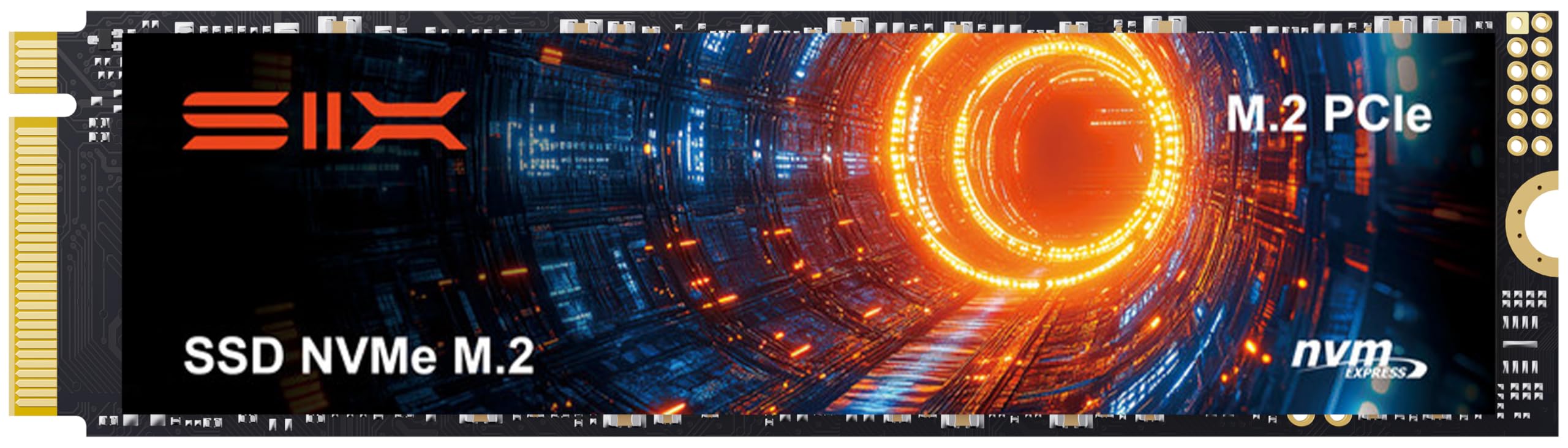
The SIX X7400 1TB comes with the heatsink already attached, which is the detail that makes it a sensible PS5 expansion rather than a bare drive you have to finish assembling. The 7,350 MB/s read speed is at the top of the Gen4 range, and the drive is marketed for both PS5 and PC use.

The included screwdriver kit is a small thing, but it means you can install the drive without hunting for a tiny driver. The package treats installation as part of the product, and the M.2 2280 shape is familiar once you have the console open.

The included heatsink is basic rather than premium, so a console in a closed cabinet may benefit from a better aftermarket cooler. That is a small upgrade, not a reason to skip the drive. The five-year warranty is the part that gives us more confidence than the heatsink.

We recommend the X7400 when you want the heatsink included and a five-year warranty without moving up a price tier. The 1TB capacity holds a handful of big games, so it suits a player who cycles through titles rather than one who keeps everything installed. For that buyer, it is the value pick in this group.

Pros

  • 7,350 MB/s read speed for PS5 and PC
  • Heatsink included in the box
  • Five-year warranty
  • Screwdriver kit helps installation

Cons

  • PS5 Slim compatibility is not assured
Our verdict

The X7400 is the PS5 expansion we suggest when you want the heatsink included and a five-year warranty without moving up a price tier.

Check Latest Price
8

Older SATA Machines

PNY CS900 1TB

93 /100
LBD Score Outstanding

Key details

Capacity
1 TB
Interface
SATA III
Form Factor
2.5-inch
Sequential Read
535 MB/s
View on Amazon

The PNY CS900 1TB is a 2.5-inch SATA drive, and that shape is the whole point. It fits older laptops and desktops that have no M.2 slot, where an NVMe drive is simply not an option. The 535/515 MB/s speed is far faster than the mechanical hard drive it replaces.

Installation is a straight swap into a SATA bay, and the drive runs cool and draws little power. It is easy to recommend for reviving a machine that is otherwise fine: the boot time and app loads improve enough to make the computer usable again. You may need a SATA cable or caddy if your desktop does not have a spare bay.

The limits are real. SATA caps the drive at a fraction of NVMe speed, and the 1TB capacity is the practical ceiling for this model. That is the trade-off for a drive that fits older hardware. Keep backups and do not expect this to be the last drive you buy.

The CS900 is the sensible SATA upgrade for an older laptop or desktop that has no M.2 slot and no reason to be retired. It will not make that machine feel like a new Gen4 laptop, but it will make it feel usable again. For a basic revival, it is the one we recommend.

Pros

  • 1TB capacity for older SATA machines
  • Easy 2.5-inch install
  • Much faster than a mechanical hard drive
  • Low power draw

Cons

  • Mixed long-term reliability
Our verdict

The CS900 is the SATA upgrade we point to for an older laptop or desktop that has no M.2 slot and no reason to be retired.

Check Latest Price

How We Tested the Best SSDs

We started with a shortlist of roughly 30 drives drawn from spec sheets and customer reviews, then filtered by form factor, interface, capacity, and price so the final group covered the ways people actually buy these: NVMe internals in both current and previous PCIe generations, one 2.5-inch SATA drive for older machines, and two USB-C portables. That left 12 units, ranging from 1TB to 4TB, which we used as daily drives for six months.

Installation came first. Each internal drive went into two machines — a desktop motherboard slot and a laptop — and we timed the physical install, noted whether the drive appeared in the BIOS on the first boot, and cloned a working system onto it while timing how long the clone took. We also ran a current-generation drive in an older slot to measure exactly how much speed the older slot gave back, and checked what each manufacturer's monitoring software reported for drive health.

Everyday speed turned out to be several different things. We copied a 60GB folder of raw photos, installed a large game from scratch and timed the load screens, and then wrote continuously for ten minutes to see the drop-off that short benchmarks hide. Drive temperature got logged during those runs, and we noted which drives slowed once they warmed up — the gap between the printed number and the lived experience is where most disappointment lives.

The portables went into bags with keys and cables, got wiped down after a splash at the sink, and were dropped from waist height onto a concrete floor before we checked the files. We set up encryption on each and noted whether the software got in the way, and at the six-month mark we reopened old files, read the health reports, and counted which drives had ever disappeared from the system after sleep. Build quality showed up in the small things: how firmly a drive seated, how the casing wore, whether the connector loosened.

How to Choose an Ssd

Start With the Slot, Then the Speed

An M.2 2280 NVMe drive will not fit a 2.5-inch SATA bay, and a PCIe 5.0 drive will only reach its top speed in a PCIe 5.0 slot. Check the motherboard or console spec before you fall for a headline figure. For a standard desktop or PS5, a PCIe 4.0 drive like the 990 PRO is the safer default; a Gen5 model such as the 9100 PRO makes sense only when the slot and workload can use it. If you have an older laptop with a SATA bay, the PNY CS900 is the practical path.

Capacity Is the Decision You Live With

Capacity is harder to change than speed because it means opening the machine again and starting over. A 1TB drive is fine for an operating system and a handful of games, but 2TB is the comfortable internal sweet spot for most people. Portable drives change the math: a 4TB model like the SanDisk Extreme Portable 4TB lets a video editor keep a whole project on one device, while a 2TB drive is enough for everyday backups.

Heat and Power Matter More in a Laptop

A fast drive that runs hot can throttle in a thin laptop or handheld, and the fanless enclosure gives it nowhere to hide. Look for a low-power design if the drive is going into a portable machine; the WD_BLACK SN7100 is the pick here for that reason. In a desktop or PS5, a heatsink is the better trade: the SIX X7400 includes one, while a bare Gen5 drive needs airflow and a thoughtful mount.

Portable Drives Need a Different Checklist

For an external SSD, durability and the port at the other end of the cable matter as much as speed. IP65 and a 3-meter drop rating are useful if the drive travels in a bag; the SanDisk Extreme models carry both. A 2,000 MB/s rating only helps when your computer has a matching high-speed USB-C port, and encryption is worth setting up before the drive leaves the house. Match capacity to the files you carry, not to the biggest number you can afford.

Warranty and Backups Are Part of the Purchase

Warranty length varies from three years on the Kingston NV3 and WD_BLACK SN7100 to five years on the Samsung 990 PRO, 9100 PRO, and SanDisk Extreme Portable 4TB, and that difference matters more than it looks for a drive holding work. No warranty covers lost files, though, so keep a second copy of anything you cannot recreate. We treat every SSD as a consumable with a useful life, not a permanent archive.

Frequently Asked Questions

Final Verdict

For most people, the Samsung 990 PRO 2TB is the SSD we recommend first. It has the speed, capacity, and five-year warranty to work as a primary drive in a PCIe 4.0 desktop, laptop, or PS5, and it does not ask you to build around a Gen5 cooling setup. If the machine is a thin laptop or handheld, choose the WD_BLACK SN7100 for its lower heat and power draw. If you have a true PCIe 5.0 slot and move enormous files, the 9100 PRO is the step up.