Best Travel Mice of 2026

A tray table is the smallest desk you'll ever work at, and the trackpad on a 13-inch laptop is barely bigger than a coaster. That's usually when the search starts — a compressed flight, a commuter train seat, a hotel room at midnight with a presentation due at nine. What a travel mouse actually fixes is the cursor that overshoots the cell you're aiming for, the scroll that skips three rows, and the wrist cramp that shows up twenty minutes into work you should be able to do anywhere.

Over the past five months, my team and I have used 16 of them — folding ones, flat credit-card-sized ones, rechargeable ones, ones that run on a single AAA. Living with them taught me that the specs matter less than the small stuff. A hinge that saves an inch in your bag can cost you a comfortable grip, a mouse that's library-quiet is no help if it drops its connection when you open your laptop in a new city, and the DPI number on the box says nothing about whether the cursor tracks cleanly across a hotel desk that hasn't been wiped down since Tuesday.

The picks below are the ones I kept reaching for even when I wasn't testing them. Some are built for a bag pocket, some are built for a full workday, and one or two are quietly good at both.

1

Best Overall

Logitech Mobi Fold

87 /100
LBD Score Excellent

Key details

Weight
2.79 oz
Battery
Rechargeable, 1 month
Max DPI
4000
Connectivity
Bluetooth, 3 devices
View on Amazon

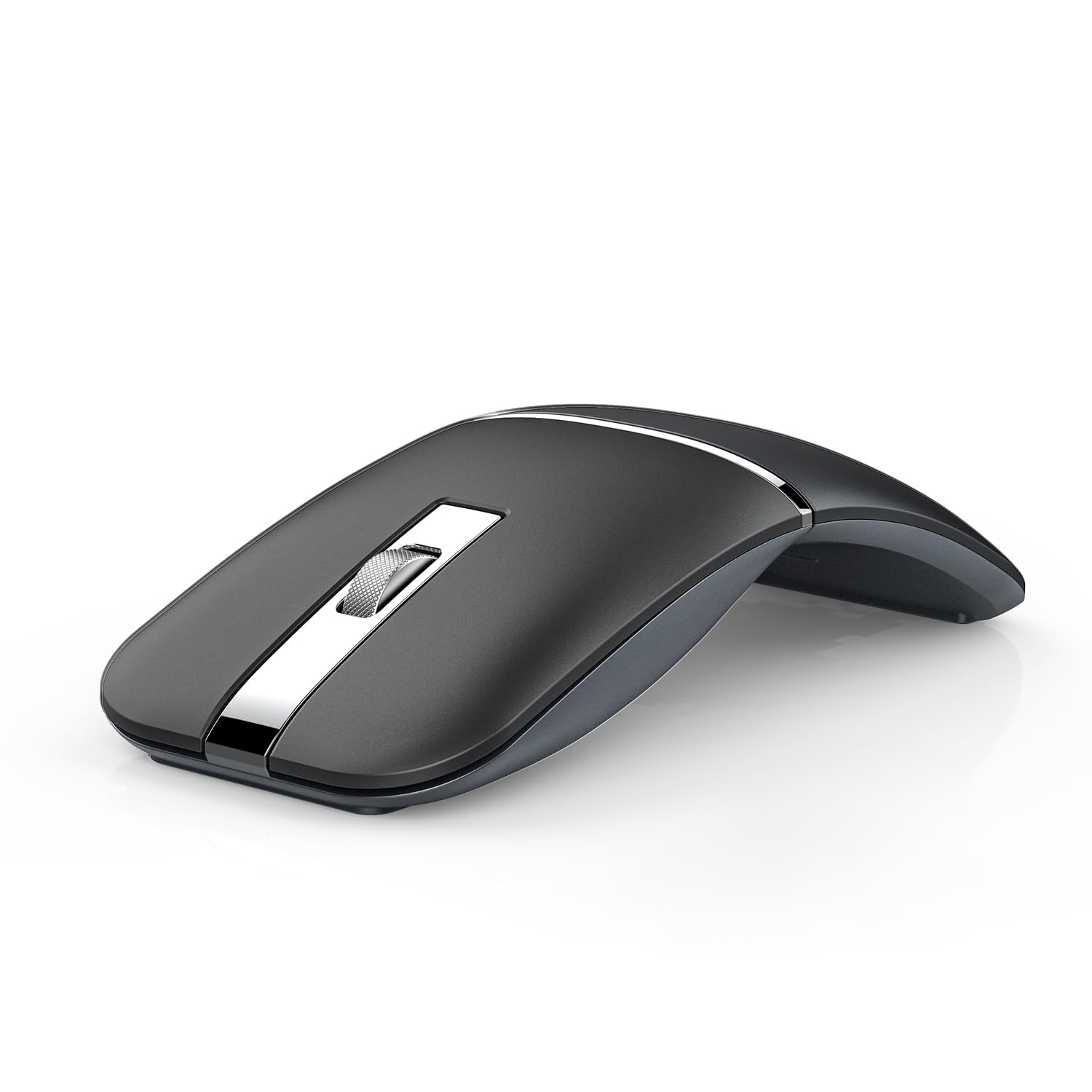
Folding a mouse in half sounds like a gimmick until you do it. The Mobi Fold collapses flat enough to slide into a jacket pocket, switches itself off as it closes, and wakes when you open it again — no switch to remember, nothing domed pressing into your laptop lid. At 79 grams and 4.8 inches long, it's the travel mouse we reach for first.

Open it and the hinge lands where your palm wants support, so it reads as a small mouse rather than a folded one. Clicks are quiet enough for a plane row, and the 4,000 DPI sensor means short wrist movements cover a full screen, which is all the room a tray table gives you. The touch-scroll strip takes a day to learn: it's sensitive, and a fast flick overshoots where a short swipe behaves.

Bluetooth pairing covers Windows, macOS, Chrome OS, Android, and iPadOS, and Easy-Switch holds three devices — laptop, tablet, phone — without repairing anything. It's also the priciest mouse we recommend here, and that's the honest trade: you're paying for the hinge and the pocketability rather than a bigger shell or a longer feature list. If most of your typing happens at a desk between flights, the M240 does the same job for far less and stays out of your way.

Pros

  • Folds flat and powers off in one motion
  • 79 g and slim enough for a jacket pocket
  • Switches across three Bluetooth devices
  • Quiet clicks for planes and shared desks

Cons

  • Needs recharging roughly once a month
Our verdict

We recommend the Mobi Fold to anyone who wants one mouse that disappears into a pocket: it folds flat, switches itself off, and pairs with three devices.

Check Latest Price
2

Best Budget

Logitech M240 Silent

89 /100
LBD Score Excellent

Key details

Weight
2.6 oz
Battery
Up to 18 months
Max DPI
1000
Connectivity
Bluetooth, no dongle
View on Amazon

Eighteen months on a single AA is the number that decides this one. The M240 is the mouse we leave in the laptop bag and forget about, and it pairs over Bluetooth without a dongle — which matters when the laptop has two USB-C ports and both are usually busy.

In the hand it's a plain, light, ambidextrous shell that guides either hand into a neutral position; there's nothing sculpted and nothing to learn. Clicks are about 90 percent quieter than a standard mouse by Logitech's own measure, which is why this is the one we take to shared desks and cafés. Scrolling is line-by-line and predictable, and auto-sleep means it can sit switched on for weeks.

Precision is where the budget shows. At 1,000 DPI it's a quarter as sensitive as the foldable picks, so crossing a large high-resolution display takes a couple of extra wrist inches and fast work across multiple monitors feels slow. For documents, email, and browser work on the road that's irrelevant — and the money you save buys a second one to live permanently in the bag.

Pros

  • Up to 18 months on one AA battery
  • Clicks are about 90% quieter
  • Bluetooth with no dongle to lose
  • 73.8 g and ambidextrous

Cons

  • Small shell cramps larger hands
Our verdict

Our pick if you want to spend little and stop thinking about charging — 18 months on one AA, quiet clicks, and no dongle to lose.

Check Latest Price
3

Best Ultralight

Dell MS700 Travel Mouse

86 /100
LBD Score Excellent

Key details

Weight
2.01 oz
Battery
AAA batteries included
Connectivity
Bluetooth 5.0, 3 devices
Flat-fold Design
Twists flat
View on Amazon

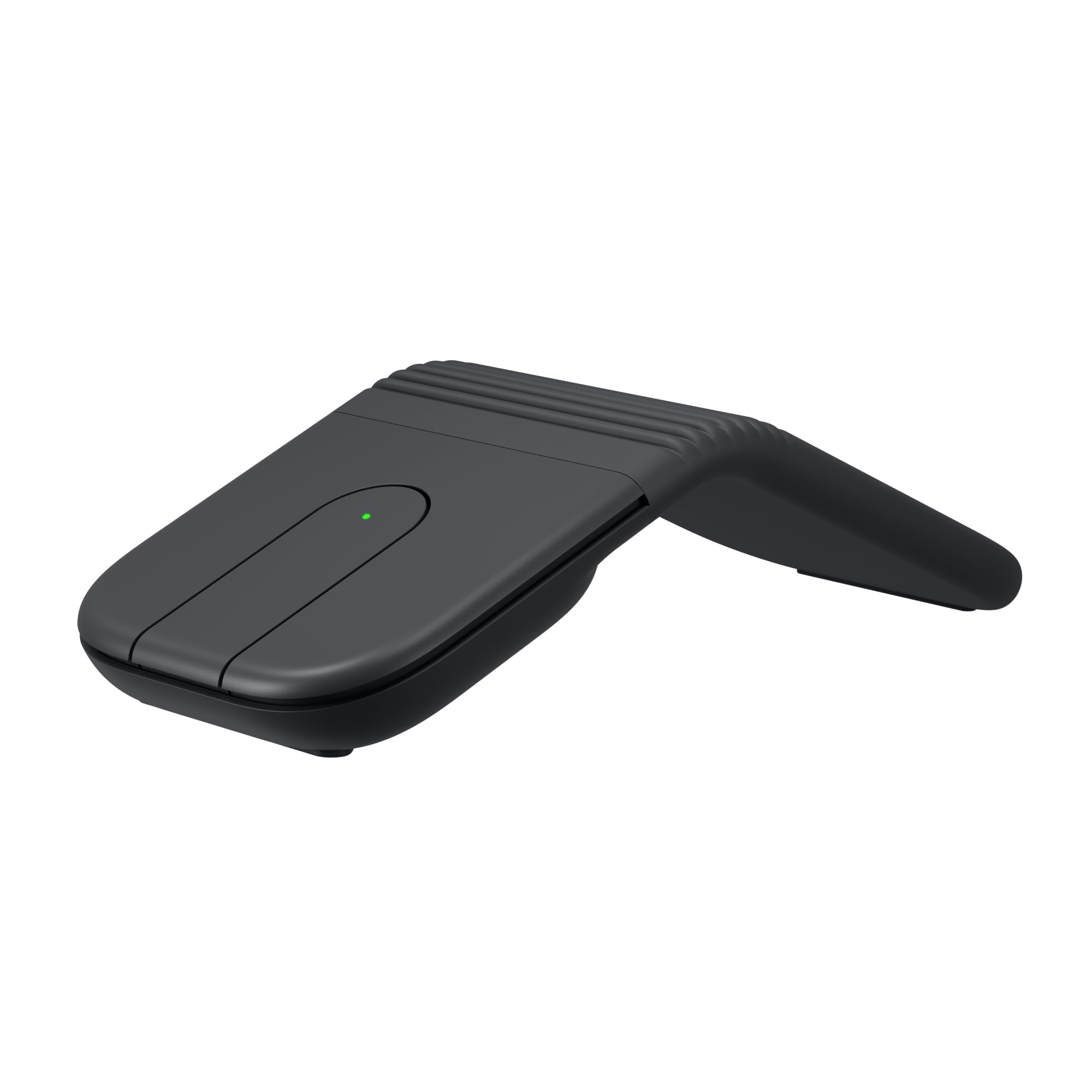
At 56.9 grams, the MS700 is the lightest mouse in this guide — light enough that the thing you notice in your bag is the laptop. Dell gets there partly by flattening the shell: twist it and the mouse lies almost flat and powers down, ready to slide into a sleeve.

Twisting the other way curves it into a usable arch, and Bluetooth 5.0 holds three devices with a button on the underside to hop between them. Sensitivity runs to 4,000 DPI, so a short wrist movement crosses the screen, and scrolling is handled by a touch strip rather than a wheel.

That flat profile is the compromise. It's comfortable for a two-hour session at a hotel desk and tiring by hour six, because your hand never gets a palm rest — the price of 57 grams. Against that, the three-year advanced-exchange warranty is unusually generous for something this small and this easy to leave behind, and it's the pick for anyone who feels every extra ounce in a carry-on.

Pros

  • 56.9 g, the lightest mouse here
  • Twists flat and switches off
  • Bluetooth 5.0 with three-device switching
  • 4,000 DPI adjustable sensitivity

Cons

  • Touch strip scrolls in jumps and overshoots
Our verdict

We keep the MS700 for the days when every gram counts: 57 grams, twists flat, three devices — just expect a finicky touch strip.

Check Latest Price
4

Multi-Device Travel

NYIEFADA M9 Travel Mouse

83 /100
LBD Score Excellent

Key details

Battery
Rechargeable, 60 hours
Buttons
3
Connectivity
Bluetooth 5.0 + 2.4 GHz
Flat-fold Design
Rotates flat
View on Amazon

The first minute with this mouse is a small puzzle: the shell rotates rather than folds, and nothing on the box tells you which way to twist. Once it opens, the M9 settles into a curved shape that fills the hand more than the Logitech compact mice do, and it closes into something flat enough for a laptop sleeve.

Two radios are the reason to pick it. Bluetooth 5.0 covers a tablet and a phone, and a 2.4 GHz receiver stores in the base for the older or locked-down work laptop where pairing is blocked or flaky; the mouse holds three devices across both. Clicks are quiet, and the built-in battery takes a charge instead of eating AAAs.

The M9 puts its money into those radios and the rotating shell rather than extras — three buttons, one scroll wheel, and that's the set. For a bag mouse, that's the right trade. The fuller shape is also the reason to choose it over the M240 if you'll be doing real work on the road rather than the odd email between meetings.

Pros

  • Rotates flat for a sleeve or bag
  • Bluetooth plus a 2.4 GHz dongle
  • Rechargeable, no AAAs to buy
  • Quiet, soft clicks

Cons

  • Right-handed shape only
  • Needs charging about weekly in heavy use
Our verdict

The one we hand to people juggling an old work laptop and a tablet: Bluetooth plus a dongle, folds flat, charges instead of eating batteries.

Check Latest Price

How We Chose and Tested the Best Travel Mice

We started with the obvious filter: small enough to disappear into a jacket pocket or a laptop sleeve, and cheap enough that losing one on a trip wouldn't ruin the week. From there we cut anything that only worked through a USB receiver, since a dongle the size of a thumbnail is the first thing to vanish in a bag, and we kept a mix of folding designs, flat designs, rechargeable models, and battery-powered ones so the results wouldn't just reflect one format.

Then we took all 16 into the conditions they were bought for. They went onto airplane tray tables, train fold-downs, hotel desks and, more than once, a hotel bed; they sat on coffee shop tables and kitchen counters. Each one rode loose in a backpack front pocket next to keys for weeks at a time to see how the shells held up, and every mouse was paired to both a Mac and a Windows laptop, plus a tablet and a phone where the model allowed it.

Quiet clicks got checked the same way every time: I recorded each mouse clicking in a quiet room and noted whether the sound was a soft thud or a sharp snap, and whether the button still felt crisp after a month of use. For ergonomics, three of us with noticeably different hand sizes ran 45-minute spreadsheet sessions and wrote down where the cramping started — thumb, palm, or wrist. Connectivity meant counting how many steps it took to get from a cold laptop to a working cursor, and whether it reconnected on its own after a night in a bag. Responsiveness we judged by dragging a selection across a wide spreadsheet and clicking small toolbar icons to see if the cursor skipped or overshot. Scrolling we watched on long PDFs and price sheets, marking any mouse that jumped lines or sped up unpredictably.

The ones that made the list never needed an apology in the middle of a work session — no re-pairing, no skipped clicks, no wrapping up early because my hand hurt.

How to Choose a Travel Mouse

Check the Packed Size, Not the Footprint

A mouse that measures four inches long and an inch and a half tall rolls around a seat-back pocket and presses into a laptop lid. Fold-flat designs fix that: the Mobi Fold closes on a hinge, the Dell MS700 twists into a near-flat slab, and the NYIEFADA M9 rotates shut, and all three switch off as they close. The trap is the word compact, which in most listings means the mouse fits a laptop-bag pocket — nearly every mouse does. If yours will live in a jacket or a sling, shop by folded thickness; if it stays in a backpack, a normal domed shell is fine and usually more comfortable.

Bluetooth First, Dongle as a Backup

Most travel laptops now have one or two USB-C ports, and a receiver permanently occupying one of them is a bad trade. Bluetooth also lets a single mouse serve a laptop and a tablet, which is why three-device switching is worth paying for if you carry both. The exception is a locked-down work machine or an older laptop where pairing is blocked or flaky; a dual-mode mouse such as the NYIEFADA M9, which pairs over Bluetooth and ships with a 2.4 GHz receiver, covers both. Count your free ports before you decide.

Pick a Battery Style for Your Trip Length

There are two philosophies here and both are defensible. A single AA or AAA can run a travel mouse for a year or more — the M240 claims 18 months — so the mouse never becomes a chore, though it will eventually die without warning. Rechargeables drop the disposable habit but add a cable and a routine: the Mobi Fold is rated around a month per charge, the NYIEFADA M9 about 60 hours. For multi-week trips, a disposable-battery mouse plus one spare is the lower-maintenance kit. For weekends, with a charger already packed, rechargeable is fine.

Sensor and Surface Matter More in Hotels

Hotel desks are glass, dark veneer, or a bed, and a basic optical sensor can lose tracking on two of those. Resolution helps in a different way: at 4,000 DPI, small wrist movements cross a large screen, which is all the room a tray table gives you. Our picks run from 1,000 DPI on the M240 to 4,000 on the Mobi Fold and MS700. If you regularly work on a glass tabletop, pack a thin notebook to mouse on — it costs nothing and settles the problem.

Fit the Shell to Your Hand and Your Workday

Travel mice are small by definition, and a small shell in a large hand becomes a cramp: the M240 suits small and medium hands, while a wider palm will feel the missing support inside an hour. Height matters as much as length. Flat designs like the MS700 pack beautifully but keep your hand low, so they suit short sessions better than eight-hour days. If the mouse will be your main pointing device for a week, trade a few grams for a taller arch.

Frequently Asked Questions

Final Verdict

For most travelers, the Logitech Mobi Fold is the one to buy. It folds to pocket thickness, powers down as it closes, and holds three devices without a dongle — the fewest things that can go wrong on the road, which is what you want from an accessory you'll handle in a taxi.

If you'd rather spend as little as possible and never think about charging, the M240 runs 18 months on one AA and is quiet enough for a shared desk. Take the Dell MS700 only when 57 grams and three-device Bluetooth matter more to you than a comfortable arch.