Best Webcams for Low Light of 2026

The worst video calls don't happen in bad rooms; they happen in rooms that looked fine until the camera turned on. A lamp behind you can turn your face into a silhouette, and a dim desk can make a sharp webcam look grainy. I've spent eight months with 12 webcams—1080p models, 4K units, and several with ring lights or low-light correction—on early calls before sunrise and evening meetings with a window behind me. Sensor size and mixed-light handling matter more than a 4K badge—the picks below reflect that.

We judged picture and image quality in those conditions, then looked at practical details: whether the mount stayed put when I adjusted the angle, how fast autofocus recovered after I held up a mug, whether zoom turned a bookshelf label to mush, and how cleanly each camera connected over USB-A or USB-C to a work PC and a home laptop. Skin tones and a red shirt had to stay recognizable. Reliability and value meant starting every call without fuss and still handling low light after weeks.

1

Best Overall

Insta360 Link 2C Pro

87 /100
LBD Score Excellent

Key details

Sensor
1/1.3-inch
Connection
USB-C
Resolution
4K
Low-light Help
HDR
View on Amazon

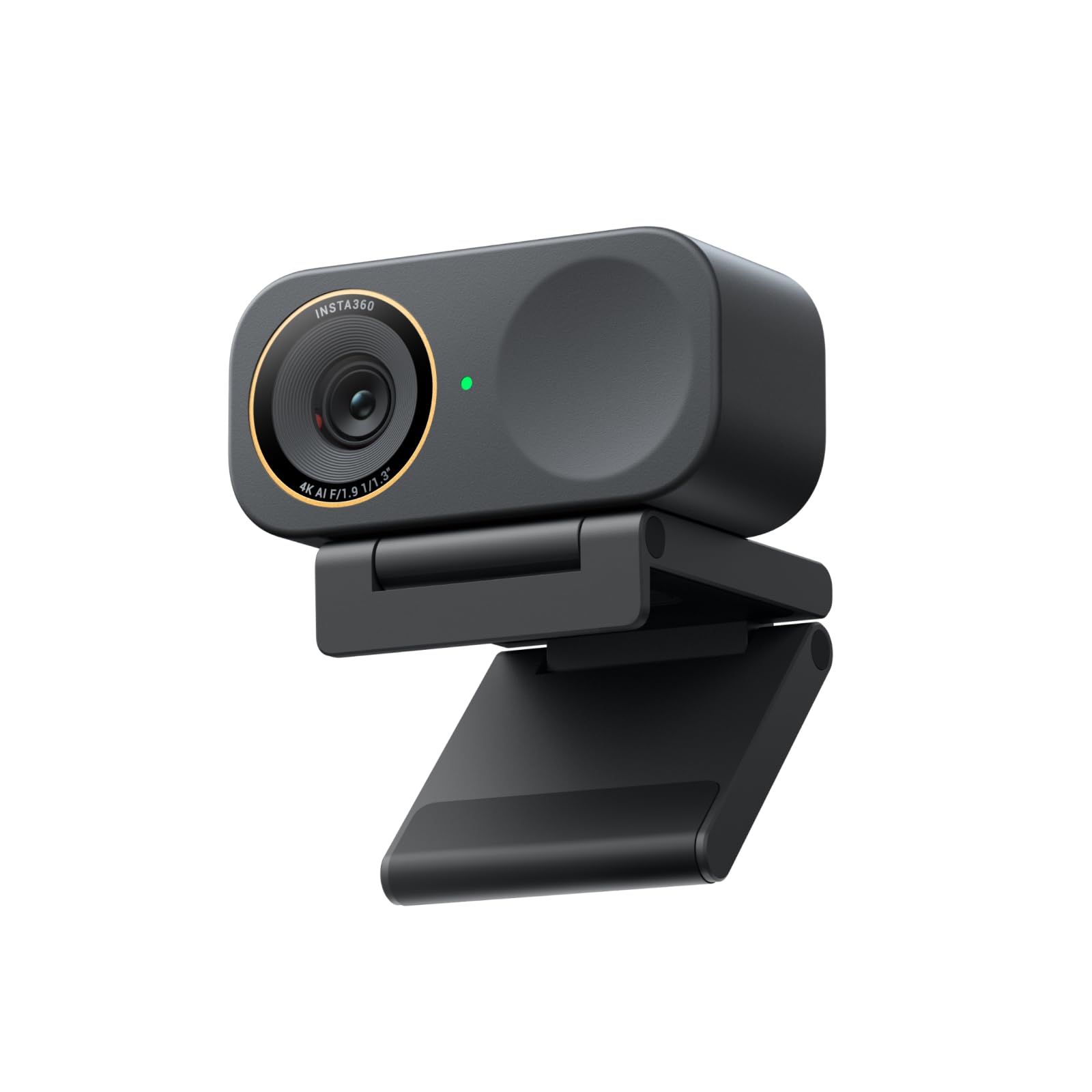
Low-light video is mostly a sensor problem, and the Link 2C Pro is the only webcam here with a 1/1.3-inch sensor. That is why it takes the top spot: the larger sensor gives the image more light to work with before software has to step in, and HDR keeps the picture from turning into a bright, noisy mess when the room is lit mainly by a monitor. We tested these side by side with the overhead lights down, and this is the one we kept reaching for.

The rest of the package is built for streaming as much as meetings. Auto framing follows you if you move, the dual mics use directional pickup, and the magnetic mount makes it easy to reposition or clip to a tripod. We appreciate the magnetic mount more than a fixed monitor clip because it lets you adjust the angle without fighting a stiff hinge.

The Link 2C Pro also supports gesture control and Stream Deck, and the app adds bokeh and other effects. Those are conveniences rather than necessities, but they make the camera feel more flexible than a plain webcam. It is a premium camera, and it earns that position with image quality rather than a pile of extras.

Pros

  • Largest sensor here for dim rooms
  • 4K HDR image with auto framing
  • Directional mics and magnetic mount
  • Stream Deck and gesture control

Cons

  • Premium price
  • Smart features require the app
Our verdict

We recommend the Link 2C Pro when low light matters most: its 1/1.3-inch sensor and HDR give the cleanest image here, and auto framing makes calls easier.

Check Latest Price
2

Best Value

Anker PowerConf C200

89 /100
LBD Score Excellent

Key details

Privacy
Built-in slide cover
Resolution
2K
Field Of View
65°, 78°, or 95°
Low-light Help
Low-light correction
View on Amazon

The C200 pairs 2K resolution with low-light correction, a sliding privacy cover, and dual mics with AI noise cancellation. Anker also lets you switch between 65°, 78°, and 95° fields of view in its software, which is more framing control than most webcams at this level offer.

That adjustability is what makes it our value pick. A 78° default handles a normal desk, 65° crops out a messy room, and 95° fits a second person without moving the camera. The 2K image has more room to crop than a 1080p feed, and the low-light correction does useful work when the overhead light is off. We also appreciate the physical privacy cover, which is easier to trust than a software toggle.

If you need 4K detail for cropping, the Acer 4K is the step up; if your room has no lamp at all, the NexiGo's ring light is the more direct fix. For a normal home office that is dim rather than dark, the C200 is the practical middle.

Pros

  • 2K image with low-light correction
  • Three fields of view
  • Physical privacy cover
  • Dual mics with noise cancellation

Cons

  • Autofocus can hunt in dim light
  • Colors can shift under mixed lighting
Our verdict

For most home offices, we recommend the C200: 2K low-light correction, three fields of view, and a privacy cover make it the practical value pick.

Check Latest Price
3

Best Large-Sensor Value

Acer 4K Webcam

89 /100
LBD Score Excellent

Key details

Focus
PDAF autofocus
Sensor
Sony 1/2-inch
Resolution
4K
Field Of View
83°
View on Amazon

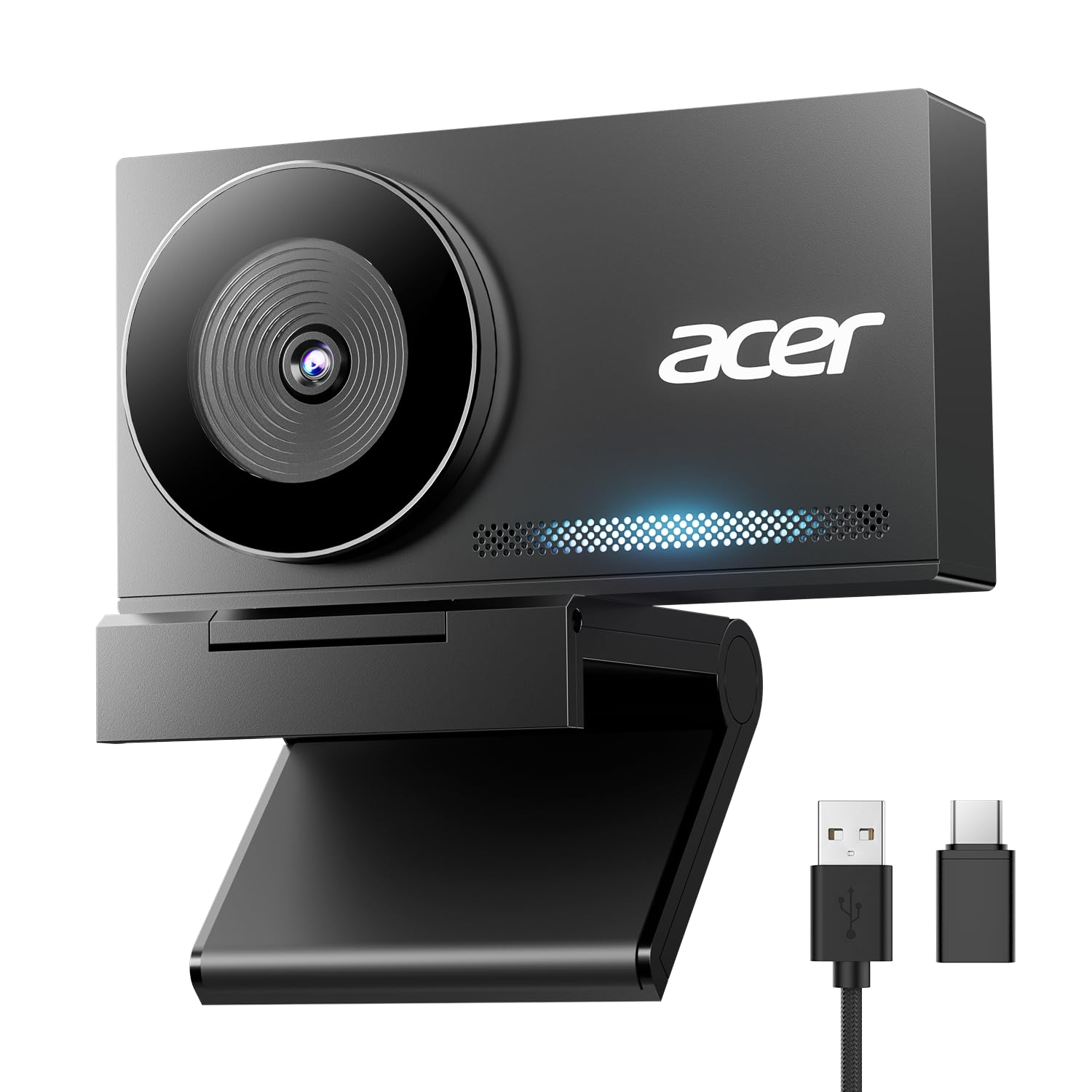
The Acer 4K webcam is built around an aluminum unibody, with a magnetic privacy cover that snaps to the back when not in use. The body is small and plain in the way good desk gear is plain, and the USB-C to A cable plus adapter means it can move between a desktop and a newer laptop.

Inside is a Sony 1/2-inch sensor and an 83° lens, with 4K video and PDAF autofocus. That sensor is the second-largest in this group, behind the Insta360's 1/1.3-inch chip, and the 83° view is more forgiving than the 60° to 73° lenses on several budget cams. The dual mics are rated to pick up your voice from up to 2.5 meters away, which is enough for a normal desk.

That combination is what makes it our large-sensor value. The 1/2-inch sensor gives the low-light image more natural depth than the smaller 4K chips here, and the metal body makes it feel like a piece of gear rather than a plastic clip. It is the pick for someone who wants a more natural dim-room look and does not need the camera to light them.

Pros

  • Sony 1/2-inch sensor for low light
  • 4K video and PDAF autofocus
  • 83° field of view
  • Aluminum body and magnetic cover

Cons

  • No built-in light
  • No auto framing
Our verdict

We like the Acer 4K for a natural dim-room image: its 1/2-inch sensor, 4K video, and wide view make it the strongest large-sensor value here.

Check Latest Price
4

Best With Built-In Light

NexiGo N680E Pro

87 /100
LBD Score Excellent

Key details

Focus
PDAF autofocus
Light
Tri-tone ring light
Sensor
Sony 1/2.5-inch
Resolution
4K
View on Amazon

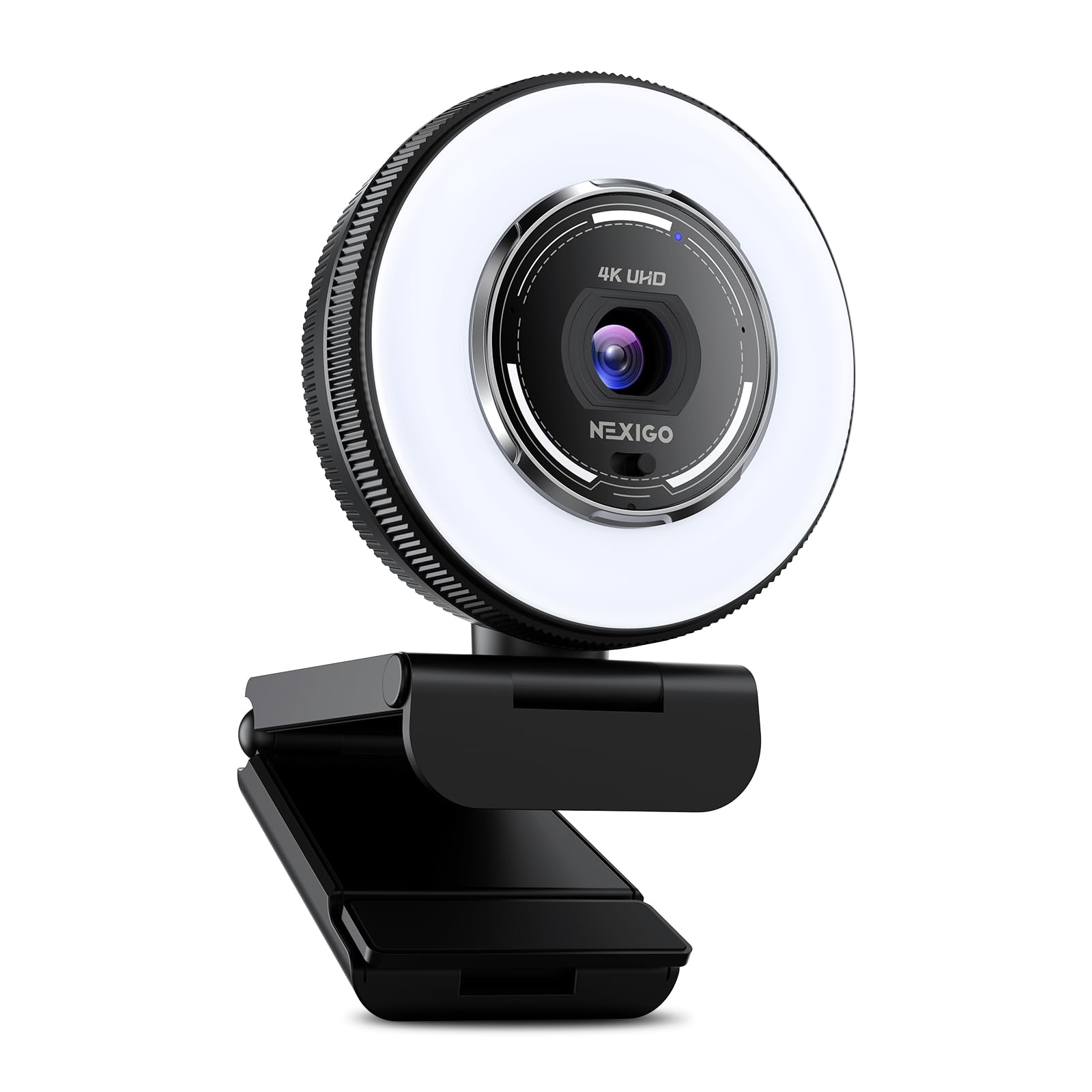
The N680E Pro's built-in ring light is the feature that separates it from the sensor-first picks. It has three color temperatures and a stepless brightness dial around the outside of the light, so you can warm up a cool office or dim the light without opening an app.

We like that the light is adjustable rather than just on or off. In a room with no practical lamp, it gives your face a consistent source and lets the camera keep the gain lower than it otherwise might. The 4K Sony sensor and PDAF autofocus are competent, and 1080p at 60fps is a useful option for motion.

The ring light is still a light on your monitor: it can look obvious and flatten shadows, so dial it down for a more natural look. The N680E Pro is for someone who wants the camera to solve the lighting problem, not for someone who wants the softest available-light image. We also appreciate the privacy shutter and the plug-and-play setup.

Pros

  • Tri-tone ring light with stepless dimming
  • 4K Sony sensor and PDAF autofocus
  • 1080p at 60fps
  • Built-in privacy shutter

Cons

  • USB-A connection only
  • No auto framing
Our verdict

The N680E Pro is our pick when the room has no lamp: its adjustable ring light adds real light, and the 4K sensor keeps the image sharp.

Check Latest Price
5

Best 1080P Workhorse

Logitech C920x

93 /100
LBD Score Outstanding

Key details

Focus
Autofocus
Resolution
1080p at 30fps
Field Of View
78°
Low-light Help
HD light correction
View on Amazon

The C920x is the known quantity in this group: a 1080p webcam with a 78° view, autofocus, stereo audio, and Logitech's HD light correction. It has been around long enough that most meeting apps recognize it immediately, and the picture is still crisp for a talking-head call.

It still does the basics without fuss. The light correction is not as dramatic as a large sensor or a ring light, but it keeps a face from disappearing into a dark background, and the autofocus is quick enough for a normal desk. The 78° view is a better default than the tighter 60° lens on the Brio 101, especially if you share the frame.

That is why it still earns a spot. The missing privacy shutter is the obvious omission; if that matters, the Anker C200 or Acer include one. The C920x is the pick for someone who wants a familiar 1080p camera for meetings and does not need 4K or a built-in light.

Pros

  • 1080p picture with HD light correction
  • Autofocus and 78° view
  • Stereo audio
  • Works with major meeting apps

Cons

  • Long-term reliability is mixed
Our verdict

The C920x remains an easy 1080p recommendation for meetings, with Logitech's light correction and autofocus still doing the basics well.

Check Latest Price
6

Best Budget 4K

EMEET NOVA 4K

90 /100
LBD Score Outstanding

Key details

Focus
PDAF autofocus
Privacy
Privacy cover
Resolution
4K at 30fps
Field Of View
73°
View on Amazon

The NOVA 4K's mount is the first thing to notice. The camera sits on a universal joint with 360° horizontal rotation, 15° vertical adjustment, and a 180° stand, and there is a standard 1/4-inch thread underneath, so it can perch on a monitor or screw onto a tripod without a separate adapter.

The camera itself is a 4K model with PDAF autofocus, a 73° field of view, and dual omnidirectional mics rated to pick up a voice from up to 8 feet away. It connects over USB-A, includes a privacy cover, and is plug-and-play on Windows and macOS.

The 73° view is a good middle ground: wide enough for a home office, not so wide that your face shrinks into the frame. The privacy cover is a separate piece rather than a built-in slider, so it is easier to lose, but it does the job. The 4K feed gives you room to crop if your app supports it.

What makes it a runner-up is the combination of that flexible mount and the 4K image for a budget price. The NOVA is the one we point to when a monitor clip keeps sliding or the camera needs to aim down at a desk. Autofocus can get stuck at close range, so if you move around a lot, the Acer 4K's PDAF is the steadier choice.

Pros

  • 4K video at a budget price
  • 360° mount and tripod thread
  • PDAF autofocus and 73° view
  • Dual mics and privacy cover

Cons

  • No Windows Hello support
Our verdict

We recommend the NOVA 4K for a budget desk where placement is awkward: its 360° mount and 4K image are a lot of flexibility for the money.

Check Latest Price
7

Budget Ring Light

Angetube 4K Ring Light

89 /100
LBD Score Excellent

Key details

Focus
PDAF autofocus
Light
Three-level ring light
Privacy
Privacy shutter
Resolution
4K at 30fps
View on Amazon

The Angetube's answer to a dark room is a built-in ring light with three brightness levels. That is a different approach from the sensor-first picks: instead of asking the camera to pull more out of the shadows, it puts a small, adjustable light on your face.

The rest of the spec sheet is competitive for the budget: 4K at 30fps, 1080p at 60fps, PDAF autofocus, dual mics, a 78° view, a privacy shutter, and both USB-A and USB-C cables. The 1/2.7-inch sensor is smaller than the Acer's 1/2-inch chip, so the ring light is not just a gimmick; it is part of the low-light plan.

The camera is easy to set up, the privacy shutter is built in, and the USB-A and USB-C cables cover most laptops. It also works as a normal webcam with the light off, which matters if you want to use it for a quick call without the ring glowing in your face.

We still like it as the budget light-first pick. It is the one to choose when the room is dim and you want the camera to bring its own illumination, not when you want the most natural available-light image. At this price, the trade-off is reasonable.

Pros

  • Built-in three-level ring light
  • 4K and 1080p60 video
  • PDAF autofocus and 78° view
  • Privacy shutter and USB-A/C cables

Cons

  • Light has only three brightness levels
Our verdict

The Angetube is our budget light-first pick: the built-in ring light makes a dim desk usable, and the 4K sensor handles the rest.

Check Latest Price
8

Close-Desk Calls

Logitech Brio 101

88 /100
LBD Score Excellent

Key details

Focus
Fixed focus
Resolution
1080p
Field Of View
60°
Low-light Help
RightLight brightness boost
View on Amazon

The Brio 101 is a close-desk camera, and that is the whole decision. Its 60° lens is the tightest here, so at a normal monitor distance it crops to your head and shoulders and leaves little room for a guest, a whiteboard, or a plant. If you sit back far enough, it looks fine; if you want a wide, natural frame, it will feel cramped.

What it does well is the simple stuff. RightLight brightens the image by up to 50% compared with older Logitech cams, the privacy shutter is built in, and the fixed focus means there is no hunting in a dim room. We like it for a laptop bag or a spare desk where the camera is mostly for one person at a time.

The fixed focus also means close-up objects go soft, and there is no zoom control to widen the shot. The Brio 101 is the budget pick for a single user at a close desk, not the one for a shared room or a stream where you move around. If that framing fits, it is an easy, uncomplicated camera.

Pros

  • RightLight brightens dark rooms
  • Built-in privacy shutter
  • Simple plug-and-play
  • Fixed focus avoids hunting

Cons

  • USB-A connection only
Our verdict

We recommend the Brio 101 for a close desk and a single user, where its RightLight correction and privacy shutter are enough.

Check Latest Price

How We Tested Webcams for Low Light

We started with a shortlist of webcams from brands known for video gear and office equipment, then filtered by sensor size, resolution, mount design, and price. Anything that couldn't manage 1080p, lacked low-light or auto-light correction, or had a fixed clip that wouldn't tilt got cut. That left 12 cameras, which we used for eight months.

They lived on my desk and came with me to a kitchen table for laptop calls. I tested before sunrise with only a monitor and floor lamp on, at midday with a bright window behind me, and in a basement room with the overhead light off. I noted whether faces went muddy, backgrounds blew out, grain crept into shadows, and skin tones or a red shirt shifted once the light changed. I also compared 1080p and 4K models at the same distance, because a higher resolution number rarely fixes a dark room on its own.

Each camera had to tilt and stay where I put it, focus on my face after I held a mug in front of the lens, and recover when I moved from a bright monitor to a shadowed corner. I tried digital zoom on a bookshelf label to see where detail fell apart, and I checked the privacy shutter—or cover—one-handed. I connected every unit directly and through a hub, over USB-A and USB-C where available, then opened the major meeting apps on both a work PC and a home laptop to see if it was plug-and-play.

On calls, I listened for whether the mic made me sound distant or picked up keyboard clatter, and whether ring lights or auto-light correction created a flat glow. Reliability meant the camera woke up for every meeting without re-plugging, and value meant the image held up after weeks of use, not just the first call.

How to Choose a Webcam for Low Light

Start With the Sensor, Not the Resolution

Resolution is the easiest number to shop by, but it is not the one that decides how a webcam looks in a dim room. A larger sensor captures more light before the camera has to amplify the signal, which is why the Insta360's 1/1.3-inch chip and the Acer's 1/2-inch chip have more headroom than the small 4K sensors here. We put sensor size ahead of pixel count for this purchase.

Look for a sensor size in the listing, not just a 4K badge. A 1080p camera with good light correction can beat a cheap 4K model in a dark room, and a 4K model with a tiny sensor will still look noisy. If the sensor size is not listed, treat the low-light claim as a question rather than a promise.

Decide Between Light Correction and a Built-In Light

Low-light correction and a built-in light solve the same problem in different ways. Correction brightens the image after the fact, which is convenient but can add noise and flatten color. A ring light adds real light to your face, which can make a bigger difference in a room with no lamp, but it is visible on your monitor and can look harsh at close range.

Choose correction if you want a natural look and have some ambient light; choose a built-in light if the room is genuinely dark and you want consistency without a separate lamp. The NexiGo's stepless tri-tone light is the most adjustable here, while the Angetube's three-step light is the simpler budget version.

Match the Field of View to Your Desk

A 60° lens is tight. At a normal monitor distance it crops to a head-and-shoulders shot and leaves little room for a second person or a whiteboard. A 78° to 83° view is a more forgiving default for a home office, and a 95° option is useful when you need to fit more of the room.

Field of view is not a quality score: a tight lens can be flattering if you sit close and want to fill the frame. Measure your desk distance before choosing. The Brio 101's 60° lens is the tightest here, the Anker C200 lets you switch among 65°, 78°, and 95°, and the Acer 4K sits at a versatile 83°.

Treat Autofocus as a Low-Light Feature

Autofocus is a low-light feature because contrast drops when the light does. A camera that hunts for focus in a dim room is more distracting than a slightly softer image that stays put. PDAF systems generally lock faster than contrast-only autofocus, and a fixed-focus lens avoids hunting entirely if you always sit in the same spot.

Choose autofocus if you move around, share the frame, or show objects to the camera. Choose fixed focus if you want a simple camera for one person at a desk and do not want the lens to breathe. The Acer 4K and NexiGo use PDAF; the Brio 101 is a fixed-focus design.

Check Mounting, Privacy, and Connection

A webcam is only as good as its mounting. Check the thickness of your monitor lip: a clip that fits a thin laptop screen may not fit a thick desktop bezel. A magnetic mount or a tripod thread gives you more options than a fixed clip, especially if you want to aim the camera down at a desk.

Privacy is the other practical check. A built-in shutter is easier to trust than a software toggle, and it is one reason the C920x's missing shutter stands out. Connection matters too: USB-A is still the safe default, but a USB-C cable or adapter helps if your laptop has dropped the older port.

Frequently Asked Questions

Final Verdict

If the room is genuinely dim and you want the cleanest image without adding a lamp, we recommend the Insta360 Link 2C Pro. Its 1/1.3-inch sensor and HDR do the most important work, and auto framing makes it easy to live with on a call.

The Anker PowerConf C200 is the better buy for most desks: 2K, low-light correction, and three fields of view for less. Choose the Acer 4K if you want a large sensor and a metal body without the Insta360's premium.