Best Webcams of 2026

The first time you see yourself as a smudgy silhouette on a Monday morning call, a webcam stops being an accessory and becomes the thing standing between you and looking competent. The fix isn’t always more resolution: a sharp 1080p camera with good light handling often beats a 4K model that blows out every window behind you. Over the past four months, I’ve tested 12 webcams at my desk, on a laptop, and in a dim spare room, paying attention to image quality, microphone pickup, audio quality, and how reliably each one handled a normal workday.

Setup was part of the test, not an afterthought: some cameras were plug-and-play, while others needed software before the picture looked right. I also cared about compatibility across Zoom, Teams, Meet, and FaceTime, and whether the mount stayed put when I tilted my monitor or moved the camera to a different screen. A privacy shutter and a mount that actually adjusts sound small until you’re on a call in a hurry.

The picks below reflect that everyday use, not a spec sheet. They’re the cameras that made a bad call look decent and a good call feel effortless, without turning every meeting into a setup project.

1

Best Overall

Acer A640 4K Webcam

88 /100
LBD Score Excellent

Key details

Focus
Phase-detection autofocus
Connection
USB-A with USB-C adapter
Resolution
4K
Field Of View
77.4 degrees
View on Amazon

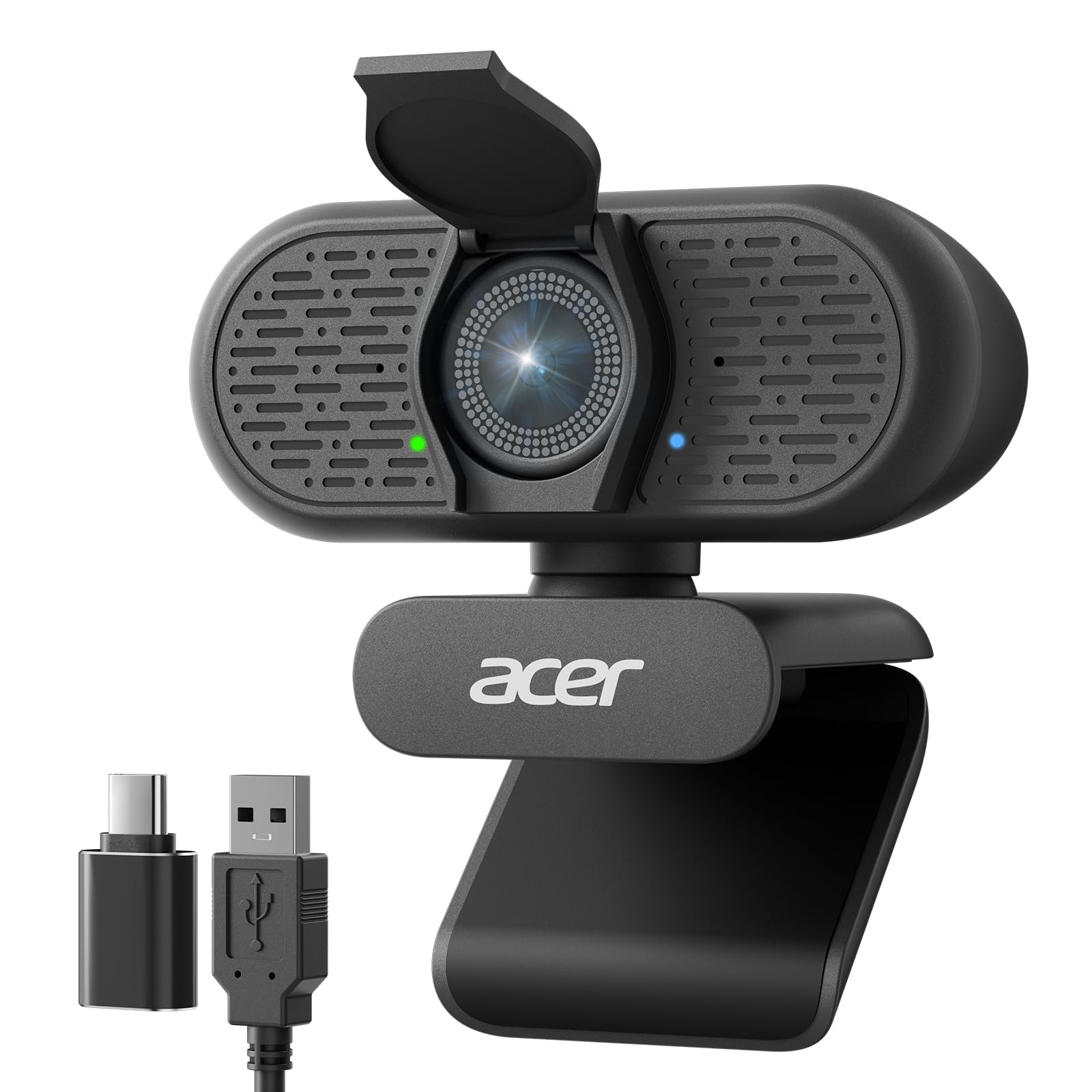
A 4K sensor, phase-detection autofocus and a physical privacy shutter at a midrange price is the short version of why the Acer A640 is our top pick. Phase detection is the focusing method phone cameras use, and it behaves the same way here: the A640 snaps onto a face instead of drifting through a soft patch and back. The 1/2.8-inch Sony sensor behind it holds color and detail the 1080p cameras in this set simply cannot, even before you count the extra resolution.

Just as good is what comes in the box. A USB-A cable and an A-to-C adapter both ship with the camera, so it moves between a tower and a USB-C-only laptop without a dongle hunt — a small thing that spares you an irritating afternoon. The 77.4-degree lens sits in a comfortable middle: close enough that your face fills the frame at a normal desk distance, wide enough for a second person to lean in. At 2K and 1080p it also records at 60fps, which matters if you capture anything that moves.

Two things to know before you order. Almost no conferencing app sends 4K, so on most calls you are getting a very good 1080p image and the resolution is headroom for cropping and recording rather than something the other end sees. And it will not handle Windows Hello face sign-in. Neither changes the recommendation: nothing else here pairs this sensor with this autofocus at anything close to the price.

Pros

  • 4K sensor with accurate color and detail
  • Phase-detect autofocus locks on quickly
  • USB-A cable and USB-C adapter included
  • Physical privacy shutter

Cons

  • No Windows Hello support
Our verdict

We make this the default because it pairs a 4K Sony sensor and fast phase-detect autofocus with a privacy shutter, for less than the premium 1080p cameras here.

Check Latest Price
2

Best for Framing Control

Anker PowerConf C200

89 /100
LBD Score Excellent

Key details

Focus
Autofocus
Privacy
Built-in sliding cover
Resolution
2K
Field Of View
65°, 78°, or 95° via software
View on Amazon

The reason to spend on the Anker PowerConf C200 is a menu, not a megapixel count. Its desktop software lets you pick a 65-, 78- or 95-degree field of view, which is the closest thing in this set to a zoom control. Tighten it in a small room with a bare wall behind you, open it up when a colleague pulls up a chair — no other camera here gives you that choice without cropping the image afterward.

Resolution is 2K, and the picture is sharp, with the strongest low-light handling of anything here: a dim spare bedroom still reads as a face rather than a smear. Autofocus is where it wobbles. It can hunt when you shift in your chair or hold a document up to the lens, and the white balance sometimes drifts warm. For a talking head at a desk it settles and stays put, which covers most meetings.

Two microphones with noise cancellation clean up a room that has a fan or a street outside, and the privacy cover is built into the body rather than clipped on, so it never goes missing in a drawer. This is a premium-priced camera, and the premium buys framing control rather than sharpness alone. If your background is a blank wall and your desk is small, that trade makes sense; if you mostly present objects on camera, the Acer's focus is the better tool.

Pros

  • Selectable 65°, 78° or 95° field of view
  • 2K detail with strong low-light handling
  • Dual mics with AI noise cancellation
  • Built-in sliding privacy cover

Cons

  • Autofocus can hunt when you move
  • White balance sometimes runs warm
Our verdict

Buy the C200 when framing is the problem: its 65/78/95-degree software options handle small rooms and bare walls that a fixed lens cannot, and it is the only real zoom control here.

Check Latest Price
3

Best for Streaming and Recording

Logitech C920x

93 /100
LBD Score Outstanding

Key details

Audio
Stereo microphones
Focus
Autofocus
Resolution
1080p at 30fps
Field Of View
78 degrees
View on Amazon

Here is the awkward comparison: the Logitech C920x costs more than our top pick and shoots 1080p where the Acer shoots 4K. It stays on this list because it does two things a bigger sensor cannot fix — it focuses itself and it records in stereo. If you record screencasts, teach over slides or stream, that pair has been earning its keep on office desks for years.

The 78-degree lens is about right for one person at a monitor: you fill the frame without your shoulders crowding the edges. Autofocus means leaning in to show a document does not blur the shot, and the dual microphones capture stereo rather than mono, which is the difference between a voice that sits in a mix and one that sounds like a phone call. Setup is a USB-A cable and nothing else.

The one thing missing from the box is a privacy shutter. The C920x has never had one, and a small clip-on cover fixes it for very little, so the reason to pick this over the cheaper 1080p cameras here is confidence: it focuses, it sounds good, and it works with everything from Teams to OBS without a driver.

The bundle also includes a three-month XSplit VCam license, which blurs or replaces your background without a green screen. If you record more than you call, that is a genuinely useful extra rather than a line on the box.

Pros

  • Autofocus keeps you sharp as you move
  • Stereo microphones for recording
  • 78-degree view suits a single desk
  • Three-month XSplit VCam license included

Cons

  • Some units stop being detected after months of use
Our verdict

It is the safest 1080p camera here for recording and streaming, with autofocus and stereo mics, as long as you do not need a shutter or the lowest price.

Check Latest Price
4

Best Budget for USB-C Laptops

EMEET C960

88 /100
LBD Score Excellent

Key details

Connection
USB-A with USB-C adapter
Resolution
1080p
Microphones
Two omnidirectional mics
Field Of View
90 degrees
View on Amazon

Two plugs come in the EMEET C960's box — a USB-A cable and an A-to-C adapter — and that pair is the most practical thing about it. Plug into a desktop tower at home, then move the same camera to a USB-C-only laptop without hunting through a drawer for a dongle. For a hybrid week, that pair is worth more than the extra resolution of a pricier camera.

The 90-degree lens splits the difference between a tight face shot and a room-wide view, which suits a desk where you sit a couple of feet from the screen. Two omnidirectional microphones handle the audio: they will not match a headset, but they pick up a normal speaking voice cleanly at desk distance. Fixed focus is the trade — the C960 will not refocus when you hold something up, so it is a camera for talking rather than showing.

Software is basic, and next to the 2K and 4K picks here the picture is plainly 1080p: you are buying convenience, not image quality. What balances that is a two-year warranty, longer than most in this set, on a camera priced in the budget bracket.

Pros

  • USB-A cable and USB-C adapter both included
  • 90-degree view fits a desk and a second person
  • Two-mic array picks up a normal speaking voice
  • Two-year warranty

Cons

  • Lens cover is a separate piece, not a built-in slide
Our verdict

A sensible budget pick for a USB-C laptop: both connector types in the box, a 90-degree view and a two-year warranty for less than most cameras here.

Check Latest Price
5

Desktop Monitors

Logitech Brio 101

88 /100
LBD Score Excellent

Key details

Privacy
Integrated sliding shutter
Connection
USB-A
Resolution
1080p
Field Of View
60 degrees
View on Amazon

Sixty degrees is where to start with the Logitech Brio 101, because it is the narrowest lens in this set and it decides whether the camera suits you. A foot from a laptop screen, the framing crops to your head; back at a desktop monitor, it is a normal, flattering shot. If you lean into your screen all day, no price makes this the right camera.

Get the distance right and the rest is refreshingly dull. The 1080p picture is clean, RightLight exposure lifts a backlit room without turning you into a silhouette, and setup is genuinely plug-and-play — no driver, no app, no account to create. We are fond of the shutter too: it is built into the body and slides with a thumb, so privacy becomes a habit rather than a separate thing to remember.

What you get at the desk is what you get in every call, which is also the appeal for a shared office or a guest room where nobody wants to configure anything. Buy it for a monitor you sit back from, or for a spare setup that has to work for whoever sits down at it.

Pros

  • Integrated sliding privacy shutter
  • RightLight handles backlit rooms
  • True plug-and-play with no app needed
  • Clean 1080p picture

Cons

  • No autofocus or framing controls
Our verdict

Buy the Brio 101 for a monitor you sit back from: clean 1080p, automatic light correction and a built-in shutter at a modest price, with a lens too tight for laptop distance.

Check Latest Price
6

Group Calls

NexiGo N60

88 /100
LBD Score Excellent

Key details

Mount
Monitor clip, tripod mountable
Privacy
Clip-on lens cover
Resolution
1080p at 30fps
Field Of View
110 degrees, adjustable in software
View on Amazon

The NexiGo N60's 110-degree lens is the widest here by a clear margin, and that is the whole reason to look at it. In a small room it fits a bookshelf, a second person and your hands on a keyboard without a fight. On a solo call at a desk it makes your face smaller in the frame than you probably want, which is the trade a wide lens always makes.

Software control is the other half of the pitch: an app adjusts field of view, exposure and white balance, which is more than most budget cameras offer. The privacy cover is a separate clip that goes over the lens, and the camera can sit on a tripod instead of hanging off your monitor.

The microphone is the weaker half. It is fine for a one-to-one call and thin for a room, which is a strange thing to say about a camera built for group shots — pair it with a speakerphone if that is the job. Where it earns its place is as the wide view in a huddle room or a spare desk, at a budget price that makes the compromise easy to accept.

Pros

  • Widest 110-degree field of view here
  • Software adjusts view, exposure and white balance
  • Tripod mounting option
  • Lens cover included

Cons

  • Picture can look grainy in low light
Our verdict

For group calls and small rooms the N60's 110-degree view covers what the others crop out, provided you can live with a softer picture once the light drops.

Check Latest Price
7

Second Camera

NIVEOLI 1080P Webcam

87 /100
LBD Score Excellent

Key details

Mount
Adjustable clip and mini tripod
Privacy
Built-in sliding cover
Resolution
1080p at 30fps
Microphones
Dual noise-reducing mics
View on Amazon

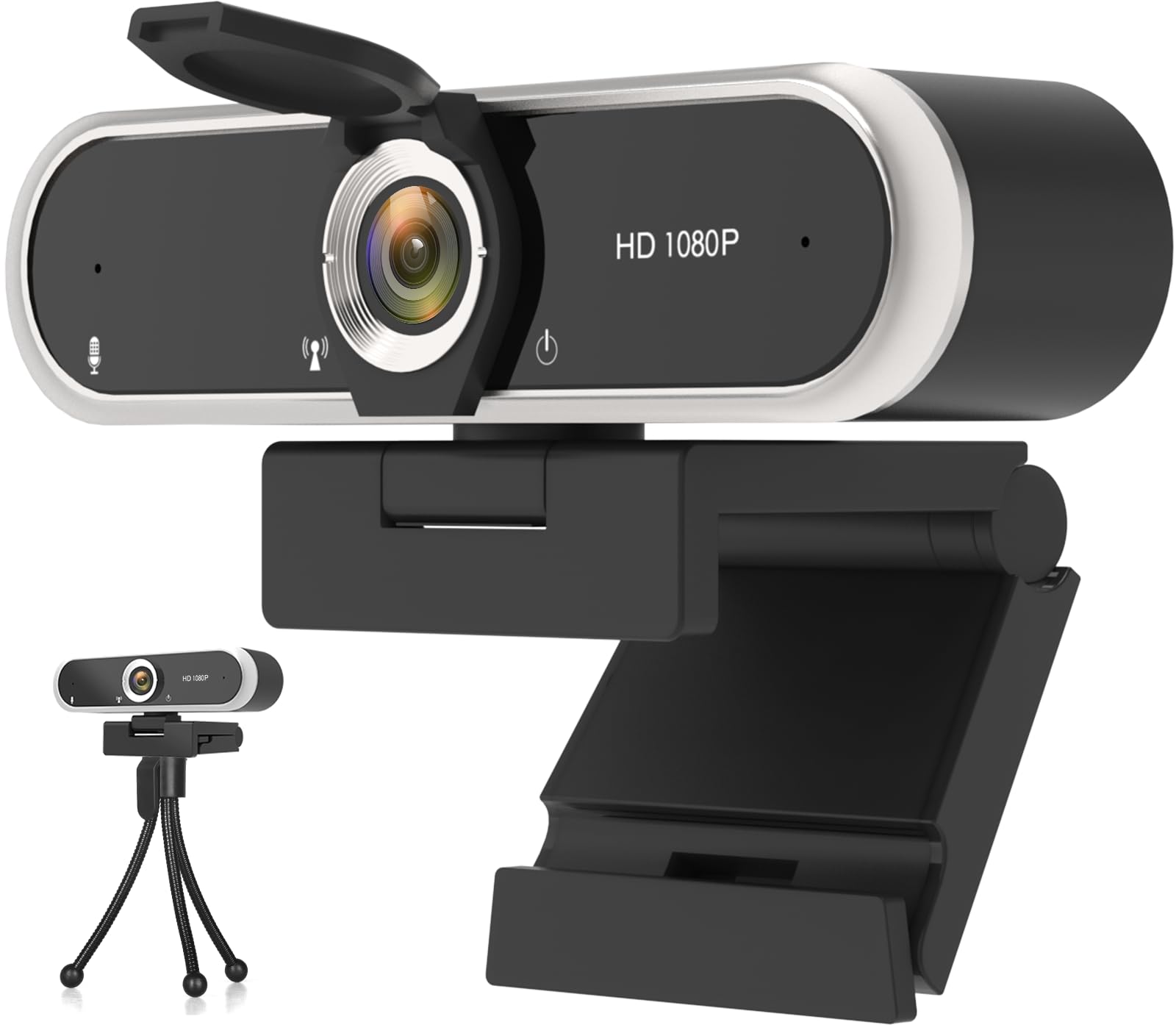
A mini tripod ships in the box with the NIVEOLI, and that extra decides where the camera can live. Stand it on a shelf behind the monitor, angle it at the chair, and you have a hands-free call setup that does not depend on how thick your laptop lid is.

The rest is competent budget hardware: 1080p at 30fps, dual noise-reducing microphones, an adjustable clip that grips a monitor or stands on a desk, and automatic light correction that keeps exposure reasonable as a room changes through the afternoon. The sliding shutter is built into the body, which is more than we expect at this end of the set.

The picture wants decent light. In a bright room it is crisp enough for meetings and classes; in a dim one it softens and the color runs warm, and no amount of software fixes a sensor that small. Sit near a window or a lamp and it is a perfectly good call camera.

Where it earns a place is as a second or third camera: a spare for a kid's online class, a shelf-mounted view for a workshop stream, a bag camera you do not worry about. Nothing here costs less, and nothing else arrives with a stand.

Pros

  • Mini tripod included in the box
  • Sliding privacy shutter in the body
  • Dual noise-reducing microphones
  • Least expensive camera in this set

Cons

  • Some boxes arrive without the privacy cover
Our verdict

The cheapest way to add a second camera: 1080p, a privacy shutter and a tripod in the box, with color and light that need managing.

Check Latest Price

How We Tested the Best Webcams

We started by scanning current webcams and comparing sensor and resolution claims, price, mount type, privacy shutter, and whether each listing named support for common video apps. We cut anything that couldn’t sit securely on a laptop or monitor, then narrowed the field to 12 units and tested them for four months.

Testing happened where webcams actually live: morning standups at a desk, afternoon client calls on a laptop, and evening video chats from the kitchen table. We timed setup from plug-in to first usable picture and noted whether software was required for basic functions. Each camera also spent time in the same dim corner, then in front of a bright window, so we could see how quickly exposure corrected and whether faces turned into silhouettes. We recorded short clips in each setup, noting skin tones, text sharpness, motion blur, and how often autofocus hunted when someone leaned in or held up a document.

For audio, we recorded the same spoken paragraph through each built-in microphone, listened for room echo and keyboard clatter, and checked whether voices stayed level when we moved from close to across the room. Compatibility tests meant starting calls in Zoom, Teams, Meet, and FaceTime, unplugging and reconnecting, and using the same camera on Mac and PC. We also mounted each one repeatedly, tilted it through its range, and checked after several weeks whether the clip loosened, the software glitched, or the privacy shutter still snapped cleanly.

How to Choose a Webcam

Match the Lens to Your Desk

Field of view is measured diagonally, and it decides how much of the room lands in the frame. A 60-degree lens like the Brio 101's works from a few feet back; sit a foot from a laptop and it crops to your forehead and chin. Something around 78 to 90 degrees covers a desk at arm's length and leaves space for a colleague to lean in, which is why it is the most common choice in this set.

The trap is assuming wider is always better. A 110-degree lens like the NexiGo's can fit a whole meeting room, but it also shrinks your face and bends the edges of the frame. If you cannot move your chair, buy the lens that matches where you actually sit, and take software framing where a model offers it — the Anker's three field-of-view settings are the only real adjustment in this group.

Resolution: Buy Headroom, Not a Badge

1080p at 30fps is still the working standard, and it is what most call apps actually send. A 2K or 4K sensor earns its keep when you crop the image, record for later, or want a sharper still. The Acer's 4K matters for recording and screen shares with a facecam inset; on a Teams call that compresses everything, it is largely invisible.

We put light handling ahead of pixel count every time. A clean, well-exposed 1080p image beats a grainy 4K one, and frame rate matters more than resolution if you capture anything that moves — the Acer shoots 60fps at 2K and 1080p, which is the spec to look for if you demonstrate things with your hands.

Autofocus, Fixed Focus and Bad Lighting

Fixed-focus cameras are set to look sharp at a typical desk distance, and they are fine if you sit still and talk. Autofocus matters the moment you hold a document up, lean in, or walk around a room. Phase detection, as on the Acer, is the faster of the systems here and the one that behaves most like a phone camera.

Lighting deserves more attention than either. Automatic exposure and correction make the biggest visible difference in a dim room, and a bright window behind you will silhouette you no matter what the sensor costs. Face a lamp or a window and every camera in this guide looks better.

Microphones and the Audio You'll Actually Get

Built-in microphones are designed for one person at desk distance, and that is the honest limit of them. Two mics with noise cancellation, as on the EMEET and the Anker, handle a normal speaking voice well; none of them make a shared kitchen sound professional.

If you call from a busy room or record for an audience, budget for a headset or a separate microphone and treat the camera's mic as a backup. It is the cheapest upgrade in this whole category, and it does more for how you come across than another step up in resolution.

Mounts, Cables and Ports

Three things are worth checking before you order. The mount first: a folding clip sits on a monitor, while a tripod support or a bundled stand lets you put the camera on a shelf — the NIVEOLI's mini tripod is the reason it works as a second camera. Then the cable, where you want the stated length measured against the run from your monitor to your tower, because a short one decides where the camera lives. Finally the connector: a USB-C-only laptop needs an adapter, and only some cameras here include one.

Frequently Asked Questions

Final Verdict

The Acer A640 is the camera we point most people to. A 4K sensor, phase-detect autofocus and a privacy shutter for less than the two priciest picks here is a straightforward win, and the picture beats both of them.

Choose the Anker PowerConf C200 if your problem is framing rather than sharpness — a small room, a bare wall, a colleague pulling up a chair — because its 65/78/95-degree options are the only real zoom control in this set. And if you record or stream rather than call, the C920x's autofocus and stereo mics still earn their keep.